A toolkit of custom commands, hooks, and utilities for Claude Code
关键参数与规格
关键参数与规格
参数
值
语言
Python
类别
Applications
子类别
Other
关键词
Gaming
星标数
764
分叉数
286
贡献者
3
创建日期
2017-07-05
更新日期
2026-10-06
1 天星标数
0
7 天星标数
0
排名
14,069
上次排名
13,940
排名变化
-129
7 天星标排名
14,276
上次 7 天星标排名
14,293
7 天星标排名变化
17
总星标排名
13,860
上次总星标排名
13,837
总星标排名变化
-23
国家
China
README 摘录
Tetris Game It is a python implementatino of Tetris Game, and a simple AI to play game automatically. Need python3, PyQt5 and NumPy to be installed. Run from command line and you start to play or watch the AI playing. Play manually If you want play by yourself, you should uncomment this line in : Or just comment this line: Current config could be too fast for human player. So you may want make it slower, by changing value of defined
here: Play rules Just like classical Tetris Game. You use *up* key to rotate a shape, *left* key to move left and *right* key to move right. Also you can use *space* key to drop down current shape immediately. If you want a pause, just press *P* key.
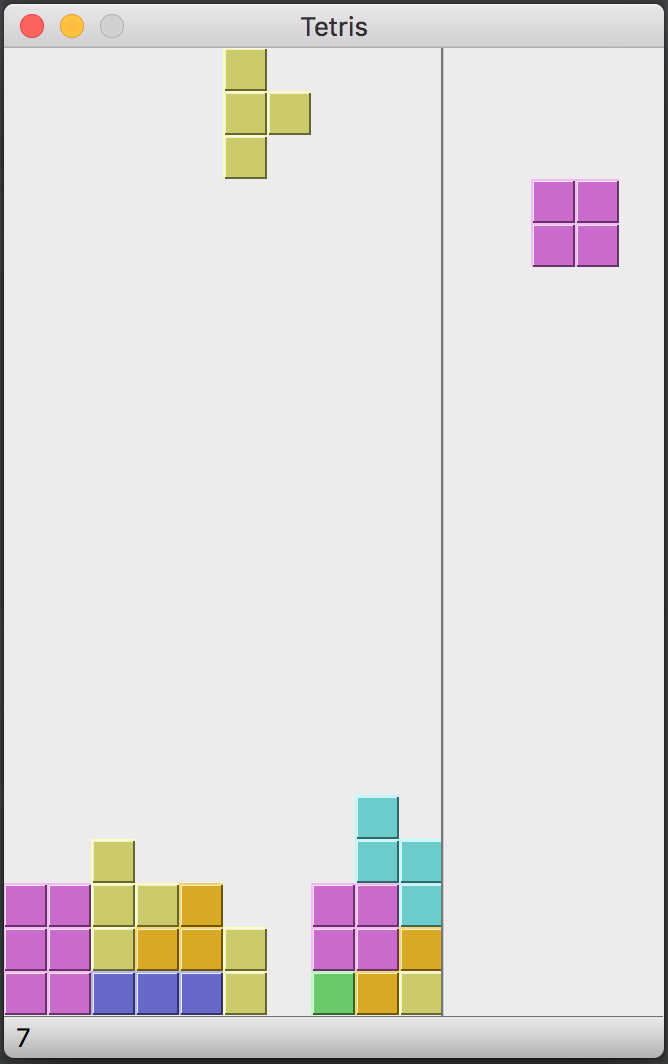
It is a python implementatino of Tetris Game, and a simple AI to play game automatically.
Need python3, PyQt5 and NumPy to be installed.
tetris_game.py is the main application.
tetris_model.py is the data model for this game.
tetris_ai.py is the AI part.
Run tetris_game.py from command line and you start to play or watch the AI playing.
$ python3 tetris_game.py
Play manually
If you want play by yourself, you should uncomment this line in tetris_game.py:
# TETRIS_AI = None
Or just comment this line:
from tetris_ai import TETRIS_AI
Current config could be too fast for human player. So you may want make it slower, by changing value of Tetris.speed defined here:
class Tetris(QMainWindow):
    ...
    def initUI(self):
        ...
        self.speed = 10
Play rules
Just like classical Tetris Game. You use up key to rotate a shape, left key to move left and right key to move right. Also you can use space key to drop down current shape immediately. If you want a pause, just press P key. The right panel shows the next shape.