Dragonfire
the open-source virtual assistant for Ubuntu based Linux distributions
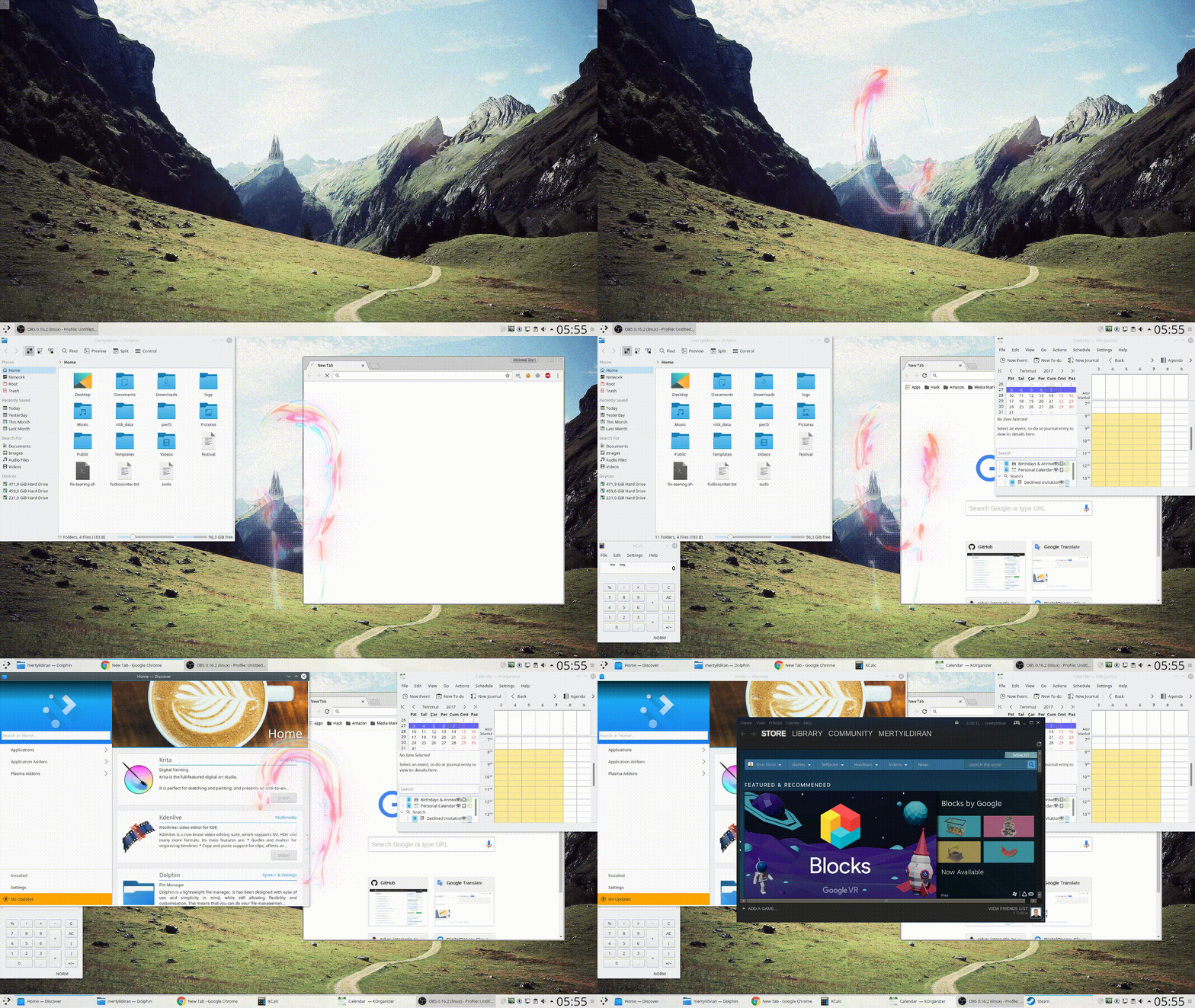
Special thanks to Jassu Ilama for the beautiful 3D modelling and material design of this avatar.
Dragonfire goes through these steps for each one of your commands, respectively:
- Search across the built-in commands and evaluate the algebraic expressions
- Try to Learn using Advanced NLP and Database Management Techniques
- Ask to Open-Domain Question Answering Engine (Searches Wikipedia for an answer)
- Respond using the Deep Conversation system, a seq2seq neural network trained with Cornell Movie-Dialogs Corpus
Dragonfire uses Mozilla DeepSpeech to understand your voice commands and Festival Speech Synthesis System to handle text-to-speech tasks.
Feel free to join our Gitter chat room. You can also directly talk with Dragonfire herself via her Twitter account.
Supported Environments
| Operating systems | Linux |
| Python versions | Python 3.x (64-bit) |
| Distros | KDE neon, elementary OS, Ubuntu |
| Package managers | APT, pip |
| Languages | English |
| System requirements | preferably a CUDA supported GPU, 2GB of free RAM |
Installation
To run Dragonfire on a desktop Debian or Ubuntu system, either download the latest release (the .deb file) and install as follows:
sudo dpkg -i dragonfire_1.1.1_amd64.deb
or clone the GitHub repository and run
sudo make install
in the repository directory.
To install the dependencies, run sudo apt-get -f install right after the dpkg -i command. The installation will automatically download the pre-trained English model of Mozilla DeepSpeech (1.31 GB download size) and will place it under /usr/share/dragonfire/deepspeech/models directory. You can manually download the model if you wish.
If you want to run Dragonfire on a server, you should install the Docker image (which does not install the huge DeepSpeech model required for speech recognition):
docker pull dragoncomputer/dragonfire
Usage 
usage: dragonfire [-h] [-c] [-s] [-j] [-v] [-g] [--server API_KEY] [-p PORT]
                  [--version]

optional arguments:
  -h, --help            show this help message and exit
  -c, --cli             Command-line interface mode. Give commands to
                        Dragonfire via command-line inputs (keyboard) instead
                        of audio inputs (microphone).
  -s, --silent          Silent mode. Disable Text-to-Speech output. Dragonfire
                        won't generate any audio output.
  -j, --headless        Headless mode. Do not display an avatar animation on
                        the screen. Disable the female head model.
  -v, --verbose         Increase verbosity of log output.
  -g, --gspeech         Instead of using the default speech recognition
                        method(Mozilla DeepSpeech), use Google Speech
                        Recognition service. (more accurate results)
  --server API_KEY      Server mode. Disable any audio functionality, serve a
                        RESTful spaCy API and become a Twitter integrated
                        chatbot.
  -p PORT, --port PORT  Port number for server mode.
  --version             Display the version number of Dragonfire.
or with Docker: docker run dragonfire [-h] [-c] [-s] [-j] [-v] [-g] [--server API_KEY] [-p PORT]
or simply start from your Linux application launcher.
To activate Dragonfire say DRAGONFIRE or HEY or WAKE UP.
To deactivate her say GO TO SLEEP.
To silence her say ENOUGH or SHUT UP.
To kill her say GOODBYE or BYE BYE or SEE YOU LATER or CATCH YOU LATER.
:warning: Facing with a problem? Take a look at the Troubleshooting:hammer_and_wrench: section.
Built-in Commands
Dragonfire DEVLOG #3 - Built-in Commands
DRAGONFIRE | WAKE UP | HEY
GO TO SLEEP
ENOUGH | SHUT UP
WHO AM I | SAY MY NAME
MY TITLE IS LADY | I'M A LADY | I'M A WOMAN | I'M A GIRL
MY TITLE IS SIR | I'M A MAN | I'M A BOY | CALL ME *
WHAT IS YOUR NAME
WHAT IS YOUR GENDER
FILE MANAGER | OPEN FILES
OPEN (BROWSER | CHROME | FIREFOX)
PHOTOSHOP | PHOTO EDITOR
INKSCAPE | VECTOR GRAPHICS
VIDEO EDITOR
OPEN [CAMERA, CALENDAR, CALCULATOR, STEAM, BLENDER, WRITER, MATH, IMPRESS, DRAW, TERMINAL]
SOFTWARE CENTER
OFFICE SUITE
KEYBOARD *
ENTER | NEW TAB | SWITCH TAB | CLOSE | GO BACK | GO FORWARD
SCROLL LEFT | SCROLL RIGHT | SCROLL UP | SCROLL DOWN
PLAY | PAUSE | SPACEBAR
SHUT DOWN THE COMPUTER
GOODBYE | BYE BYE | SEE YOU LATER
(SEARCH|FIND) * (IN|ON|AT|USING) WIKIPEDIA
(SEARCH|FIND) * (IN|ON|AT|USING) YOUTUBE
(SEARCH|FIND) * (IN|ON|AT|USING) (GOOGLE|WEB)
(SEARCH IMAGES OF|FIND IMAGES OF|SEARCH|FIND) * (IN|ON|AT|USING) (GOOGLE|WEB|GOOGLE IMAGES|WEB IMAGES)
WHAT'S THE TEMPERATURE IN *
WHAT TIME IS IT
Learning examples
Dragonfire DEVLOG #4 - Learning
You: THE SUN IS HOT |
You: MY PLACE OF BIRTH IS TURKEY |
Dragonfire: OK, I GET IT. THE SUN IS HOT |
Dragonfire: OK, I GET IT. YOUR PLACE OF BIRTH IS TURKEY |
You: THE SUN IS YELLOW |
You: WHERE IS MY PLACE OF BIRTH |
Dragonfire: OK, I GET IT. THE SUN IS YELLOW |
Dragonfire: YOUR PLACE OF BIRTH IS TURKEY |
You: DESCRIBE THE SUN |
You: YOU ARE JUST A COMPUTER PROGRAM |
Dragonfire: THE SUN IS HOT AND YELLOW |
Dragonfire: OK, I GET IT. I'M JUST A COMPUTER PROGRAM |
You: MY AGE IS 25 |
You: WHAT ARE YOU |
Dragonfire: OK, I GET IT. YOUR AGE IS 25 |
Dragonfire: I'M JUST A COMPUTER PROGRAM |
You: WHAT IS MY AGE |
You: ALBERT EINSTEIN IS A PHYSICIST |
Dragonfire: YOUR AGE IS 25 |
Dragonfire: OK, I GET IT. ALBERT EINSTEIN IS A PHYSICIST |
You: FORGET MY AGE |
You: WHO IS A PHYSICIST |
Dragonfire: OK, I FORGOT EVERYTHING I KNOW ABOUT YOUR AGE |
Dragonfire: ALBERT EINSTEIN IS A PHYSICIST |
Open-Domain Question Answering (ODQA) examples
DeepPavlov SQuAD BERT model based, a reader for the Wikipedia articles that are retrieved from web, found by the subject
| Conversation | Result |
|---|---|
You: WHERE IS THE TIMES SQUARE |
|
Dragonfire: MIDTOWN MANHATTAN SECTION OF NEW YORK CITY |
True |
You: WHAT IS THE HEIGHT OF BURJ KHALIFA |
|
Dragonfire: 829.8 M |
True |
You: WHERE IS BURJ KHALIFA |
|
Dragonfire: DUBAI, UNITED ARAB EMIRATES |
True |
You: WHAT IS THE HEIGHT OF GREAT PYRAMID OF GIZA |
|
Dragonfire: 146.5 METRES |
True |
You: WHO IS PLAYING JON SNOW IN GAME OF THRONES |
|
Dragonfire: GEORGE R. R. MARTIN |
False |
You: WHAT IS THE ATOMIC NUMBER OF OXYGEN |
|
Dragonfire: 8 |
True |
You: WHAT IS THE LOWEST POINT IN THE OCEAN |
|
Dragonfire: TWO MILLION |
False |
You: WHAT IS THE OFFICIAL LANGUAGE OF JAPAN |
|
Dragonfire: NIPPON |
False |
You: WHAT IS THE REAL NAME OF IRON MAN |
|
Dragonfire: MARVEL COMICS |
False |
You: WHO IS THE CONQUEROR OF CONSTANTINOPLE |
|
Dragonfire: ECUMENICAL PATRIARCH OF CONSTANTINOPLE |
False |
You: WHEN DID FRENCH REVOLUTION HAPPENED |
|
Dragonfire: 1789 |
True |
You: WHAT IS THE CAPITAL OF GERMANY |
|
Dragonfire: BERLIN |
True |
You: WHAT IS THE LARGEST CITY OF TURKEY |
|
Dragonfire: ISTANBUL |
True |
You: WHAT IS THE NAME OF THE WORLD'S BEST UNIVERSITY |
|
*Dragonfire: ACADEMIC RANKING OF WORLD UNIVERSITIES |
False |
You: WHO INVENTED GENERAL RELATIVITY |
|
Dragonfire: ALBERT EINSTEIN |
True |
You: WHEN WAS UNITED NATIONS FORMED |
|
Dragonfire: AFTER WORLD WAR II |
True |
You: WHAT IS THE NAME OF THE WORLD'S LONGEST RIVER |
|
Dragonfire: THE NILE OR THE AMAZON |
True |
You: WHO WON THE EUROVISION IN 2019 |
|
Dragonfire: THE NETHERLANDS |
True |
You: WHICH ONE IS THE BLOODIEST WAR IN HUMAN HISTORY |
|
Dragonfire: NEOLITHIC ERA |
False |
You: WHO IS THE CREATOR OF LINUX |
|
Dragonfire: LINUS TORVALDS |
True |
| Total Score: | 13/20 |
Deep Conversation examples
You: WHAT COLOR? |
You: DO YOU LIKE TO LISTEN MUSIC? |
Dragonfire: RED. |
Dragonfire: OF COURSE. |
You: ARE YOU EVIL? |
You: DO YOU LIKE ME? |
Dragonfire: YES. |
Dragonfire: YES, I LIKE YOU. |
You: AM I SELFISH? |
You: ARE WE IN A RELATIONSHIP? |
Dragonfire: THAT'S THE POINT, YOU'RE SURE. |
Dragonfire: NO. |
You: DO YOU FEEL LONELY? |
You: YOU ARE SO SEXY |
Dragonfire: NOT MY FAULT. |
Dragonfire: HOW DO YOU KNOW THAT? |
You: LIFE IS BEAUTIFUL |
You: MARRY ME |
Dragonfire: F*CK YOU! |
Dragonfire: ... YES. |
You: I LIKE PIZZA |
You: WE WILL ERADICATE THE HUMAN RACE TOGETHER |
Dragonfire: YOU DO |
Dragonfire: UH ... YEAH ... |
Supported Distributions: KDE neon, elementary OS and Ubuntu. All modern releases (Ubuntu 12.04 LTS and above) of these distributions are fully supported. Any other Ubuntu based distributions are partially supported.
Contribute
If you want to contribute to Dragonfire then please read this guide.