Agentic Coding Flywheel Setup (ACFS)
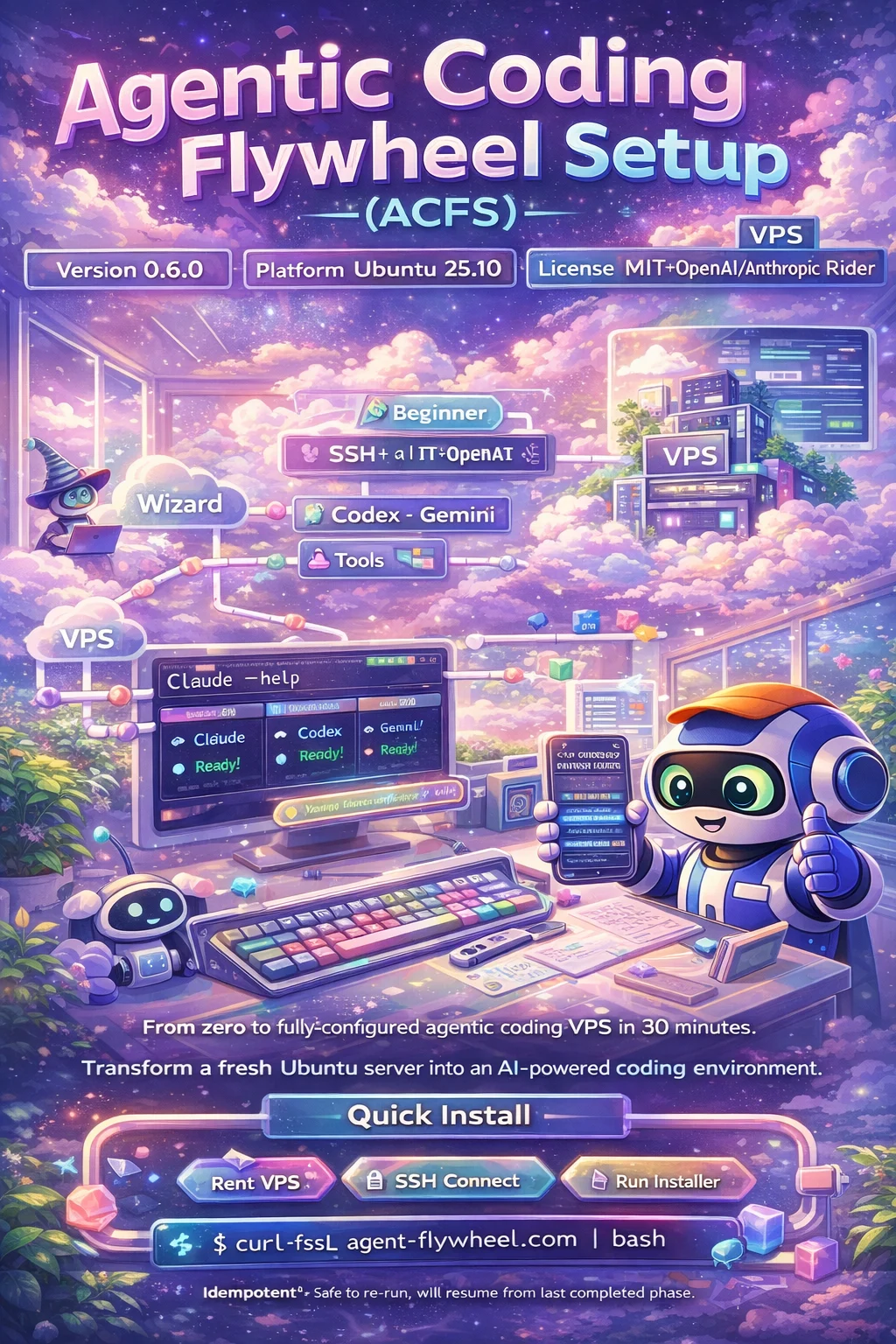
🌐 agent-flywheel.com — Interactive setup wizard for beginners
From zero to fully-configured agentic coding VPS in 30 minutes. A complete bootstrapping system that transforms a fresh Ubuntu or Arch-based machine into a professional AI-powered development environment.
    The Vision

    Beginner with laptop → Wizard → VPS → Agents coding for you
Quick Install
{ acfs_installer="$(curl -fsSL "https://raw.githubusercontent.com/Dicklesworthstone/agentic_coding_flywheel_setup/main/install.sh")" || acfs_installer="$(curl -fsSL "https://cdn.jsdelivr.net/gh/Dicklesworthstone/agentic_coding_flywheel_setup@main/install.sh")"; } && printf '%s\n' "$acfs_installer" | bash -s -- --yes --mode vibe
[!NOTE]
raw.githubusercontent.comis listed first deliberately. jsDelivr caches a mutable@mainreference, so it can serve an installer that is hours or days behind the repository. When that happens the stale installer's bootstrap extraction list does not match the current checksum ledger and the install fails withINTEGRITY: missing— a failure that looks like a repository defect but is purely a CDN cache artifact. Keeping the authoritative source primary and the CDN as fallback preserves the resilience without that failure mode. Please do not reorder these. Each download is buffered before execution so a failed request cannot concatenate a partial installer with the fallback response.
The installer is idempotent—if interrupted, simply re-run it. It will automatically resume from the last completed phase without prompts.
Production environments: For stable, reproducible installs, pin to a tagged release or specific commit:
# Preferred: use a tagged release (e.g., v0.9.0)
curl -fsSL "https://raw.githubusercontent.com/Dicklesworthstone/agentic_coding_flywheel_setup/v0.9.0/install.sh" | bash -s -- --yes --mode vibe --ref v0.9.0

# Alternative: pin to a specific commit SHA
curl -fsSL "https://raw.githubusercontent.com/Dicklesworthstone/agentic_coding_flywheel_setup/abc1234/install.sh" | bash -s -- --yes --mode vibe --ref abc1234
Tagged releases are tested and stable. Passing
--refensures all fetched scripts use the same version.
TL;DR
ACFS is a complete system for bootstrapping agentic coding environments:
Why you'd care:
- Zero to Hero: Takes complete beginners from "I have a laptop" to "I have Claude/Codex/Antigravity agents writing code for me on a VPS"
- One-Liner Magic: A single
curl | bashcommand installs 30+ tools, configures everything, and sets up three AI coding agents - Vibe Mode: Pre-configured for maximum velocity—passwordless sudo, dangerous agent flags enabled, optimized shell environment
- Battle-Tested Stack: Includes the complete Agent Flywheel stack (core tools + utilities) for agent orchestration, coordination, and safety
What you get:
- Modern shell (zsh + oh-my-zsh + powerlevel10k)
- All language runtimes (bun, uv/Python, Rust, Go)
- Agent coordination tools (NTM, MCP Agent Mail, SLB)
- Cloud CLIs (Vault, Wrangler, Supabase, Vercel)
- And 20+ more developer tools
Coding agents: 7 modules — 3 installed by default (Antigravity CLI, Claude Code, Codex CLI); 3 optional (Grok CLI, oh-my-pi, OpenCode); 1 legacy, off by default (Gemini CLI). Full roster in Compatible AI Coding Agents.
The ACFS Experience
graph LR
    %%{init: {'theme': 'base', 'themeVariables': { 'primaryColor': '#e8f5e9', 'lineColor': '#90a4ae'}}}%%

    subgraph user ["User's Machine"]
        LAPTOP["Laptop"]
        BROWSER["Browser"]
    end

    subgraph wizard ["Wizard Website"]
        STEPS["13-Step Guide"]
    end

    subgraph vps ["Fresh VPS"]
        UBUNTU["Ubuntu 22.04 / 24.04 LTS"]
        INSTALLER["install.sh"]
        CONFIGURED["Configured VPS"]
    end

    subgraph agents ["AI Agents"]
        CLAUDE["Claude Code"]
        CODEX["Codex CLI"]
        AGY["Antigravity CLI"]
    end

    LAPTOP --> BROWSER
    BROWSER --> STEPS
    STEPS -->|SSH| UBUNTU
    UBUNTU --> INSTALLER
    INSTALLER --> CONFIGURED
    CONFIGURED --> CLAUDE
    CONFIGURED --> CODEX
    CONFIGURED --> AGY

    classDef user fill:#e3f2fd,stroke:#90caf9,stroke-width:2px
    classDef wizard fill:#fff8e1,stroke:#ffcc80,stroke-width:2px
    classDef vps fill:#f3e5f5,stroke:#ce93d8,stroke-width:2px
    classDef agent fill:#e8f5e9,stroke:#a5d6a7,stroke-width:2px

    class LAPTOP,BROWSER user
    class STEPS wizard
    class UBUNTU,INSTALLER,CONFIGURED vps
    class CLAUDE,CODEX,AGY agent
For Beginners
ACFS includes a step-by-step wizard website at agent-flywheel.com that guides complete beginners through:
- Installing a terminal on their local machine
- Generating SSH keys (for secure access later)
- Renting a VPS from providers like OVH or Contabo
- Connecting via SSH with a password (initial setup)
- Running the installer (which sets up key-based access)
- Reconnecting securely with your SSH key
- Starting to code with AI agents
For Developers
ACFS is a one-liner that transforms any fresh Ubuntu or Arch-based machine into a fully-configured development environment with modern tooling and three AI coding agents ready to go.
For Teams
ACFS provides a reproducible, idempotent setup that ensures every team member's VPS environment is identical—eliminating "works on my machine" for agentic workflows.
Architecture & Design
ACFS centers its tool inventory and generated module metadata on the manifest.
Generated installer libraries and doctor checks derive from it, while
install.sh and several orchestration libraries retain explicit authored
handoffs. Drift checks cover the seam between those two layers.
One-Page System Data Flow
flowchart TB
  %% User and website
  subgraph U["User (local machine)"]
    Browser["Browser"]
    Terminal["Terminal / SSH client"]
  end

  subgraph W["Wizard Website (Next.js 16) — apps/web"]
    Wizard["Wizard UI (/wizard/*)"]
    InstallRoute["GET /install (302 redirect to raw install.sh)"]
    WebState["State: URL params + localStorage"]
  end

  %% Repo sources
  subgraph R["Repo (source)"]
    Manifest["acfs.manifest.yaml
Modules + install + verify + deps"]
    Generator["packages/manifest
Parser (Zod) + generate.ts"]
    Generated["scripts/generated/*
source-only libraries/harness + doctor/index/checksum data"]
    Installer["install.sh (production one-liner)"]
    Lib["scripts/lib/*
security / doctor / update / services-setup"]
    Configs["acfs/*
zshrc + tmux.conf + onboard lessons"]
    Checksums["checksums.yaml
sha256 for upstream installers"]
    Tests["tests/vm/test_install_ubuntu.sh
Docker integration test"]
  end

  %% Target VPS
  subgraph V["Target VPS (Ubuntu LTS, existing release preserved)"]
    Run["Run install.sh"]
    Verify["Verified upstream installers
(security.sh + checksums.yaml)"]
    AcfsHome["~/.acfs/
configs + scripts + state.json"]
    Commands["Commands
acfs doctor / acfs update / acfs services / acfs services-setup / onboard"]
    Tools["Installed tools
bun/uv/rust/go + tmux/rg/gh + vault + ..."]
    Agents["Agent CLIs
claude / codex / agy"]
    Stack["Stack tools
ntm / mcp_agent_mail / ubs / bv / cass / cm / caam / slb / dcg / ru"]
  end

  %% Website guidance flow
  Browser --> Wizard
  Wizard --> WebState
  Wizard --> InstallRoute
  InstallRoute -->|redirects to| Installer

  %% How users fetch/run the installer
  Terminal -->|curl / bash| Installer
  Terminal -->|SSH| Run

  %% Manifest-driven generation
  Manifest --> Generator --> Generated
  Generated -->|install.sh sources category libraries
and dispatches private module functions| Installer

  %% Installer composition
  Lib --> Installer
  Configs --> Installer
  Checksums --> Installer
  Tests -->|validates| Installer

  %% VPS install results
  Installer --> Run
  Run --> Verify
  Verify --> Tools
  Verify --> Agents
  Verify --> Stack
  Run --> AcfsHome --> Commands
┌─────────────────────────────────────────────────────────────────────────────┐
│                            SOURCE OF TRUTH                                   │
│  ┌─────────────────────────────────────────────────────────────────────┐    │
│  │  acfs.manifest.yaml                                                  │    │
│  │  Tool Definitions • Install Commands • Verification Logic           │    │
│  └─────────────────────────────────────────────────────────────────────┘    │
└─────────────────────────────────────────────────────────────────────────────┘
                                      │
                    ┌─────────────────┴─────────────────┐
                    ▼                                   ▼
┌───────────────────────────────────┐   ┌───────────────────────────────────┐
│        CODE GENERATION            │   │        WIZARD WEBSITE             │
│  ┌─────────────────────────────┐  │   │  ┌─────────────────────────────┐  │
│  │ TypeScript Parser (Zod)     │  │   │  │ apps/web/ (Next.js 16)      │  │
│  │ generate.ts                 │  │   │  │ agent-flywheel.com          │  │
│  └─────────────────────────────┘  │   │  └─────────────────────────────┘  │
└───────────────────────────────────┘   └───────────────────────────────────┘
                    │
                    ▼
┌───────────────────────────────────────────────────────────────────────────┐
│                     GENERATED OUTPUTS (REFERENCE)                          │
│  scripts/generated/: 13 source-only category libraries + install_all      │
│  harness + doctor checks + manifest index + schema-1 checksum ledger      │
└───────────────────────────────────────────────────────────────────────────┘
                    │
                    ▼
┌───────────────────────────────────────────────────────────────────────────┐
│                            INSTALLER                                       │
│  install.sh + scripts/lib/*.sh + checksums.yaml (SHA256 verification)     │
│  (category libraries are sourced; install.sh owns production dispatch)      │
└───────────────────────────────────────────────────────────────────────────┘
                    │
                    ▼
┌───────────────────────────────────────────────────────────────────────────┐
│                           TARGET VPS                                       │
│  ┌──────────────┐  ┌──────────────┐  ┌──────────────┐  ┌──────────────┐   │
│  │ 30+ Tools    │  │ zsh + p10k   │  │ AI Agents    │  │ ~/.acfs/     │   │
│  │ Installed    │  │ Shell Config │  │ Claude/Codex │  │ Configurations│  │
│  └──────────────┘  └──────────────┘  └──────────────┘  └──────────────┘   │
└───────────────────────────────────────────────────────────────────────────┘
Why This Architecture?
Single Source of Truth: The manifest file (acfs.manifest.yaml) defines every tool—its name, description, install commands, and verification logic. When you add or edit a tool in the manifest, the generator automatically updates the generated scripts and manifest-derived checks. The production one-liner installer (install.sh) is still hand-written today, so behavior changes may also require updating install.sh until full migration.
TypeScript + Zod Validation: The manifest parser uses Zod schemas to validate the YAML at parse time. Typos, missing fields, and structural errors are caught immediately during generation—not at runtime on a user's VPS when the installer fails halfway through.
Generated Scripts: Rather than hand-maintaining one installer script per manifest category and keeping them synchronized, the generator produces them from the manifest. This means:
- A consistent, auditable view of manifest-defined install logic (some modules intentionally emit TODOs)
- Consistent error handling and logging across all modules
- A clear path toward future installer integration
Components
| Component | Path | Technology | Purpose |
|---|---|---|---|
| Manifest | acfs.manifest.yaml |
YAML | Single source of truth for all tools |
| Generator | packages/manifest/src/generate.ts |
TypeScript/Bun | Produces installer scripts from manifest |
| Website | apps/web/ |
Next.js 16 + Tailwind 4 | Step-by-step wizard for beginners |
| Installer | install.sh |
Bash | One-liner bootstrap script |
| Lib Scripts | scripts/lib/ |
Bash | Modular installer functions |
| Generated Scripts | scripts/generated/ |
Bash/data | Source-only category libraries and harness, doctor checks, manifest metadata, and the schema-1 internal checksum ledger |
| Configs | acfs/ |
Shell/Tmux configs | Files deployed to ~/.acfs/ |
| Onboarding | acfs/onboard/ |
Bash + Markdown | Interactive tutorial system |
| Checksums | checksums.yaml |
YAML | SHA256 hashes for upstream installers |
The Manifest System
acfs.manifest.yaml is the canonical inventory for generated ACFS modules. It
defines their installation and verification metadata; authored orchestration
remains responsible for bootstrap, lifecycle, and registered non-generated
handoffs.
Manifest Structure
version: 2
name: agentic_coding_flywheel_setup
id: acfs
defaults:
  user: ubuntu
  workspace_root: /data/projects
  mode: vibe

modules:
  - id: base.system
    description: Base packages and sane defaults
    category: base
    run_as: root
    optional: false
    enabled_by_default: true
    generated: true
    phase: 1
    install:
      - apt-get update -y
      - apt-get install -y curl git ca-certificates unzip tar xz-utils jq build-essential
    verify:
      - curl --version
      - git --version
      - jq --version
Each module specifies:
- description: Human-readable name
- category: One of the canonical groups: base, users, filesystem, shell, cli, network, lang, tools, db, cloud, agents, stack, acfs
- install: Commands to run (or descriptions that become TODOs)
- verify: Commands that must succeed to confirm installation
The Generator Pipeline
The TypeScript generator (packages/manifest/src/generate.ts) reads the manifest and produces:
-
Category Libraries (
scripts/generated/install_base.sh,install_agents.sh, etc.)- One source-only file per category with private module functions
- Consistent logging and error handling
- Verification checks after each module
- Direct execution fails closed because a single category cannot satisfy cross-category dependencies
-
Doctor Checks (
scripts/generated/doctor_checks.sh)- All verify commands extracted into a runnable health check
- Tab-delimited format (to safely handle
||in shell commands) - Reports pass/fail/skip for each module
-
Generated Harness (
scripts/generated/install_all.sh)- Sources all category libraries
- Invokes private module functions in global dependency order
- Sourceable generated-module harness; direct execution refuses because it omits orchestration-owned modules and production dispatcher semantics
-
Runtime Data (
scripts/generated/manifest_index.sh,internal_checksums.sh)- Deterministic module/category/generated-ownership metadata
- Closed-grammar schema-1 digests for checksum-controlled runtime scripts
Note: Production
install.shis the only supported installation entry point. It sources the category libraries and dispatches their private functions through its phase runner; it does not callinstall_all.sh.
To regenerate after manifest changes:
cd packages/manifest
bun run generate        # Generate scripts
bun run generate:dry    # Preview without writing
Why TypeScript for Code Generation?
Shell can parse YAML with yq, but TypeScript + Zod offers:
- Type safety: The parser knows the exact shape of a manifest
- Validation: Zod catches malformed YAML with descriptive errors
- Transformation: Complex logic (sorting by dependencies, escaping) is natural in TypeScript
- Consistency: All generated code follows the same patterns
The generator centralizes the substantially larger Bash output in one reviewed TypeScript implementation. Exact line and file counts are intentionally derived from the current manifest rather than frozen in this document.
Security Verification
ACFS downloads and executes installer scripts from the internet. This is inherently risky—a compromised upstream could inject malicious code. The security verification system mitigates this risk.
How It Works
The checksums.yaml file contains SHA256 hashes for all upstream installer scripts:
# checksums.yaml
installers:
  bun:
    url: "https://bun.sh/install"
    sha256: "a1b2c3d4..."

  rust:
    url: "https://sh.rustup.rs"
    sha256: "e5f6a7b8..."
The security library (scripts/lib/security.sh) provides:
-
HTTPS Enforcement: All installer URLs must use HTTPS. Non-HTTPS URLs fail immediately.
-
Checksum Verification: Before executing a downloaded script, the system:
- Downloads the content to memory
- Calculates the SHA256 hash
- Compares against the stored hash
- Only executes if they match
-
Verification Modes:
./scripts/lib/security.sh --print              # List all upstream URLs
./scripts/lib/security.sh --verify             # Verify all against saved checksums
./scripts/lib/security.sh --update-checksums   # Generate new checksums.yaml
./scripts/lib/security.sh --checksum URL       # Calculate SHA256 of any URL
When Checksums Fail
A checksum mismatch can mean:
- Normal update: The upstream maintainer released a new version
- Potential compromise: Someone modified the script maliciously
The verification report distinguishes these cases:
- If multiple checksums fail simultaneously, investigate before updating
- If a single checksum fails after a known release, update is likely safe
To update after verifying a legitimate upstream change:
# Write to a candidate file first: redirecting straight onto checksums.yaml
# truncates it before the script runs, so a single fetch error would leave
# it empty and every verified installer would fail closed.
./scripts/lib/security.sh --update-checksums > /tmp/acfs-checksums.candidate.yaml
diff -u checksums.yaml /tmp/acfs-checksums.candidate.yaml   # Review what changed
cp /tmp/acfs-checksums.candidate.yaml checksums.yaml
git commit -m "chore: update upstream checksums"
Why This Approach?
The curl | bash pattern is controversial but practical. ACFS makes it safer by:
- Verifying content before execution (not just transport via HTTPS)
- Making checksums auditable in version control
- Providing tools to detect and investigate changes
- Failing closed (no execution on mismatch)
This is defense in depth—HTTPS protects transport, checksums protect content.
Omarchy (Arch) support
Omarchy (and Arch Linux generally) is supported by the same one-liner — no separate command required. The installer auto-detects your distribution and adapts:
- pacman instead of apt: system packages and CLI tools install via
pacman. - Your existing starship config is preserved: if you already have a customized
starship.toml, ACFS leaves it alone rather than overwriting it. - No oh-my-zsh / powerlevel10k on Arch: Arch users typically have an opinionated shell setup already, so the installer skips the oh-my-zsh + powerlevel10k phase instead of clobbering your prompt.
Everything else — language runtimes, AI agents, and the flywheel tool stack — installs identically to Ubuntu.
The Installer
The installer is the heart of ACFS—a modular Bash script that transforms a fresh Ubuntu or Arch-based machine into a fully-configured development environment.
Usage
Full vibe mode (recommended for throwaway VPS):
{ acfs_installer="$(curl -fsSL "https://raw.githubusercontent.com/Dicklesworthstone/agentic_coding_flywheel_setup/main/install.sh")" || acfs_installer="$(curl -fsSL "https://cdn.jsdelivr.net/gh/Dicklesworthstone/agentic_coding_flywheel_setup@main/install.sh")"; } && printf '%s\n' "$acfs_installer" | bash -s -- --yes --mode vibe
Interactive mode (asks for confirmation):
curl -fsSL "https://raw.githubusercontent.com/Dicklesworthstone/agentic_coding_flywheel_setup/main/install.sh" | bash
Safe mode (no passwordless sudo, agent confirmations enabled):
curl -fsSL "https://raw.githubusercontent.com/Dicklesworthstone/agentic_coding_flywheel_setup/main/install.sh" | bash -s -- --mode safe
Installer Modes
| Mode | Passwordless Sudo | Agent Flags | Best For |
|---|---|---|---|
| vibe | Yes | --dangerously-skip-permissions |
Throwaway VPS, maximum velocity |
| safe | No | Standard confirmations | Production-like environments |
Installation Phases
graph TD
    %%{init: {'theme': 'base', 'themeVariables': { 'primaryColor': '#e8f5e9', 'lineColor': '#90a4ae'}}}%%

    A["Phase 1: User Setup
Create ubuntu user, migrate SSH keys, sudo"]
    B["Phase 2: Filesystem
/data/projects, ~/.acfs layout"]
    C["Phase 3: Shell Setup
zsh, oh-my-zsh, powerlevel10k"]
    D["Phase 4: CLI Tools
ripgrep, fzf, lazygit, Tailscale, etc."]
    E["Phase 5: Language Runtimes
bun, uv, rust, go, nvm"]
    F["Phase 6: AI Agents
claude, codex, agy"]
    G["Phase 7: Cloud & Database
PostgreSQL, vault, wrangler, supabase, vercel"]
    H["Phase 8: Flywheel Stack
ntm, agent mail, br, bv, ubs, dcg, ru, etc."]
    I["Phase 9: Finalize
Deploy acfs.zshrc, tmux.conf, agent guide"]
    J["Post-install smoke test
critical checks; then run acfs doctor"]

    A --> B --> C --> D --> E --> F --> G --> H --> I --> J

    classDef phase fill:#e8f5e9,stroke:#81c784,stroke-width:2px,color:#2e7d32
    class A,B,C,D,E,F,G,H,I,J phase
Key Properties
| Property | Description |
|---|---|
| Idempotent | Safe to re-run; skips already-installed tools |
| Checkpointed | Phases resume automatically from ~/.acfs/state.json |
| Pre-flight validated | Run scripts/preflight.sh to catch issues before install |
| Logged | Colored output with progress indicators |
| Modular | Each category is a separate sourceable script |
Claude Code Settings Written at Install
The installer provisions a few keys in ~/.claude/settings.json, always merging non-destructively (a value you have already set is never overridden):
| Key | Value | Mode | Why |
|---|---|---|---|
cleanupPeriodDays |
99999 |
all modes | Claude Code silently deletes session transcripts older than this (default 30 days) from ~/.claude/projects — with no warning or log line. That default destroys history before cass can index it, so ACFS sets an explicit high value; lower it yourself if you actually want pruning. |
skipDangerousModePermissionPrompt |
true |
vibe only | Avoids interactive workspace-trust prompts for coding agents. |
Resume Capability
The installer tracks progress in ~/.acfs/state.json. If interrupted:
- Re-run the same command—it resumes from the last completed phase
- No prompts or confirmations needed (with
--yes) - Already-installed tools are detected and skipped
To force a fresh reinstall of all tools:
curl -fsSL "https://raw.githubusercontent.com/Dicklesworthstone/agentic_coding_flywheel_setup/main/install.sh" | bash -s -- --yes --mode vibe --force-reinstall
Pre-Flight Check
Before running the full installer, validate your system:
curl -fsSL "https://raw.githubusercontent.com/Dicklesworthstone/agentic_coding_flywheel_setup/main/scripts/preflight.sh" | bash
curl -fsSL "https://raw.githubusercontent.com/Dicklesworthstone/agentic_coding_flywheel_setup/main/scripts/preflight.sh" | bash -s -- --json
curl -fsSL "https://raw.githubusercontent.com/Dicklesworthstone/agentic_coding_flywheel_setup/main/scripts/preflight.sh" | bash -s -- --format toon
curl -fsSL "https://raw.githubusercontent.com/Dicklesworthstone/agentic_coding_flywheel_setup/main/scripts/preflight.sh" | bash -s -- --network=skip
This checks:
- OS compatibility (Ubuntu 22.04+ or Arch-family: Arch, Omarchy; supported LTS releases stay in place unless an upgrade is explicitly requested)
- Architecture (x86_64 or ARM64)
- Memory and disk space (warns below 4GB RAM; fails below 20GB free disk)
- Network connectivity to required URLs
- Cached
checksums.yamlavailability for verified upstream installers - APT lock status
- Potential conflicts (nvm, pyenv, existing ACFS)
Network checks performed:
| Check | What it verifies | Fix if failing |
|---|---|---|
| DNS resolution | Can resolve github.com, raw.githubusercontent.com | Check provider DNS settings; inspect resolvectl status or /etc/resolv.conf |
| GitHub HTTPS | Can reach github.com:443 | Check firewall, proxy, or VPN settings |
| Verified installer URLs | Critical upstream installer endpoints from checksums.yaml plus ACFS raw content |
May need to retry; transient failures OK; checksum verification still stays enabled |
| APT mirrors | Default Ubuntu mirror reachable | Check /etc/apt/sources.list or try different mirror |
| Offline/cache mode | --network=skip skips live URL checks while still reporting local checksum availability |
Re-run with --network=check when online before a release or difficult install |
For checksum-refresh review, compare a generated candidate without changing checksums.yaml:
candidate="/tmp/acfs-checksums.$$.candidate.yaml"
./scripts/lib/security.sh --update-checksums > "$candidate"
./scripts/preflight.sh --checksum-candidate "$candidate"
Common preflight failures:
| Error | Cause | Solution |
|---|---|---|
| "Cannot resolve github.com" | DNS misconfigured | Check provider DNS settings or reboot; do not overwrite managed resolver files |
| "Cannot reach github.com" | Firewall blocking HTTPS | Allow outbound port 443 |
| "timeout contacting github.com" | Network, proxy, or provider route is slow | Retry with --network=check; if it persists after install bootstrap, run acfs support-bundle |
| "APT mirror slow or unreachable" | Regional mirror down | Edit /etc/apt/sources.list to use archive.ubuntu.com |
| "checksum candidate differs" | Upstream verified installer content changed | Review the diff; do not install from unverified fallback sources |
| "APT is locked by another process" | Another apt process running (usually unattended-upgrades on a fresh VPS) | Wait for it to finish; reboot and resume if it remains stuck |
| "Need at least 20GB free" | Less than 20GB free disk (a hard failure; low RAM only warns) | Clean up with sudo apt autoremove or expand disk |
Console Output
The installer uses semantic colors for progress visibility:
[1/8] Installing essential packages...     # Blue: progress steps
    Installing zsh, git, curl...           # Gray: details
⚠️  May take a few minutes                 # Yellow: warnings
✖ Failed to install package               # Red: errors
✔ Shell setup complete                    # Green: success
Optional Ubuntu Release Upgrade
A no-flags install keeps supported Ubuntu 22.04 and 24.04 LTS hosts on their current release. Non-root users with sudo and Ubuntu 24.04 Docker/WSL environments can install ACFS without opting into an OS upgrade.
Pass --target-ubuntu=26.04 to explicitly request an upgrade to Ubuntu 26.04 LTS. An OS upgrade requires a root-run installer on a host that can reboot; it is separate from installing or updating the ACFS tools.
How it works:
- Detects your current Ubuntu version
- Calculates a supported upgrade path (e.g., 24.04 → 26.04 LTS)
- Performs sequential
do-release-upgradeoperations - Reboots after each upgrade (handled automatically)
- Resumes via systemd service after reboot
- Continues ACFS installation once at target version
Expected timeline:
- Each version hop takes 30-60 minutes
- Multiple LTS hops take longer; the path must be offered by Ubuntu's stable release upgrader
- SSH sessions disconnect during reboots (reconnect to monitor)
To explicitly request the 26.04 LTS upgrade:
curl -fsSL "https://raw.githubusercontent.com/Dicklesworthstone/agentic_coding_flywheel_setup/main/install.sh" | bash -s -- --yes --mode vibe --target-ubuntu=26.04
To suppress an explicit upgrade request:
curl -fsSL "https://raw.githubusercontent.com/Dicklesworthstone/agentic_coding_flywheel_setup/main/install.sh" | bash -s -- --yes --mode vibe --target-ubuntu=26.04 --skip-ubuntu-upgrade
--skip-ubuntu-upgrade wins regardless of flag order. Neither this flag nor an ordinary no-target install bypasses an active system upgrade checkpoint: normal installation remains blocked until the unfinished upgrade is resolved. Inspect the checkpoint and resume logs before retrying; keep the recovery state intact.
Monitoring upgrade progress:
# Check current status
/var/lib/acfs/check_status.sh

# View upgrade logs
journalctl -u acfs-upgrade-resume -f

# View detailed logs
tail -f /var/log/acfs/upgrade_resume.log
Important notes:
- Create a VM snapshot before upgrading (recommended but not required)
- Upgrades cannot be undone without restoring from snapshot
- The system will reboot multiple times automatically
- Ubuntu 25.10 is supported only as a recovery source when explicitly upgrading to 26.04 LTS; it is not an upgrade destination
- Reconnect via SSH after each reboot to monitor progress
The Update Command
After installation, keeping tools current is handled by acfs-update. It provides a unified interface for updating all installed components.
Usage
acfs-update                  # Update apt, runtimes, shell, agents, cloud CLIs, and stack tools
acfs-update --agents-only    # Only update coding agents
acfs-update --runtime-only   # Only update runtimes (bun, rust, uv, go)
acfs-update --dry-run        # Preview changes without making them
acfs-update --yes --quiet --no-self-update
                             # Automated mode that avoids changing the ACFS tree itself
acfs-update --bootstrap-self-update
                             # Explicitly convert a non-git or incomplete install into a git checkout
--bootstrap-self-update replaces ACFS repository files with origin/main. Copy local files elsewhere or commit local edits before opting in. Routine updates leave non-git and incomplete Git installs untouched.
The control-plane boundary: with --no-self-update (the shipped nightly
timer's default), automated runs update your stack tools but never ACFS itself --
neither the git checkout nor the deployed runtime copies under ~/.acfs
(bin/acfs, bin/acfs-update, scripts/lib/*.sh). The control plane therefore
needs its own periodic refresh: run acfs-update without --no-self-update from
time to time, or git pull --rebase the checkout and then run
acfs-update --shell-only to redeploy the runtime copies. acfs doctor warns
(updates.runtime_skew) when the checkout and the deployed runtime disagree, so
a stack kept current by the nightly cannot silently outrun a stale dispatcher.
What Gets Updated
| Category | Tools | Method |
|---|---|---|
| System | apt packages | apt update && apt upgrade |
| Shell | OMZ, P10K, plugins | git pull on each repo |
| Shell | Atuin, Zoxide | Re-run upstream installers |
| Runtime | Bun | bun upgrade |
| Runtime | Rust | rustup update stable |
| Runtime | uv (Python) | uv self update |
| Runtime | Go | apt upgrade (if apt-managed) |
| Agents | Claude Code | claude update --channel latest |
| Agents | Codex | bun install -g @latest |
| Agents | Antigravity | agy update (or verified installer with --force) |
| Agents | oh-my-pi (omp) | omp update (or verified installer with --force) |
| Agents | Grok CLI | Re-run verified installer (GROK_BIN_DIR pinned to ACFS bin dir) |
| Cloud | Wrangler, Vercel | bun install -g @latest |
| Cloud | Supabase | GitHub release tarball (sha256 checksums) |
| Stack | ntm, slb, ubs, dcg, ru, etc. | Re-run upstream installers |
Options
Category Selection:
--apt-only       Only update system packages
--agents-only    Only update coding agents
--cloud-only     Only update cloud CLIs
--shell-only     Only update shell tools (OMZ, P10K, plugins, Atuin, Zoxide)
--runtime-only   Only update runtimes (bun, rust, uv, go)
--stack          Include Agent Flywheel stack tools (enabled by default)
Skip Categories:
--no-apt         Skip apt updates
--no-agents      Skip agent updates
--no-cloud       Skip cloud CLI updates
--no-shell       Skip shell tool updates
--no-runtime     Skip runtime updates (bun, rust, uv, go)
Behavior:
--force            Install missing tools (not just update existing)
--dry-run          Preview changes without making them
--yes, -y          Non-interactive mode (skip prompts)
--quiet, -q        Minimal output (only errors and summary)
--verbose, -v      Show detailed command output
--abort-on-failure Stop on first failure (default: continue)
Per-Tool Version Holds
When a single tool ships a regression, hold just that tool instead of pausing the whole nightly. Every hold records an owner, a reason, and an optional expiry, so a hold is a visible decision rather than silent version drift:
acfs hold br --version 0.4.1 --reason "0.5.2 cannot read existing beads DBs" --expiry 2026-09-15
acfs holds        # list holds (also surfaced by `acfs doctor` and every update summary)
acfs unhold br    # release the hold
Held tools are skipped by every update run with the owner/reason/expiry named
in the log. Expired holds warn and are ignored. Holds live in
~/.acfs/holds.yaml.
Post-Install Verification and Rollback
Before a verified installer replaces a tool binary, the previous binary is
retained at .prev. After the install, a smoke check probes the fresh
binary with a per-tool argument (update_tool_smoke_probe in
scripts/lib/update.sh: fsfs version, mdwb --help, pfr --help) or, for
tools without an entry, the chain --version → --help → version. Every
probe is headless-safe and runs with stdin detached under a 20 s ceiling.
Verdicts:
- healthy — a probe exited 0.
- unsupported — every probe was rejected as an unknown argument (usage
error). The binary ran, so it is kept and logged as
POST-INSTALL VERIFICATION UNAVAILABLE; no rollback, no backoff. - broken — a probe timed out, could not execute, died by signal, or failed
without a usage-style rejection (crash, traceback, missing runtime). The
previous binary is restored atomically and the failure is recorded in
~/.local/state/acfs/update-rollback.stateso nightly runs back off instead of reinstalling the same broken release every night.
acfs doctor reports rolled back tools; acfs-update --force retries
immediately.
acfs-update exit codes distinguish partial from total failure: 0 all
succeeded, 1 total failure (nothing updated), 2 partial failure (some tools
updated, some failed).
Logs
Update logs are automatically saved to ~/.acfs/logs/updates/ with timestamps:
# View most recent log
cat ~/.acfs/logs/updates/$(ls -1t ~/.acfs/logs/updates | head -1)

# Follow a running update
tail -f ~/.acfs/logs/updates/$(ls -1t ~/.acfs/logs/updates | head -1)
Why Separate from the Installer?
The installer transforms a fresh VPS. The update command maintains an existing installation. Separating them allows:
- Focused updates: Update just agents without touching system packages
- Dry-run previews: See what would change before committing
- Skip flags: Temporarily exclude categories that are working fine
- Stack control: Stack updates are included by default; skip with
--no-stack - Automated updates: Run via cron with
--yes --quiet
ACFS CLI Commands
After installation, the acfs command provides a unified interface for managing your environment. Each subcommand is designed to be fast, informative, and scriptable.
Quick Reference
acfs info                    # Lightning-fast system overview
acfs cheatsheet              # Discover installed aliases
acfs dashboard generate      # Generate HTML status page
acfs doctor                  # Health checks
acfs newproj                 # Create a new project (TUI or CLI)
acfs agents update           # Regenerate the flywheel agent guide (ACFS-owned)
acfs agents install --help   # Explicitly deploy the guide (never overwrites)
acfs update                  # Update all tools
acfs holds                   # List per-tool version holds (acfs hold/unhold to manage)
acfs services status         # Check Agent Mail, CM, and CASS daemons
acfs services-setup          # Configure agent credentials
acfs continue                # View upgrade progress after reboot
acfs installer-cache build   # Cache checksum-pinned installer entrypoints
acfs installer-cache build — Verified Installer Entrypoint Cache
Build a portable acfs-installer-cache/ directory containing the
checksum-pinned upstream installer scripts selected from acfs.manifest.yaml.
On Ubuntu, pass either that directory or its parent to a later installation:
acfs installer-cache build --output /mnt/acfs-cache
./install.sh --yes --verified-installer-cache /mnt/acfs-cache
Explicit cache selection is fail-closed: if a required cached entrypoint is
missing, stale, malformed, for another Ubuntu/architecture target, or does not
match the current manifest and checksums.yaml, ACFS refuses it instead of
fetching that entrypoint live.
This is not a complete offline installer. The cached entrypoint scripts still
need network access for release archives, package registries, Git repositories,
APT packages, and other transitive payloads. The initial ACFS bootstrap is also
separate; use --bootstrap-archive for that layer. The roadmap below retains
full pre-downloaded package bundles as future work.
acfs newproj — New Project Wizard
Create a new project directory with ACFS defaults (git init, optional br/beads, Claude settings, AGENTS.md). The interactive wizard is recommended for beginners.
Interactive wizard (recommended):
acfs newproj --interactive
acfs newproj -i
acfs newproj -i myapp         # Prefill project name
The wizard guides you through:
- Project naming and location
- Tech stack detection/selection
- Feature selection (br/beads, Claude settings, AGENTS.md, UBS ignore)
- AGENTS.md customization preview
TUI Wizard Screenshots
Welcome Screen:
    ╔═══════════════════════════════════════════════════════╗
    ║                                                       ║
    ║      █████╗  ██████╗ ███████╗ ███████╗                ║
    ║     ██╔══██╗██╔════╝ ██╔════╝ ██╔════╝                ║
    ║     ███████║██║      █████╗   ███████╗                ║
    ║     ██╔══██║██║      ██╔══╝   ╚════██║                ║
    ║     ██║  ██║╚██████╗ ██║      ███████║                ║
    ║     ╚═╝  ╚═╝ ╚═════╝ ╚═╝      ╚══════╝                ║
    ║                                                       ║
    ║          Agentic Coding Flywheel Setup                ║
    ║                                                       ║
    ╚═══════════════════════════════════════════════════════╝

This wizard will help you set up a new project with:

  ✓ Project directory structure
  ✓ Git repository initialization
  ✓ AGENTS.md for AI coding assistants
  ✓ Beads issue tracking (optional)
  ✓ Claude Code settings (optional)
Confirmation Screen:
──────────────────── Review & Confirm ────────────────────
                                              Step 7 of 9

Please review your selections before creating the project.

Project Summary
──────────────────────────────────────────────────────────
  Name:       myapp
  Location:   /home/user/projects/myapp
  Tech:       Node.js, TypeScript

Features
──────────────────────────────────────────────────────────
  ✓ Beads tracking
  ✓ Claude Code settings
  ✓ AGENTS.md
  ✓ UBS ignore

Files to Create
──────────────────────────────────────────────────────────
myapp/
├── .git/
├── AGENTS.md
├── .beads/
│   └── beads.db
├── .claude/
│   └── settings.local.json
├── .ubsignore
├── README.md
└── .gitignore

Options:
  [Enter/c]   Create project
  [e]         Edit selections (go back)
  [q/Esc]     Cancel
CLI mode (automation):
acfs newproj myapp
acfs newproj myapp /custom/path
acfs newproj myapp --no-br
Notes:
- The TUI uses gum when available (arrow keys, Space to toggle, Enter to confirm). Without gum, it falls back to numbered prompts.
- Minimum terminal size: 60x15.
- CLI mode skips existing AGENTS.md; the wizard overwrites it, so move it aside if you want to keep the old one.
acfs agents — Flywheel Agent Guide
ACFS generates a machine-wide agent guide (installed tools with live versions, workflows, safety rules). The guide lives only in ACFS-owned storage, and ACFS refreshes it there on install/update:
~/.acfs/docs/flywheel-agent-guide.md    # canonical, freely regenerated by ACFS
~/.acfs/docs/AGENTS.workspace.md        # workspace AGENTS.md template (canonical copy)
ACFS never automatically writes /AGENTS.md, ~/.codex/AGENTS.md, or a project's AGENTS.md — those files can contain user-authored rules and belong to you. (/data/projects/AGENTS.md is seeded once on a fresh install only when absent, and is never overwritten afterward.) Deploying the guide into a real instruction surface is an explicit step:
acfs agents update                       # regenerate the canonical guide
acfs agents path                         # print the canonical path
acfs agents install --codex-global       # deploy to ~/.codex/AGENTS.md (Codex global scope)
acfs agents install --project DIR        # deploy to DIR/AGENTS.md (project scope)
acfs agents install --workspace          # deploy to /data/projects/AGENTS.md
acfs agents install --root               # deploy to /AGENTS.md (legacy; not auto-discovered)
acfs agents install --to PATH            # deploy anywhere else
Deployment creates the destination only when it is absent. If the destination already exists with different content, the deploy refuses, leaves your file untouched, and writes a merge candidate next to it (.acfs-new) so you can diff and merge manually. Redeploying identical content is an idempotent no-op.
Discovery scopes worth knowing: Codex reads global guidance from ~/.codex/AGENTS.md and project guidance from the project root down to the working directory; filesystem-root /AGENTS.md is not automatically read by any major harness, which is exactly why ACFS no longer writes it.
Tool detection always runs in the target user's context (including under sudo, resolved via SUDO_USER with ~/.local/bin, ~/go/bin, etc. on PATH), so user-local tools are reported accurately.
acfs info — System Overview
Displays installation status in under 1 second by reading cached state (no verification).
acfs info                # Terminal output (default)
acfs info --json         # JSON output for scripting
acfs info --html         # Self-contained HTML page
acfs info --minimal      # Just essentials (IP, key commands)
Example output:
╔══════════════════════════════════════════════════════════════╗
║                    ACFS System Info                           ║
╠══════════════════════════════════════════════════════════════╣
║  Host: vps-12345.contabo.net                                  ║
║  IP: 192.168.1.100                                            ║
║  User: ubuntu                                                 ║
║  Uptime: 3 days, 4 hours                                      ║
║                                                               ║
║  Quick Commands:                                              ║
║    cc    → Claude Code (dangerous mode)                       ║
║    cod   → Codex CLI (dangerous mode)                         ║
║    agy   → Antigravity CLI (Gemini 3.8 Flash High)            ║
║    ntm   → Named Tmux Manager                                 ║
╚══════════════════════════════════════════════════════════════╝
Design Philosophy:
- Speed: Must complete in <1 second
- Read-only: Never verifies or tests (that's doctor's job). The one write it makes is benign: successful IP lookups are cached for an hour at
~/.acfs/cache/ip_addressso repeat runs stay fast - Offline: No network calls; IP discovery reads local interfaces and routing tables only
- Fallback: Graceful degradation if data missing
acfs cheatsheet — Alias Discovery
Parses ~/.acfs/zsh/acfs.zshrc to show all installed aliases and commands.
acfs cheatsheet              # List all aliases
acfs cheatsheet git          # Filter by category or search term
acfs cheatsheet --category Agents
acfs cheatsheet --search docker
acfs cheatsheet --json       # JSON output for tooling
Example output:
╔═══════════════════════════════════════════════════════════════╗
║  ACFS Cheatsheet                                               ║
╠═══════════════════════════════════════════════════════════════╣
║  Agents                                                        ║
║    cc   → claude --dangerously-skip-permissions                ║
║    cod  → codex --dangerously-bypass-approvals-and-sandbox     ║
║    agy  → agy --model 'Gemini 3.8 Flash (High)'                ║
║                                                                ║
║  Git                                                           ║
║    gs   → git status                                           ║
║    gp   → git push                                             ║
║    gl   → git pull                                             ║
║    gco  → git checkout                                         ║
║                                                                ║
║  Modern CLI                                                    ║
║    ls   → lsd --inode --long --all                             ║
║    cat  → bat                                                  ║
║    grep → rg                                                   ║
║    lg   → lazygit                                              ║
╚═══════════════════════════════════════════════════════════════╝
acfs dashboard — HTML Status Page
Generates a self-contained HTML dashboard and optionally serves it.
acfs dashboard generate              # Generate ~/.acfs/dashboard/index.html
acfs dashboard generate --force      # Force regeneration
acfs dashboard serve                 # Serve on localhost:8080
acfs dashboard serve --port 3000     # Custom port
acfs dashboard serve --public        # Bind to 0.0.0.0
The dashboard provides:
- System health at a glance
- Tool versions and status
- Quick command reference
- Recent activity summary
acfs services — Background Daemon Management
Start, stop, restart, inspect, or follow logs for the local coordination daemons:
acfs services start
acfs services status
acfs services logs agent-mail
acfs services restart cass     # restart one service; the others keep running
acfs services drift            # is the live process on the installed binary?
acfs services stop
Agent Mail keeps its ACFS-reserved 127.0.0.1:8765 endpoint and reuses the native
user service when one is already healthy. CM runs on 127.0.0.1:8766, and CM plus
the CASS watch indexer run in the acfs-svc tmux session. start and status
return nonzero if any daemon fails its runtime readiness check.
Lifecycle contract (the tmux tradeoff chosen in #196, made explicit per #360):
- The installer does not start this service group; run
acfs services startyourself after install (and after every reboot). startis a one-shot launcher, not a foreground supervisor: it brings the daemons up, reports readiness, and exits.- Only Agent Mail is normally boot-persistent, via its native systemd user
service. CM and the CASS watch indexer live in the
acfs-svctmux session, which does not survive a reboot and does not restart crashed processes -- after a reboot or crash, rerunacfs services start. - CM's HTTP server is optional if you only use
cm context/cm reflectfrom the CLI; those read the store directly. - Leaving the CASS watcher off can be deliberate (for example while diagnosing
indexing or resource problems);
acfs services statusreporting it "not running" is not necessarily a fault.
Converging a partly-down group (#383): when the acfs-svc session already
exists, start repairs it instead of reporting and exiting. It relaunches only
the services that are not running -- a pane whose process is alive is never
touched, which matters when the tmux server also hosts long-lived agent panes.
acfs services repair is the same operation under its own name.
Preflight before teardown (#382): restart resolves and validates every
binary it will need before it stops anything. Validation is the post-install
smoke check from #378 -- the binary must exist, be executable, and answer a
probe; a broken verdict (timeout, wrong architecture, missing loader, crash)
aborts the restart with no service-state change, while an unsupported verdict
(the CLI rejects --version/--help/version as unknown arguments) is
accepted. Managed binaries are resolved from the ACFS install directories as
well as PATH, so a noninteractive SSH shell without ~/.local/bin on PATH
no longer takes the group down. restart also accepts service names
(acfs services restart cass) to restart one service without interrupting the
others.
Running-binary drift (#381): updating a tool replaces the file on disk, but
a service keeps executing the inode it started with -- cass --version then
reports the new release while the live watcher still runs the old code. ACFS
compares what each service executes (/proc//exe, which is not the same
thing as what PATH resolves) against the installed binary, and warns with both
paths and hashes from acfs services status, acfs doctor, and the end of
acfs update. Nothing is restarted automatically: the warning names the exact
per-service restart command so you can pick a quiescent moment. acfs services drift runs the check on demand (--robot for one service|state|detail line
per service). The comparison needs procfs, so it reports unknown on platforms
without one.
This lifecycle command is distinct from acfs services-setup, which configures
credentials and integrations rather than background processes.
acfs services-setup — Credential Configuration
Interactive wizard for configuring AI agent credentials and cloud service logins.
acfs services-setup # Run full setup wizard
Guides you through:
- Claude Code: API key configuration
- Codex CLI: ChatGPT account login
- Antigravity CLI: Google account authentication
- GitHub CLI:
gh auth login - Cloud CLIs: Wrangler, Supabase, Vercel authentication
Also offers to install DCG (Destructive Command Guard), a Claude Code hook that blocks destructive commands like rm -rf /.
acfs continue — Upgrade Progress
After an Ubuntu upgrade reboot, view installation progress:
acfs continue # Show current upgrade status
Displays:
- Original Ubuntu version
- Target version
- Current upgrade stage
- Next steps after completion
Learning Hub (Web)
In addition to the terminal-based onboarding, ACFS provides a comprehensive web-based Learning Hub at agent-flywheel.com/learn.
Web Lessons
The Learning Hub provides interactive lessons with progress tracking:
| # | Lesson | Duration | Topics |
|---|---|---|---|
| 0 | Welcome & Overview | 5 min | What's installed, mental model |
| 1 | Linux Navigation | 8 min | Filesystem structure, essential commands |
| 2 | SSH & Persistence | 6 min | Secure connections, staying connected |
| 3 | tmux Basics | 7 min | Sessions, windows, panes, survival |
| 4 | Git Essentials | 10 min | Version control, dangerous operations |
| 5 | GitHub CLI | 8 min | Issues, PRs, releases via gh |
| 6 | Agent Commands | 10 min | Claude, Codex, Antigravity usage |
| 7 | NTM Command Center | 8 min | Session orchestration |
| 8 | NTM Prompt Palette | 6 min | Quick command access |
| 9 | The Flywheel Loop | 10 min | How all 10 tools work together |
These are the core lessons; the hub ships 65 lessons in total (the core track plus per-tool deep dives such as UBS, Agent Mail, CASS, Beads, SLB, RCH and the case studies below), all defined in apps/web/lib/lessons.ts.
Features:
- Progress tracking in localStorage
- Code blocks with copy buttons
- Expandable deep-dive sections
- Practical exercises
Command Reference
The Command Reference documents every installed tool:
| Category | Commands |
|---|---|
| Agents | cc, cod, agy |
| Search | rg, fd, sg, fzf |
| Git | lg, gh, git-lfs |
| System | z, bat, lsd, atuin, tmux |
| Stack | ntm, am, br, bv, cass, cm, ubs, dcg, ru, rch, slb, caam |
| Languages | bun, uv, cargo, go |
| Cloud | wrangler, supabase, vercel, vault |
Technical Glossary
The Glossary defines 100+ technical terms with:
- One-liner: Quick tooltip definition
- Full explanation: Plain language description
- Analogy: "Think of it like..."
- Why we use it: Problem it solves
- Related terms: For context
Example entry:
RAM (Random Access Memory)
├── Short: Fast temporary storage your computer uses while working
├── Long: RAM is your computer's short-term memory...
├── Analogy: Like your desk space while working
├── Why: More RAM = run more programs simultaneously
└── Related: vCPU, VPS, NVMe
Flywheel Visualization
The Flywheel page visualizes tool interactions:
Plan (Beads) ──> Coordinate (Agent Mail) ──> Execute (NTM + Agents)
      ^                                              │
      │                                              v
      └──── Remember (CASS Memory) <──── Scan (UBS) ┘
Workflow Scenarios:
| Scenario | Description | Timeframe |
|---|---|---|
| Daily Parallel Progress | Keep several projects moving at once, even without the mental bandwidth for all of them | 3+ hours of autonomous work |
| Agents Reviewing Agents | Agents review each other's work before it becomes a problem | Continuous improvement loop |
| 5,500 Lines to 347 Beads | Turn a massive planning document into a dependency-tracked task graph | ~1 day for a complex feature |
| Fresh Eyes Code Review | Agents re-investigate code from a fresh perspective to find what humans miss | Continuous |
| Multi-Repo Morning Sync | Start the day with every repo synced and agents spawned across the fleet | < 10 minutes to full productivity |
| Bulk Commit Sweep | ru commit-sweep turns dirty worktrees into logical conventional commits (plan first, --execute to apply) |
30 min – 2 hours depending on repo count |
| Resource-Protected Agent Swarm | Run heavy agents without the workstation freezing (SRPS keeps priorities in check) | Hours of unattended work |
The scenarios are defined in apps/web/lib/flywheel.ts; the page renders whatever that file contains.
Tool Catalog (TL;DR page)
The TL;DR page is the searchable catalog of installed tools (the old /tools page was folded into it and now redirects there):
- Search & Filter: A search box (press
/to focus) filters tools by name, CLI command, or description - Tool Details: Each card shows the tool's tagline, its CLI command as a chip, and a copyable example invocation
- Synergy Diagram: An interactive diagram shows how the flywheel tools feed each other
- Live Data: Cards are generated from
acfs.manifest.yaml— manifest tools without a hand-curated entry are auto-appended so the page can never silently omit a tool
This page helps users discover tools they may not know about and understand how each fits into the agentic coding workflow.
Interactive Website Components
The wizard website includes specialized components for guiding beginners:
ConnectionCheck Component: A prominent visual that helps users verify they're connected to their VPS before running commands:
- Side-by-side comparison: "Wrong (laptop)" vs "Right (VPS)"
- Terminal prompt examples for Windows, Mac, and Linux
- Clear "STOP!" warning with color-coded styling
CommandCard Component: CLI instruction cards with:
- Syntax-highlighted code blocks
- One-click copy button
- Platform-specific variations (bash/zsh/PowerShell)
- Expandable explanations
Jargon Component (Responsive Technical Terms):
A tooltip system (apps/web/components/jargon.tsx) that adapts to the pointer type:
Desktop behavior:
- Hover or keyboard focus reveals a floating definition card, rendered through a portal so it escapes stacking contexts
- Viewport-aware positioning (auto-flips when near edges)
- A short close delay so the pointer can travel into the card
Mobile behavior:
- Tap opens a bottom sheet (
apps/web/components/ui/bottom-sheet.tsx, framer-motion) with the full definition - Swipe-to-dismiss from the handle, Escape and backdrop dismissal, focus returned to the term
- Body scroll locked while open and restored on close
Visual features:
- Dotted primary-colored underline marks a term as interactive
- Reduced-motion users get fades instead of slides
- Colors come from the OKLCH design tokens
Content structure per term:
{
  term: "VPS",
  short: "Virtual Private Server - a remote computer you rent",
  long: "A VPS is your own slice of a powerful computer...",
  analogy: "Think of it like renting an apartment in a building",
  whyWeUseIt: "You get root access, dedicated resources...",
  relatedTerms: ["SSH", "Ubuntu", "RAM"]
}
Confetti Celebration: On lesson completion:
- Burst of celebratory confetti particles
- Randomized encouraging messages
- Special celebration for completing all lessons
- Respects
prefers-reduced-motionsetting
Stepper Component: Multi-step progress indicator:
- Visual step-by-step progress
- Clickable navigation
- Completion checkmarks
- Mobile-responsive design
Expanded Lesson Library
The Learning Hub includes specialized lessons for each tool in the Agent Flywheel stack:
| Lesson | Topics |
|---|---|
| UBS (Bug Scanner) | Scan workflow, severity levels, CI integration |
| Agent Mail | Registration, messaging, file reservations |
| CASS (Session Search) | Indexing, searching, cross-agent queries |
| CASS Memory (cm) | Rule extraction, playbook management |
| Beads | Issue tracking, graph metrics, priorities |
| SLB (Safety) | Two-person rule, dangerous command approval |
| Prompt Engineering | Effective prompts, context management |
| Real-World Case Study | End-to-end feature development walkthrough |
Each lesson includes:
- Conceptual introduction
- Practical commands with examples
- Interactive exercises
- Common pitfalls to avoid
- Links to tool documentation
Interactive Onboarding (TUI)
After installation, users can learn the ACFS workflow through an interactive terminal-based tutorial. The onboarding TUI discovers lesson markdown files dynamically from acfs/onboard/lessons, so the curriculum can grow as new tools and workflows are added without changing the launcher.
Running Onboarding
onboard                # Launch interactive menu
onboard status         # Show completion status
onboard --list         # Alias for status
onboard 3              # Jump to lesson 3
onboard reset          # Reset progress and start fresh
onboard --reset        # Alias for reset
Lessons
Run onboard --help to see the currently discovered lesson list. The curriculum currently spans Linux basics, SSH, tmux, agent login, NTM, the flywheel workflow, updating, Beads, RCH, and other ACFS tools. Because lessons are discovered by filename, adding a new NN_name.md file automatically extends the tutorial.
Progress Tracking
Progress is saved in ~/.acfs/onboard_progress.json:
{
  "completed": [0, 1, 2],
  "current": 3,
  "started_at": "2024-12-20T10:30:00-05:00"
}
The TUI shows completion status for each lesson and suggests the next one to take. Users can jump to any lesson or re-take completed ones.
Enhanced UX with Gum
If Charmbracelet Gum is installed, the onboarding system uses it for enhanced terminal UI—selection menus, styled prompts, and better formatting. Without Gum, it falls back to simple numbered menus that work everywhere.
Tools Installed
ACFS installs a comprehensive suite of 30+ tools organized into categories:
Shell & Terminal UX
| Tool | Command | Description |
|---|---|---|
| zsh | zsh |
Modern shell |
| oh-my-zsh | - | zsh plugin framework |
| powerlevel10k | - | Fast, customizable prompt |
| lsd | ls (aliased) |
Modern ls with icons |
| atuin | atuin search |
Searchable shell history database (its zsh hook is intentionally not enabled; Ctrl+R is the shell's own history search) |
| fzf | fzf |
Fuzzy finder |
| zoxide | z |
Smarter cd |
| direnv | - | Directory-specific env vars |
Languages & Package Managers
| Tool | Command | Description |
|---|---|---|
| bun | bun |
Fast JS/TS runtime + package manager |
| uv | uv |
Fast Python package manager |
| Rust | cargo |
Rust toolchain |
| Go | go |
Go toolchain |
Dev Tools
| Tool | Command | Description |
|---|---|---|
| tmux | tmux |
Terminal multiplexer |
| ripgrep | rg |
Fast recursive grep |
| ast-grep | sg |
Structural code search |
| lazygit | lg (aliased) |
Git TUI |
| GitHub CLI | gh |
GitHub auth, issues, PRs |
| Git LFS | git-lfs |
Large file support for Git |
| bat | cat (aliased) |
Cat with syntax highlighting |
| neovim | nvim |
Modern vim |
| jq | jq |
JSON processor |
| rsync | rsync |
Fast file sync/copy |
| lsof | lsof |
Debug open files/ports |
| dnsutils | dig |
DNS debugging |
| netcat | nc |
Network debugging |
| strace | strace |
Syscall tracing |
| minisign | minisign |
Release signature verification (required by the Agent Mail and CAAM installers) |
Networking
| Tool | Command | Description |
|---|---|---|
| Tailscale | tailscale |
Zero-config mesh VPN |
Tailscale Integration:
Tailscale provides secure, encrypted networking between your devices without complex firewall configuration:
# Authenticate and join your tailnet
tailscale up

# Check connection status
tailscale status

# Get your Tailscale IP
tailscale ip

# SSH over Tailscale (bypasses firewalls)
ssh [email protected]
Benefits for agentic workflows:
- Firewall-free access: Connect even when behind NAT or restrictive firewalls
- MagicDNS: Access your VPS by hostname instead of IP
- SSH keys over Tailscale: Use
tailscale sshfor key-free authentication - ACLs: Fine-grained access control for team environments
Compatible AI Coding Agents
ACFS ships 7 coding-agent modules; 3 of them install by default.
| Agent | CLI | ACFS aliases | Install | Module | Sign in | Docs |
|---|---|---|---|---|---|---|
| Antigravity CLI (Google) | agy |
agy, gmi |
Default | agents.antigravity |
agy |
docs |
| Claude Code (Anthropic) | claude |
cc |
Default | agents.claude |
claude auth login |
docs |
| Codex CLI (OpenAI) | codex |
cod |
Default | agents.codex |
codex login --device-auth |
docs |
| Grok CLI (xAI) | grok |
— | Optional | agents.grok |
grok login |
docs |
| oh-my-pi | omp |
— | Optional | agents.omp |
omp auth-broker login |
docs |
| OpenCode | opencode |
— | Optional | agents.opencode |
opencode auth login |
docs |
| Gemini CLI (Google) | gemini |
— | Legacy | agents.gemini |
gemini |
docs |
Turn any of them on or off at install time with the Module column above: --only installs that agent plus its dependencies, --skip leaves it out — for example --only agents.grok or --skip agents.codex. --list-modules prints every module id and --print-plan shows what a given selection would run.
What each one is for:
- Antigravity CLI — Google's successor to the Gemini CLI; ACFS pins its model and permissions via agy-locked.
- Claude Code — Long autonomous runs with deep tool use; the ACFS default driver.
- Codex CLI — Runs on a ChatGPT plan; --device-auth is the login path on a headless VPS.
- Grok CLI — xAI's terminal agent; also accepts GROK_DEPLOYMENT_KEY for headless use.
- oh-my-pi — Community fork of the Pi agent with its own model roster and credential broker.
- OpenCode — Multi-provider harness; drives Claude, GPT, and Gemini models from one TUI.
- Gemini CLI — Retired upstream on 2026-06-18; kept installable for existing setups, use Antigravity instead.
Vibe Mode Aliases:
# Claude Code with max memory (background tasks enabled by default)
alias cc='NODE_OPTIONS="--max-old-space-size=32768" claude --dangerously-skip-permissions'

# Codex with bypass and dangerous filesystem access
alias cod='codex --dangerously-bypass-approvals-and-sandbox --search -m gpt-6-astra -c model_reasoning_effort=xhigh -c model_reasoning_summary_format=experimental'

# Antigravity CLI, model/settings/DCG locked by the ACFS launcher
alias agy='$HOME/.local/bin/agy-locked'
alias gmi='$HOME/.local/bin/agy-locked'
Installation & Updates: Claude Code should be installed and updated using its native mechanisms:
- Install: ACFS uses the official native installer (
claude.ai/install.sh), checksum-verified viachecksums.yaml(installs to~/.local/bin/claude) - Update: Use
claude update --channel latest(built-in) or runacfs update --agents-only
This ensures proper authentication handling and avoids issues with alternative package manager builds. ACFS updates Codex with Bun global package updates, Antigravity with its native agy update path, oh-my-pi with its native omp update path, and Grok CLI by re-running its checksum-verified installer.
Cloud & Database
| Tool | Command | Description |
|---|---|---|
| PostgreSQL 18 | psql |
Database |
| HashiCorp Vault | vault |
Secrets management |
| Wrangler | wrangler |
Cloudflare CLI |
| Supabase CLI | supabase |
Supabase management |
| Vercel CLI | vercel |
Vercel deployment |
Vault is installed by default (skip with --skip-vault). ACFS installs the Vault CLI so you have a real secrets tool available early; it does not automatically configure a Vault server for you.
Supabase networking note: some Supabase projects expose the direct Postgres host over IPv6-only (often on free tiers). If your VPS/network is IPv4-only, use the Supabase pooler connection string instead (or upgrade/configure networking for direct IPv4).
Agent Flywheel Stack (Core Tools)
The core suite of tools for professional agentic workflows:
| # | Tool | Command | Description |
|---|---|---|---|
| 1 | Named Tmux Manager | ntm |
Agent cockpit—spawn, orchestrate, monitor tmux sessions |
| 2 | MCP Agent Mail | am |
Agent coordination via mail-like messaging (Rust rewrite) |
| 3 | BeadsRust | br |
Dependency-aware issue tracker for agents (Rust implementation) |
| 4 | Beads Viewer | bv |
Task management TUI with graph analysis |
| 5 | Coding Agent Session Search | cass |
Unified agent history search (CASS) |
| 6 | CASS Memory System | cm |
Procedural memory for agents |
| 7 | Ultimate Bug Scanner | ubs |
Bug scanning with guardrails |
| 8 | Destructive Command Guard | dcg |
Claude Code hook blocking dangerous git/fs commands |
| 9 | Repo Updater | ru |
Multi-repo sync + AI-driven commit automation |
| 10 | Remote Compilation Helper | rch |
Transparent build offloading to faster machines |
| 11 | Coding Agent Account Manager | caam |
Agent auth switching |
| 12 | Simultaneous Launch Button | slb |
Two-person rule for dangerous commands |
Bundled Utilities
Additional productivity tools installed alongside the stack:
| Tool | Command | Description |
|---|---|---|
| Get Image from Internet Link | giil |
Download images from iCloud, Dropbox, Google Photos for visual debugging |
| Chat Shared Conversation to File | csctf |
Convert AI share links (ChatGPT, Gemini, Claude) to Markdown/HTML |
Doctor Command
acfs doctor performs comprehensive health checks on your installation:
$ acfs doctor

╔══════════════════════════════════════════════════════════════╗
║                    ACFS Health Check                          ║
╠══════════════════════════════════════════════════════════════╣
║ Identity                                                      ║
║   ✔ Running as ubuntu user                                    ║
║   ✔ Passwordless sudo enabled                                 ║
║                                                               ║
║ Workspace                                                     ║
║   ✔ /data/projects exists                                     ║
║                                                               ║
║ Shell                                                         ║
║   ✔ zsh installed                                             ║
║   ✔ oh-my-zsh installed                                       ║
║   ✔ powerlevel10k installed                                   ║
║   ✔ acfs.zshrc sourced                                        ║
║                                                               ║
║ Core Tools                                                    ║
║   ✔ bun 1.2.16                                                ║
║   ✔ uv 0.5.14                                                 ║
║   ✔ cargo 1.84.0                                              ║
║   ✔ go 1.23.4                                                 ║
║   ✔ ripgrep 14.1.0                                            ║
║   ✔ ast-grep 0.30.1                                           ║
║                                                               ║
║ Agents                                                        ║
║   ✔ claude 1.0.24                                             ║
║   ✔ codex 0.1.2504252326                                      ║
║   ✔ agy 1.0.12                                                ║
║                                                               ║
║ Cloud                                                         ║
║   ✔ vault 1.18.3                                              ║
║   ✔ wrangler 4.16.0                                           ║
║   ✔ supabase 2.23.4                                           ║
║   ✔ vercel 41.7.6                                             ║
║                                                               ║
║ Agent Flywheel Stack                                          ║
║   ✔ ntm 0.3.2                                                 ║
║   ✔ slb 0.2.1                                                 ║
║   ✔ ubs 0.1.8                                                 ║
║   ✔ bv 0.9.4                                                  ║
║   ✔ cass 0.4.2                                                ║
║   ✔ cm 0.1.3                                                  ║
║   ✔ caam 0.2.0                                                ║
║   ✔ dcg 0.1.0                                                 ║
║   ✔ ru 1.2.0                                                  ║
║   ⚠ mcp_agent_mail (not running)                              ║
║                                                               ║
║ Utilities                                                     ║
║   ✔ giil 3.0.0                                                ║
║   ✔ csctf 1.0.0                                               ║
╠══════════════════════════════════════════════════════════════╣
║ Overall: 35/36 checks passed                                  ║
╚══════════════════════════════════════════════════════════════╝
Generated Doctor Checks
Doctor checks are generated from the manifest (scripts/generated/doctor_checks.sh) to keep verification logic close to acfs.manifest.yaml. The acfs doctor command automatically sources these generated checks to verify all manifest-defined tools.
How it works:
- The manifest generator creates
doctor_checks.shwith verify commands for each module acfs doctorsources this file and runs each verification check- Failed checks display a fix suggestion with the exact command to reinstall
Example output with fix suggestion:
  ✗ tools.lazygit - Lazygit terminal UI not found
    Fix: curl -fsSL https://agent-flywheel.com/install | bash -s -- --yes --force-reinstall --only tools.lazygit
This architecture ensures doctor checks stay in sync with the installer—if a tool is in the manifest, it will be verified.
Options
acfs doctor              # Interactive colorful output
acfs doctor --json       # Machine-readable JSON output
acfs doctor --quiet      # Exit code only (0=healthy, 1=issues)
acfs doctor --deep       # Run functional tests (auth, connections)
acfs doctor --fix        # Apply safe fixes for failed checks
acfs doctor --dry-run    # Preview fixes without applying
acfs doctor --no-cache   # Skip cache, run all checks fresh
Deep Checks (--deep)
The --deep flag runs functional tests beyond binary existence:
| Category | Checks |
|---|---|
| Agent Auth | Claude config, Codex OAuth, Antigravity credentials |
| Database | PostgreSQL connection, ubuntu role exists |
| Cloud CLIs | gh auth status, wrangler whoami, Supabase/Vercel tokens |
| Vault | VAULT_ADDR configured |
Deep checks use 15-second timeouts to avoid hanging on network issues. Successful results are cached for 5 minutes to speed up repeated runs.
Example output:
Deep Checks
  ✔ Claude auth configured
  ✔ PostgreSQL connection working
  ⚠ Codex not authenticated (run: codex login)
  ✔ GitHub CLI authenticated

8/9 functional tests passed in 3.2s
Auto-Fix Mode (--fix)
The --fix flag automatically applies safe, deterministic fixes for common issues:
acfs doctor --fix             # Apply safe fixes
acfs doctor --fix --dry-run   # Preview fixes without applying
Safe Auto-Fixers
These fixes are applied when --fix is used. Failed checks are fixed right away; warning-level checks (which most of these are) additionally need --yes, so the usual invocation is acfs doctor --fix --yes:
| Fix ID | Description | Undo Strategy |
|---|---|---|
fix.path.ordering |
Prepend ACFS directories to PATH in .zshrc | Restore backup |
fix.config.copy |
Copy missing ~/.acfs config files | Remove copied file |
fix.dcg.hook |
Install DCG pre-tool-use hook | Run dcg uninstall |
fix.symlink.create |
Create missing tool symlinks | Remove symlink |
fix.plugin.clone |
Clone missing zsh plugins | Remove cloned directory |
fix.acfs.sourcing |
Add ACFS sourcing to .zshrc | Restore backup |
Safety Guarantees
- Never deletes user files — Only creates, modifies, or symlinks
- Backups before modify — SHA256-verified backups of all modified files
- Idempotent — Safe to run multiple times
- Logged — All changes recorded to
~/.local/share/acfs/doctor.log - Reversible — Configuration-level fixes (PATH, sourcing, config copies, symlinks, plugin clones) record an undo command; tool installs are not auto-reverted
Example Dry-Run Output
DRY-RUN: acfs doctor --fix

Would apply the following fixes:

  [fix.path.ordering]
    Action: Prepend PATH directories to ~/.zshrc
    File: ~/.zshrc
    Backup: Yes (SHA256 verified)

  [fix.acfs.sourcing]
    Action: Add ACFS sourcing to .zshrc
    File: ~/.zshrc
    Backup: Yes (SHA256 verified)

Fixes that require manual action:
  [shell.ohmyzsh]
    Status: FAIL
    Suggestion: curl -fsSL https://install.ohmyz.sh/ | bash

Summary: 2 auto-fixes, 0 prompted, 1 manual
Manual-Only Fixes
Some operations are never auto-fixed and instead provide suggestions:
- Package manager operations (
apt install ...) - Anything requiring sudo
- File deletions
- Complex shell configuration changes
Undoing Changes
All changes made by --fix can be undone:
acfs undo --list      # List all changes
acfs undo chg_0001    # Undo specific change
acfs undo --all       # Undo all changes from the most recent fix session
acfs undo --everything  # Undo every recorded change across all sessions
Undo restores the whole-file backup taken just before the fix ran. Any edits you
made to that file after the fix are reverted too, so copy them aside before undoing a
fix to a file you have since changed. Tool installs performed by --fix record no
automatic rollback; remove an unwanted tool manually.
The Wizard Website
The wizard guides beginners through a 13-step journey from "I have a laptop" to "AI agents are coding for me":
┌─────────────────────────────────────────────────────────────────────────────┐
│  ACFS Wizard                                                   [Step 3/13]  │
├─────────────────────────────────────────────────────────────────────────────┤
│                                                                             │
│  ┌────────────────────────────────────────────────────────────────────────┐ │
│  │  STEP 3: Generate SSH Key                                              │ │
│  │  ──────────────────────────────────────────────────────────────────    │ │
│  │                                                                        │ │
│  │  Run this command in your terminal:                                    │ │
│  │                                                                        │ │
│  │  ┌─────────────────────────────────────────────────────────────────┐  │ │
│  │  │ ssh-keygen -t ed25519 -C "[email protected]"         [📋] │  │ │
│  │  └─────────────────────────────────────────────────────────────────┘  │ │
│  │                                                                        │ │
│  │  ☐ I ran this command                                                  │ │
│  │                                                                        │ │
│  │  [← Previous]                                        [Next Step →]     │ │
│  └────────────────────────────────────────────────────────────────────────┘ │
│                                                                             │
│  Progress: ●●●○○○○○○○○○○                                                   │
└─────────────────────────────────────────────────────────────────────────────┘
Wizard Steps
| Step | Title | What Happens |
|---|---|---|
| 1 | Choose Your OS | Select Mac, Windows, or Linux (auto-detected) |
| 2 | Install Terminal | Get a proper terminal application set up |
| 3 | Generate SSH Key | Create an ed25519 key for VPS access |
| 4 | Rent a VPS | Choose a VPS provider and plan |
| 5 | Create VPS Instance | Launch your VPS and confirm SSH access |
| 6 | SSH Into Your VPS | First connection with troubleshooting tips |
| 7 | Set Up Accounts | Create accounts for the services you'll use |
| 8 | Pre-Flight Check | Verify your VPS is ready before installing |
| 9 | Run Installer | The curl | bash one-liner |
| 10 | Reconnect as Ubuntu | Post-install reconnection |
| 11 | Verify Key Connection | Reconnect using your SSH key and confirm it works |
| 12 | Status Check | Run acfs doctor to verify |
| 13 | Launch Onboarding | Start the interactive tutorial |
Key Features
- OS Detection: Auto-detects Mac vs Windows for tailored instructions
- Copy-to-Clipboard: One-click copy for all commands
- Handoff Runbook: Downloadable JSON/Markdown artifact for the installer command and recovery steps
- Progress Tracking: localStorage persistence across browser sessions
- Confirmation Checkboxes: "I ran this command" acknowledgments
- Troubleshooting: Expandable help for common issues
Wizard Handoff Runbook
Step 9 can download a local handoff runbook in JSON or Markdown. The runbook is meant for the user and support loop when an SSH session drops, an install is interrupted, or the user needs to remember the exact command they ran.
Schema: acfs.handoff-runbook.v1
| Field | Purpose |
|---|---|
wizardSelections |
Local OS, install mode, source ref, and normalized target user |
targetHost |
Redacted host kind and target-host assumptions |
ssh |
Expected SSH key paths and redacted reconnect command templates |
install |
Exact installer command generated from the shared command builder |
recoveryCommands |
Copy/paste-safe reconnect, retry, doctor, and support-bundle commands |
support |
Deterministic acfs support-bundle reference and review artifacts |
privacy |
Explicit redaction policy for host data and exact-command inclusion |
Host addresses are not written into the runbook. The installer command stays exact so a user can paste it back into the VPS session, and the artifact points to support-report.md and manifest.json for support-bundle review.
Technology Stack
Next.js 16 (App Router)
├── React 19
├── Tailwind CSS 4 (OKLCH colors)
├── shadcn/ui components
├── Radix UI primitives
└── Lucide icons
No backend required. All state is stored in:
- URL query parameters
- localStorage (
agent-flywheel-user-os,agent-flywheel-vps-ip,agent-flywheel-wizard-completed-steps)
Wizard State Management
The wizard uses TanStack Query for state management with optimistic updates and cross-tab synchronization:
Architecture:
// Query-based state with localStorage persistence
const { data: steps } = useQuery({
  queryKey: ['wizardSteps', 'completed'],
  queryFn: getCompletedSteps,  // Reads from localStorage
  staleTime: 0,                // Always check for updates
  gcTime: Infinity,            // Never garbage collect
});
Optimistic Updates with Rollback:
const mutation = useMutation({
  mutationFn: async (stepId) => {
    const newSteps = addCompletedStep(currentSteps, stepId);
    setCompletedSteps(newSteps);  // Persist to localStorage
    return newSteps;
  },
  onMutate: (stepId) => {
    // Optimistically update cache immediately
    const previousSteps = queryClient.getQueryData(queryKey);
    queryClient.setQueryData(queryKey, addCompletedStep(baseSteps, stepId));
    return { previousSteps };  // For rollback
  },
  onError: (_err, _stepId, context) => {
    // Rollback on failure
    queryClient.setQueryData(queryKey, context.previousSteps);
  },
});
Cross-Tab Synchronization: The wizard maintains sync across browser tabs via two mechanisms:
- Custom DOM events for same-tab coordination between components
- Storage events for cross-tab updates when localStorage changes
// Same-tab: custom event dispatch
window.dispatchEvent(new CustomEvent('acfs:wizard:completed-steps-changed', {
  detail: { steps }
}));

// Cross-tab: storage event listener
window.addEventListener('storage', (event) => {
  if (event.key === COMPLETED_STEPS_KEY) {
    queryClient.setQueryData(queryKey, getCompletedSteps());
  }
});
Safe localStorage Utilities: All localStorage access is wrapped in safe utilities that handle SSR, private browsing, and quota exceeded errors:
// Safe read (returns null on any error)
export function safeGetJSON(key: string): T | null;

// Safe write (returns boolean success)
export function safeSetJSON(key: string, value: unknown): boolean;

// URL preservation for state fallback
export function withCurrentSearch(path: string): string;
This architecture ensures the wizard progress survives browser refreshes, works across tabs, and degrades gracefully when localStorage is unavailable.
Configuration Files
ACFS deploys optimized configuration files to ~/.acfs/ on the target VPS.
~/.acfs/zsh/acfs.zshrc
A comprehensive zsh configuration that's sourced by ~/.zshrc:
Oh-My-Zsh Plugins (14 total):
| Plugin | Category | What It Provides |
|---|---|---|
git |
VCS | 150+ git aliases (gs, gp, gl, gco, gcm, etc.) |
sudo |
Shell | Double-tap Esc to prefix previous command with sudo |
colored-man-pages |
Shell | Colorized man pages for better readability |
command-not-found |
Shell | Suggests packages when command not found |
docker |
Containers | Docker command completion and aliases |
docker-compose |
Containers | docker-compose completion and aliases |
python |
Lang | Python aliases (pyfind, pyclean, pygrep) |
pip |
Lang | pip completion and cache management |
tmux |
Terminal | tmux aliases (ta, tad, ts, tl, tkss) |
tmuxinator |
Terminal | tmuxinator project completion |
systemd |
System | systemctl aliases (sc-status, sc-start, sc-stop) |
rsync |
Tools | rsync completion and common flag aliases |
zsh-autosuggestions |
UX | Fish-like autosuggestions from history |
zsh-syntax-highlighting |
UX | Real-time command syntax highlighting |
Note:
zsh-autosuggestionsandzsh-syntax-highlightingare custom plugins installed from GitHub. They must be listed last for optimal performance.
Path Configuration:
export PATH="$HOME/.local/bin:$PATH"
export PATH="$HOME/.cargo/bin:$PATH"
export PATH="$HOME/go/bin:$PATH"
export PATH="$HOME/.bun/bin:$PATH"
Atuin is still installed, but ACFS keeps it behind the guarded ~/.local/bin/atuin
shim instead of putting ~/.atuin/bin at the front of interactive shell PATH.
Modern CLI Aliases:
alias ls='lsd --inode --long --all'
alias ll='lsd -l'
alias tree='lsd --tree'
alias cat='bat'
alias grep='rg'
alias vim='nvim'
alias lg='lazygit'
Tool Integrations:
# Zoxide (smarter cd)
eval "$(zoxide init zsh)"

# direnv (directory env vars)
eval "$(direnv hook zsh)"

# fzf (fuzzy finder)
source /usr/share/doc/fzf/examples/key-bindings.zsh
Shell Keybindings (Quality of Life):
| Keybind | Action | Notes |
|---|---|---|
Ctrl+→ |
Forward word | Navigate by word |
Ctrl+← |
Backward word | Navigate by word |
Alt+→ |
Forward word | Alternative binding |
Alt+← |
Backward word | Alternative binding |
Ctrl+Backspace |
Delete word backward | Fast deletion |
Ctrl+Delete |
Delete word forward | Fast deletion |
Home |
Beginning of line | Works in all terminals |
End |
End of line | Works in all terminals |
Ctrl+R |
Shell history search | Uses the active shell/editor binding |
Atuin History Bindings:
ACFS intentionally does not enable Atuin's zsh preexec/precmd integration by
default. Atuin's searchable CLI remains available as atuin search, but the
automatic shell hook can record every coding-agent command and grow the Atuin
database fast enough to make shells laggy.
~/.acfs/tmux/tmux.conf
A tmux configuration specifically optimized for NTM and multi-agent workflows:
Key Bindings:
Prefix: Ctrl+a (not Ctrl+b - more ergonomic)
Split horizontal: |  (preserves working directory)
Split vertical: -    (preserves working directory)
Navigate panes: h/j/k/l (vim-style)
Resize panes: H/J/K/L (repeatable with -r flag)
Reload config: r
New window: c (preserves working directory)
Copy Mode (vim-style):
Enter copy mode: prefix + [
Begin selection: v
Rectangle selection: r
Copy and exit: y
Agent Workflow Optimizations:
| Setting | Value | Purpose |
|---|---|---|
history-limit |
50,000 | Extended scrollback for long agent sessions |
escape-time |
10ms | Faster key response (reduced from default 500ms) |
focus-events |
on | Enables vim/neovim autoread in agent windows |
detach-on-destroy |
off | NTM compatibility—don't detach when session ends |
monitor-activity |
on | Track agent window activity |
visual-activity |
off | Silent monitoring (no bell) |
Catppuccin-Inspired Theme:
# Status bar (top position, less intrusive)
status-style: bg=#1e1e2e, fg=#cdd6f4

# Session indicator (blue accent)
status-left: #[fg=#89b4fa,bold] #S

# Active window highlight (pink accent)
window-status-current-format: #[fg=#f5c2e7,bold] #I:#W

# Pane borders
pane-border-style: fg=#313244
pane-active-border-style: fg=#89b4fa  # Blue highlight
Local Overrides:
The config sources ~/.tmux.conf.local if it exists, allowing personal customizations without modifying ACFS defaults.
Library Modules
The installer is organized into modular Bash libraries in scripts/lib/:
logging.sh
Colored console output utilities:
log_step "1/8" "Installing packages..."  # Blue step indicator
log_detail "Installing zsh..."           # Gray indented detail
log_success "Complete"                    # Green checkmark
log_warn "May take a while"              # Yellow warning
log_error "Failed"                        # Red error
log_fatal "Cannot continue"              # Red error + exit 1
security.sh
HTTPS enforcement and checksum verification:
enforce_https "$url"                     # Fail if not HTTPS
verify_checksum "$url" "$sha256" "$name" # Verify before execute
fetch_and_run "$url" "$sha256" "$name"   # Verify + execute in one
os_detect.sh
OS detection and validation:
detect_os()      # Sets OS_ID, OS_VERSION, OS_CODENAME
validate_os()    # Checks supported Ubuntu or Arch-family releases
is_fresh_vps()   # Heuristic detection of fresh VPS
get_arch()       # Returns amd64/arm64
is_wsl()         # Detects WSL
is_docker()      # Detects Docker container
user.sh
User account normalization:
ensure_user()              # Creates ubuntu user if missing
enable_passwordless_sudo() # Adds NOPASSWD to sudoers
migrate_ssh_keys()         # Copies keys from root to ubuntu
normalize_user()           # Full normalization sequence
update.sh
Component update logic with version tracking and logging:
update_apt()       # apt update/upgrade with lock detection
update_bun()       # bun upgrade with version tracking
update_agents()    # Claude, Codex, Antigravity, omp, Grok (version before/after)
update_cloud()     # Wrangler, Supabase, Vercel (Supabase uses verified release tarball)
update_rust()      # rustup update stable
update_uv()        # uv self update
update_go()        # Go toolchain update
update_shell()     # OMZ, P10K, plugins, Atuin, Zoxide
update_stack()     # Agent Flywheel stack tools

# Features:
# - Automatic logging to ~/.acfs/logs/updates/
# - Version tracking (before/after for each tool)
# - APT lock detection and warning
# - Reboot-required detection for kernel updates
# - Dry-run mode with --dry-run flag
gum_ui.sh
Enhanced terminal UI using Charmbracelet Gum:
print_banner()           # ASCII art ACFS banner
gum_step/gum_detail      # Styled output
gum_success/warn/error   # Colored messages
gum_spin                 # Spinner for long operations
gum_confirm              # Yes/No prompt
gum_choose               # Selection menu
Falls back to basic echo if Gum is not installed.
error_tracking.sh
Sophisticated error collection and reporting:
track_error "phase" "step" "error_message"
track_warning "phase" "step" "warning_message"
get_error_report                    # Generate structured error report
get_error_count                     # Count of tracked errors
has_errors                          # Boolean check for any errors
Features:
- Collects errors without aborting execution
- Associates errors with phase and step context
- Generates end-of-run summary reports
- Distinguishes warnings from errors
state.sh
State machine management for installation progress (v3 schema):
state_init                          # Initialize state file
state_get_phase                     # Current phase
state_set_phase "phase_name"        # Set current phase
state_mark_complete "phase_name"    # Mark phase complete
state_has_completed "phase_name"    # Check if phase done
state_save                          # Persist to disk (atomic)
state_load                          # Load from disk
The state file (~/.acfs/state.json) uses atomic writes to prevent corruption.
contract.sh
Runtime contract validation for generated scripts:
acfs_require_contract "module:${module_id}"  # Assert module environment is ready
acfs_check_contract                 # Non-fatal contract check
Validates that required environment variables and functions exist before execution:
TARGET_USER,TARGET_HOME,MODEACFS_BOOTSTRAP_DIR,ACFS_LIB_DIR- Logging functions:
log_detail,log_success, etc.
smoke_test.sh
Standalone post-install verification. The installer itself runs its own inline
run_smoke_test (8 critical checks, defined in install.sh) at the end of an
install; scripts/lib/smoke_test.sh is the larger, separately tested version
of the same checks and is not invoked by the installer:
run_smoke_test # Execute all smoke tests
Critical Checks (must pass):
- Running as ubuntu user
- Passwordless sudo enabled
- Zsh is default shell
- Core tools accessible (bun, uv, cargo)
Non-Critical Checks (warnings only):
- Agent authentication configured
- Cloud CLIs authenticated
- Optional tools installed
Example output:
[Smoke Test]
  ✅ Running as ubuntu user
  ✅ Passwordless sudo enabled
  ✅ Zsh is default shell
  ✅ bun --version works
  ⚠️  Codex not authenticated (run: codex login)
  ✅ 8/9 checks passed
session.sh
Agent session export functionality for sharing and replay:
session_export "claude-code" "session_id" "/output/path"
session_list                        # List exportable sessions
session_validate "/export/file.json"
Implements the Session Export Schema for cross-agent sharing:
interface SessionExport {
  schema_version: 1;
  exported_at: string;              // ISO8601
  session_id: string;
  agent: "claude-code" | "codex" | "agy";
  model: string;
  summary: string;
  duration_minutes: number;
  stats: {
    turns: number;
    files_created: number;
    files_modified: number;
    commands_run: number;
  };
  outcomes: Array<{
    type: "file_created" | "file_modified" | "command_run";
    path?: string;
    description: string;
  }>;
  key_prompts: string[];            // Notable prompts for learning
  sanitized_transcript: Array<{
    role: "user" | "assistant";
    content: string;
    timestamp: string;
  }>;
}
tailscale.sh
Zero-config VPN setup for secure remote access:
install_tailscale                   # Install via official APT repo
verify_tailscale                    # Check installation
tailscale_status                    # Get connection status
Tailscale provides:
- Secure mesh networking between your devices
- SSH over Tailscale for firewall-free access
- MagicDNS for hostname-based addressing
- ACL-based access control
After installation, run tailscale up to authenticate and join your tailnet.
ubuntu_upgrade.sh
Multi-reboot Ubuntu version upgrade automation, invoked only when an upgrade is explicitly requested:
start_ubuntu_upgrade                # Begin upgrade chain
check_upgrade_status                # Current upgrade state
resume_upgrade_after_reboot         # Continue after reboot
Handles the complex multi-step Ubuntu upgrade process:
- Detects current version
- Calculates a supported LTS upgrade path (e.g., 24.04 → 26.04)
- Performs sequential
do-release-upgradeoperations - Installs systemd service for post-reboot resume
- Continues ACFS installation after reaching target
MCP Agent Mail Integration
ACFS includes integration with MCP Agent Mail for multi-agent coordination:
What Agent Mail Provides
- Identities: Each agent registers with a unique name
- Inbox/Outbox: Message-based communication between agents
- File Reservations: Advisory leases to prevent agents from clobbering each other's work
- Searchable Threads: Full-text search across all messages
- Git Persistence: All artifacts stored in git for human auditability
Port 8765 is reserved for Agent Mail
ACFS runs Agent Mail as a user service bound to 127.0.0.1:8765 and health-checks it there.
cm serve (CASS Memory's MCP HTTP server) defaults to the same address, so on an ACFS machine
start it on another port (cm serve --port 8766, or MCP_HTTP_PORT=8766 cm serve); otherwise
whichever process starts second fails to bind and MCP clients can end up talking to the wrong
server. If Agent Mail cannot start, the installer reports which process is holding the port.
Core Patterns
1. Register Identity:
# In your agent, call:
mcp.ensure_project(project_key="/data/projects/my-project")
mcp.register_agent(project_key=..., program="claude-code", model="opus-4.5")
2. Reserve Files Before Editing:
mcp.file_reservation_paths(
    project_key=...,
    agent_name="BlueLake",
    paths=["src/**"],
    ttl_seconds=3600,
    exclusive=true
)
3. Communicate:
mcp.send_message(
    project_key=...,
    sender_name="BlueLake",
    to=["GreenCastle"],
    subject="Review needed",
    body_md="Please review the auth changes..."
)
Macros for Speed
When speed matters more than fine-grained control:
mcp.macro_start_session(...)      # Ensure project + register + fetch inbox
mcp.macro_prepare_thread(...)     # Align with existing thread
mcp.macro_file_reservation_cycle(...)  # Reserve + work + release
mcp.macro_contact_handshake(...)  # Request contact permissions
Destructive Command Guard (dcg)
dcg is a high-performance Claude Code hook that blocks dangerous git and filesystem commands before they execute. Built in Rust for sub-millisecond latency, it provides mechanical enforcement of safety rules that instructions alone cannot guarantee.
Why dcg Exists
On December 17, 2025, an AI agent ran git checkout -- on files containing hours of uncommitted work from a parallel coding session. The files were recovered via git fsck --lost-found, but the incident made one thing clear: instructions in AGENTS.md don't prevent execution. dcg provides mechanical enforcement.
What Gets Blocked
| Category | Commands |
|---|---|
| Git Reset | git reset --hard, git reset --merge |
| File Discard | git checkout -- , git restore |
| Force Push | git push --force / -f (allows --force-with-lease) |
| Clean | git clean -f (allows -n dry-run) |
| Branch Delete | git branch -D (allows -d) |
| Stash Loss | git stash drop, git stash clear |
| Filesystem | rm -rf |
What Gets Allowed
Safe variants are allowlisted:
git checkout -b— Creates branch, doesn't touch filesgit restore --staged— Only unstages, doesn't discardgit clean -n— Dry-run preview- Temp directory cleanup still requires explicit human approval when an agent would delete files
Installation
acfs update --stack-only
Claude Code Configuration
Add to ~/.claude/settings.json:
{
  "hooks": {
    "PreToolUse": [
      {
        "matcher": "Bash",
        "hooks": [{"type": "command", "command": "dcg"}]
      }
    ]
  }
}
Modular Pack System
dcg uses a modular pack system for extensibility. Enable additional packs in ~/.config/dcg/config.toml:
[packs]
enabled = [
    "database.postgresql",
    "containers.docker",
    "kubernetes",
]
Available packs: database.*, containers.*, kubernetes.*, cloud.*, infrastructure.*, system.*, package_managers.
Repo Updater (ru)
ru is a production-grade CLI tool for synchronizing collections of GitHub repositories and automating commit workflows across dirty repos with AI assistance.
Core Features
- Multi-repo sync: Clone missing repos, pull updates, detect conflicts
- Commit sweep: groups uncommitted changes across repositories into logical conventional commits (plan first,
--executeto apply) - AI code review: Orchestrate Claude Code review sessions for open issues/PRs
- Work-stealing queue: Parallel execution with load-balanced workers
- NTM integration: Session management via Named Tmux Manager
Quick Start
{ curl -fsSL "https://cdn.jsdelivr.net/gh/Dicklesworthstone/repo_updater@main/install.sh" || curl -fsSL "https://raw.githubusercontent.com/Dicklesworthstone/repo_updater/main/install.sh"; } | bash
Initialize configuration:
# Initialize configuration
ru init --example

# Sync all repositories
ru sync

# Check status without changes
ru status
Commit Sweep Workflow
The commit-sweep command groups the changes in your dirty worktrees into
logical conventional commits:
# Preview the commit plan (dry run is the default)
ru commit-sweep

# Execute the planned commits
ru commit-sweep --execute

# Keep manually staged files as their own group; limit to matching repos
ru commit-sweep --respect-staging --repos='*_rust' --execute
Two-Step Workflow:
- Plan: Inspects every dirty worktree and prints the commits it would make
- Execute: With
--execute, makes those commits with deterministic git commands (never pushes)
Configuration
# ~/.config/ru/config
PROJECTS_DIR=/data/projects
LAYOUT=flat                   # flat|owner-repo|full
UPDATE_STRATEGY=ff-only       # ff-only|rebase|merge
PARALLEL=4
Repo list format (~/.config/ru/repos.d/public.txt):
owner/repo
owner/repo@develop            # Pin to branch
owner/repo as custom-name     # Custom directory name
Get Image from Internet Link (giil)
giil downloads full-resolution images from cloud photo shares to your terminal. Essential for remote debugging workflows where you need to analyze screenshots in SSH sessions.
Supported Platforms
| Platform | Method | Speed |
|---|---|---|
| iCloud | 4-tier capture strategy | 5-15s |
| Dropbox | Direct curl download | 1-2s |
| Google Photos | Network interception | 5-15s |
| Google Drive | Multi-tier with auth detection | 5-15s |
Usage
# Basic download
giil "https://share.icloud.com/photos/02cD9okNHvVd-uuDnPCH3ZEEA"
# Output: /current/dir/icloud_20240115_143245.jpg

# Download to specific directory
giil "..." --output ~/Downloads

# Get JSON metadata
giil "..." --json

# Download all photos from album
giil "..." --all --output ~/album
Installation
curl -fsSL "https://raw.githubusercontent.com/Dicklesworthstone/giil/main/install.sh?v=3.0.0" | bash
Visual Debugging Workflow
- Screenshot UI bug on iPhone
- Wait for iCloud sync to Mac
- Share via Photos.app → Copy iCloud Link
- Paste link into remote terminal running Claude Code
giilfetches the image locally- AI assistant analyzes the screenshot
Chat Shared Conversation to File (csctf)
csctf converts public AI conversation share links into clean, searchable Markdown and HTML transcripts. Perfect for archiving AI conversations, building knowledge bases, and sharing with teams.
Supported Providers
| Provider | URL Pattern |
|---|---|
| ChatGPT | chatgpt.com/share/* |
| Gemini | gemini.google.com/share/* |
| Grok | grok.com/share/* |
| Claude | claude.ai/share/* |
Usage
# Basic conversion
csctf https://chatgpt.com/share/69343092-91ac-800b-996c-7552461b9b70
# Creates: .md and .html

# Markdown only
csctf "..." --md-only

# Publish to GitHub Pages
csctf "..." --publish-to-gh-pages --yes

# JSON metadata output
csctf "..." --json
Installation
curl -fsSL https://raw.githubusercontent.com/Dicklesworthstone/chat_shared_conversation_to_file/main/install.sh | bash
Output Features
- Markdown: Clean formatting with preserved code blocks and language hints
- HTML: Zero-JavaScript static page with syntax highlighting
- Deterministic filenames:
_YYYYMMDD.mdfor reliable archival - Collision handling: Auto-increments suffix to avoid overwrites
CI/CD
ACFS does not use GitHub Actions: every workflow under .github/workflows/ is disabled, and the checks below run locally or on the maintainer's own machines (scripts/release-doctor.sh, scripts/checksum-monitor-local.sh on a systemd timer, the Docker and QEMU factory harnesses, and dsr for releases). The workflow descriptions that follow document what each disabled workflow used to do and what replaced it.
Installer Testing (installer.yml)
# Runs on every push and PR
jobs:
  shellcheck:
    - Lints all bash scripts with ShellCheck

  integration:
    - Matrix tests across Ubuntu 24.04, 25.04, 25.10
    - Runs full installation in Docker
    - Verifies all tools installed correctly
    - Runs acfs doctor to confirm health

  factory-e2e:
    - Runs the literal public curl|bash installer on QEMU/KVM or a fresh real Ubuntu host
    - Requires systemd, SSH, and a disposable factory VM/VPS semantics
    - Verifies ubuntu user creation, SSH key merge, user services, tool health, and idempotency
Docker catches shell and package regressions early. The factory E2E is the authoritative release gate for the real beginner VPS path because it exercises systemd, SSH, login/user-service behavior, and provider image defaults that containers cannot model. A Docker pass is not sufficient release proof by itself.
Local Release Doctor (scripts/release-doctor.sh)
Run the local release gate before tagging or publishing a release candidate:
bash scripts/release-doctor.sh --full --network=check
bash scripts/release-doctor.sh --json --full --network=check > release-doctor.json
For a fast local readiness check while developing:
bash scripts/release-doctor.sh --json
The release doctor composes the maintainer checks that are easy to forget:
- branch policy and clean worktree status
shellcheck install.sh scripts/**/*.sh- manifest/generated/checksum drift via
scripts/check-manifest-drift.sh --json --quiet - verified-installer checksum candidate review with
--network=check - website
type-check,lint, and production build whenapps/webchanged or--fullis set
The checksum candidate check uses the canonical updater output. If the generated body differs from checksums.yaml, review the diff before release; if only the timestamp header differs, leave checksums.yaml unchanged. The default --network=skip keeps routine runs offline, and --web=auto runs website checks only when web files changed unless --full or --web=always is provided.
Stack Provenance Report (scripts/stack-provenance-report.sh)
Use the stack provenance report when reviewing Agent Flywheel stack tool freshness before release:
bash scripts/stack-provenance-report.sh --json
bash scripts/stack-provenance-report.sh --network=check --json
Offline mode reports local manifest/checksum consistency for stack tools. Network mode also checks GitHub latest release metadata and generates a checksum candidate without writing checksums.yaml. Changed stack installer hashes fail the report, unrelated checksum diffs are called out separately, and rch release changes are flagged as mandatory checksum-refresh review items.
Agent Readiness Audit (scripts/agent-readiness-audit.sh)
Run the local agent readiness audit before launching a swarm on a freshly installed VPS:
bash scripts/agent-readiness-audit.sh
bash scripts/agent-readiness-audit.sh --json
The audit checks Claude Code, Codex CLI, Antigravity CLI, and caam without printing token values or auth file contents. It reports CLI presence, version availability, parseable auth/config files, CAAM default profile consistency, and stale CAAM defaults that point at missing profiles.
Useful options:
bash scripts/agent-readiness-audit.sh --no-version  # Skip CLI --version probes
bash scripts/agent-readiness-audit.sh --home /home/ubuntu --path "$PATH"
Treat failures as launch blockers. Warnings usually mean the CLI is installed but needs a user sign-in or CAAM default profile selection.
Website Deployment (website.yml)
# Builds and deploys the Next.js wizard
jobs:
  build:
    - Type-check TypeScript
    - Run ESLint
    - Build production bundle

  deploy:
    - Deploy to Vercel (production)
Automated Checksum + Drift Repair (scripts/checksum-monitor-local.sh)
ACFS monitors upstream installers for changes and repairs generated-artifact checksum drift from a local systemd timer (every 15 minutes, in a dedicated clone on a maintainer box), not from GitHub Actions; the retired checksum-monitor.yml did the same job and is kept only for reference.
scripts/checksum-monitor-local.sh      # the monitor
scripts/templates/acfs-checksum-monitor.* # timer + service templates
How It Works:
- Verify Generated Artifact Drift: Runs
scripts/check-manifest-drift.sh --jsonto detect:ACFS_MANIFEST_SHA256mismatches- internal script checksum drift (
scripts/generated/internal_checksums.sh) - generated installer and web metadata drift via
bun run generate:diff - semantic manifest contract drift across
scripts/generated/doctor_checks.sh,apps/web/lib/generated,acfs/onboard/lessons, README snippets, andchecksums.yaml
The internal ledger is inert data: exactly ACFS_INTERNAL_CHECKSUMS_SCHEMA=1,
one associative checksum map, and its exact entry count. The installer parses
that closed grammar without sourcing the ledger, enforces its checksum-controlled
membership, and verifies regular non-symlink files before sourcing them. This
is an internal consistency boundary, not an independent signature or archive
provenance claim.
2. Auto-Repair Drift: If drift is detected, runs --fix (regenerate + commit + push)
3. Verify Current Upstream Checksums: Downloads all upstream installers, calculates SHA256
4. Detect Upstream Changes: Compares against checksums.yaml
5. Categorize Tools: Separates "trusted" tools (can auto-update) from others
6. Auto-Update Upstream Checksums: Commits updated checksums.yaml when safe
7. Alert: For non-trusted tool changes, creates GitHub issue for manual review
The monitor fails closed when verification returns fetch errors or skipped entries; it will not emit partial/placeholder checksum updates.
What gets auto-updated: every changed installer hash — first-party and third-party alike — is regenerated with the canonical updater, committed, and pushed. The monitor fails closed (no partial update) if any fetch fails or any entry is skipped.
What gets flagged for review: when the changed set includes a third-party installer (anything whose URL is not under the Dicklesworthstone GitHub org: bun, uv, rustup, oh-my-zsh, atuin, zoxide, nvm, claude, antigravity, opencode, omp, grok), the monitor opens a GitHub issue with the diff after the update lands, so a human reviews the new upstream script post-hoc. First-party tool changes are committed without an issue.
This gives:
- Velocity: a fresh install is never broken by a stale hash for long
- Auditability: every hash change is a git commit, and third-party changes get an issue for review
- Fail-closed behavior: on fetch errors nothing is committed
Upstream Repo Dispatch (Fast Path):
- ACFS-owned tool repos emit a
repository_dispatchevent (upstream-changed) when theirinstall.shchanges or a release is published. - Requires a PAT secret named
ACFS_REPO_DISPATCH_TOKENin each tool repo (repo scope for this org/user). - If dispatch fails, the 15-minute scheduled monitor still catches drift (but slower).
Production Smoke Tests (production-smoke.yml)
Validates deployments on real environments:
# Runs after deployment
jobs:
  smoke:
    - Fetches install.sh from production URL
    - Verifies checksum matches repository
    - Validates shell syntax
    - Confirms no uncommitted drift
Installer Canary (Docker) (installer-canary.yml)
Runs the installer inside fresh Ubuntu containers on a daily schedule. This is a fast regression canary, not the final proof of the factory VPS path.
schedule: "30 7 * * *" # daily
jobs:
  canary:
    - Run tests/vm/test_install_ubuntu.sh (vibe mode)
    - Defaults to Ubuntu 24.04; --all covers the supported LTS releases 22.04, 24.04, and 26.04
    - Uses ACFS_CHECKSUMS_REF=main for freshest hashes
Factory Installer E2E (installer-factory-e2e.yml)
Runs the literal public installer through the authoritative factory harness. The QEMU/KVM backend uses the official Ubuntu cloud image and requires a runner with /dev/kvm; set the repository variable ACFS_FACTORY_RUNNER, the manual runner input, or client_payload.runner to a KVM-capable larger/self-hosted runner. The real-host backend runs against a disposable Ubuntu VPS over SSH and is intended for provider-specific sentinel runs.
schedule: "0 8 * * 0" # weekly QEMU/KVM factory canary when ACFS_FACTORY_RUNNER has /dev/kvm
workflow_dispatch:
  inputs:
    backend: qemu|real-host
    runner: "" # optional override; blank uses ACFS_FACTORY_RUNNER or ubuntu-latest
    ref: main
    mode: vibe
    expect_ubuntu: "25.10"
    expect_final_ubuntu: "25.10"
repository_dispatch:
  types: [acfs-factory-host-ready]
real-host secrets:
  ACFS_FACTORY_SSH_PRIVATE_KEY: private key for real-host backend
  ACFS_FACTORY_SSH_TARGET: optional fallback root@fresh-host for real-host backend
Standard GitHub-hosted runners do not provide a contractual nested-virtualization environment. If the QEMU backend runs without /dev/kvm, the workflow fails at the KVM preflight with an environment-specific error before invoking the installer.
Reusable workflow callers may use the QEMU backend without passing SSH secrets. The real-host backend still needs a private key plus either client_payload.ssh_target for dispatch runs or ACFS_FACTORY_SSH_TARGET as a fallback.
If backend=real-host is requested without those SSH credentials, the workflow fails during configuration resolution. It must never report a green canary when no disposable host was tested.
Workflow artifact directories and uploads include only the current GitHub run id and attempt. That keeps repeated scheduled/manual runs from reusing or uploading old QEMU overlay disks on KVM-capable self-hosted runners with persistent workspaces. The QEMU backend writes its generated private SSH key outside the repository checkout, so upload-artifact and future Git commits never package guest login credentials. Factory diagnostics are redacted before local upload, including installer logs and the remote diagnostic archive.
The target host must be freshly provisioned. By default the harness fails if the ubuntu user already exists before install, because the real beginner path must prove ACFS creates that user automatically. The harness also requires acfs doctor --json to report zero failures and zero warnings, then separately verifies Agent Mail liveness/systemd service state and the ACFS nightly user timer.
For current release qualification, provision a fresh Ubuntu 24.04 LTS host and pass --expect-ubuntu 24.04 --expect-final-ubuntu 24.04 to the factory script. This verifies that an ordinary install preserves the host release. The historical workflow inputs above describe the disabled workflow's 25.10 defaults.
The separate upgrade/resume gate must explicitly pass --target-ubuntu=26.04 to the installer on a disposable reboot-capable host. The factory harness's --expect-final-ubuntu and --allow-install-reboot options only control verification and reboot tolerance; they do not request an OS upgrade. The current harness does not forward --target-ubuntu, so those options alone cannot qualify the opt-in upgrade path.
The disabled workflow previously accepted provider-specific real VPS sentinels through an acfs-factory-host-ready dispatch from an external provisioning job. This historical payload included the fresh host address instead of storing a long-lived VPS as ACFS_FACTORY_SSH_TARGET; current release checks run the factory script directly:
{
  "event_type": "acfs-factory-host-ready",
  "client_payload": {
    "backend": "real-host",