vLLM CLI





A command-line interface tool for serving Large Language Models using vLLM. Provides both interactive and command-line modes with features for configuration profiles, model management, and server monitoring.
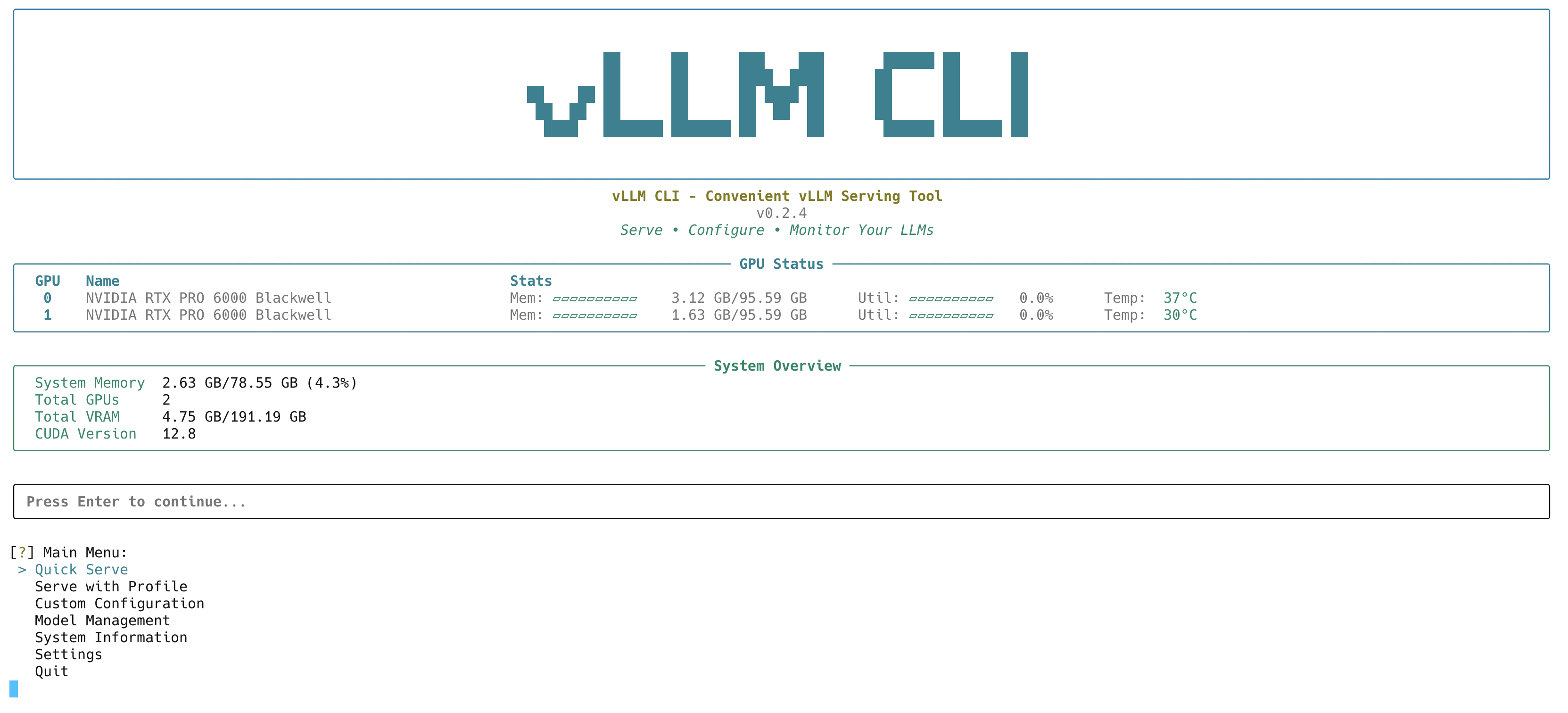 Interactive terminal interface with GPU status and system overview
Tip: You can customize the GPU stats bar in settings
Features
- 🎯 Interactive Mode - Rich terminal interface with menu-driven navigation
- ⚡ Command-Line Mode - Direct CLI commands for automation and scripting
- 🤖 Model Management - Automatic discovery of local models with HuggingFace and Ollama support
- 🔧 Configuration Profiles - Pre-configured and custom server profiles for different use cases
- 📊 Server Monitoring - Real-time monitoring of active vLLM servers
- 🖥️ System Information - GPU, memory, and CUDA compatibility checking
- 📝 Advanced Configuration - Full control over vLLM parameters with validation
Quick Links: 📖 Docs | 🚀 Quick Start | 📸 Screenshots | 📘 Usage Guide | ❓ Troubleshooting | 🗺️ Roadmap
What's New in v0.2.5
Multi-Model Proxy Server (Experimental)
The Multi-Model Proxy is a new experimental feature that enables serving multiple LLMs through a single unified API endpoint. This feature is currently under active development and available for testing.
What It Does:
- Single Endpoint - All your models accessible through one API
- Live Management - Add or remove models without stopping the service
- Dynamic GPU Management - Efficient GPU resource distribution through vLLM's sleep/wake functionality
- Interactive Setup - User-friendly wizard guides you through configuration
Note: This is an experimental feature under active development. Your feedback helps us improve! Please share your experience through GitHub Issues.
For complete documentation, see the 🌐 Multi-Model Proxy Guide.
What's New in v0.2.4
🚀 Hardware-Optimized Profiles for GPT-OSS Models
New built-in profiles specifically optimized for serving GPT-OSS models on different GPU architectures:
gpt_oss_ampere- Optimized for NVIDIA A100 GPUsgpt_oss_hopper- Optimized for NVIDIA H100/H200 GPUsgpt_oss_blackwell- Optimized for NVIDIA Blackwell GPUs
Based on official vLLM GPT recipes for maximum performance.
⚡ Shortcuts System
Save and quickly launch your favorite model + profile combinations:
vllm-cli serve --shortcut my-gpt-server
🦙 Full Ollama Integration
- Automatic discovery of Ollama models
- GGUF format support (experimental)
- System and user directory scanning
🔧 Enhanced Configuration
- Environment Variables - Universal and profile-specific environment variable management
- GPU Selection - Choose specific GPUs for model serving (
--device 0,1) - Enhanced System Info - vLLM feature detection with attention backend availability
See CHANGELOG.md for detailed release notes.
Quick Start
Important: vLLM Installation Notes
⚠️ Binary Compatibility Warning: vLLM contains pre-compiled CUDA kernels that must match your PyTorch version exactly. Installing mismatched versions will cause errors.
vLLM-CLI will not install vLLM or Pytorch by default.
Installation
Option 1: Install vLLM seperately and then install vLLM CLI (Recommended)
# Install vLLM -- Skip this step if you have vllm installed in your environment
uv venv --python 3.12 --seed
source .venv/bin/activate
uv pip install vllm --torch-backend=auto
# Or specify a backend: uv pip install vllm --torch-backend=cu128

# Install vLLM CLI
uv pip install --upgrade vllm-cli
uv run vllm-cli

# If you are using conda:
# Activate the environment you have vllm installed in
pip install vllm-cli
vllm-cli
Option 2: Install vLLM CLI + vLLM
# Install vLLM CLI + vLLM
pip install vllm-cli[vllm]
vllm-cli
Option 3: Build from source (You still need to install vLLM seperately)
git clone https://github.com/Chen-zexi/vllm-cli.git
cd vllm-cli
pip install -e .
Option 4: For Isolated Installation (pipx/system packages)
⚠️ Compatibility Note: pipx creates isolated environments which may have compatibility issues with vLLM's CUDA dependencies. Consider using uv or conda (see above) for better PyTorch/CUDA compatibility.
# If you do not want to use virtual environment and want to install vLLM along with vLLM CLI
pipx install "vllm-cli[vllm]"

# If you want to install pre-release version
pipx install --pip-args="--pre" "vllm-cli[vllm]"
Prerequisites
- Python 3.9+
- CUDA-compatible GPU (recommended)
- vLLM package installed
- For dependency issues, see Troubleshooting Guide
Basic Usage
# Interactive mode - menu-driven interface
vllm-cli
# Serve a model
vllm-cli serve --model openai/gpt-oss-20b

# Use a shortcut
vllm-cli serve --shortcut my-model
For detailed usage instructions, see the 📘 Usage Guide and 🌐 Multi-Model Proxy Guide.
Configuration
Built-in Profiles
vLLM CLI includes 7 optimized profiles for different use cases:
General Purpose:
standard- Minimal configuration with smart defaultshigh_throughput- Maximum performance configurationlow_memory- Memory-constrained environmentsmoe_optimized- Optimized for Mixture of Experts models
Hardware-Specific (GPT-OSS):
gpt_oss_ampere- NVIDIA A100 GPUsgpt_oss_hopper- NVIDIA H100/H200 GPUsgpt_oss_blackwell- NVIDIA Blackwell GPUs
See 📋 Profiles Guide for detailed information.
Configuration Files
- Main Config:
~/.config/vllm-cli/config.yaml - User Profiles:
~/.config/vllm-cli/user_profiles.json - Shortcuts:
~/.config/vllm-cli/shortcuts.json
Documentation
- 📘 Usage Guide - Complete usage instructions
- 🌐 Multi-Model Proxy - Serve multiple models simultaneously
- 📋 Profiles Guide - Built-in profiles details
- ❓ Troubleshooting - Common issues and solutions
- 📸 Screenshots - Visual feature overview
- 🔍 Model Discovery - Model management guide
- 🦙 Ollama Integration - Using Ollama models
- ⚙️ Custom Models - Serving custom models
- 🗺️ Roadmap - Future development plans
Integration with hf-model-tool
vLLM CLI uses hf-model-tool for model discovery:
- Comprehensive model scanning
- Ollama model support
- Shared configuration
Development
Project Structure
src/vllm_cli/
├── cli/           # CLI command handling
├── config/        # Configuration management
├── models/        # Model management
├── server/        # Server lifecycle
├── ui/            # Terminal interface
└── schemas/       # JSON schemas
Contributing
Contributions are welcome! Please feel free to open an issue or submit a pull request.
License
MIT License - see LICENSE file for details.