DeepMesh: Auto-Regressive Artist-Mesh Creation
With Reinforcement Learning
[Ruowen Zhao](https://zhaorw02.github.io/)1,2*,
[Junliang Ye](https://jamesyjl.github.io/)1,2*,
[Zhengyi Wang](https://thuwzy.github.io/)1,2*,

Guangce Liu2,
[Yiwen Chen](https://buaacyw.github.io/)3,
[Yikai Wang](https://yikaiw.github.io/)1,
[Jun Zhu](https://ml.cs.tsinghua.edu.cn/~jun/index.shtml)1,2†


*Equal Contribution.


†Corresponding authors.


1Tsinghua University,
2ShengShu,


3S-Lab, Nanyang Technological University,


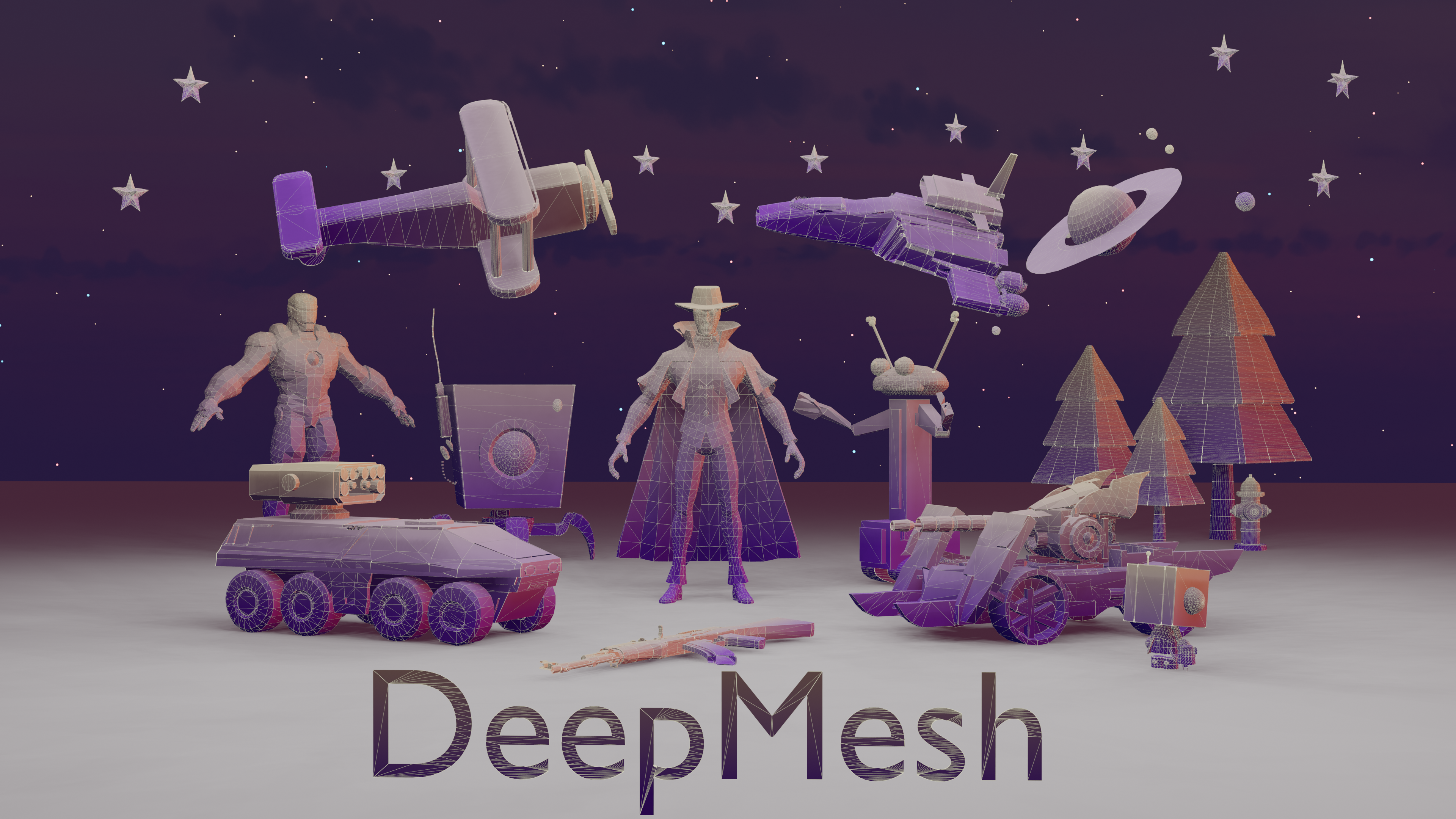
All of the meshes above are generated by DeepMesh. DeepMesh can generate high-quality meshes conditioned on the given point cloud by auto-regressive transformer.
Release
- [3/20] 🔥🔥We released the pretrained weight of DeepMesh (0.5 B).
- [4/01] 🔥We optimized the inference code, achieving a 50% reduction in generation time.
Contents
Installation
Our environment has been tested on Ubuntu 22, CUDA 11.8 with A100, A800 and A6000.
- Clone our repo and create conda environment
git clone https://github.com/zhaorw02/DeepMesh.git && cd DeepMesh
conda env create -f environment.yaml
conda activate deepmesh
or you can create on CUDA 12.1.
conda create -n deepmesh python=3.12
conda activate deepmesh
pip install torch==2.5.1 torchvision==0.20.1 torchaudio==2.5.1 --index-url https://download.pytorch.org/whl/cu121
pip3 install -U xformers --index-url https://download.pytorch.org/whl/cu121
git clone https://github.com/Dao-AILab/flash-attention
cd flash-attention
pip install packaging
python setup.py install
cd csrc/rotary && pip install .
cd ../layer_norm && pip install .
cd ../xentropy && pip install .
cd ../../.. && rm -r flash-attention
pip install trimesh beartype lightning safetensors open3d omegaconf sageattention triton scikit-image transformers
- Install the pretrained model weight
pip install -U "huggingface_hub[cli]"
huggingface-cli login
huggingface-cli download zzzrw/DeepMesh --local-dir ./
Usage
Command line inference
# Note: if you want to use your own point cloud, please make sure the normal is included.

# Generate all obj/ply in your folder
CUDA_VISIBLE_DEVICES=0 torchrun --nproc-per-node=1 --master_port=12345 sample.py \
    --model_path "your_model_path" \
    --steps 90000 \
    --input_path examples \
    --output_path mesh_output \
    --repeat_num 4 \
    --temperature 0.5 \

# Generate the specified obj/ply in your folder
CUDA_VISIBLE_DEVICES=0 torchrun --nproc-per-node=1 --master_port=22345.py \
    --model_path "your_model_path" \
    --steps 90000 \
    --input_path examples \
    --output_path mesh_output \
    --repeat_num 4 \
    --uid_list "wand1.obj,wand2.obj,wand3.ply" \
    --temperature 0.5 \

# Or
bash sample.sh
Important Notes
- Please refer to our project_page for more examples.
Todo
- [ ] Release of pre-training code ( truncted sliding training ).
- [ ] Release of post-training code ( DPO ).
- [ ] Release of larger model ( 1b version ).
Acknowledgement
Our code is based on these wonderful repos:
Also we invite you to explore our latest work ShapeLLM-Omni —— a native multimodal LLM for 3D generation and understanding.
BibTeX
@article{zhao2025deepmesh,
  title={DeepMesh: Auto-Regressive Artist-mesh Creation with Reinforcement Learning},
  author={Zhao, Ruowen and Ye, Junliang and Wang, Zhengyi and Liu, Guangce and Chen, Yiwen and Wang, Yikai and Zhu, Jun},
  journal={arXiv preprint arXiv:2503.15265},
  year={2025}
}