FontDiffuser: One-Shot Font Generation via Denoising Diffusion with Multi-Scale Content Aggregation and Style Contrastive Learning
🔥 Model Zoo • 🛠️ Installation • 🏋️ Training • 📺 Sampling • 📱 Run WebUI
🌟 Highlights
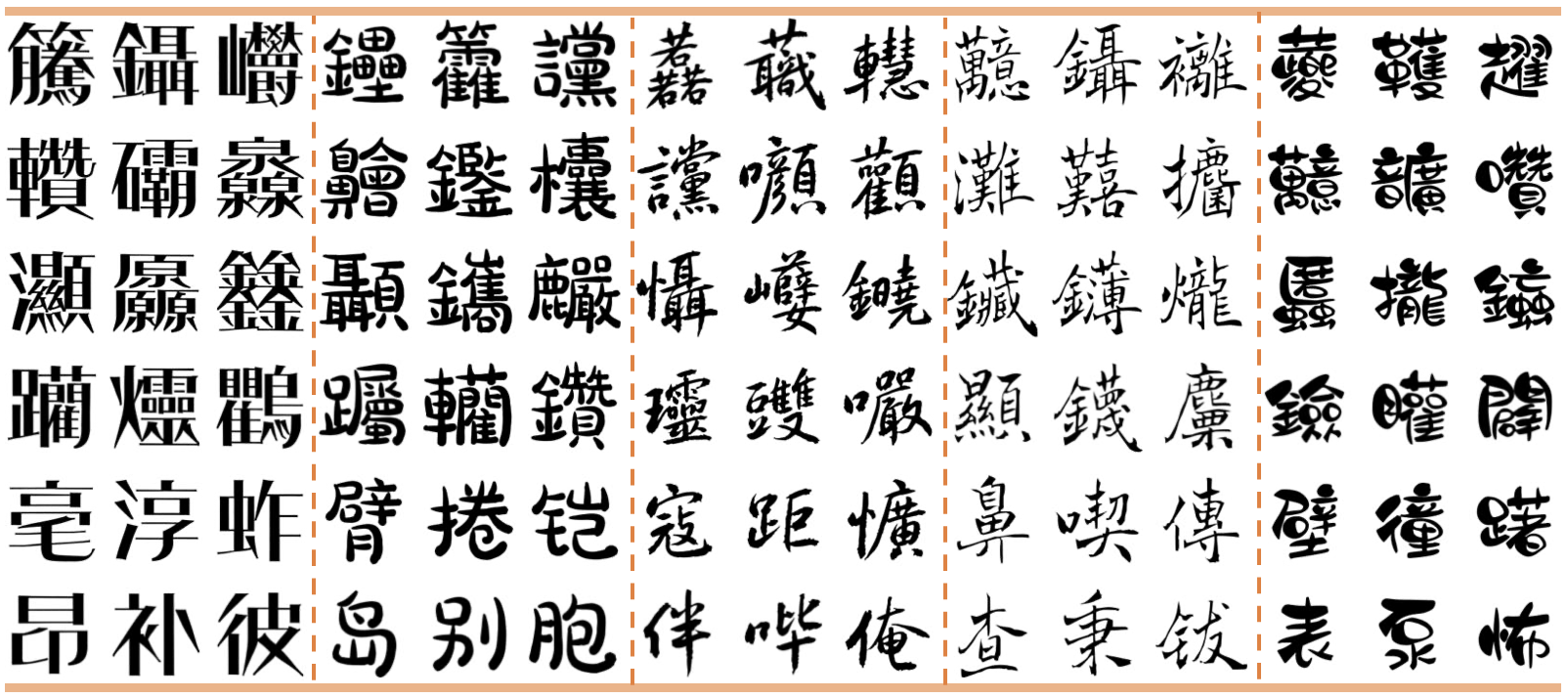
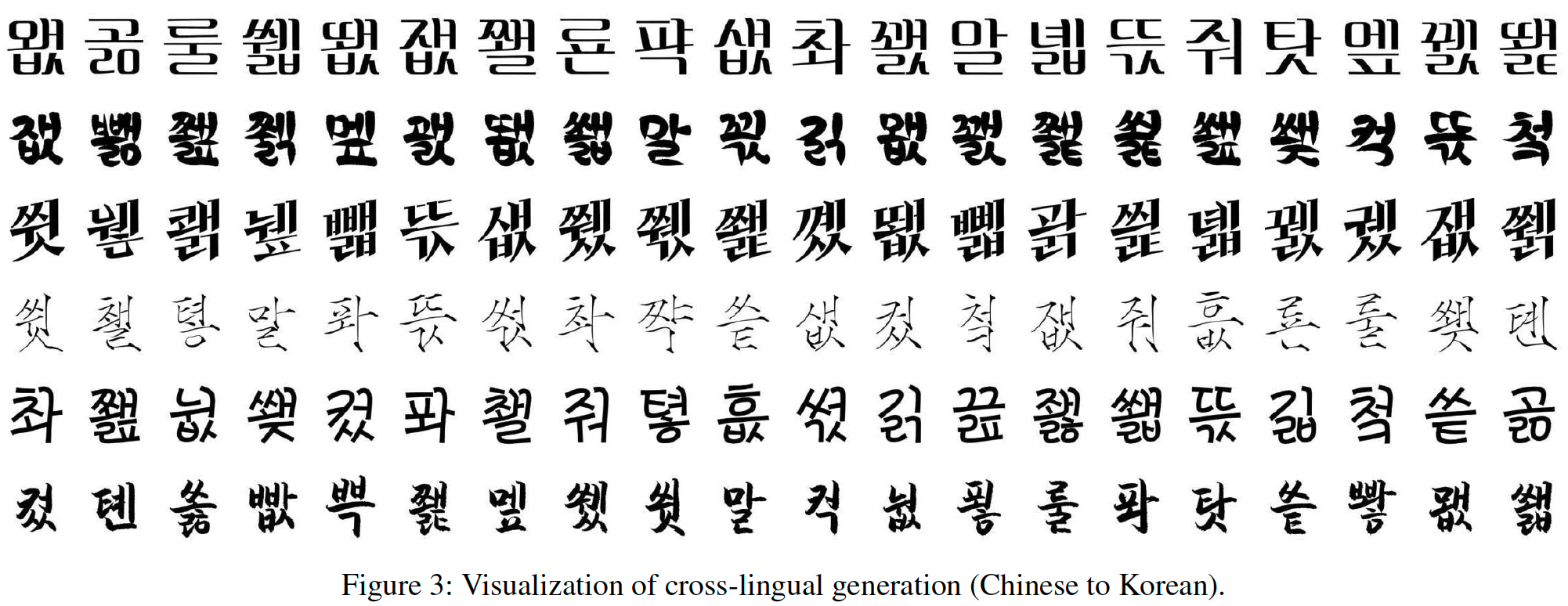
- We propose FontDiffuser, which can generate unseen characters and styles and can be extended to cross-lingual generation, such as Chinese to Korean.
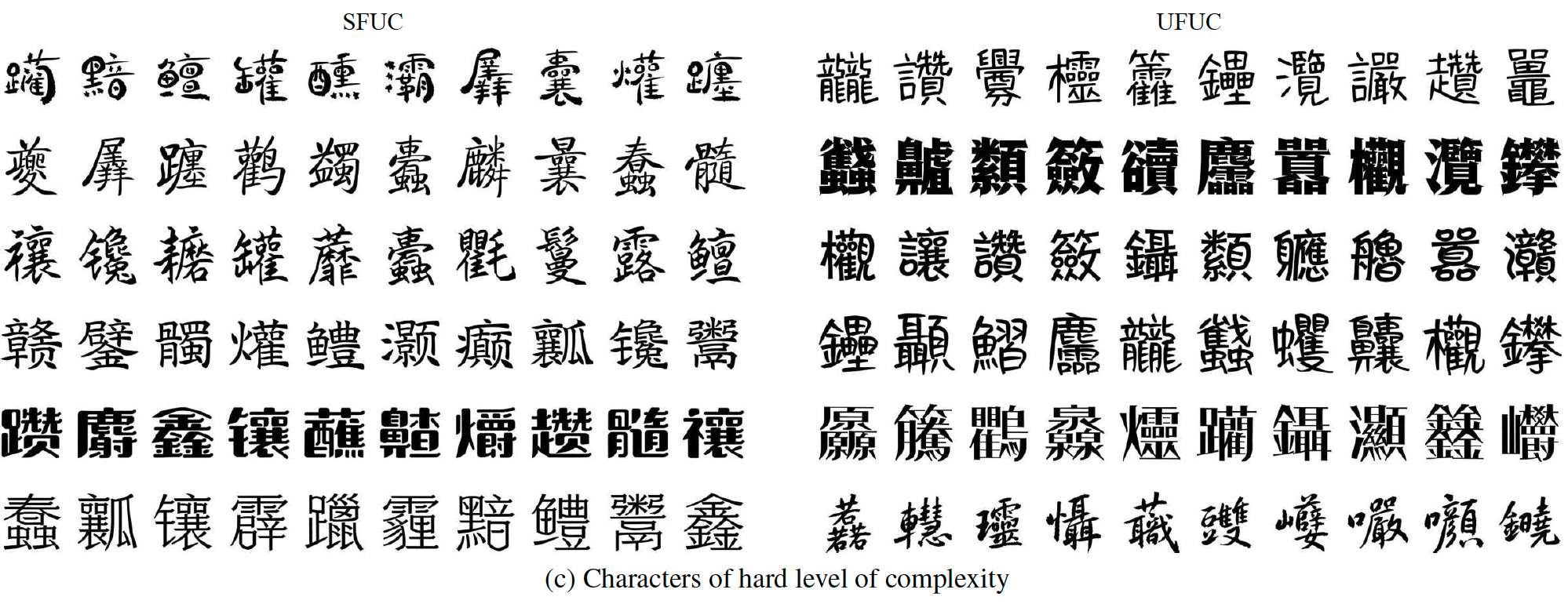
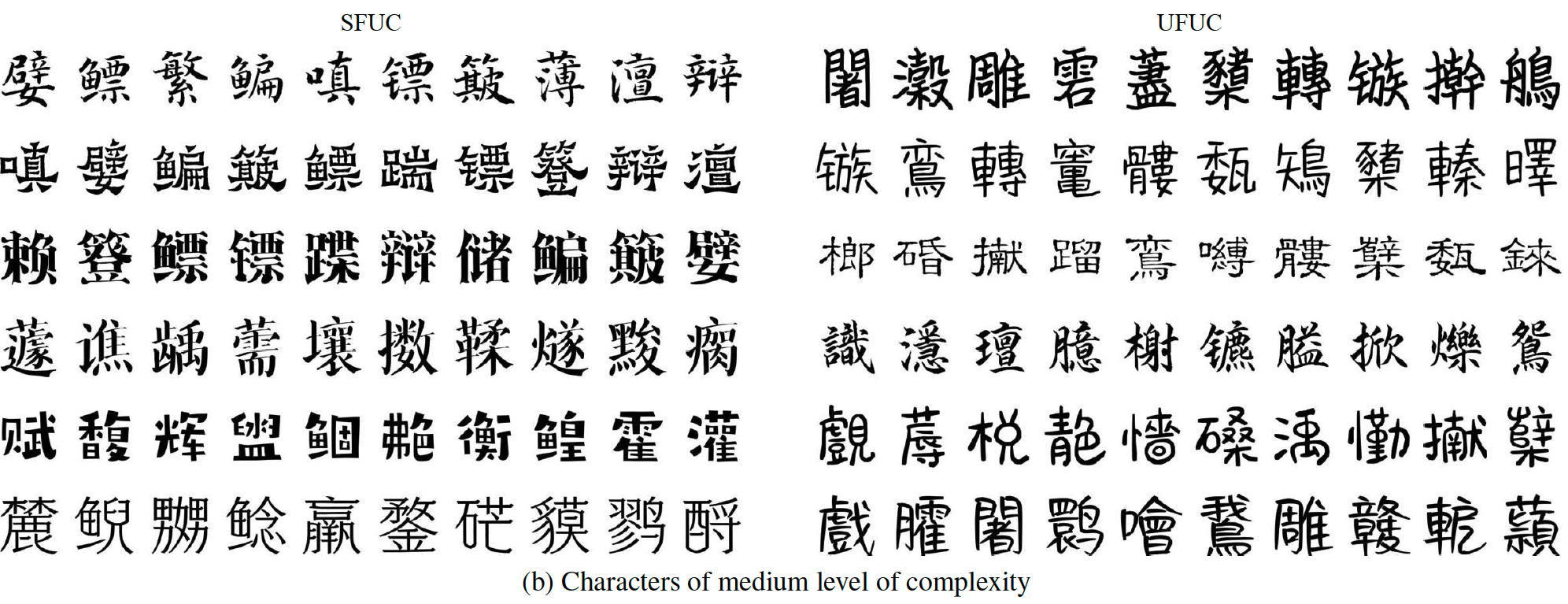
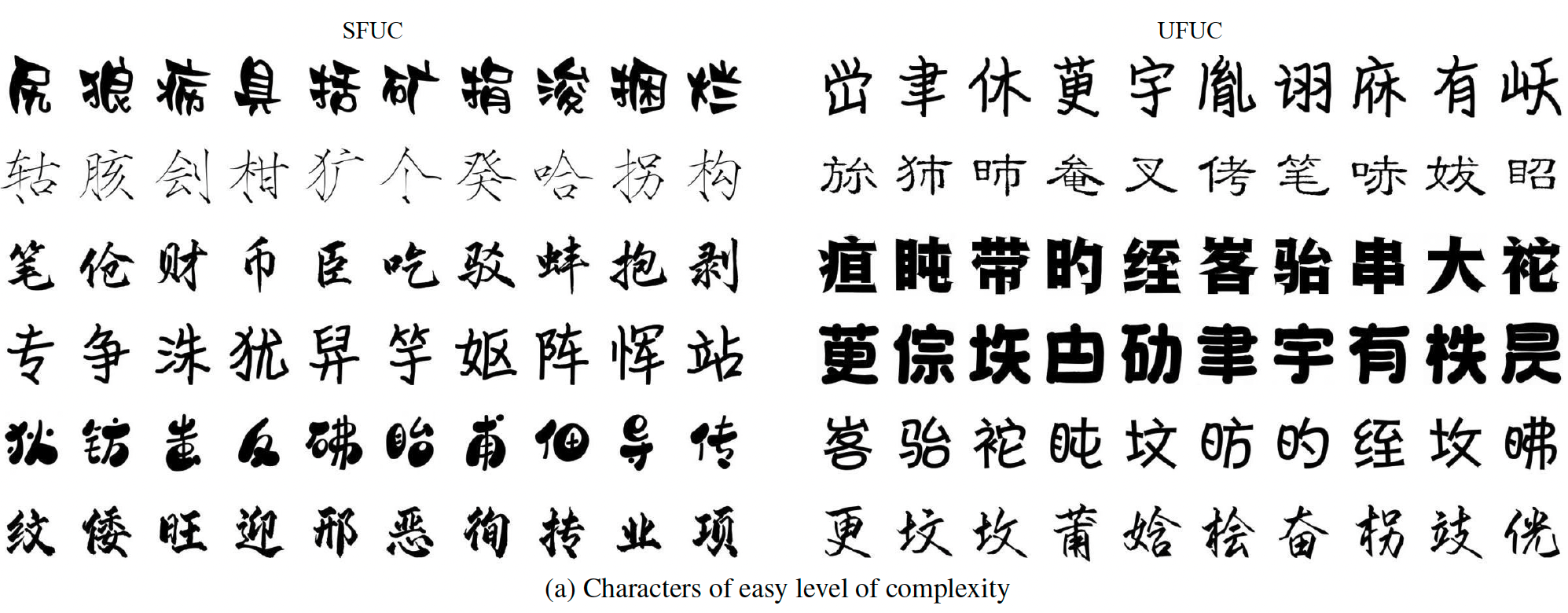
- FontDiffuser excels in generating complex characters and handling large style variations. And it achieves state-of-the-art performance.
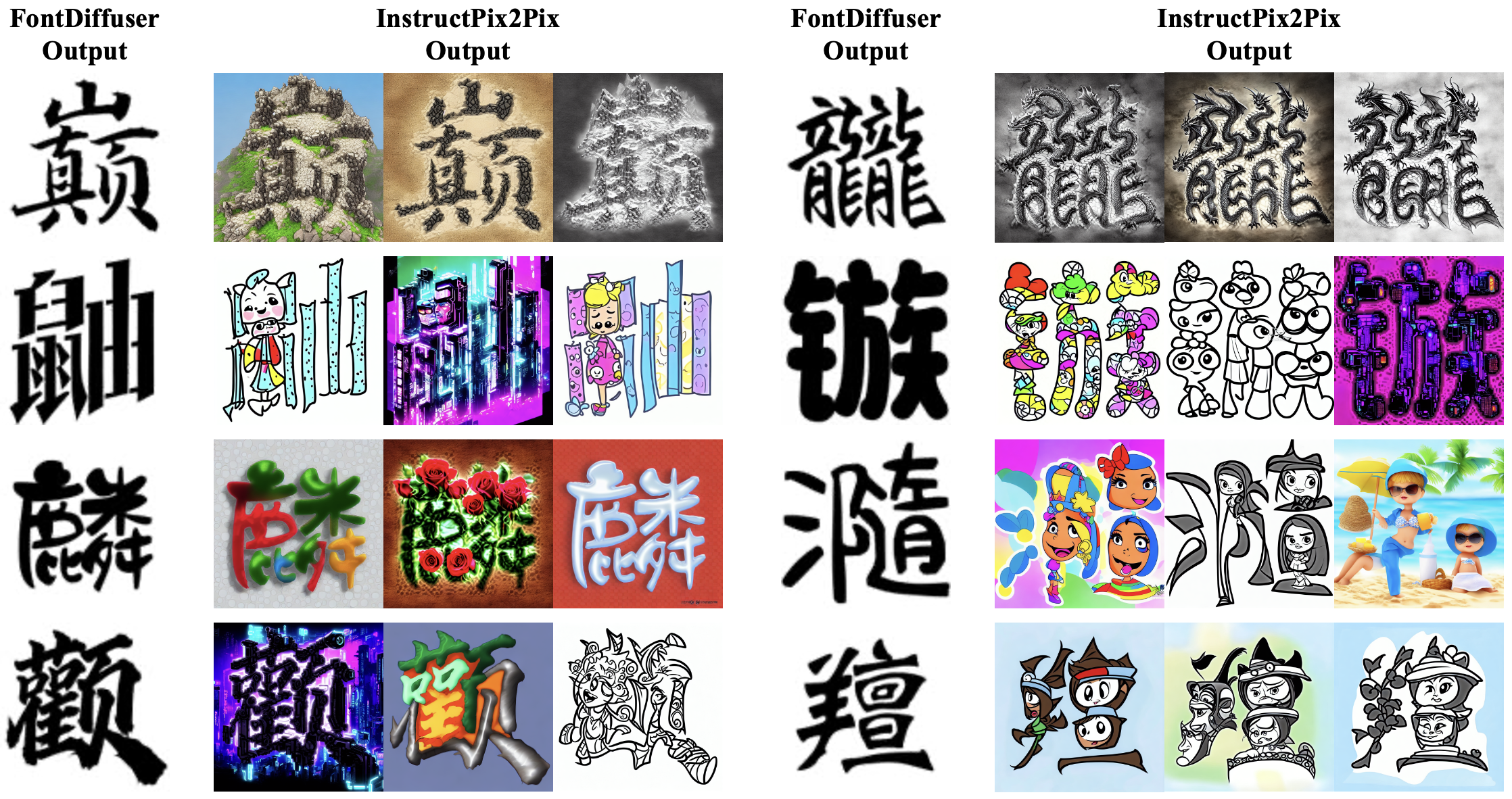
- The generated results by FontDiffuser can be perfectly used for InstructPix2Pix for decoration, as shown in thr above figure.
- We release the 💻Hugging Face Demo online! Welcome to Try it Out!
📅 News
- 2024.01.27: The training of phase 2 is released.
- 2023.12.20: Our repository is public! 👏🤗
- 2023.12.19: 🔥🎉 The 💻Hugging Face Demo is public! Welcome to try it out!
- 2023.12.16: The gradio app demo is released.
- 2023.12.10: Release source code with phase 1 training and sampling.
- 2023.12.09: 🎉🎉 Our paper is accepted by AAAI2024.
- Previously: Our Recommendations-of-Diffusion-for-Text-Image repo is public, which contains a paper collection of recent diffusion models for text-image generation tasks. Welcome to check it out!
🔥 Model Zoo
| Model | chekcpoint | status |
|---|---|---|
| FontDiffuer | GoogleDrive / BaiduYun:gexg | Released |
| SCR | GoogleDrive / BaiduYun:gexg | Released |
🚧 TODO List
- [x] Add phase 1 training and sampling script.
- [x] Add WebUI demo.
- [x] Push demo to Hugging Face.
- [x] Add phase 2 training script and checkpoint.
- [ ] Add the pre-training of SCR module.
- [ ] Combined with InstructPix2Pix.
🛠️ Installation
Prerequisites (Recommended)
- Linux
- Python 3.9
- Pytorch 1.13.1
- CUDA 11.7
Environment Setup
Clone this repo:
git clone https://github.com/yeungchenwa/FontDiffuser.git
Step 0: Download and install Miniconda from the official website.
Step 1: Create a conda environment and activate it.
conda create -n fontdiffuser python=3.9 -y
conda activate fontdiffuser
Step 2: Install related version Pytorch following here.
# Suggested
pip install torch==1.13.1+cu117 torchvision==0.14.1+cu117 torchaudio==0.13.1 --extra-index-url https://download.pytorch.org/whl/cu117
Step 3: Install the required packages.
pip install -r requirements.txt
🏋️ Training
Data Construction
The training data files tree should be (The data examples are shown in directory data_examples/train/):
├──data_examples
│   └── train
│       ├── ContentImage
│       │   ├── char0.png
│       │   ├── char1.png
│       │   ├── char2.png
│       │   └── ...
│       └── TargetImage.png
│           ├── style0
│           │     ├──style0+char0.png
│           │     ├──style0+char1.png
│           │     └── ...
│           ├── style1
│           │     ├──style1+char0.png
│           │     ├──style1+char1.png
│           │     └── ...
│           ├── style2
│           │     ├──style2+char0.png
│           │     ├──style2+char1.png
│           │     └── ...
│           └── ...
Training Configuration
Before running the training script (including the following three modes), you should set the training configuration, such as distributed training, through:
accelerate config
Training - Pretraining of SCR
Coming Soon ...
Training - Phase 1
sh train_phase_1.sh
data_root: The data root, as./data_examplesoutput_dir: The training output logs and checkpoints saving directory.resolution: The resolution of the UNet in our diffusion model.style_image_size: The resolution of the style image, can be different withresolution.content_image_size: The resolution of the content image, should be the same as theresolution.channel_attn: Whether to use the channel attention in the MCA block.train_batch_size: The batch size in the training.max_train_steps: The maximum of the training steps.learning_rate: The learning rate when training.ckpt_interval: The checkpoint saving interval when training.drop_prob: The classifier-free guidance training probability.
Training - Phase 2
After the phase 2 training, you should put the trained checkpoint files (unet.pth, content_encoder.pth, and style_encoder.pth) to the directory phase_1_ckpt. During phase 2, these parameters will be resumed.
sh train_phase_2.sh
phase_2: Tag to phase 2 training.phase_1_ckpt_dir: The model checkpoints saving directory after phase 1 training.scr_ckpt_path: The ckpt path of pre-trained SCR module. You can download it from above 🔥Model Zoo.sc_coefficient: The coefficient of style contrastive loss for supervision.num_neg: The number of negative samples, default to be16.
📺 Sampling
Step 1 => Prepare the checkpoint
Option (1) Download the checkpoint following GoogleDrive / BaiduYun:gexg, then put the ckpt to the root directory, including the files unet.pth, content_encoder.pth, and style_encoder.pth.
Option (2) Put your re-training checkpoint folder ckpt to the root directory, including the files unet.pth, content_encoder.pth, and style_encoder.pth.
Step 2 => Run the script
(1) Sampling image from content image and reference image.
sh script/sample_content_image.sh
ckpt_dir: The model checkpoints saving directory.content_image_path: The content/source image path.style_image_path: The style/reference image path.save_image: setTrueif saving as images.save_image_dir: The image saving directory, the saving files including anout_single.pngand anout_with_cs.png.device: The sampling device, recommended GPU acceleration.guidance_scale: The classifier-free sampling guidance scale.num_inference_steps: The inference step by DPM-Solver++.
(2) Sampling image from content character.
Note Maybe you need a ttf file that contains numerous Chinese characters, you can download it from BaiduYun:wrth.
sh script/sample_content_character.sh
character_input: If setTrue, use character string as content/source input.content_character: The content/source content character string.- The other parameters are the same as the above option (1).
📱 Run WebUI
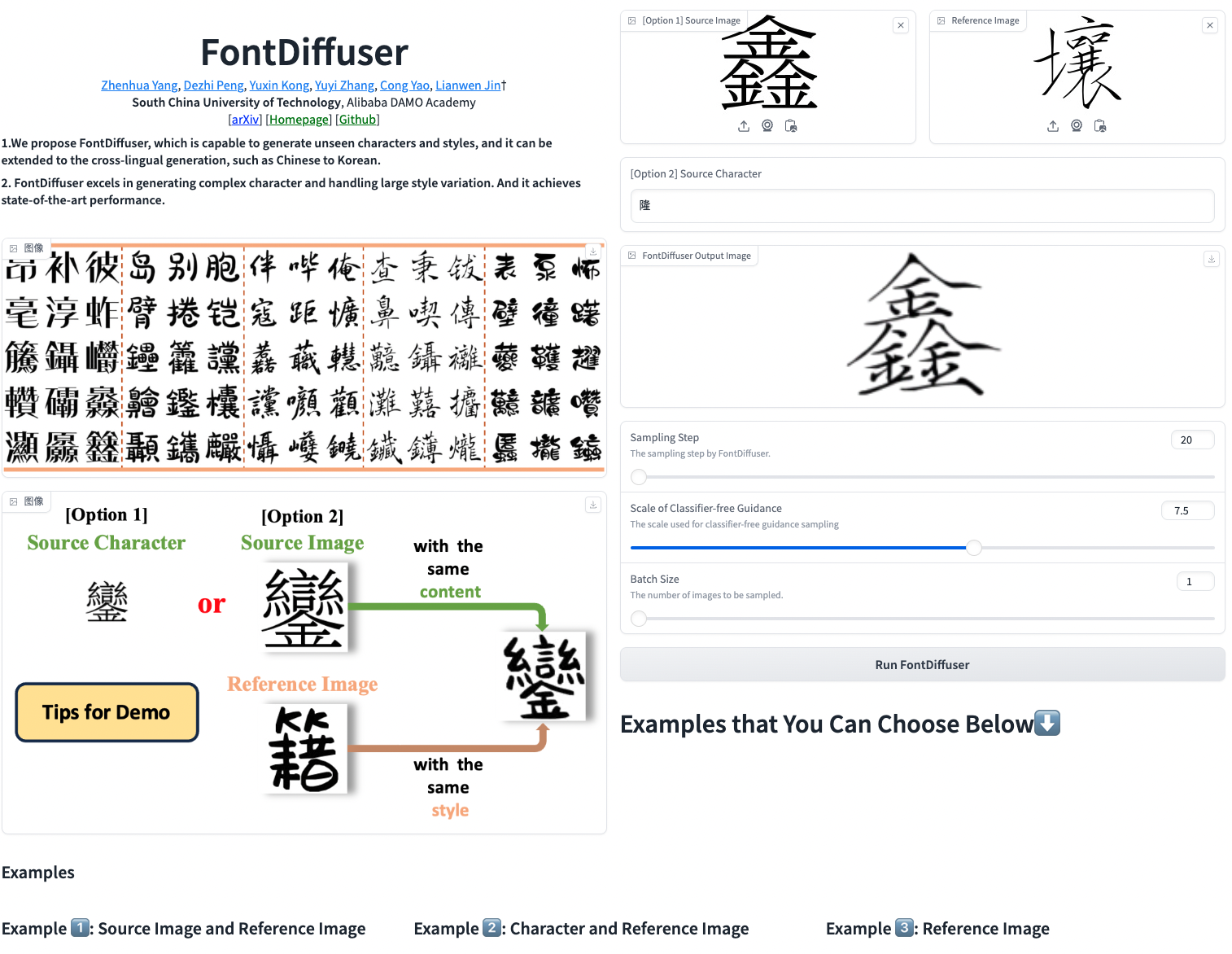
(1) Sampling by FontDiffuser
gradio gradio_app.py
Example:
(2) Sampling by FontDiffuser and Rendering by InstructPix2Pix
Coming Soon ...
🌄 Gallery
Characters of hard level of complexity
Characters of medium level of complexity
Characters of easy level of complexity
Cross-Lingual Generation (Chinese to Korean)
💙 Acknowledgement
Copyright
- This repository can only be used for non-commercial research purposes.
- For commercial use, please contact Prof. Lianwen Jin (eelwjin@scut.edu.cn).
- Copyright 2023, Deep Learning and Vision Computing Lab (DLVC-Lab), South China University of Technology.
Citation
@inproceedings{yang2024fontdiffuser,
  title={FontDiffuser: One-Shot Font Generation via Denoising Diffusion with Multi-Scale Content Aggregation and Style Contrastive Learning},
  author={Yang, Zhenhua and Peng, Dezhi and Kong, Yuxin and Zhang, Yuyi and Yao, Cong and Jin, Lianwen},
  booktitle={Proceedings of the AAAI conference on artificial intelligence},
  year={2024}
}