PALLAIDIUM
A free generative AI movie studio integrated into the Blender Video Editor.
[](https://discord.gg/HMYpnPzbTm)
[](https://twitter.com/tintwotin)


You only truly understand how your film should have been made once it is finished.
Pallaidium turns that insight into a workflow. Prototype the full production cycle with AI before committing to a single frame of real footage. Start from song lyrics or a scene description, convert it to a screenplay with shots, break it down into timed strips, generate the images, animate them, add voices and music, and edit based on the emotional weight of what you see and hear. Then reverse the process — extract captions from the result, reconstruct the screenplay, refine it, and go shoot your real film with the confidence of someone who has already made it.
All of this happens in one place: Blender's Video Sequence Editor. Free and open source.
Contents
- Generation Matrix
- Features
- Requirements
- How to install
- Usage
- Batch Processing
- Tips
- Useful add-ons
- Credits
Generation Matrix
This matrix provides a quick overview of the core generative capabilities, mapping input types to possible outputs.
| Input | Image | Video | Text | Audio | Music | Speech |
|---|---|---|---|---|---|---|
| Text | ✅ | ✅ | ✅ | ✅ | ✅ | ✅ |
| Image | ✅ | ✅ | ✅ | ✅ | ||
| Video | ✅ | ✅ | ✅ | ✅ |
Features
| Text to video | Text to image | Text to text |
| Text to speech | Text to audio | Text to music |
| Image to image | Image to video | Image to text |
| Video to video | Video to Image | Video to text |
| ControlNet | OpenPose | Canny |
| ADetailer | IP Adapter Face | IP Adapter Style |
| Multiple LoRAs | LoRA Weight | Style selector |
| Seed | Quality steps | Strip power |
| Frames (Duration) | Word power | Model card selector |
| Batch conversion | Batch refinement of images. | Prompt batching |
| Batch upscale & refinement of movies. | Render-to-path selector. | Render finished notification. |
| Render Queue (async batch jobs) | Job status tracking (PENDING / RUNNING / COMPLETED) | Start / Stop / Cancel controls |
| User-defined file path for generated files. | Seed and prompt added to strip name. | One-click install and uninstall dependencies. |
Requirements
- Windows. Limited support for Linux.
- Blender 5.2 or later
- A CUDA-supported Nvidia card with at least 6-16 GB VRAM.
- CUDA: 12.8
- 20+ GB HDD. (Each model is 6+ GB).
For Linux, we'll have to rely on contributor support. Post your issues here: https://github.com/tin2tin/Pallaidium/issues/105
How to install
Video walkthrough: https://www.youtube.com/watch?v=jmSZlEV_ZLw
-
First, download and install git (must be on PATH): https://git-scm.com/downloads
-
Download Blender 5.2 or later: https://www.blender.org/download/ and unzip it into the Documents folder (avoid paths with spaces or special characters on Windows).
-
Download the add-on: https://github.com/tin2tin/Pallaidium/archive/refs/heads/main.zip
-
Install the add-on as usual: Preferences > Add-ons > Install > select file > enable the add-on.
-
In the Generative AI add-on preferences, hit the "Install Dependencies" button.
-
Restart the computer after installing dependencies, then open Blender normally.
-
Open the add-on UI in the Sequencer > Sidebar > Generative AI.
-
5-30 GB must be downloaded first the first time any model is executed.
-
When you have Pallaidium installed, reach out on Discord: https://discord.gg/HMYpnPzbTm or leave a note on how it is working for you. It means the world to me to know someone is using it!
| If any Python modules are missing, use this add-on to install them manually: |
|---|
| https://github.com/tin2tin/blender_pip |
| If "WARNING: Failed to find MSVC", install "Tools for Visual Studio": |
| https://aka.ms/vs/17/release/vs_BuildTools.exe |
| If error: "Missing DLL", install Microsoft Visual C++ Redistributable: |
| https://learn.microsoft.com/en-us/cpp/windows/latest-supported-vc-redist?view=msvc-170 |
Uninstall
Python dependencies are now installed into the Blender user data folder, separate from the Blender executable:
- Windows:
%APPDATA%\Blender Foundation\Blender\5.2\datafiles\Pallaidium\site-packages - Linux:
~/.config/blender/5.2/datafiles/Pallaidium/site-packages
To remove Pallaidium's Python libraries, delete the Pallaidium folder at the path above.
To remove the add-on itself, disable and uninstall it via Preferences > Add-ons, or delete the Blender 5.2 folder from your Documents folder (Windows portable install).
To remove only the downloaded AI model weights, delete the Hugging Face cache folder manually:
- Linux:
~/.cache/huggingface/hub - Windows:
%userprofile%\.cache\huggingface\hub
Usage
The addon panel is located in the Video Sequence Editor > Sidebar (N-Panel) > Generative AI tab.
Basic Workflow
- Choose Output: In the "Output" section of the panel, select whether you want to generate an
Image,Video,Audio, orText. - Select Model: Based on your output choice, select a specific AI model from the dropdown list.
- Set Input:
- For Prompts: Leave the
Inputdropdown onPrompts. - For Strips: Select one or more strips in the VSE timeline and set the
Inputdropdown toStrips.
- For Prompts: Leave the
- Configure: Enter your text prompts and adjust parameters like resolution, quality steps, and guidance scale.
- Generate:
- If using
Prompts, click theGeneratebutton. - If using
Strips, click theGenerate from Stripsbutton.
- If using
The generated media will be saved to the directory specified in the addon preferences and automatically added to your VSE timeline on a new channel.
Remote Backends (optional)
Pallaidium runs models locally by default. Optionally, it can also drive an
external generation server that speaks the OpenAI-/v1-dialect Backend
Contract — letting you offload generation to a beefier machine or a cloud
provider while the add-on stays a thin client. This is entirely opt-in; nothing
changes unless you enable it.
Enabling (one-click)
In Preferences → Add-ons → Pallaidium, find the Remote Backend box:
- Model Source — choose what appears in the model dropdowns:
- Local (default) — only models that run locally in Blender.
- Remote — only models served by the configured backend.
- Local & Remote — both, side by side.
- Adapter — pick a bundled connector:
- Mock — tiny canned media; verifies the wiring with zero setup.
- ComfyUI — forwards to a running ComfyUI (set the ComfyUI URL field; start ComfyUI first).
- fal.ai — cloud models; paste your key in Remote Backend Key.
- Custom URL — connect to a backend you started yourself (type its URL +
optional key; falls back to
PALLAIDIUM_BACKEND_URL/PALLAIDIUM_BACKEND_KEY).
- Click Start Backend. Pallaidium launches the connector with Blender's own
Python (no console, no
pip), fills in the URL, queriesGET /v1/models, and adds each model to the dropdowns prefixed[Remote]. Click Stop Backend when done. (For Custom URL the button is Connect & Load Models — there is nothing to launch.) Refresh Models re-queries the list at any time.
The connector runs only while started; discovered models are cached so they reappear after a Blender restart. Remote models then behave like any other: pick one, set your prompt / inputs / standard settings, and Generate. Progress and Cancel work through the queue just like local jobs.
What works remotely
All four media types are supported — Movie (video), Image, Audio, and Text (transcription) — including reference inputs where the model declares them:
- img2img / img2vid init image, and multiple reference images (e.g. Klein, or Seedance reference-to-video),
- last-frame / anchor frames for video, motion/structure control video,
- reference audio and a Generate Audio soundtrack toggle for video models that declare them (e.g. Seedance 2.0),
- voice cloning (reference audio + reference transcript) for TTS,
- IP-Adapter face/style folders.
References are uploaded to the backend via POST /v1/files; the exact request
fields are listed in docs/BACKEND_CONTRACT_EXTENSIONS.md.
Adding ComfyUI workflows (no console)
With the ComfyUI adapter selected, two buttons appear:
- Import Workflow — pick a workflow exported from ComfyUI with
Settings → enable Dev mode → Save (API Format). It's copied into
remote_backends/comfyui_workflows/and becomes a[Remote]model; if the backend is running it auto-reloads so the model shows up immediately. - Open Folder — opens that folder to manage workflow files directly.
The adapter detects each workflow's media type and injects your prompt / size /
seed / reference image(s) by node title (or via a .meta.json sidecar
for complex graphs). Full convention:
remote_backends/comfyui_workflows/README.md.
Other backends
The contract is provider-agnostic — any server implementing it works, and you can switch with the Adapter dropdown. Beyond the three bundled connectors:
- LocalAI and other OpenAI-compatible servers — point
Custom URL at them (image/audio via
/v1/images/generations,/v1/audio/speech,/v1/audio/transcriptions). - Your own connector — drop a stdlib
_adapter.py+.manifest.jsonintoremote_backends/and it appears in the Adapter dropdown, no add-on changes needed. Seeremote_backends/README.md§ Write your own connector.
The example connectors (mock, ComfyUI, fal.ai) ship in remote_backends/, are
stdlib-only (so Pallaidium can launch them with Blender's Python), and are
excluded from the built add-on.
Change Log
2026-10-15: Add: FLUX.3 Klein and FLUX.3 Klein Base — Black Forest Labs' FLUX.3 Image Klein (step-distilled, 16 steps, no CFG) and Klein Base (50 steps, CFG and negative prompt), via Modular Diffusers. Klein loads OzzyGT's pre-quantized SDNQ weights by default (8-bit, ~10 GB, ~15 GB VRAM peak; 4-bit, ~6 GB). These are not gated and work out of the box. The official BFL weights (FP8, BF16, and every Klein Base option) are gated: before the first run, log in on the Klein / Klein Base model page with the Hugging Face account whose token Pallaidium uses and accept the FLUX Kommunity License. Otherwise the download is refused. Until a gated model is downloaded, the panel shows whether your account has access, with a button to the license page. Needs the latest diffusers (Flux3 support) and sdnq 0.2.8 (pin bumped from 0.2.4): run Install Dependencies and restart Blender. Features:
- Text-to-image and up to 10 reference images: the active input strip plus the 9 Ref. pickers (shared with the FLUX.2 Klein plugins). To name a reference in the prompt, count them in that order from
: with a strip as input it isand the first Ref. is, otherwise the first Ref. is. - Bounding-box layout: draw boxes in the Box Editor ("Open Box Editor" in the panel) and use "Export FLUX.3 Layout to Strip". Box Editor/Ideogram JSON prompts are also converted on the fly.
- Layout edits: per box, "Set as Source Box" stores where a region sits in a reference image. Move the box to its target, or toggle Remove to delete the region. These become
src_bbox/tgt_bboxedit regions. "Active Strip to Box Editor" (or Text to Box Editor) opens a FLUX.3 layout prompt again for editing. - Prompt Upsampling: optional official prompt upsampler (Qwen3.5-9B, SDNQ int8/uint4 on the fly). It turns a short request (any language) plus references and boxes into the full English scene caption, and the boxes you drew stay exactly where they are. The prompt the model actually received is stored in the strip metadata as Final Prompt.
- Weights:
- SDNQ 8-bit (default), or SDNQ 4-bit for GPUs with 12 GB or less.
- FP8 (Official): fast on RTX 40xx and newer. On RTX 40xx, Pallaidium works around a missing torch kernel; older GPUs convert the weights back to full precision on every step.
- BF16 (Official): the most reliable with LoRAs.
- Klein Base has no pre-quantized repo yet, so its SDNQ options quantize the official weights while loading. New SDNQ repos go into
_SDNQ_REPOSinmodels_plugins/image/flux3_klein.py. - Below the VRAM a weight choice needs, components are offloaded to the CPU.
- Changing Weights reloads the model.
- User LoRAs, most reliable on BF16 weights.
All settings go through the queue into the strip metadata, and both Redo from Metadata and Redo Job Settings restore them, together with the reference pickers.
2026-10-15: Fix: Install Dependencies now removes stale .dist-info folders left behind by earlier upgrades, which made packages (e.g. sdnq) report an old version after updating. The Hugging Face token field is now only shown for models that need it (FLUX.2 Dev no longer asks for one, as its repos are not gated).
2026-10-15: Add: Qwen-Image 2.1 Turbo — fast text-to-image and multi-reference generation via diffusers' QwenImage21Pipeline, loaded from the pre-quantized OzzyGT/Qwen_Image_2_1_Turbo_sdnq_dynamic_8bit (SDNQ int8 with Hadamard rotation; needs sdnq ≥ 0.2.2, pinned at 0.2.4). Distilled to 8 steps, sampled CFG-free (Guidance 1.0; raise it together with a negative prompt to enable true CFG). The active input strip plus up to 9 reference-image slots (shared with the FLUX.2 Klein plugins) condition the generation, and user LoRAs are supported. The checkpoint's 8-step sigma schedule is passed explicitly, so it also works with diffusers builds that don't yet read sample_sigmas from model_index.json.
2026-10-15: Add: Ming-Image 0.1 Design — text-to-image for UI mockups, posters and infographics with legible text, via the Modular Diffusers port (OzzyGT/ming_image_0_1_design_diffusers + OzzyGT/ming_image_custom_blocks, trust_remote_code). Transparent (RGBA) output on request: start the prompt with one of the model's trained openers — e.g. rgba, 4-channel, transparent background, isolated subject, alpha matte, no background or cutout png, alpha=0 outside the object — and the alpha is kept with a cleaned-up cutout; any other prompt gives an opaque RGB image. The 16B MoE text encoder (32 GB in bf16) is quantized on the fly to uint4 and the transformer to int8 with SDNQ, so the whole pipeline stays resident on a 24 GB card (whole-component CPU offload on smaller cards). 12 steps, CFG-free by default (Guidance > 1 enables CFG at double cost); width/height snap to multiples of 16, 2048×2048 recommended.
2026-10-15: Add: YuE2 (Songs) — full songs with vocals from a style prompt (genre, voice, instruments, tempo) plus section-tagged lyrics ([Verse], [Chorus] …) via OzzyGT/YuE2-3B-Diffusers (Modular Diffusers blocks). Plans an ABC score, generates codec tokens, then synthesizes and decodes 48 kHz stereo; song length follows the lyrics (up to ≈6 min). On Windows, where torch ships without FlashAttention, the plugin patches the CUDA-graph token decoder with a graph-capturable attention: ~90–100 tok/s instead of 12–25 tok/s on an RTX 4090. YuE2 alone uses ~10–12 GB VRAM. Weights are CC BY-NC 4.0 (non-commercial). Adds tiktoken to the requirements.
2026-10-15: Add: Whistle Transcribe (CPU) — tiny (17 MB) on-device speech-to-text from Cactus-Compute/whistle, writing subtitles straight into VSE text strips. Runs on the Needle C engine via ctypes — no torch, no GPU — so it never competes with diffusion models for VRAM. English, German, French, Spanish, Italian, Dutch and Polish (auto-detected or chosen), with optional keywords to bias names and terms. Unlike Faster Whisper's proportional timing, subtitles are cut on word-level timestamps, so each one starts and ends on the spoken words. Select a SOUND strip, pick "Transcribe: Whistle (CPU)" in the Text panel, and Generate. Adds cactus-needle==3.2.1 (engine and weights download on first use; telemetry disabled).
2026-10-14: Add: Fish Audio Drama 3 — multi-speaker dramatic TTS (35B MoE, 80+ languages) with [sighs]/[laughs] tags and up to 16 cloned voices: the panel's voice list maps entry N (reference clip + transcript, auto-transcribed with Whisper when empty) to <|speaker:N|> in the prompt. Runs locally through the native audio.cpp drama-3-native port with Jmica/Drama-3-GGUF weights: the plugin downloads the GGUF, picks a package/CPU-expert-offload profile from your VRAM, and starts/stops audiocpp_server itself (weights unload after 5 idle minutes). audio.cpp must be built once (no prebuilt Drama 3 binaries) — see the docstring in models_plugins/audio/fish_drama3.py. DRAMA3_SERVER_URL points it at an external audio.cpp/SGLang-Omni server instead.
2026-07-10: Add: 3D output type — Mist / Depth Pass. A new 3D output category (alongside Video/Image/Audio/Text) hosts non-AI, scene-manipulating plugins; the first is Mist / Depth Pass, which duplicates a selected SCENE strip's scene, rigs an EEVEE Mist compositor pass on the copy (Auto/Custom/Scene-World range, Invert toggle), and drops the result as a new Scene strip one channel above the original — runs on the main thread like the Whisper transcribe plugin, no model download. Also new: FLUX.2 Klein 9B KV (Consistency) — multi-reference (up to 9 slots) image generation via the KV-cache pipeline with a consistency LoRA, 4-step distilled checkpoint, separate inpaint fallback to the base 9B architecture; and LTX-2.3 IC-LoRA Distilled — a distilled two-stage SDNQ variant of the IC-LoRA control plugin (selectable 4-/8-bit stage weights, 2x/1.5x upscale, audio/guidance-rescale controls), keeping all control-video/audio, 3DREAL, anchor, and lip-sync-audio features of the original.
2026-07-10: Fix: Reference-image aspect ratio now matches paired photo. SCENE-strip references fed alongside a photo into multi-reference models (Klein, Qwen, Nano Banana, Veo, Flux, Minimax) were rendered at the outer project scene's own resolution instead of the paired photo's — breaking pixel alignment (e.g. a Mist/Depth-Pass reference losing correspondence with its source photo). render_strip_to_path() / _render_named_strip_image() now accept a target_res override, and the queue passes the job's own output (x, y) through for every reference-strip render.
2026-07-10: Fix: Klein "Strip Power" slider hidden outside inpaint. FLUX.2 Klein pipelines (4B, 9B, 9B Schematic, 9B KV) have no strength/denoise parameter for txt2img or multi-reference generation — image= is a reference list, not a blend — so the slider was a no-op there and implied lowering it preserves more of the source. New strip_power_inpaint_only flag hides it unless an inpaint mask is selected.
2026-07-10: Fix: LTX-2.3 Multi / IC-LoRA / Extend use the non-distilled base weights (OzzyGT/LTX-2.3-sdnq-dynamic-int8) for the Stage-1 model path, keeping the distilled repo only for the SDNQ config, correcting a mismatch where all three staged plugins loaded the distilled checkpoint as their base.
2026-06-27: Add: LTX-2.3 3DREAL — video + reference image control. With Output: Video, the active input strip is rendered to a trimmed clip and used as the IC-LoRA control_video, while the Ref Strip dropdown (now accepts an IMAGE) supplies the frame-0 appearance reference — matching fal/LTX-2.3-3DREAL (video_url + image_url). The remote LTX 2.3 Render-to-Real (fal) model mirrors this: active strip → video, a new Ref. Image picker → image. MOVIE input strips are now also re-rendered to their trimmed duration (previously SCENE-only), the temp render shows a per-frame progress bar, and Control Downscale now defaults to 2 (≈¼ the control tokens) to cut Stage-1 VRAM.
2026-06-27: Add: Nano Banana — up to 9 reference images. The Google Nano Banana (Gemini image) plugin now exposes a References count (1–9) that drives how many reference-image picker rows are shown; Nano Banana Pro handles the most. The count and all active reference strips persist to metadata and restore on Redo. Also: the AI Metadata panel now shows for TEXT carrier strips that hold ai_meta_* props (Screenwriter script-to-screen), and Redo restores LTX-Multi middle-image references.
2026-06-25: Add: One-click remote backends. An Adapter dropdown (Mock / ComfyUI / fal.ai / Custom URL) plus Start/Stop Backend buttons launch a bundled connector with Blender's own Python — no console, no pip. Connectors are now stdlib-only (remote_backends/_adapter_http.py shared helpers), self-describe via .manifest.json, and discovered models are cached (discovery.json) so they survive a restart. New fal.ai connector (queue REST) ships Seedance 1.0 Pro / Pro Fast, Seedance 2.0 / Fast / Mini (text-, image- and reference-to-video with up to 9 reference images), seed-audio-1.0 TTS, and FLUX dev. Video models can declare needs_audio_ref (reference-audio picker) and supports_audio_output (Generate Audio soundtrack toggle → generate_audio). Import Workflow / Open Folder add ComfyUI workflows from inside Blender. Docs: remote_backends/README.md, docs/BACKEND_CONTRACT_EXTENSIONS.md.
2026-06-24: Add: ComfyUI adapter — explicit node bindings for complex workflows. A .meta.json bindings map names the exact {node, input} each request field (prompt/negative/width/height/steps/cfg/fps/num_frames/strength/seed) maps to, so parameters on non-obvious nodes (primitives, LLM prompt-enhance chains, identically-titled encoders) are reached when titling can't disambiguate. Ships a worked LTX-Video 2.3 22B i2v workflow (remote_backends/comfyui_workflows/ltx-2.3-i2v.json). Also: ComfyUI /prompt validation and runtime execution errors now surface their real cause, checkpoint names auto-resolve against the installed list (env override COMFYUI_CKPT[_]), negative seeds wrap to ComfyUI's valid range, and a per-job console log shows the incoming payload and patched node values.
2026-06-24: Add: ComfyUI remote backend adapter (remote_backends/comfyui_adapter.py) — drives a local ComfyUI via the contract. Models are added as API-format workflow files in remote_backends/comfyui_workflows/; media type is auto-detected from the output node and prompt/size/seed/reference image(s) are injected by node title. Built-in SDXL/SD1.5 and LTX-Video templates included. Documented in docs/BACKEND_CONTRACT_EXTENSIONS.md § C.
2026-06-24: Add: Remote Backends — optional OpenAI-/v1-dialect backend support. New Local / Remote / Local & Remote model source in preferences, Remote Backend URL/Key, and a "Refresh Remote Models" button that discovers a server's models via GET /v1/models and lists them (prefixed [Remote]) for movie/image/audio/text. Reference inputs (img2img/i2v, multi-ref, voice clone, control) are uploaded via POST /v1/files. Provider-agnostic; defaults to Local so existing behavior is unchanged. See docs/BACKEND_CONTRACT_EXTENSIONS.md.
2026-06-22: Add: Google cloud plugins — Nano Banana (Gemini image: text-to-image, editing, up to 3 reference-image strips) and Veo (video: text/image-to-video, first/last-frame interpolation, Veo 3.1 reference images). Set the API key in add-on preferences. Reference strips persist to metadata and restore on Redo; model-specific controls hide when not applicable.
2026-06-20: Add: Chatterbox Multilingual — text-to-speech and voice cloning in 23 languages via Chatterbox V3. Select a language from the dropdown, optionally provide a speaker reference audio for voice cloning.
2026-06-19: Add: NVIDIA Maxine Super Resolution — AI-powered video and image upscaling via the Maxine VFX SDK. Six quality modes (Ultra, High, Medium, Low, Denoise, Deblur). Requires an NVIDIA GPU with Tensor Cores.
2026-06-19: Fix: LTX-2.3 VAE temporal tiling — fixed RuntimeError: unflatten crash in Step 2 / Staged modes caused by odd-sized tiles.
2026-06-15: Add: LTX-2.3 Extend — extend an existing video clip by appending AI-generated continuation frames. Supports audio carry-over via an Audio Strip picker.
2026-06-15: Add: MOSS-TTS — expressive multilingual TTS with zero-shot voice cloning, 31 languages, and inline [pause Ns] markers. Two variants: v1.5 (8B, cloning) and VoiceGenerator (1.7B, voice design from text prompt).
Older Changes
2026-06-12: Fix: Ideogram 4 — switched to smaller NF4 weights (~10.5 GB). Added VAE tiling to reduce VRAM spikes.
2026-06-12: Fix: Progress phase display — queue now correctly distinguishes "Downloading model" from "Loading model" status.
2026-06-12: Add: Florence-2 → Mask Editor auto-routing — Box Json results can be sent directly to the Mask Editor.
2026-06-12: Fix: Box Editor and UI panel layout improvements.
2026-06-12: Change: Florence-2 "Ideogram 4" mode renamed to "Box Json".
2026-06-09: Add: Claude agent integration via Blender MCP — call generate_image(), generate_video(), generate_audio(), etc. from Claude agents through the MCP server.
2026-06-09: Fix: Marlin Video Captions — switched to SDNQ int8 quantized weights for stability.
2026-06-09: Add: 20+ new prompt styles — Realism, Motion Still, Character Sheet, Storyboard, and various art/atmosphere/look templates.
2026-06-08: Change: Dependencies now install to the Blender user data directory. Running Blender as Administrator is no longer needed.
2026-06-07: Add: LTX-2.3 N-Anchor mode — place 3+ Image strips in a Meta strip to pin video generation at multiple time points.
2026-06-07: Add: Display System Console preference — toggle console visibility during generation.
2026-06-07: Fix: Local Files Only — now consistently applied across all plugins with a clear error when weights are missing.
2026-06-06: Add: Faster Whisper Transcription — speech-to-text with word-level timestamps into VSE subtitle strips.
2026-06-06: Add: Redo buttons — reload generation settings from any queue job or completed strip's metadata.
2026-06-05: Add: LTX-2.3 First Frame + Last Frame (FLF) mode — anchor first and last frames using two Image strips in a Meta strip.
2026-06-03: Add: FLUX.2 Klein 9B Schematic — generate depth, normal, pose, and segmentation maps from images.
2026-06-03: Add: OmniVoice — multilingual text-to-speech.
2026-06-03: Add: Stem Splitter — separate audio into stems (vocals, drums, bass, etc.).
2026-05-31: Refactor: Plugin architecture — models auto-discovered from models_plugins/. Drop a .py file to register a new model.
2026-05-31: Add: Blender 5.2 support.
2026-06-03: Fix: Qwen Image Edit — switched to SDNQ uint4 weights for better quality, fixed reference image rendering and resolution handling.
2026-05-31: Add: Render Queue — async batch generation with per-job status tracking (PENDING / RUNNING / COMPLETED / FAILED). Start / Stop / Cancel controls.
2026-05-31: Add: User-defined render-to path in add-on preferences.
2026-04-10: Add: Qwen3 TTS — voice-cloning text-to-speech with text reference transcript for precise timbre matching. Supports audiobook-length generation.
2026-04-05: Add: ACE Step — AI audio and music generation.
2026-04-01: Add: Hviske Subtitles — automatic subtitle generation via Whisper large-v3-turbo.
2026-03-20: Add: Marlin Video Captions.
2026-02-26: Add: LTX-2 Multi-Input — custom LoRA + detailer LoRA in last step.
2026-02-22: Add: LTX-2 Video as Distilled or Multi-Input (via Meta Strips).
2026-01-23: Add: BFL-FLUX.2 Klein 4B and 9B.
2025-11-28: Add: FLUX.2 & Z-Image & Optimized model-loading.
2025-10-27: Remove 30 dead models.
2025-10-1: Fix: Deps. Add: Qwen Multi-image Edit.
2025-7-05: Add: FLUX Kontext Relight.
2025-6-26: Add: FLUX.1 Dev Kontext. Update Diffusers by installing this: "git+https://github.com/huggingface/diffusers.git" with the Python Module Manager add-on (link below), and restart Blender.
2025-6-22: Add: Long string parsing for Chatterbox (for Audiobooks). Use Blender 5.0 Alpha.
2025-6-14: Add: Chroma txt2vid
2025-6-12: Add: ZuluVision/MoviiGen1.1_Prompt_Rewriter
2025-6-01: Add: Chatterbox with zero shot text to speech and speech to speech voice cloning.
2025_5_29: Add: Flux depth+canny+redux Fix: neg Flux input + py libs
2025-5-12: Add: F5-TTS Voice Cloning
2025-5-09: Update: LTX 0.9.7 w. img, txt & vid input
2025-5-08: FramePack (Img/+Last Img), Img+txt for MMAudio, Flux De-distilled
2025-4-11: Improved LTX 0.95, MetaData, StripPicker, Wan t2i
2025-2-25: Add: MMAudio for Video to Sync Audio
2025-2-21: Support for Skywork/SkyReels-V1-Hunyuan-T2V/I2V. Need a full update of dependencies! (Thx newgenai79 for int4 transformer)
2025-2-15: Add: LoRA support for HunyuanVideo + better preset
2025-2-12: Add multi-media prompting via: OmniGen
2025-2-10: Update: a-r-r-o-w/LTX-Video-0.9.1-diffusers ZhengPeng7/BiRefNet_HR MiaoshouAI/Florence-2-large-PromptGen-v2.0 New: ostris/Flex.1-alpha Alpha-VLLM/Lumina-Image-2.0 Efficient-Large-Model/Sana_1600M_1024px_diffusers Fix: Frame by frame (SD XL) Remove: Corcelio/mobius
2025-1-26: Add: MiniMax Cloud txt/img/subject to video (insert your MiniMax API key in MiniMax_API.txt) and fast FLUX LoRA
2025-1-15: FLUX: faster img2img and inpaint
2024-11-2: Add: Image Background Removal, Stable Diffusion 3.5 Medium, Fast Flux(t2i)
2024-9-19: Add: Image to Video for CogVideoX
2024-9-15: Add: LoRA import for Flux
2024-9-14: Add: Flux Inpaint & Img2img.
2024-9-4: Add: Florence 2 (Image Caption), AudioLDM2-Large, CogVideox-2b, flash_attn on Win.
2024-9-2: Add: Vid2vid for CogVideoX-5b and Parler TTS
2024-8-28: Make CogVideox-5b run on 6 GB VRAM & Flux on 2 GB VRAM
2024-8-27: Add: CogVideoX-5b Remove: Low-quality models
2024-8-5: Add: Flux Dev - NB. needs update of dependencies and 24 GB VRAM
2024-8-2: Add: Flux Schnell - NB. needs update of dependencies and 24 GB VRAM
2024-7-12: Add: Kwai/Kolors (txt2img & img2img)
2024-6-13: Add: SD3 - A "Read" token from HuggingFace must be entered, it's free (img2img). Fix: Installation of Dependencies
2024-6-6: Add: Stable Audio Open, Frame:-1 will inherit duration.
2024-6-1: IP Adapter(When using SDXL): Face (Image or folder), Style (image or folder) New image models: Mobius, OpenVision, Juggernaut X Hyper
2024-4-29: Add: PixArt Sigma 2k, PixArt 1024 and RealViz V4
2024-2-23: Add: Proteus Lightning and Dreamshaper XL Lightning
2024-2-21: Add: SDXL-Lightning 2 Step & Proteus v. 0.3
2024-1-02: Add: WhisperSpeech
2024-01-01: Fix installation and Bark bugs.
2024-01-31: Add OpenDalle, Speed option, SDXL, and LoRA support for Canny and OpenPose, including OpenPose rig images. Prune old models including SD.
2023-12-18: Add: Bark audio enhance, Segmind Vega.
2023-12-1: Add SD Turbo & MusicGen Medium, MPS device for MacOS.
2023-11-30: Add: SVD, SVD-XT, SDXL Turbo
Location
Install Dependencies, and set Sound Notification in the add-on preferences:
Video Sequence Editor > Sidebar > Generative AI:
Styles:
See SDXL handling most of the styles here: https://stable-diffusion-art.com/sdxl-styles/
Tips:
- If your playback stutters, then select a Movie strip > Menu > Strip > Movie Strip > Set Render Size.
- If you get the message that CUDA is out of memory, restart Blender to free up memory and make it stable again - and try with another model.
- If model downloads stall or hang on the large weight files, your network is likely blocking Hugging Face's Xet/CAS transport. Enable Disable HF Xet/CAS Transport in the add-on preferences to fall back to plain
huggingface.coHTTPS. If you are behind a proxy, also set the standardHTTP_PROXY/HTTPS_PROXYenvironment variables before launching Blender —huggingface_hubhonors them automatically, so no further configuration is needed. - New to Blender? Watch this tutorial: https://youtu.be/4_MIaxzjh5Y?feature=shared
Batch Processing
Select multiple strips and hit Generate.
https://github.com/tin2tin/Pallaidium/assets/1322593/28098eb6-3a93-4bcb-bd6f-53b71faabd8d
Useful add-ons
GPT4BLENDER
Use GPT4ALL to generate image prompts or stories:
https://github.com/tin2tin/GPT4BLENDER
https://github.com/tin2tin/GPT4BLENDER/assets/1322593/ae0d54ae-f904-4eaa-a0c6-e8d0874f8249
Text to Strip
Convert text from the Text Editor to strips, which can be used as prompts for batch generation.
https://github.com/tin2tin/text_to_strip
Subtitle Editor
Edit, navigate, and i/o text strips.
https://github.com/tin2tin/Subtitle_Editor
VSE Masking Tools
For creating a mask on top of a clip in the Sequencer, this add-on can be used to input the clip as background in the Blender Image Editor. The created mask can then be added to the VSE as a strip, and converted to video with the above add-on:
https://github.com/tin2tin/vse_masking_tools
Add Rendered Strips
Since the Generative AI add-on can only input images or movie strips, you'll need to convert other strip types to movie-strip. For this purpose, this add-on can be used:
https://github.com/tin2tin/Add_Rendered_Strips
Pallaidium Module Checker
Add-on to check if the gen AI models are running error-free in Pallaidium.
https://github.com/tin2tin/pallaidium_module_checker
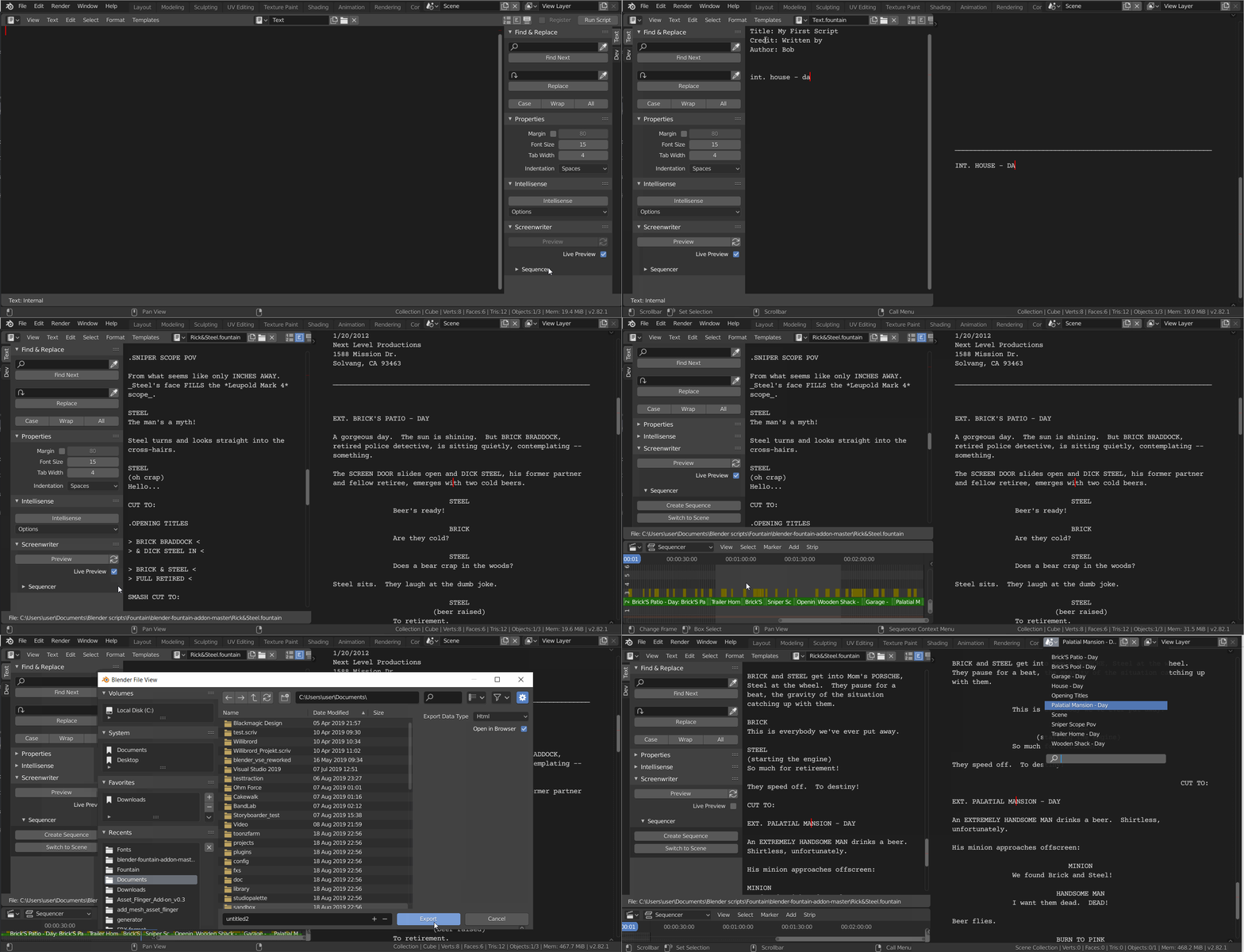
Blender Screenwriter
Write screenplays, add image prompts, and convert everything to times text strips, ready for batch convering to ex. imgage, video or speech.
https://github.com/tin2tin/Blender_Screenwriter
Low on VRAM?
Disable System memory fallback: https://nvidia.custhelp.com/app/answers/detail/a_id/5490/~/system-memory-fallback-for-stable-diffusion
Useful Projects
Trainer for LoRAs:
https://github.com/Nerogar/OneTrainer
Video Examples (Old)
Image to Text
https://github.com/tin2tin/Pallaidium/assets/1322593/91eb17e4-72d6-4c69-8e5c-a3d38af5a770
Scribble
https://github.com/tin2tin/Pallaidium/assets/1322593/c74a4e38-8b16-423b-be78-aadfbfe284dc
Styles
https://github.com/tin2tin/Pallaidium/assets/1322593/b80812b4-e3be-40b0-a73b-bc55b7eeadf7
Canny
https://github.com/tin2tin/Pallaidium/assets/1322593/a1e94e09-0147-40ae-b4c2-4ce0671b1289
OpenPose
https://github.com/tin2tin/Pallaidium/assets/1322593/ac9f278e-9fc9-46fc-a4e7-562ff041964f
Video to video:
https://github.com/tin2tin/Generative_AI/assets/1322593/c044a0b0-95c2-4b54-af0b-45bc0c670c89
https://github.com/tin2tin/Generative_AI/assets/1322593/0105cd35-b3b2-49cf-91c1-0633dd484177
Frame by Frame:
https://github.com/tin2tin/Generative_AI/assets/1322593/2dd2d2f1-a1f6-4562-8116-ffce872b79c3
Restrictions on using Pallaidium:
- The team behind Pallaidium does not endorse or take responsibility for third-party use.
- The team behind Pallaidium requires verification or explicit permission for redistribution.
- It is prohibited to use Pallaidium to generate content that is demeaning or harmful to people, their environment, culture, religion, etc.
- It is prohibited to use Pallaidium for pornographic, violent, and bloody content generation.
- It is prohibited to use Pallaidium for error and false information generation.
- It is prohibited to use Pallaidium for commercial misuse or misrepresentation.
Restrictions on using the AI models:
- Pallaidium does not include any genAI models(weights). If the user decides to use a model, it is downloaded from HuggingFace.
- In general, the models can only be used for non-commercial purposes and are meant for research purposes.
- Consult the individual models on HuggingFace to read up on their licenses and ex. if they can be used commercially.
Credits
- The Diffusers lib makes the following weights accessible through the Pallaidium UI:
Video:
- Lightricks/LTX-2
- Lightricks/LTX-2 Multi-Input
- OzzyGT/LTX-2.3 Distilled (9B) — Multimodal Multi-Anchor
- Wan-AI/Wan2.1-T2V
- Wan-AI/Wan2.1-I2V
- SkyReels-V1-Hunyuan-I2V/T2V
- MiniMax Cloud API
Image:
- diffusers/FLUX.2-dev-bnb-4bit
- BFL-ML/FLUX.2-Klein-4B
- BFL-ML/FLUX.2-Klein-9B
- black-forest-labs/FLUX.1-Kontext-dev
- Kontext Relight (LoRA)
- FLUX Canny / Depth / Redux
- Alpha-VLLM/Lumina-Image-2.0
- Shitao/OmniGen-v1-diffusers
- Qwen/Qwen-VL Image
- Qwen Image Edit
- Qwen-Image 2.1 Turbo (SDNQ 8-bit)
- Ernie / Ernie Turbo
- Nucleus MOE
- ZImage
- Schematic
- Anima
- Disty0/Ideogram-4-SDNQ-4bit-dynamic-hadamard
- Ming-Image 0.1 Design
- black-forest-labs/flux-3-image-klein / -base / -pup
Audio:
- Chatterbox / Chatterbox Turbo
- OmniVoice
- MOSS-TTS-v1.5
- Fish Audio Drama 3
- MMAudio
- ACE Step
- YuE2-3B (songs with vocals)
- stabilityai/stable-audio-open-1.0
- Stem Splitter (demucs-onnx)
Background Removal:
Captions, Subtitles & Prompt Enhancement:
- Florence-2-large-PromptGen
- MoviiGen1.1_Prompt_Rewriter
- Faster Whisper (multilingual ASR)
- Whistle (tiny CPU ASR, EN/DE/FR/ES/IT/NL/PL)
- Marlin Video Captions