Universal Manipulation Interface
[Project page] [Paper] [Hardware Guide] [Data Collection Instruction] [SLAM repo] [SLAM docker]

Cheng Chi1,2, Zhenjia Xu1,2, Chuer Pan1, Eric Cousineau3, Benjamin Burchfiel3, Siyuan Feng3,
Russ Tedrake3, Shuran Song1,2
1Stanford University, 2Columbia University, 3Toyota Research Institute
🛠️ Installation
Only tested on Ubuntu 22.04
Install docker following the official documentation and finish linux-postinstall.
Install system-level dependencies:
$ sudo apt install -y libosmesa6-dev libgl1-mesa-glx libglfw3 patchelf
We recommend Miniforge instead of the standard anaconda distribution for faster installation:
$ mamba env create -f conda_environment.yaml
Activate environment
$ conda activate umi
(umi)$
Running UMI SLAM pipeline
Download example data
(umi)$ wget --recursive --no-parent --no-host-directories --cut-dirs=2 --relative --reject="index.html*" https://real.stanford.edu/umi/data/example_demo_session/
Run SLAM pipeline
(umi)$ python run_slam_pipeline.py example_demo_session

...
Found following cameras:
camera_serial
C3441328164125    5
Name: count, dtype: int64
Assigned camera_idx: right=0; left=1; non_gripper=2,3...
             camera_serial  gripper_hw_idx                                     example_vid
camera_idx
0           C3441328164125               0  demo_C3441328164125_2024.01.10_10.57.34.882133
99% of raw data are used.
defaultdict(. at 0x7f471feb2310>, {})
n_dropped_demos 0
For this dataset, 99% of the data are useable (successful SLAM), with 0 demonstrations dropped. If your dataset has a low SLAM success rate, double check if you carefully followed our data collection instruction.
Despite our significant effort on robustness improvement, OBR_SLAM3 is still the most fragile part of UMI pipeline. If you are an expert in SLAM, please consider contributing to our fork of OBR_SLAM3 which is specifically optimized for UMI workflow.
Generate dataset for training.
(umi)$ python scripts_slam_pipeline/07_generate_replay_buffer.py -o example_demo_session/dataset.zarr.zip example_demo_session
Training Diffusion Policy
Single-GPU training. Tested to work on RTX3090 24GB.
(umi)$ python train.py --config-name=train_diffusion_unet_timm_umi_workspace task.dataset_path=example_demo_session/dataset.zarr.zip
Multi-GPU training.
(umi)$ accelerate --num_processes train.py --config-name=train_diffusion_unet_timm_umi_workspace task.dataset_path=example_demo_session/dataset.zarr.zip
Downloading in-the-wild cup arrangement dataset (processed).
(umi)$ wget https://real.stanford.edu/umi/data/zarr_datasets/cup_in_the_wild.zarr.zip
Multi-GPU training.
(umi)$ accelerate --num_processes train.py --config-name=train_diffusion_unet_timm_umi_workspace task.dataset_path=cup_in_the_wild.zarr.zip
🦾 Real-world Deployment
In this section, we will demonstrate our real-world deployment/evaluation system with the cup arrangement policy. While this policy setup only requires a single arm and camera, the our system supports up to 2 arms and unlimited number of cameras.
⚙️ Hardware Setup
-
Build deployment hardware according to our Hardware Guide.
-
Setup UR5 with teach pendant:
- Obtain IP address and update eval_robots_config.yaml/robots/robot_ip.
- In Installation > Payload
- Set mass to 1.81 kg
- Set center of gravity to (2, -6, 37)mm, CX/CY/CZ.
- TCP will be set automatically by the eval script.
- On UR5e, switch control mode to remote.
If you are using Franka, follow this instruction.
-
Setup WSG50 gripper with web interface:
- Obtain IP address and update eval_robots_config.yaml/grippers/gripper_ip.
- In Settings > Command Interface
- Disable "Use text based Interface"
- Enable CRC
- In Scripting > File Manager
- In Settings > System
- Enable Startup Script
- Select
/user/cmd_measure.luayou just uploaded.
-
Setup GoPro:
- Install GoPro Labs firmware.
- Set date and time.
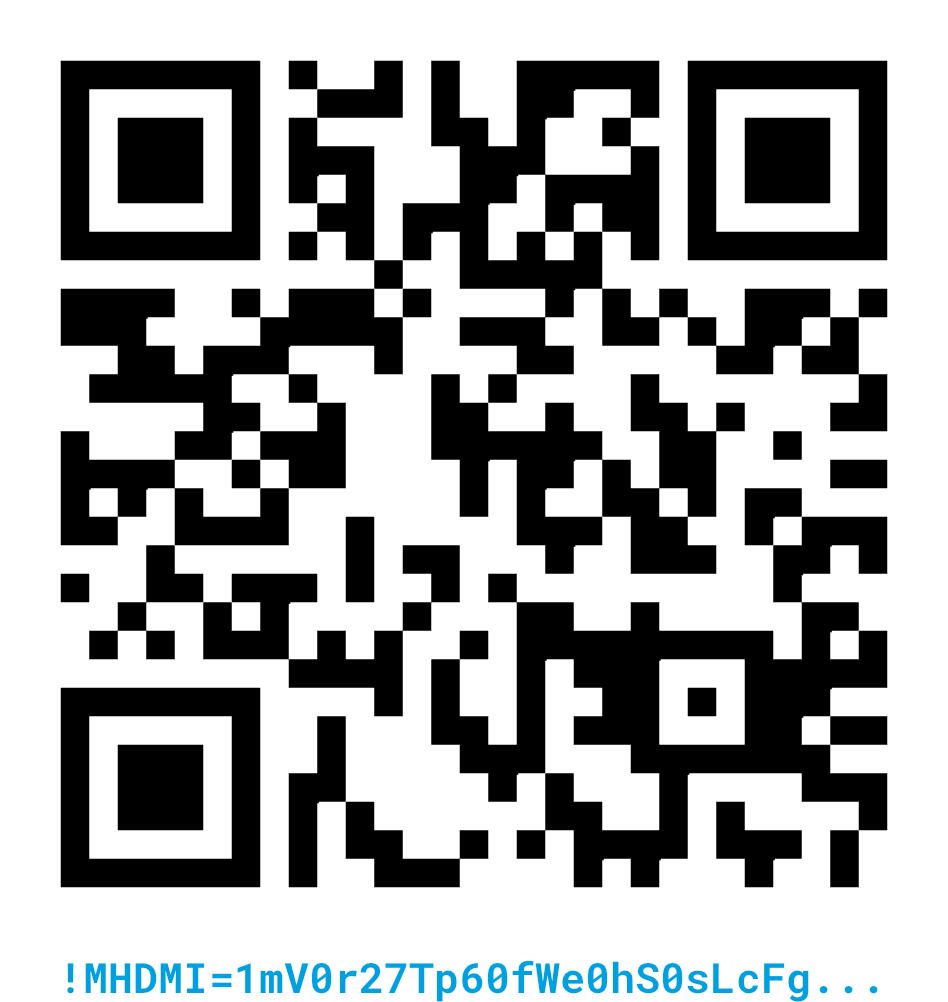
- Scan the following QR code for clean HDMI output
 5. Setup 3Dconnexion SpaceMouse:
* Install libspnav
5. Setup 3Dconnexion SpaceMouse:
* Install libspnav sudo apt install libspnav-dev spacenavd
* Start spnavd sudo systemctl start spacenavd
🤗 Reproducing the Cup Arrangement Policy ☕
Our in-the-wild cup arragement policy is trained with the distribution of "espresso cup with saucer" on Amazon across 30 different locations around Stanford. We created a Amazon shopping list for all cups used for training. We published the processed Zarr dataset and pre-trained checkpoint (finetuned CLIP ViT-L backbone).

Download pre-trained checkpoint.
(umi)$ wget https://real.stanford.edu/umi/data/pretrained_models/cup_wild_vit_l_1img.ckpt
Grant permission to the HDMI capture card.
(umi)$ sudo chmod -R 777 /dev/bus/usb
Launch eval script.
(umi)$ python eval_real.py --robot_config=example/eval_robots_config.yaml -i cup_wild_vit_l.ckpt -o data/eval_cup_wild_example
After the script started, use your spacemouse to control the robot and the gripper (spacemouse buttons). Press C to start the policy. Press S to stop.
If everything are setup correctly, your robot should be able to rotate the cup and placing it onto the saucer, anywhere 🎉
Known issue ⚠️: The policy doesn't work well under direct sunlight, since the dataset was collected during a rainiy week at Stanford.
🤗 Reproducing Policies on ARX X5 Robot Arms
Please follow umi-on-legs for hardware modification and umi-arx for detailed policy deployment instructions.

🏷️ License
This repository is released under the MIT license. See LICENSE for additional details.
🙏 Acknowledgement
- Our GoPro SLAM pipeline is adapted from Steffen Urban's fork of OBR_SLAM3.
- We used Steffen Urban's OpenImuCameraCalibrator for camera and IMU calibration.
- The UMI gripper's core mechanism is adpated from Push/Pull Gripper by John Mulac.
- UMI's soft finger is adapted from Alex Alspach's original design at TRI.