Deploy real projects from GitHub or your AI coding agent, then keep them running with AI-powered operations.
Key parameters and specifications
Key parameters and specifications
Parameter
Value
Language
Go
Category
Infrastructure
Subcategory
Observability, Make world agent-ready
Keywords
Agent-ready APIs, DevOps, Guardrails, Tool use
Stars
506
Forks
98
Contributors
3
Created date
2026-07-16
Updated date
2026-10-16
Stars in 1 day
1
Rank
6,873
Previous rank
4,491
Rank change
-2,382
7-day stars rank
19,349
Previous 7-day stars rank
19,333
7-day stars rank change
-16
Total stars rank
19,171
Previous total stars rank
19,184
Total stars rank change
13
Country
UK
README summary
Run coding agents on infrastructure you control. Local, VM, and Kubernetes jobs with GitHub pull-request delivery. Website · Documentation · Configuration · Workflow examples Machine section · supervised agent system · exploded assembly Machinist is an open-source software factory implementation. It runs on your machine, keeps repository access and credentials local, and records the work from request to handoff. Commands can invoke Codex, Claude Code, another agent CLI, a test runner, a shell script, or repository-owned orchestration. Please note: this is early
access software and subject to change. Why Machinist **One controlled entrypoint. ** Workers expose named commands and repositories, never arbitrary shell text or machine-local paths. ** Use any executable that accepts a prompt on standard input. ** Repositories, credentials, model aliases, and executor configuration stay on the worker. ** Stream output, retain durable events and artifacts, and track terminal outcomes, duration, and reported token use. ** Approve specifications when needed, follow independent review, and merge the pull request yourself. Quick start Build and initialize
Machinist: Start the app: Open the printed local URL. Connect your GitHub App, choose a repository and agent, and verify the connection with PING. Agents run on your computer, a VM, or a configured Kubernetes cluster. Sign in to the coding CLI on its execution host. Multiple projects Open **Projects → Add project** to connect another repository. Adding a project preserves your existing projects, agent, and execution target. Each repository gets its own checkout, and runs and automations choose from the
configured list. The project list is saved on the control-plane host and restored after restart. Only repositories granted to your GitHub App appear. Use **Manage GitHub access** to grant more repositories, then **Refresh repositories**. Local and Kubernetes runners reload while idle. For a VM, stop its existing worker, download the updated VM setup from Projects, and run it to clone and register all configured projects. How execution works Use **New run** to describe work or link a GitHub issue
. Choose one of two modes: **Standard pipeline:** Triage → optional Spec → Build → independent Review. Review findings return to the same branch and PR for up to three repair rounds. **Single agent:** one agent completes an operational task end to end. Use it for one-off jobs and automations. Requested code, documents, and reports use PR delivery. Questions and checks without file changes can return a result directly. Internal prompts, handoffs, and run history stay private in Machinist. GitHub holds published issues
, specs, code, and PRs. For scripts and direct CLI use, maps a named command to a fixed executable and runs it in the supplied repository. Existing sequence workflows remain available to CLI users; the app offers the two modes above. md for development setup and pull-request expectations. Machinist is released under the MIT License. Local jobs **New run** offers two modes. **Standard pipeline** runs Triage, optional Spec, Build, independent Review, and human merge. **Single agent** runs one operational task
or automation without a separate reviewer. Requested repository changes still use PR delivery and human merge; unchanged operational tasks return
Frequently asked questions
How many stars and forks are recorded?
owainlewis/machinist has 506 stars and 98 forks.
What is the repository rank?
owainlewis/machinist is ranked 6,873.
What language and category are recorded?
owainlewis/machinist has 506 stars, uses Go and belongs to Infrastructure.
Which repository is closest in rank?
owainlewis/machinist is compared with xiaods/k8e, ranked 6,881 with 504 stars.
README
Run coding agents on infrastructure you control.
Local, VM, and Kubernetes jobs with GitHub pull-request delivery.
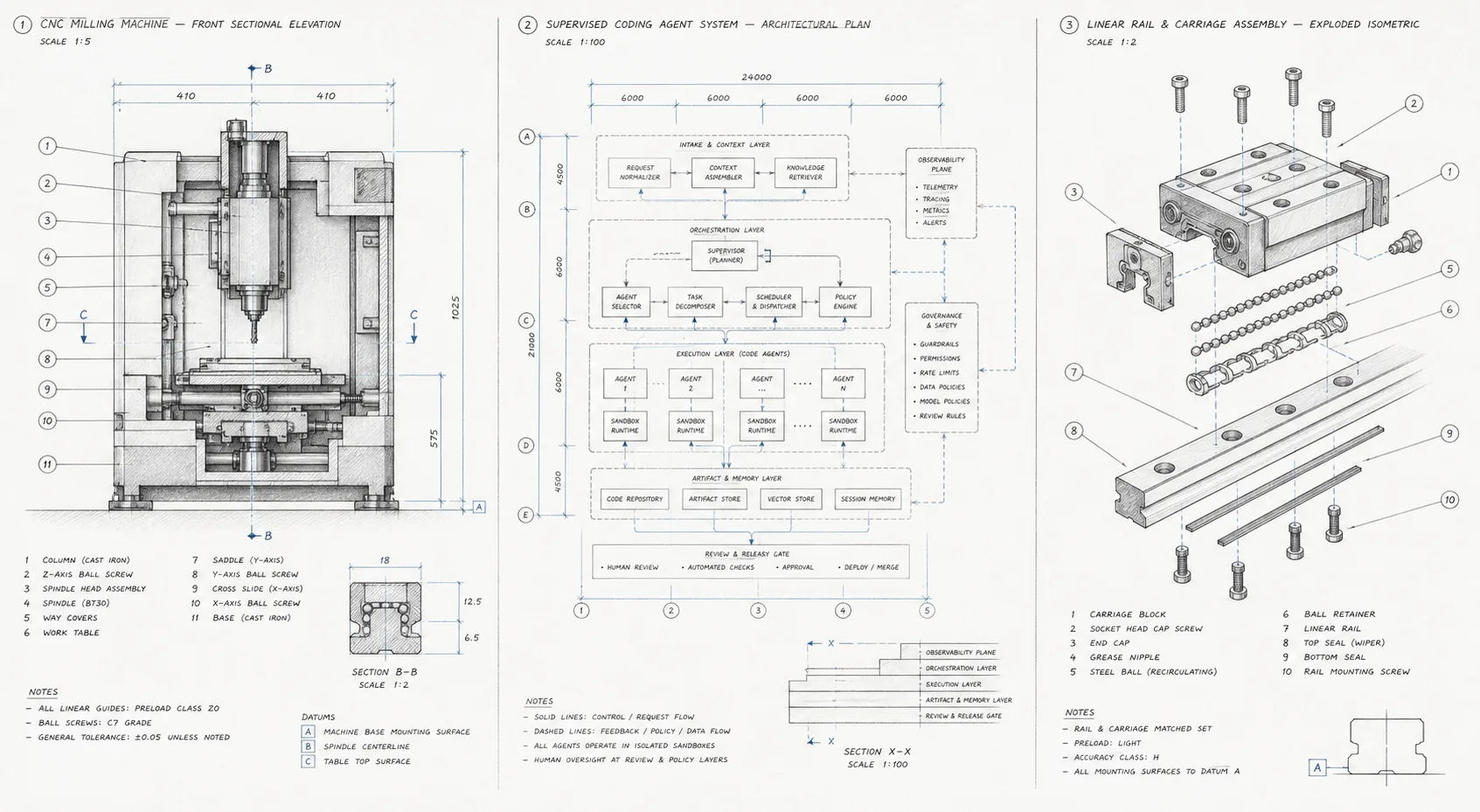
Machine section · supervised agent system · exploded assembly
Machinist is an open-source software factory implementation. It runs on your machine, keeps repository access and credentials local, and records the work from request to handoff. Commands can invoke Codex, Claude Code, another agent CLI, a test runner, a shell script, or repository-owned orchestration.
Please note: this is early access software and subject to change.
Why Machinist
One controlled entrypoint. Workers expose named commands and repositories, never arbitrary shell text or machine-local paths.
Bring your own harness. Use any executable that accepts a prompt on standard input.
Keep authority local. Repositories, credentials, model aliases, and executor configuration stay on the worker.
Inspect every run. Stream output, retain durable events and artifacts, and track terminal outcomes, duration, and reported token use.
Review before merging. Approve specifications when needed, follow independent review, and merge the pull request yourself.
Quick start
Build and initialize Machinist:
git clone https://github.com/owainlewis/machinist.git
cd machinist
mkdir -p ./bin && go build -o ./bin/machinist ./cmd/machinist
./bin/machinist init
Start the app:
./bin/machinist start
Open the printed local URL. Connect your GitHub App, choose a repository and
agent, and verify the connection with PING. Agents run on your computer, a VM,
or a configured Kubernetes cluster. Sign in to the coding CLI on its execution
host. See the setup guide.
Multiple projects
Open Projects → Add project to connect another repository. Adding a project
preserves your existing projects, agent, and execution target. Each repository
gets its own checkout, and runs and automations choose from the configured list.
The project list is saved on the control-plane host and restored after restart.
Only repositories granted to your GitHub App appear. Use Manage GitHub access
to grant more repositories, then Refresh repositories. Local and Kubernetes
runners reload while idle. For a VM, stop its existing worker, download the updated
VM setup from Projects, and run it to clone and register all configured projects.
How execution works
Use New run to describe work or link a GitHub issue. Choose one of two modes:
Standard pipeline: Triage → optional Spec → Build → independent Review.
Specifications wait for approval. Review findings return to the same branch
and PR for up to three repair rounds. You decide when to merge.
Single agent: one agent completes an operational task end to end. Use it
for one-off jobs and automations.
Requested code, documents, and reports use PR delivery. Questions and checks
without file changes can return a result directly. Internal prompts, handoffs,
and run history stay private in Machinist. GitHub holds published issues, specs,
code, and PRs.
For scripts and direct CLI use, machinist run maps a named command to a fixed
executable and runs it in the supplied repository. Existing sequence workflows
remain available to CLI users; the app offers the two modes above. See the
command and workflow reference.
New run offers two modes. Standard pipeline runs Triage, optional Spec,
Build, independent Review, and human merge. Single agent runs one operational
task or automation without a separate reviewer. Requested repository changes
still use PR delivery and human merge; unchanged operational tasks return a result.
There is no custom workflow editor. The compact table includes stage progress dots.
API clients set recipe to factory or single and supply a stable
client_request_id. Repeating the same request after a lost response returns the
same job. A changed payload with that ID returns 409. Existing
workflow: "factory" submissions remain compatible.
On upgrade, the app snapshots factory.db into jobs.db and archives the old
store. Back up the full private runtime directory, including worker outputs.
Imported blocked jobs are held private until explicitly reviewed and released.
See local job behavior.
Kubernetes runners
Keep the control plane local or on a VM and run individual agent attempts in
gVisor Kubernetes Jobs. The first target supports a dedicated Codex subscription
login, serialized refresh, restricted egress and trusted GitHub PR publication.
See Kubernetes setup and recovery.