llama4micro 🦙🔬
A "large" language model running on a microcontroller.
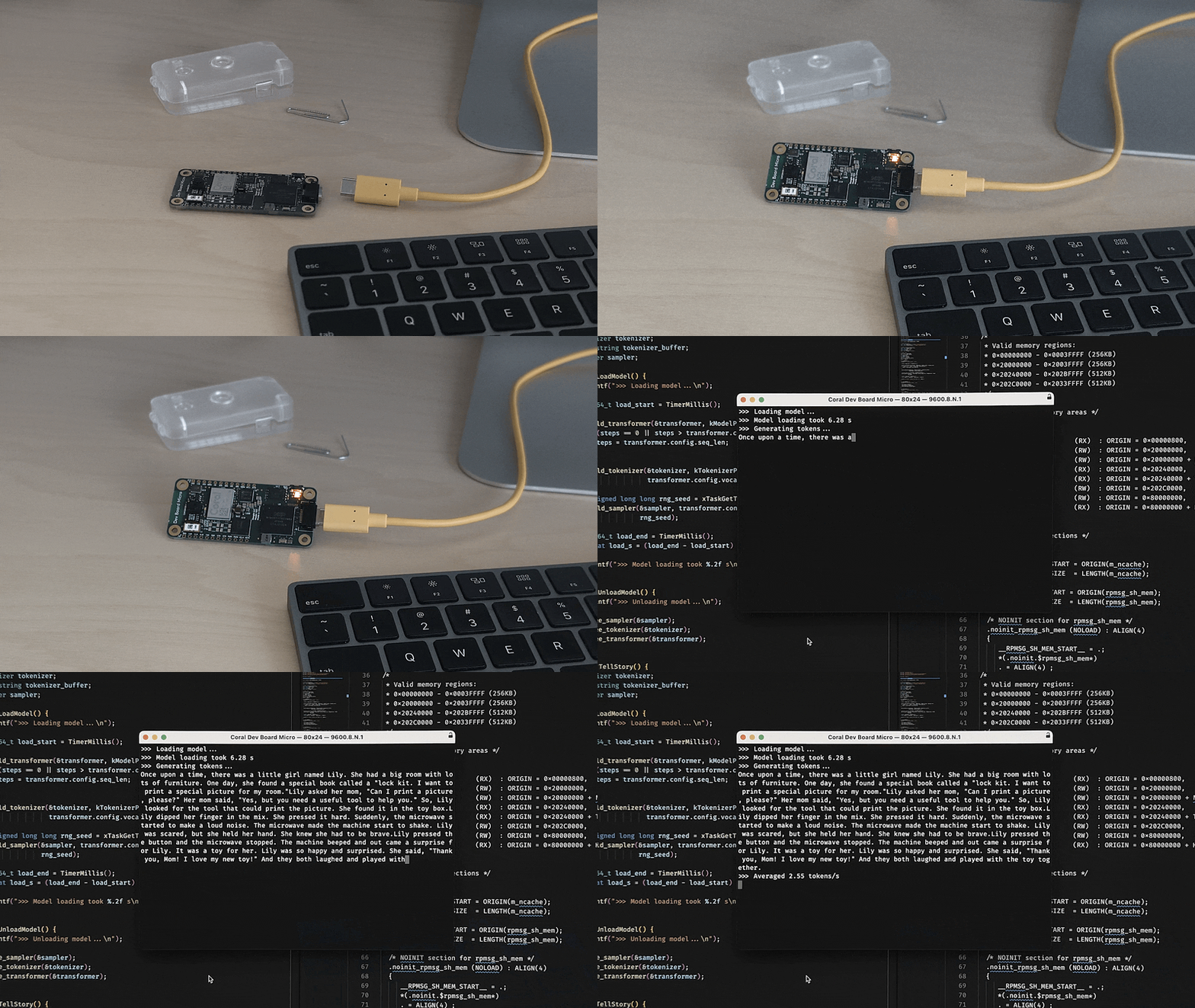
Background
I was wondering if it's possible to fit a non-trivial language model on a microcontroller. Turns out the answer is some version of yes!
[!WARNING] Later, things got a bit out of hand and now the prompt is based on objects detected by the camera, and a text-to-speech model reads the story out loud.
This project is using the Coral Dev Board Micro with its FreeRTOS toolchain. The board has a number of neat hardware features, but – most importantly for our purposes – it has 64MB of RAM. That's tiny for LLMs, which are typically measured in the GBs, but comparatively huge for a microcontroller.
The LLM implementation itself is an adaptation of llama2.c and the tinyllamas checkpoints trained on the TinyStories dataset. The quality of the smaller model versions isn't ideal, but good enough to generate somewhat coherent (and occasionally weird) stories.
[!NOTE] Language model inference and text-to-speech generation run on the 800 MHz Arm Cortex-M7 CPU core. Camera image classification uses the Edge TPU and a compiled YOLOv8n model. The board also has a second 400 MHz Arm Cortex-M4 CPU core, which is currently unused.
Setup
Clone this repo with its submodules karpathy/llama2.c, google-coral/coralmicro, ultralytics/ultralytics, Ampixa/sanoTTS, and festvox/flite.
git clone --recurse-submodules https://github.com/maxbbraun/llama4micro.git

cd llama4micro
The pre-trained models are in the models/ directory. Refer to the instructions on how to download and convert them.
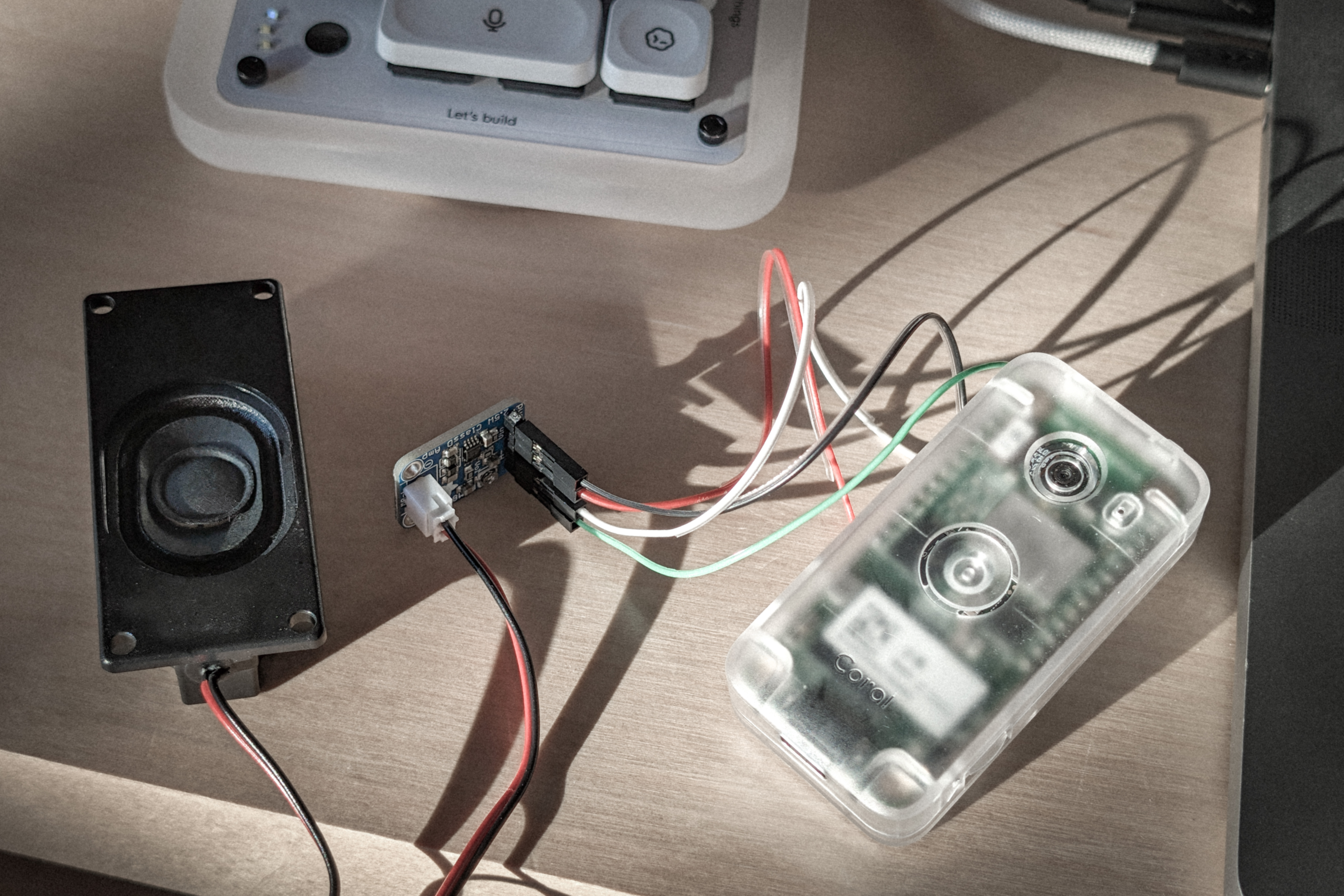
Connect a PAM8302 amplifier and a 4–8Ω speaker:
| Amplifier pin | Coral pin |
|---|---|
| A+ | DAC_OUT / A2 |
| A− | GND |
| SD | Not connected |
| VIN | VSYS |
| GND | GND |
Build the image:
mkdir build
cd build

cmake ..
make -j
Flash the image:
python3 -m venv venv
. venv/bin/activate

pip install -r ../third_party/coralmicro/scripts/requirements.txt

python ../third_party/coralmicro/scripts/flashtool.py \
    --build_dir . \
    --elf_path llama4micro
Usage
- The models load automatically when the board powers up.
- This takes ~8 seconds.
- The green light will turn on when ready.
- Point the camera at an object and press the button.
- The green light will turn off.
- The camera will take a picture and detect an object.
- The model now generates a story starting with a prompt based on the object.
- Sentences are spoken using text to speech while the story is being generated.
- The story is also streamed to the serial port.
- Hold the button for one second to cancel generation and playback. Goto 2.
- Generation stops after the end token or maximum steps, and playback finishes.
- The green light will turn on again.
- Goto 2.