
Optio
All your agent work. One place to run it.
Self-hosted orchestration for coding agents, automated workflows, and interactive sessions.
On your Kubernetes cluster. On your own machines. In your pocket.
Product tour · Get started · Documentation · Releases


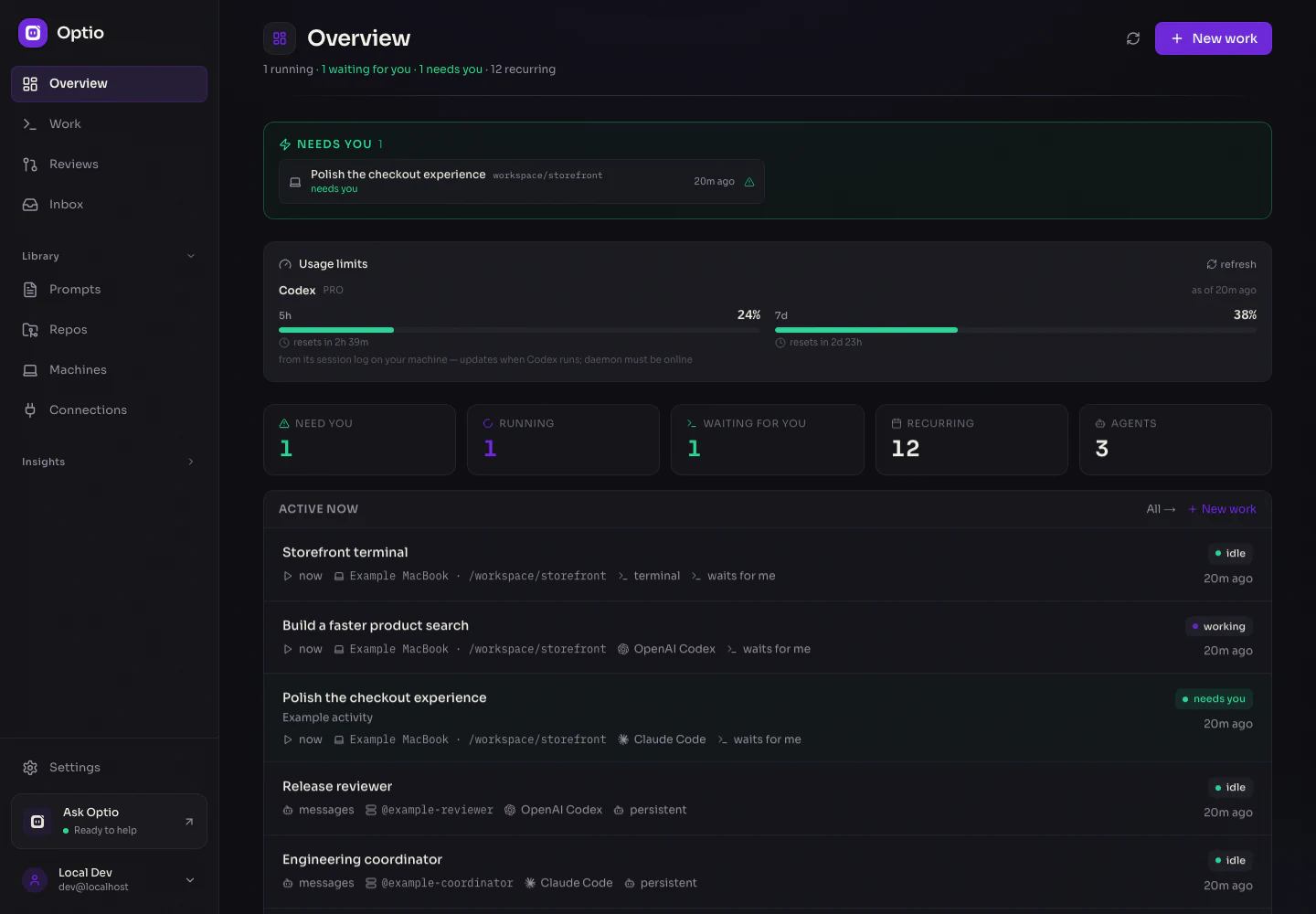
Know what is running, what is ready, and what needs you. All screenshots use fictional demonstration data; activity and usage are simulated.
Optio gives your agents a shared workspace. Hand off a code change, schedule a report, respond to an event, or keep a terminal open while you move between your desk and your phone. Start and follow all of it from one Work feed.
Choose Claude Code, OpenAI Codex, GitHub Copilot, Google Gemini, Cursor, OpenCode, or OpenClaw—or run a plain shell command. Pick the runtime for each piece of work, with the models and providers it supports.
What can you do with Optio?
| Put an agent to work on… | Start it with… | What happens |
|---|---|---|
| An issue → a pull request | A prompt, ticket, GitHub event, or Linear event | Work in a repo worktree, open a PR, follow CI and review, and resume with feedback. Merge automatically when configured. |
| Dependency updates and daily briefings | A cron schedule | Run saved instructions on a schedule, with a separate history for each run. |
| Incidents and failed deployments | PagerDuty, Datadog, Alertmanager, Sentry, a failed CI run, or a webhook | Turn event payloads into prompt parameters; investigate with the tools and credentials you assign. |
| Engineering questions and support escalations | Slack or Pylon | Research the request, prepare an answer, and leave the next decision to a person when your instructions call for it. |
| Work in your own checkout | A manual session or an event | Run an agent or terminal on a paired machine with its existing CLI login. |
| A team of specialists | Messages, schedules, or events | Give persistent agents their own instructions and inboxes. Coordinate them through the inter-agent API. |
| Routine shell checks | Manual, schedule, or another trigger | Run a command without an LLM; track its output and exit status. |
| A session with a teammate | An expiring share link | Let an authenticated organization member view and control the session; revoke access when finished. |
The fourteen trigger types are manual, schedule, webhook, ticket, GitHub, GitLab, Slack, Linear, Jira, Pylon, PagerDuty, Sentry, Alertmanager (Prometheus / Grafana), and Datadog. Persistent agents can also wake on messages. GitHub, GitLab, and AWS CodeCommit are supported repository platforms; available CI and issue features depend on the platform.
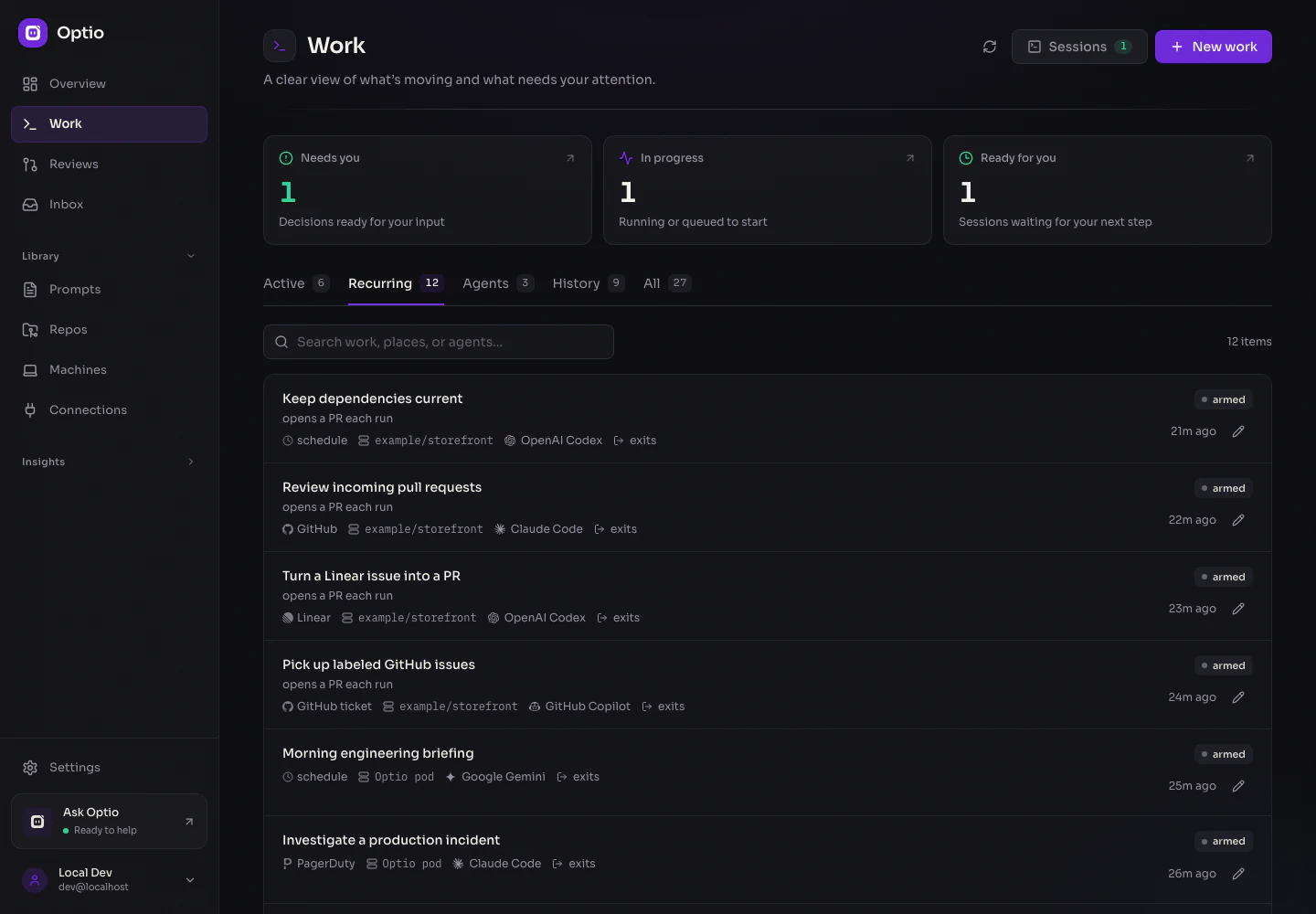
Repo work, jobs, local automations, and persistent agents share the same feed.
Five answers describe the work
| Your choice | |
|---|---|
| When | Start now, on a schedule, from a ticket or event, or when a message arrives. |
| Where | A pod in your cluster, with or without a repo, or a directory on your machine. |
| Who | An agent runtime with its parameters, or a terminal. |
| What | A prompt, a reusable template with {{params}}, or a shell command. |
| Then | Exit when done, wait for you, or stay available as a persistent agent. |
The form derives the right kind of work from these choices and reads it back as a sentence. Edit recurring work in the same form.

Choose a trigger, then shape the environment: pod or machine, repository and branch, ownership, connections and MCP tools, skills, setup commands, and PR review settings. Follow the repo's defaults or customize this piece of work.
Stay close to your sessions
Read the agent’s conversation or use its terminal. Open a shell in the same directory with Terminal here, split sessions side by side, and drag the session sidebar to the width you want. Pane arrangements stay on the current device.

Session sharing requires organization sign-in and grants view and control. Links expire and can be revoked. Collaborators gain access to the session’s environment and capabilities, including credentials available there. Sharing and recovery details →
Native apps, wherever you are
Optio has a SwiftUI iOS app and a Jetpack Compose Android app. Check the queue, create work, read conversations, control terminals, and manage your workspace from your phone.

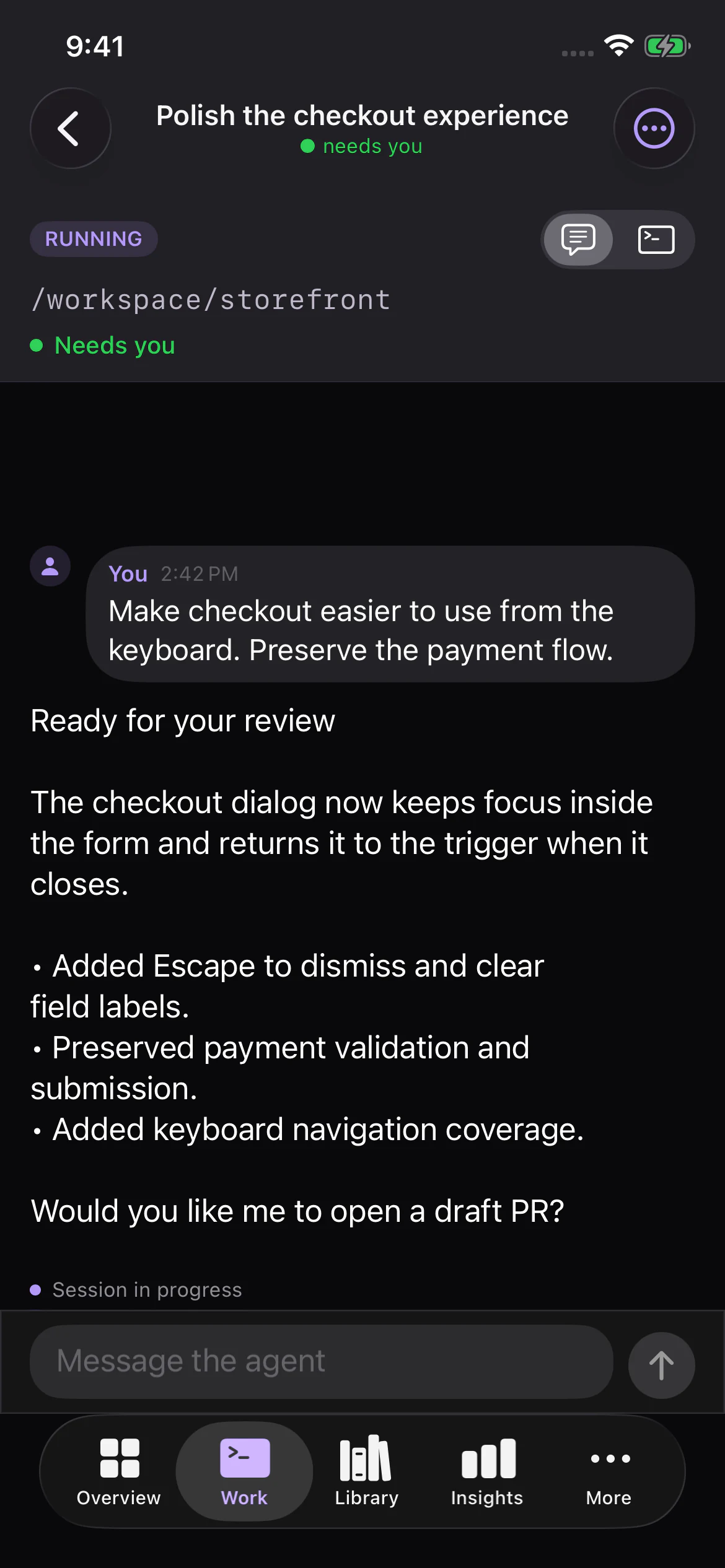

iOS: home-screen and Lock Screen widgets, Live Activities, Dynamic Island, and a mirrored Live Activity in the Apple Watch Smart Stack. Android: home-screen widgets, notifications, and an ongoing watch notification. Contextual actions take you back to the work that needs you.

Native Apple component captures with sample states. Watch support is provided by the iPhone Live Activity; there is no separate Watch app.
Build iOS · Build Android · More screenshots
Your infrastructure, your choices
- Cluster and laptop execution. Repository work uses worktrees in Kubernetes; Optio Local pairs your machines through an outbound connection and uses their CLI configuration.
- Connections and tools. Combine encrypted credentials, MCP servers, shell environment, and usage notes. Assign access by repo and runtime, with per-work settings. Connections →
- Explicit ownership and isolation. Execution pools include workspace, owner, purpose, and access settings. Work inside the same pool remains mutually trusted; ordinary pods are not a boundary for hostile tenants. Security review →
- Recovery with visible status. Sessions report reconnecting, resumable, or lost states. Preserve recoverable work and require an explicit decision before retrying an uncertain outcome. Recovery →
- Managed Kubernetes deployment. Helm supports managed PostgreSQL and Redis, existing Kubernetes Secrets for database, Redis, encryption, and OAuth settings, and separate worker identities. The combined API/web deployment currently requires one replica; worker pods scale independently. EKS and production guide →
- Identity and access. Workspaces, admin/member/viewer roles, OAuth/OIDC sign-in, personal access tokens, and encrypted secrets at rest. Sign-in →
Optio is the orchestration layer you host. Agents still communicate with the model providers and external tools you configure; self-hosting Optio does not make those services local.
Get started
For a local deployment, install Docker Desktop and enable Kubernetes, then:
git clone https://github.com/jonwiggins/optio.git
cd optio
./scripts/setup-local.sh
Open http://localhost:30310 and complete setup. The API listens at http://localhost:30400. The setup script builds the project and deploys it to local Kubernetes; see the installation guide for prerequisites and other deployment options.
For production, use the Helm chart and managed deployment guide. Agent providers and infrastructure may have their own costs.
Want a workspace to explore? Seed the example catalog. It adds clearly labeled, paused examples without running agents, contacting integrations, or replacing existing work.
Explore further
| Guide | What it covers |
|---|---|
| Work and tasks | Repo tasks, jobs, recurring definitions, and lifecycle |
| Optio Local | Pair machines, terminals, automations, and transcripts |
| Persistent agents | Inboxes, turn loops, agent messaging, and pod lifecycle |
| Example agent teams | Forge and Mars Mission Control |
| Connections | Credentials, MCP tools, environment, and skills |
| Configuration as code | Keep workspace configuration in a repository |
| Reconciliation | How the control plane follows work and recovers |
| Redis | Standalone or cluster mode, ElastiCache Serverless |
| Contributing | Architecture, development setup, and tests |
Built with TypeScript, Next.js, Fastify, PostgreSQL, Redis/BullMQ, and Kubernetes, with native Swift and Kotlin clients. See CLAUDE.md for repository conventions and the test matrix.