DreamPose
Official implementation of "DreamPose: Fashion Image-to-Video Synthesis via Stable Diffusion" by Johanna Karras, Aleksander Holynski, Ting-Chun Wang, and Ira Kemelmacher-Shlizerman.
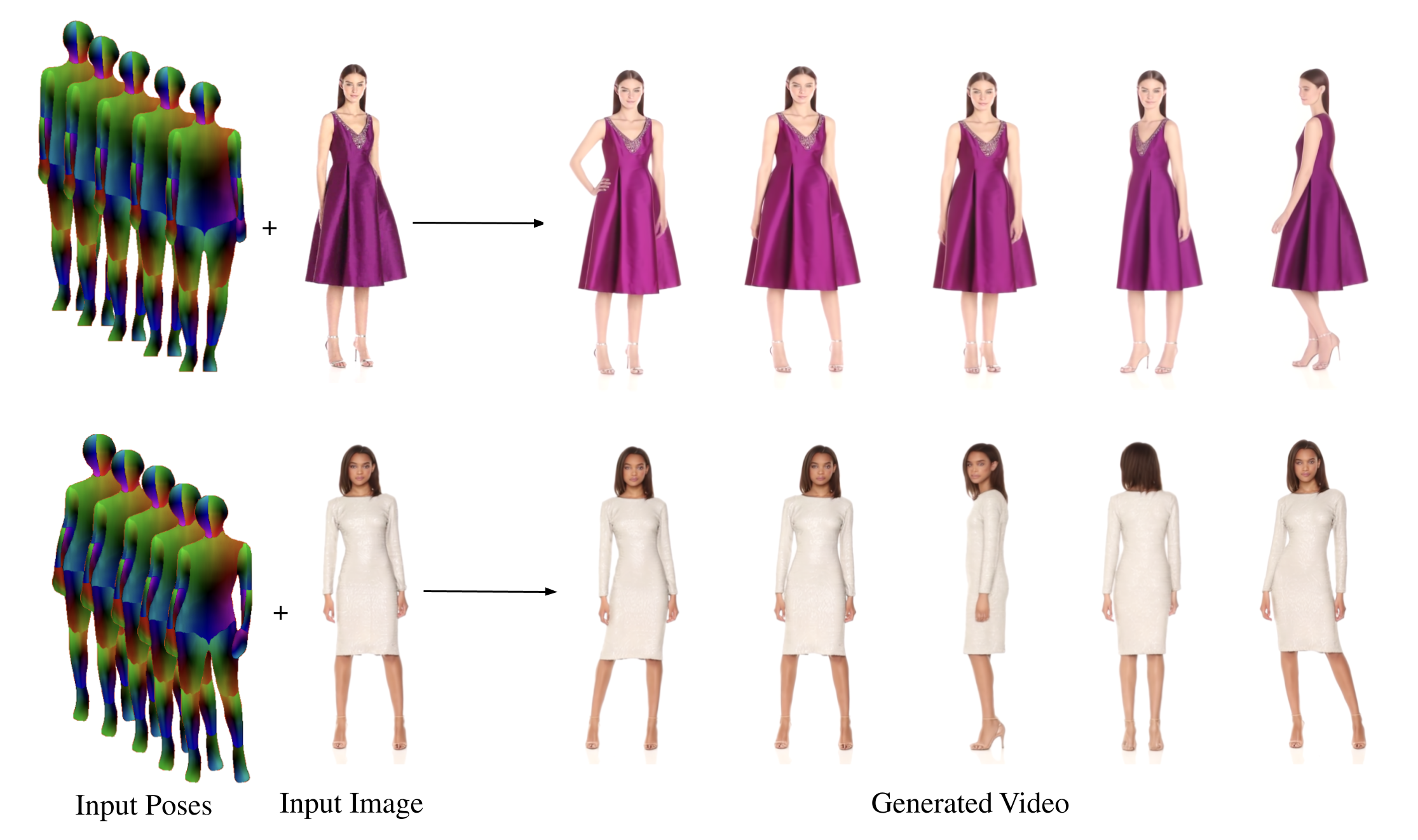
Demo
You can generate a video using DreamPose using our pretrained models.
- Download and unzip the pretrained models inside demo/custom-chkpts.zip
- Download and unzip the input poses inside demo/sample/poses.zip
- Run demo.py using the command below:
python test.py --epoch 499 --folder demo/custom-chkpts --pose_folder demo/sample/poses --key_frame_path demo/sample/key_frame.png --s1 8 --s2 3 --n_steps 100 --output_dir demo/sample/results --custom_vae demo/custom-chkpts/vae_1499.pth
Data Preparation
To prepare a sample for finetuning, create a directory containing train and test subdirectories containing the train frames (desired subject) and test frames (desired pose sequence), respectively. Note that the test frames are not expected to be of the same subject. See demo/sample for an example.
Then, run DensePose using the "densepose_rcnn_R_50_FPN_s1x" checkpoint on all images in the sample directory. Finally, reformat the pickled DensePose output using utils/densepose.py. You need to change the "outpath" filepath to point to the pickled DensePose output.
Download or Finetune Base Model
DreamPose is finetuned on the UBC Fashion Dataset from a pretrained Stable Diffusion checkpoint. You can download our pretrained base model from Google Drive, or finetune pretrained Stable Diffusion on your own image dataset. We train on 2 NVIDIA A100 GPUs.
accelerate launch --num_processes=4 train.py --pretrained_model_name_or_path="CompVis/stable-diffusion-v1-4" --instance_data_dir=../path/to/dataset --output_dir=checkpoints --resolution=512 --train_batch_size=2 --gradient_accumulation_steps=4 --learning_rate=5e-6 --lr_scheduler="constant" --lr_warmup_steps=0 --num_train_epochs=300 --run_name dreampose --dropout_rate=0.15 --revision "ebb811dd71cdc38a204ecbdd6ac5d580f529fd8c"
Finetune on Sample
In this next step, we finetune DreamPose on a one or more input frames to create a subject-specific model.
-
Finetune the UNet
accelerate launch finetune-unet.py --pretrained_model_name_or_path="CompVis/stable-diffusion-v1-4" --instance_data_dir=demo/sample/train --output_dir=demo/custom-chkpts --resolution=512 --train_batch_size=1 --gradient_accumulation_steps=1 --learning_rate=1e-5 --num_train_epochs=500 --dropout_rate=0.0 --custom_chkpt=checkpoints/unet_epoch_20.pth --revision "ebb811dd71cdc38a204ecbdd6ac5d580f529fd8c" -
Finetune the VAE decoder
accelerate launch --num_processes=1 finetune-vae.py --pretrained_model_name_or_path="CompVis/stable-diffusion-v1-4" --instance_data_dir=demo/sample/train --output_dir=demo/custom-chkpts --resolution=512 --train_batch_size=4 --gradient_accumulation_steps=4 --learning_rate=5e-5 --num_train_epochs=1500 --run_name finetuning/ubc-vae --revision "ebb811dd71cdc38a204ecbdd6ac5d580f529fd8c"
Testing
Once you have finetuned your custom, subject-specific DreamPose model, you can generate frames using the following command:
python test.py --epoch 499 --folder demo/custom-chkpts --pose_folder demo/sample/poses --key_frame_path demo/sample/key_frame.png --s1 8 --s2 3 --n_steps 100 --output_dir results --custom_vae demo/custom-chkpts/vae_1499.pth
Acknowledgment
This code is largely adapted from the Hugging Face diffusers repo.