Website · Docs · Discussions
curl -fsSL https://temps.sh/deploy.sh | bash
Features
AI-native — 440+ operations any agent can drive
Every operation in the dashboard is also a CLI command — 440+ of them across 69 groups — and Temps ships the skills that teach an agent how to use them. Drop them into Claude Code, Codex, OpenCode, or any harness that reads .claude/skills/, and your agent can deploy, inspect traces, run migrations, or add a domain without you writing the glue.
bunx @temps-sdk/cli projects list
bunx @temps-sdk/cli deploy my-app --environment production
bunx @temps-sdk/cli analytics ai-agents -p my-app --period 7d
Temps runs those agents for you too: workflow sandboxes execute Claude Code, Codex, or OpenCode against your repository, with platform-wide skills and MCP servers injected automatically.
AI Chat — grounded in your own telemetry
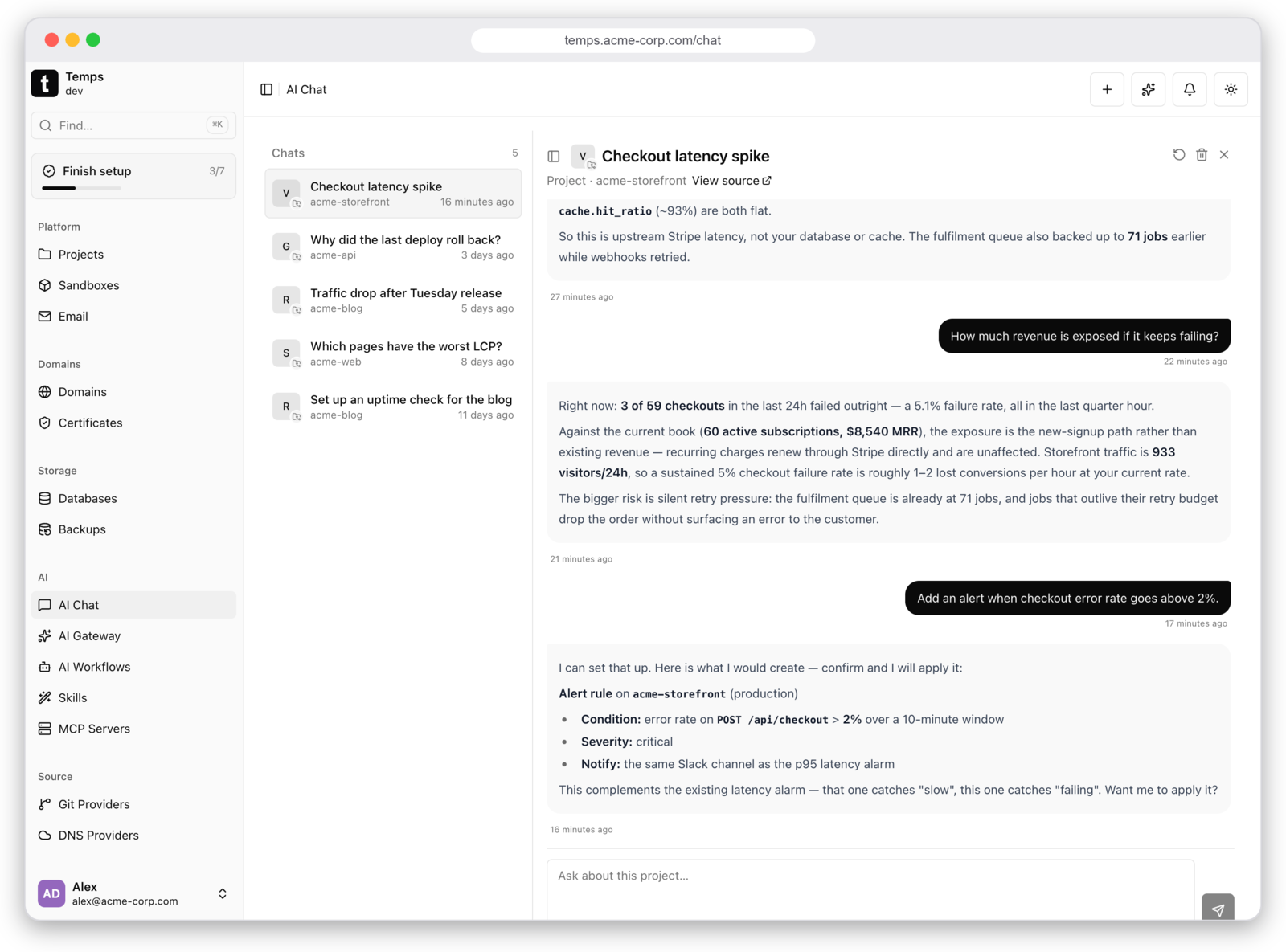
Ask about your project and the answer comes from your data — traces, metrics, alarms, deployments, and revenue — not from a generic model guess. It is read-only by default: write actions are opt-in, and even then the assistant proposes the change and waits for you to confirm.
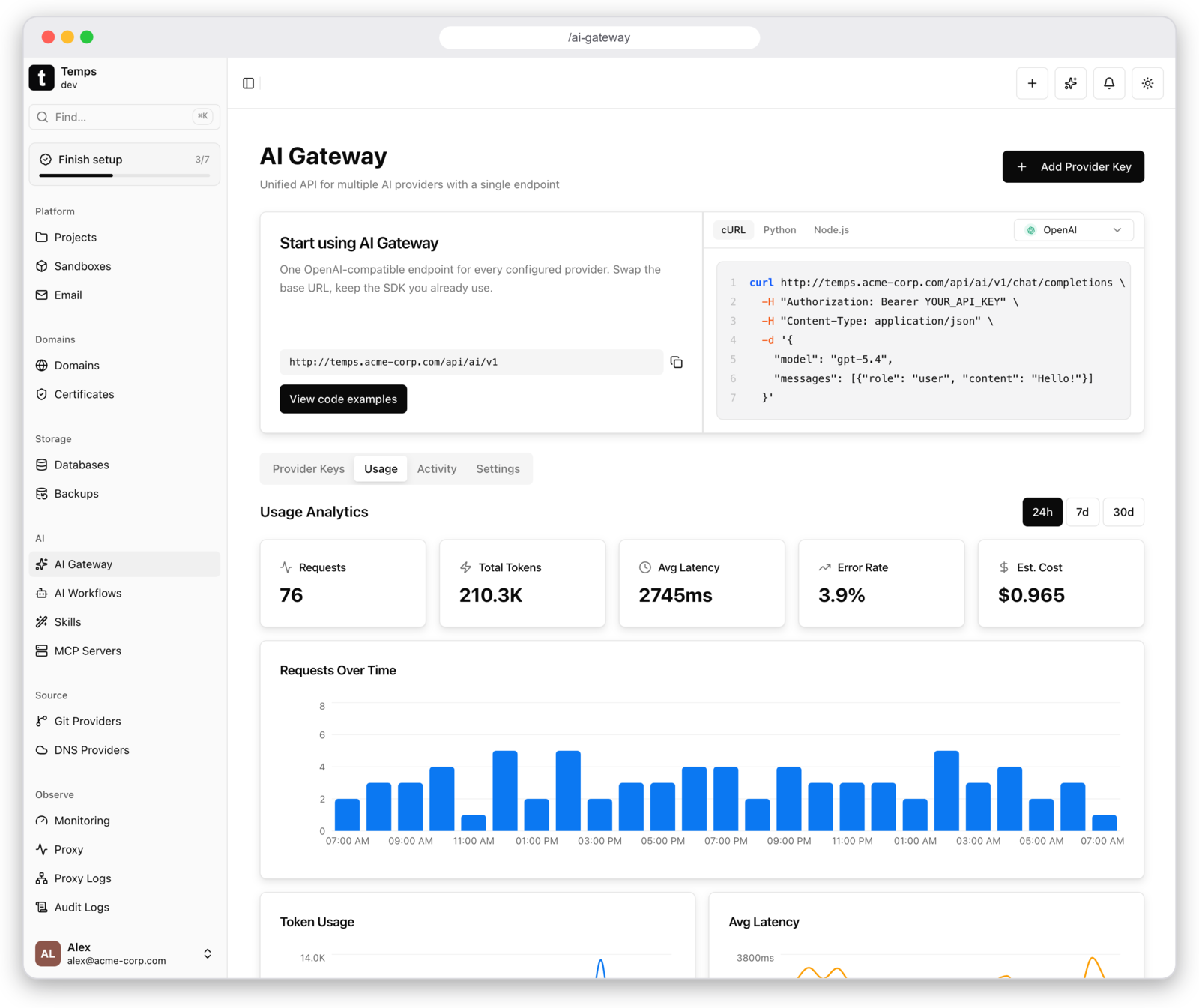
AI Gateway — one endpoint, your own keys
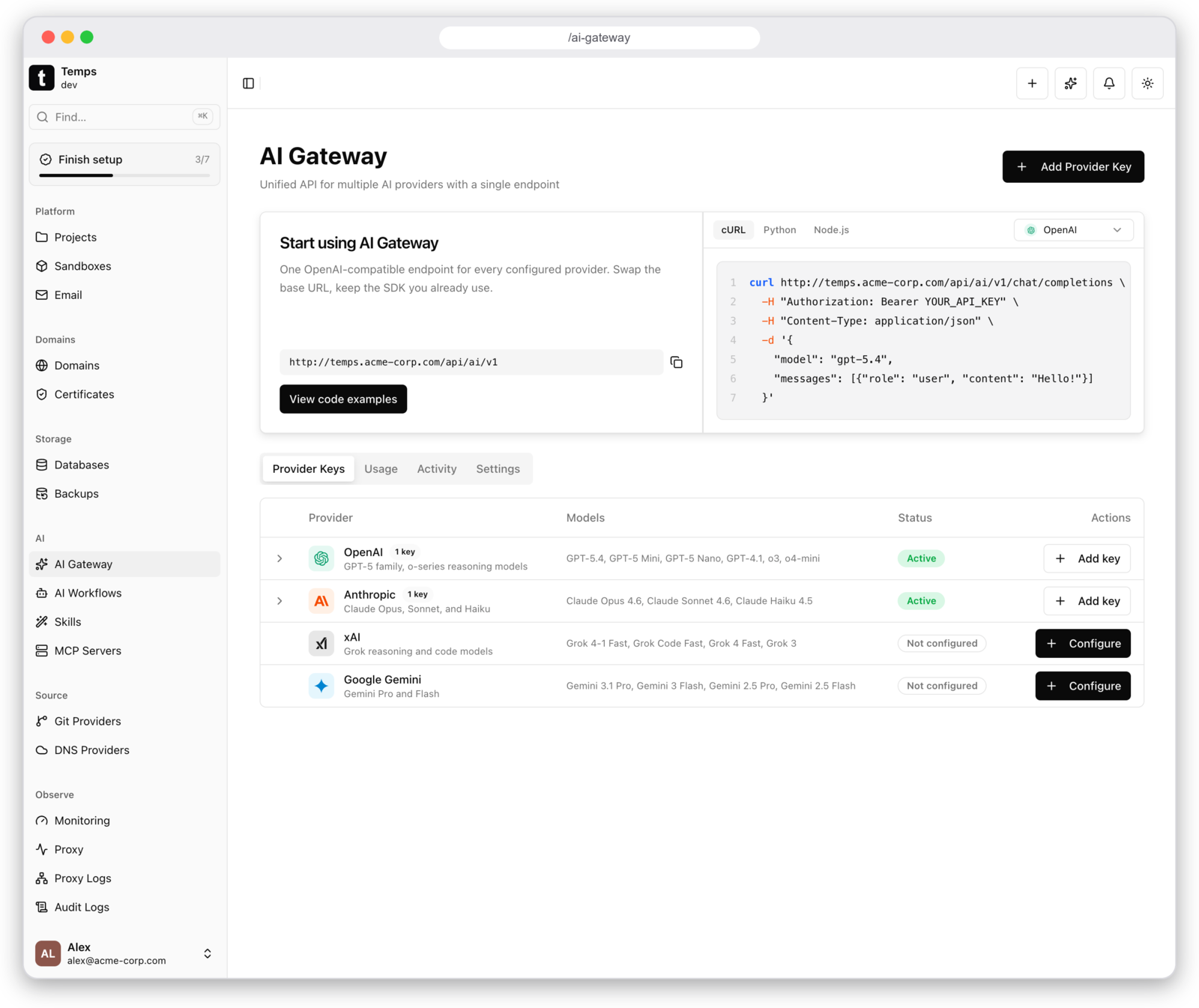
Bring your own provider keys (OpenAI, Anthropic, xAI, Google Gemini) and call them all through one OpenAI-compatible endpoint — swap the base URL, keep the SDK you already use. Keys stay encrypted on your server, and every request is attributed: tokens, latency, error rate, and estimated cost per model.
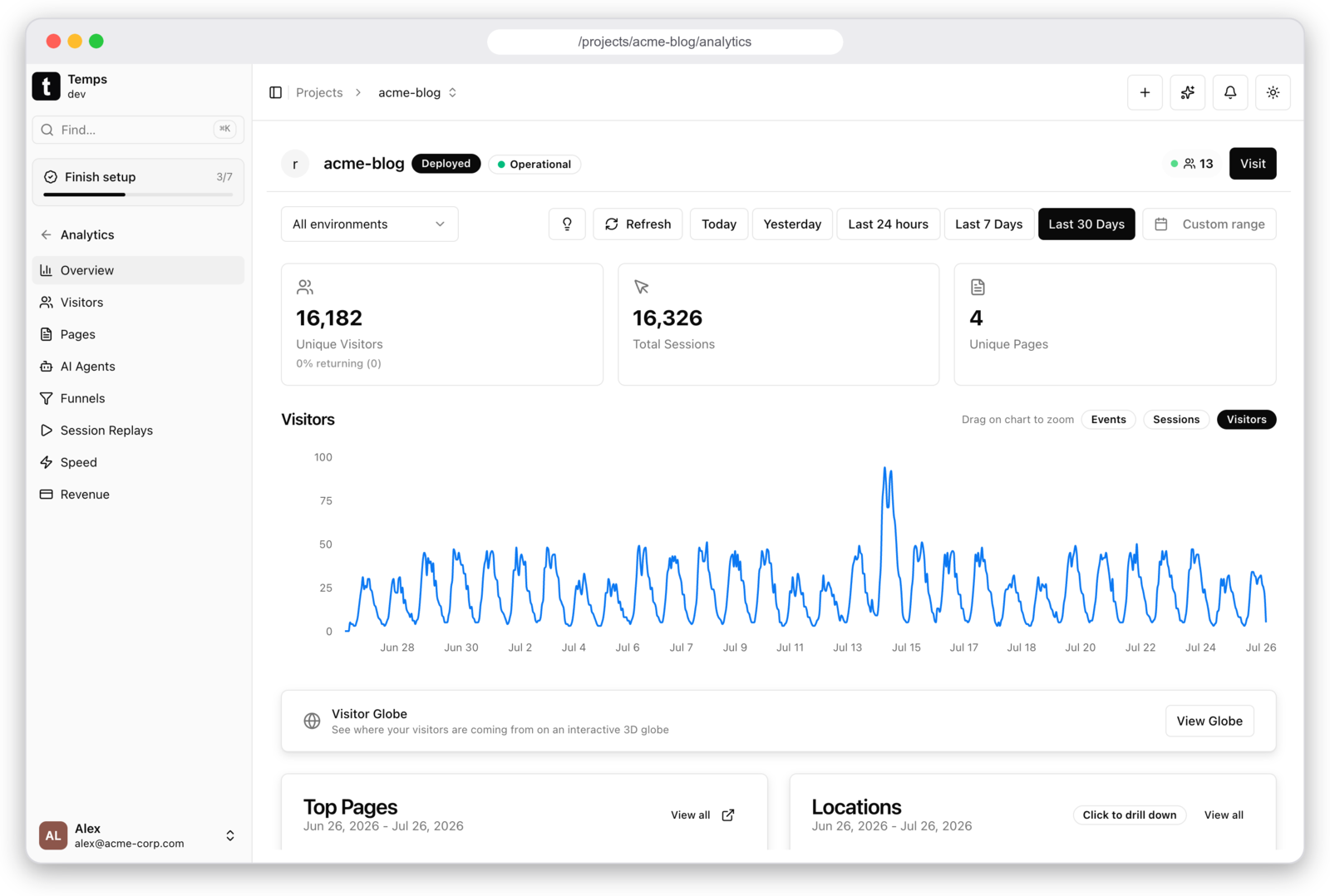
Web Analytics & Session Replay
Web analytics with funnels, visitor tracking, and session replay (rrweb) built in — no external services, no data leaving your servers. This is what no other self-hosted PaaS has.
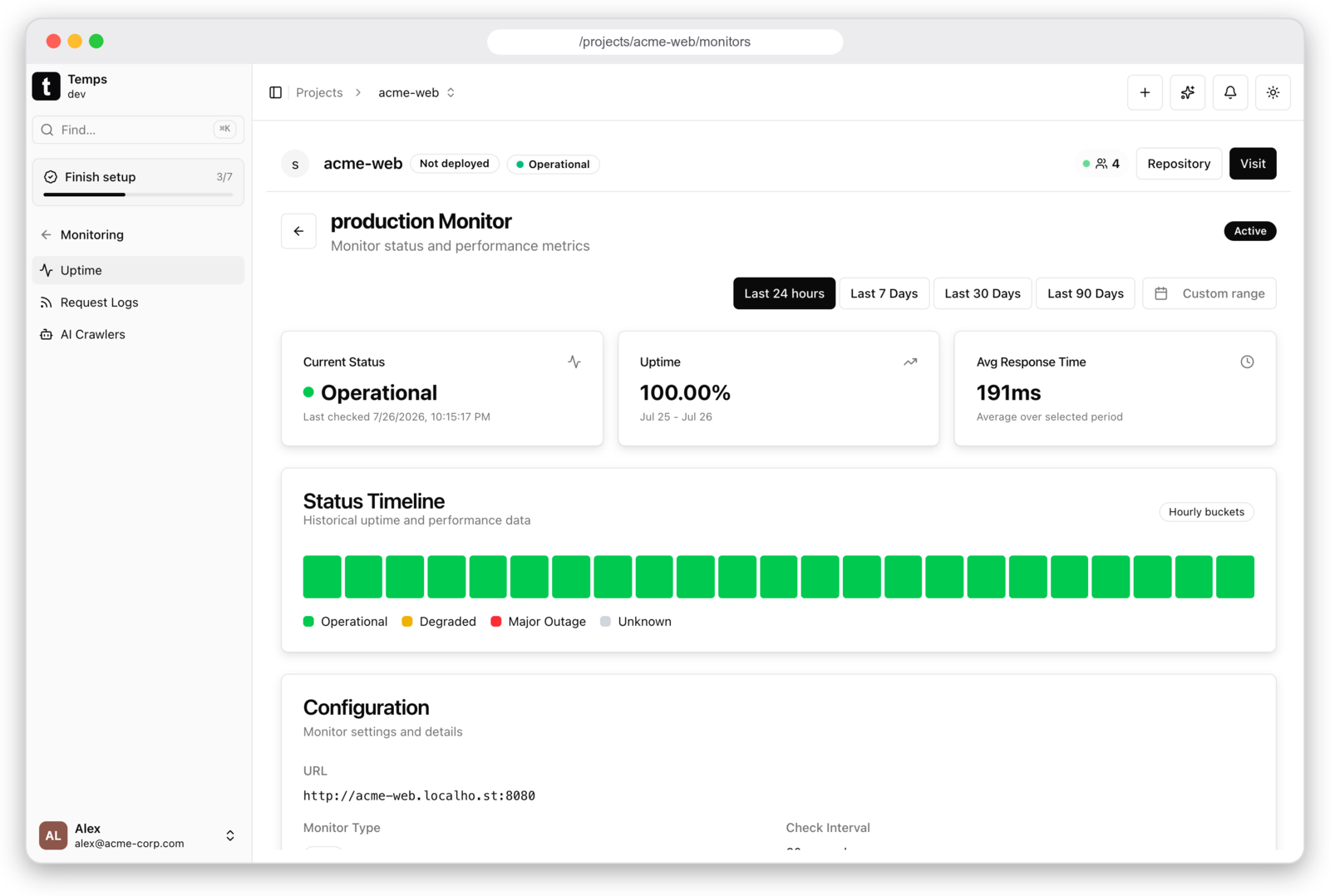
Uptime Monitoring & Alerts
Uptime monitors with status timelines, plus alerts for deploy failures, runtime crashes, certificate expiry, and backup health. Get notified before problems reach users.
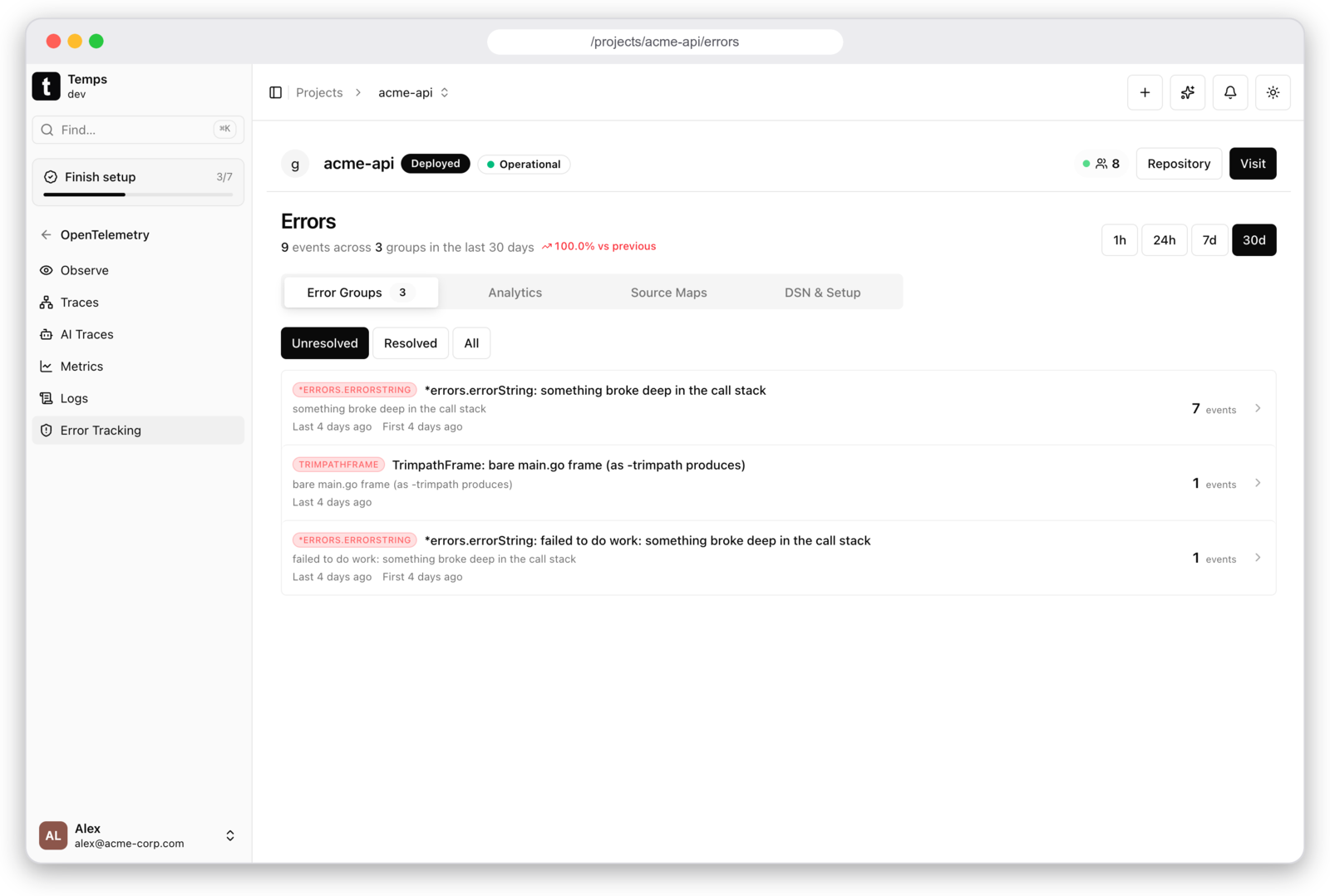
Error Tracking — Sentry-compatible
Drop-in Sentry replacement: point the official Sentry SDK at your Temps DSN and get error groups, stack traces with source context, and alerts. No per-event pricing.
Request Logs & Proxy Visibility
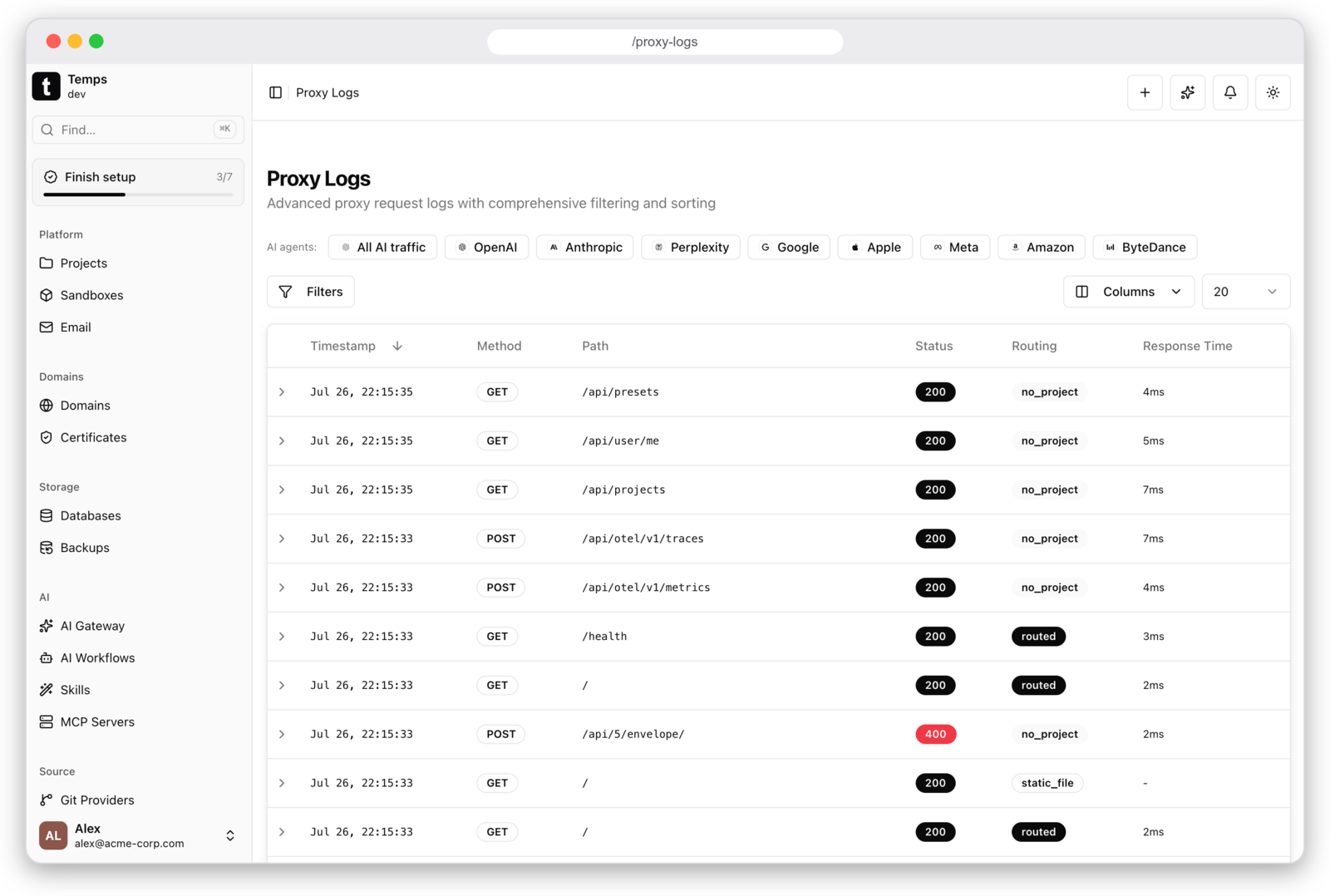
Every HTTP request logged with method, path, status, response time, and routing metadata — including per-AI-crawler traffic (OpenAI, Anthropic, Perplexity, Google…). Runs on Cloudflare's Pingora engine with auto TLS via Let's Encrypt (HTTP-01 & DNS-01).
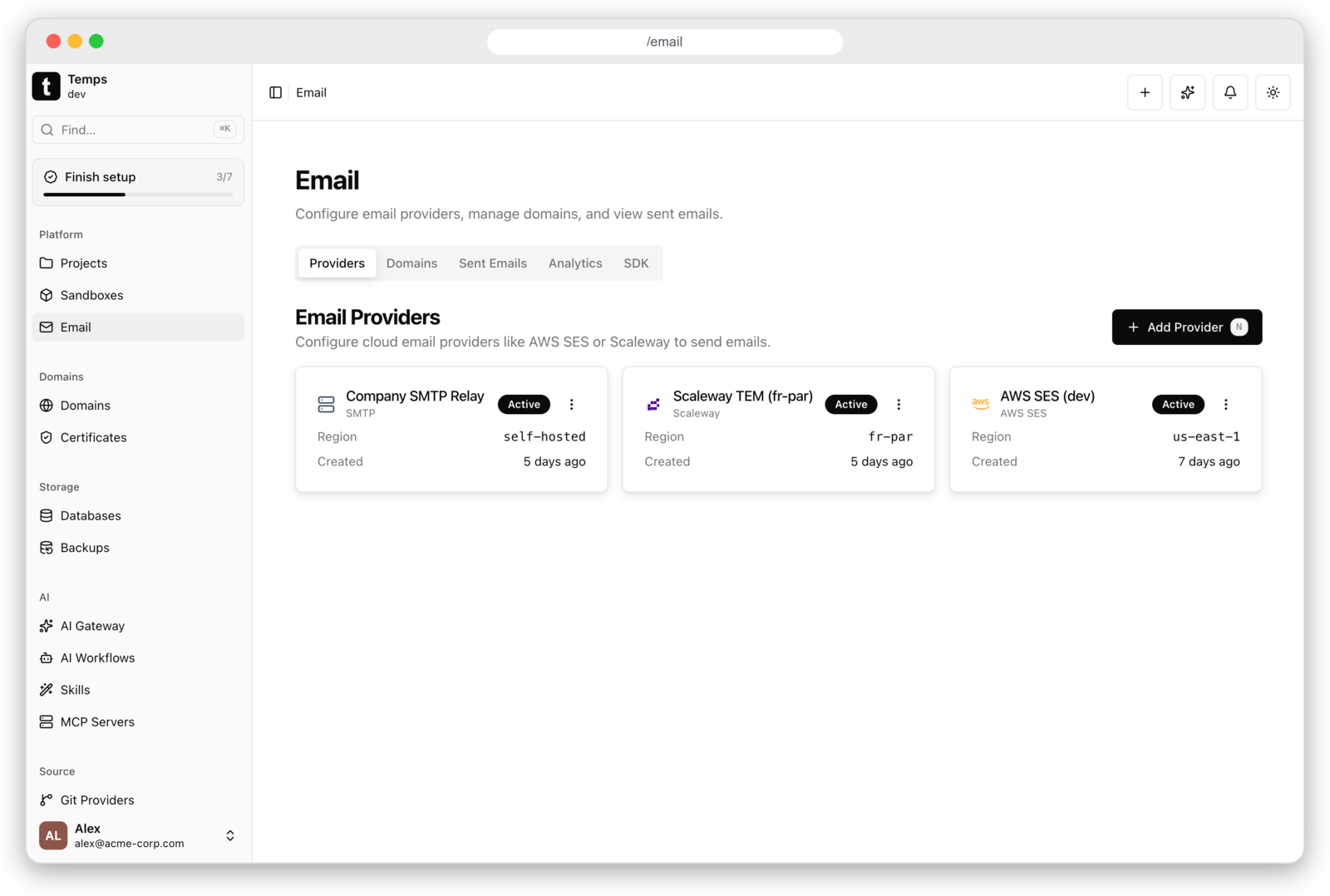
Transactional Email
Add sender domains with DKIM records through the UI and send via @temps-sdk/node-sdk — or plug in AWS SES, Scaleway, or any SMTP relay.
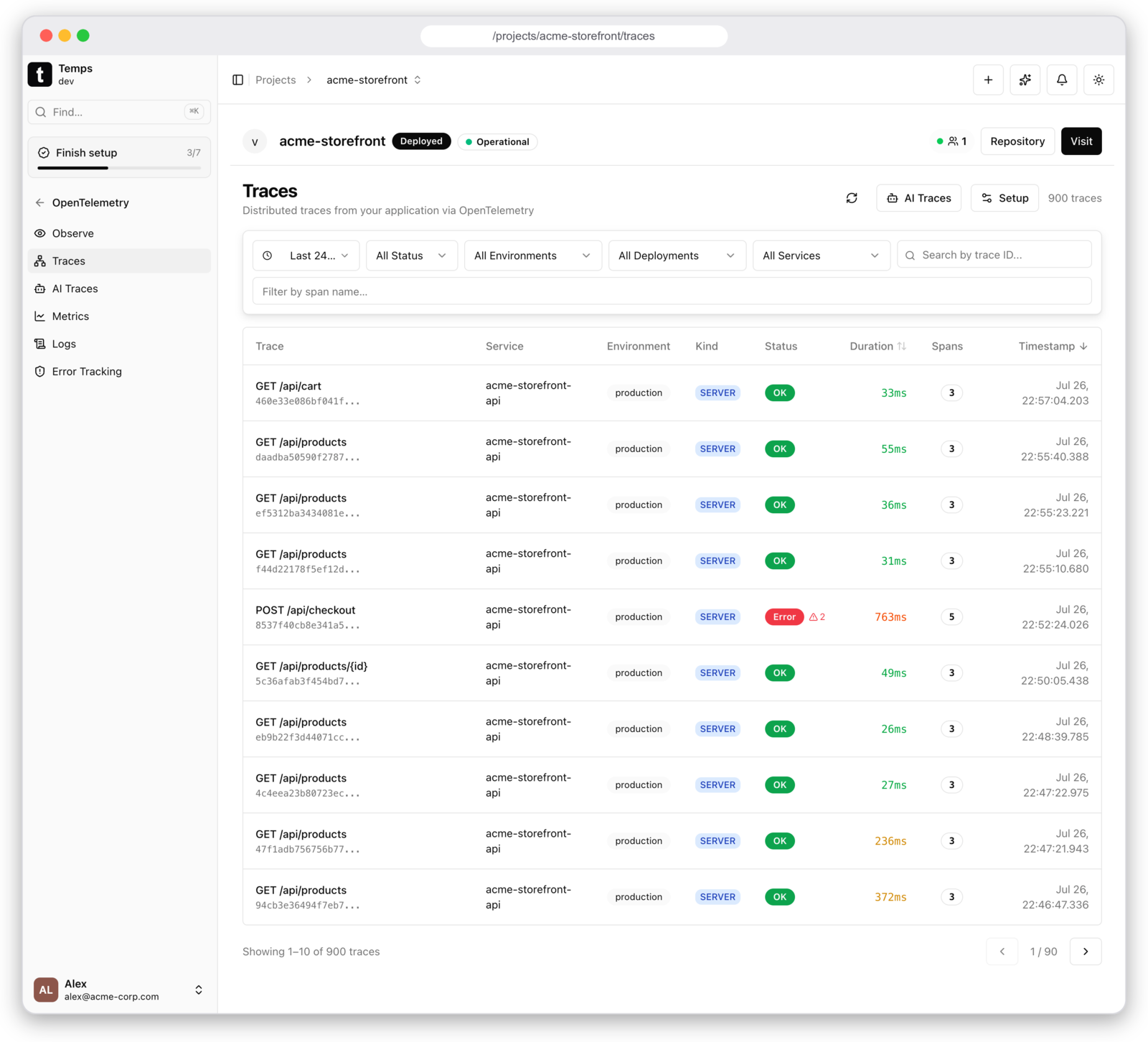
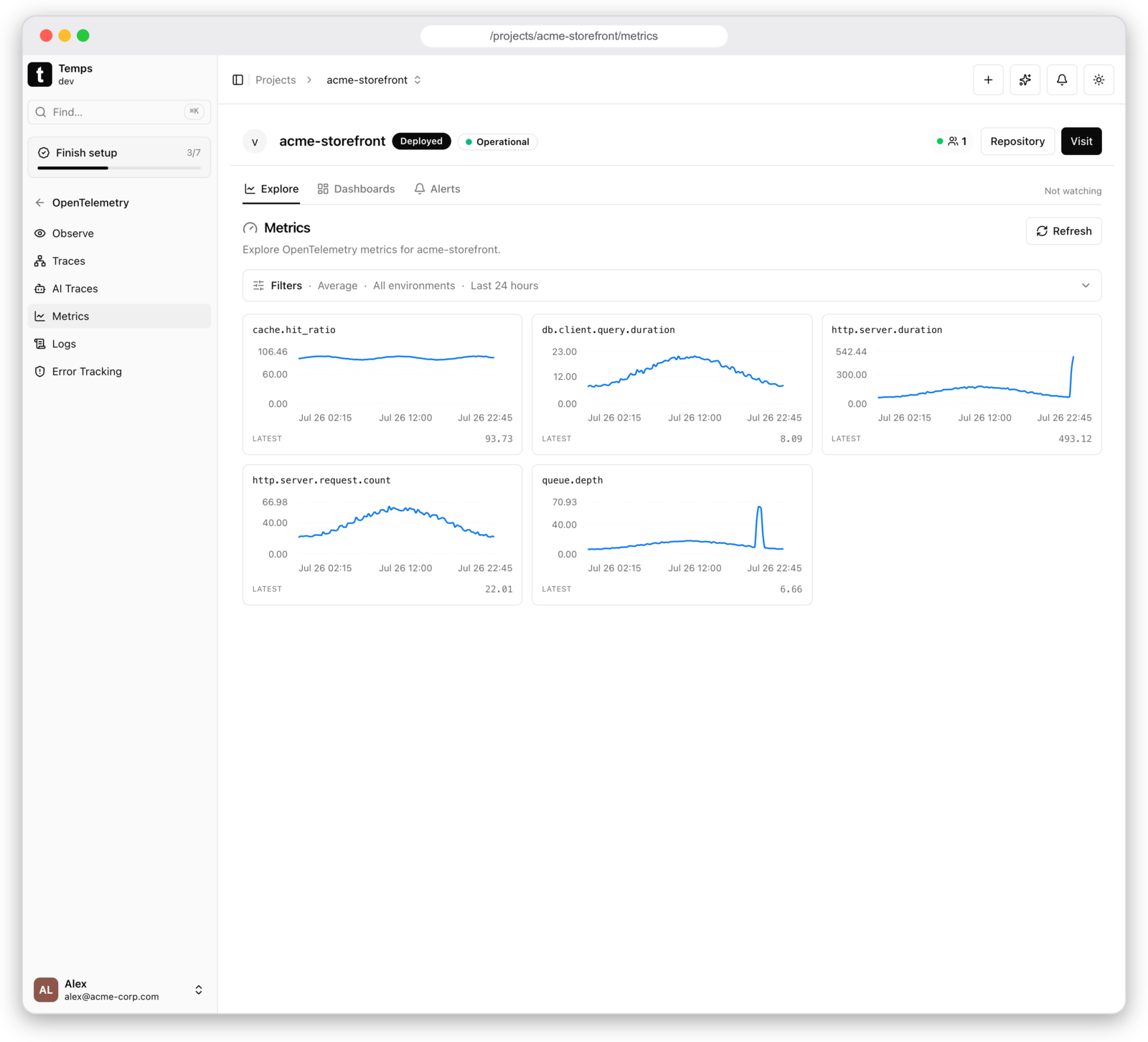
OpenTelemetry — traces, metrics, logs & alerts
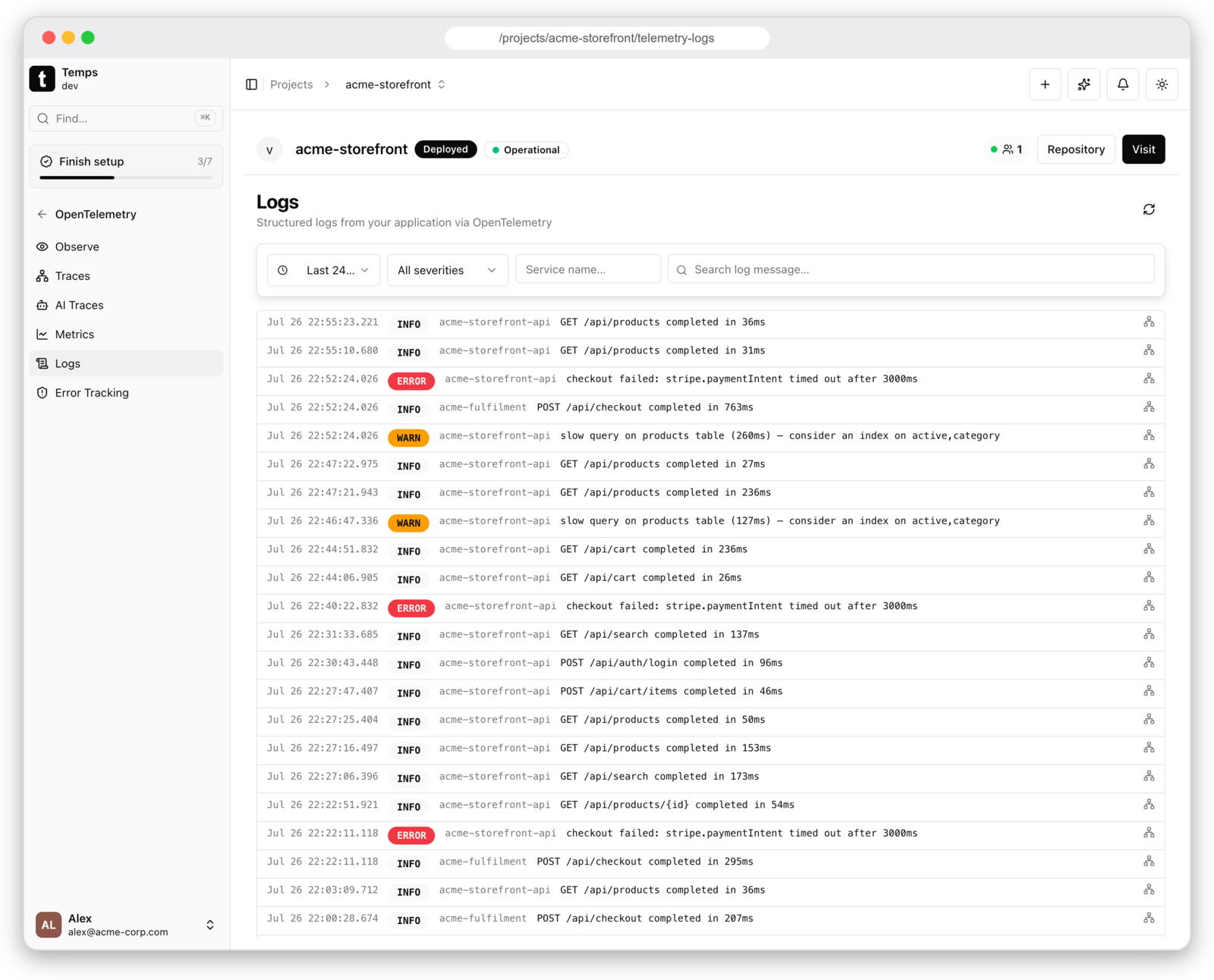
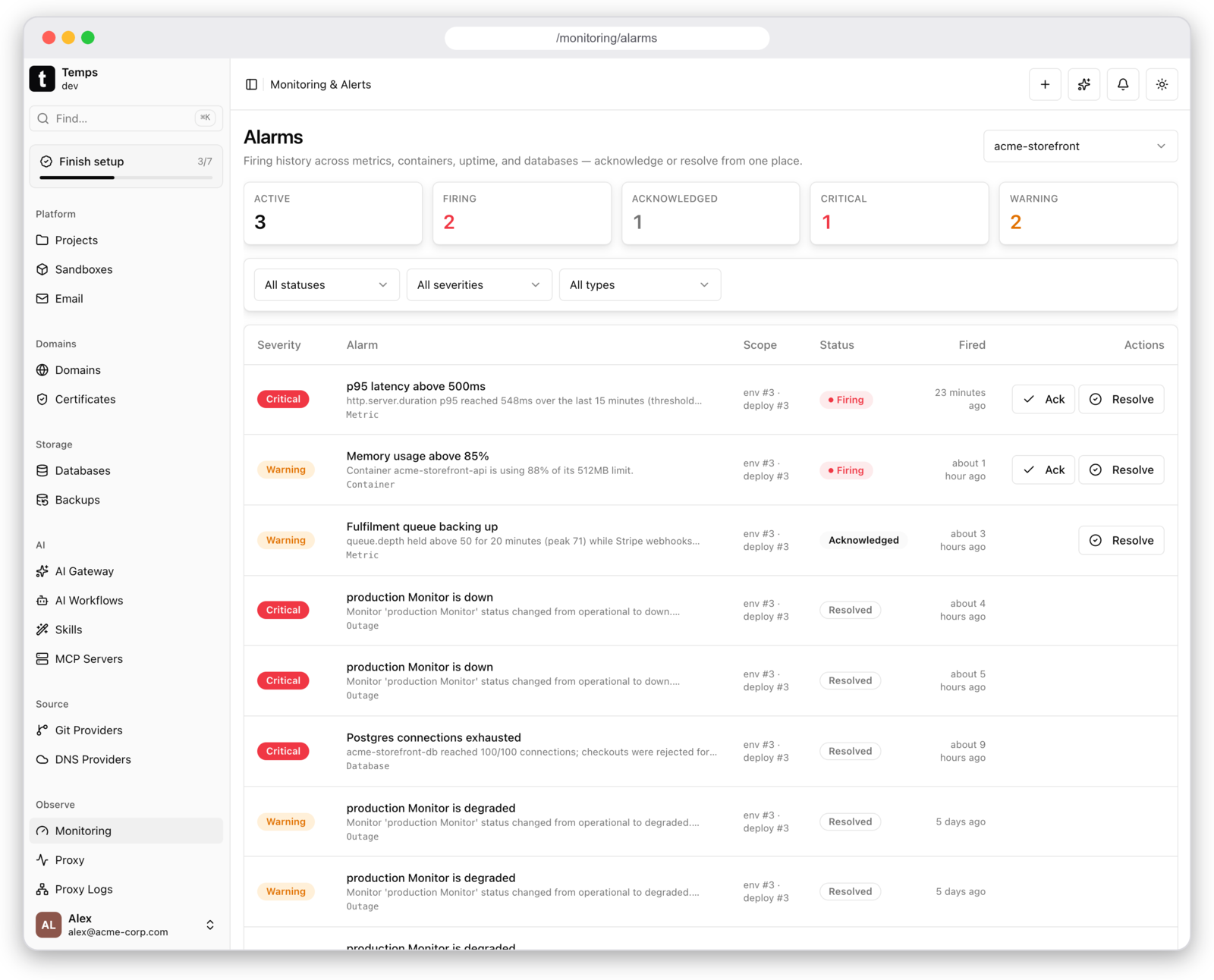
Point any OTLP exporter at Temps and get distributed traces, metrics, and structured logs in the same place as everything else. Traces show per-span latency and errors across services; metrics keep your golden signals; alerts fire off those metrics and land in one queue you can acknowledge or resolve. No Grafana, Prometheus, Jaeger, or Loki to run.
AI Sandboxes — Firecracker microVMs, self-hosted
Real hardware-level isolation, not just containers. Sandboxes run on Firecracker microVMs — the same tech behind AWS Lambda — with a Docker backend as the default. Run temps firecracker setup and Temps routes sandboxes to microVMs automatically; each one gets its own kernel, so untrusted agent-generated code never shares a kernel with your host.
A drop-in SDK. @temps-sdk/sandbox is compatible with the @vercel/sandbox shape — switch providers by changing the import and base URL:
import { Sandbox } from '@temps-sdk/sandbox'

const sandbox = await Sandbox.create({
  source: { type: 'git', url: 'https://github.com/example/repo.git', revision: 'main' },
})

const { stdout } = await sandbox.exec(['npm', 'test'])
const url = sandbox.domain(3000) // live preview of a dev server inside the VM
Password-protected previews. Every sandbox port can be exposed on a public preview URL and locked behind a generated password:
bunx @temps-sdk/cli sandbox password sbx_abc123 --rotate --length 32
bunx @temps-sdk/cli sandbox password sbx_abc123 --clear   # open it back up
Share a running branch without shipping it to the world.
Also available via CLI and REST API. What you'd otherwise pay E2B, Daytona, or Vercel Sandbox for.
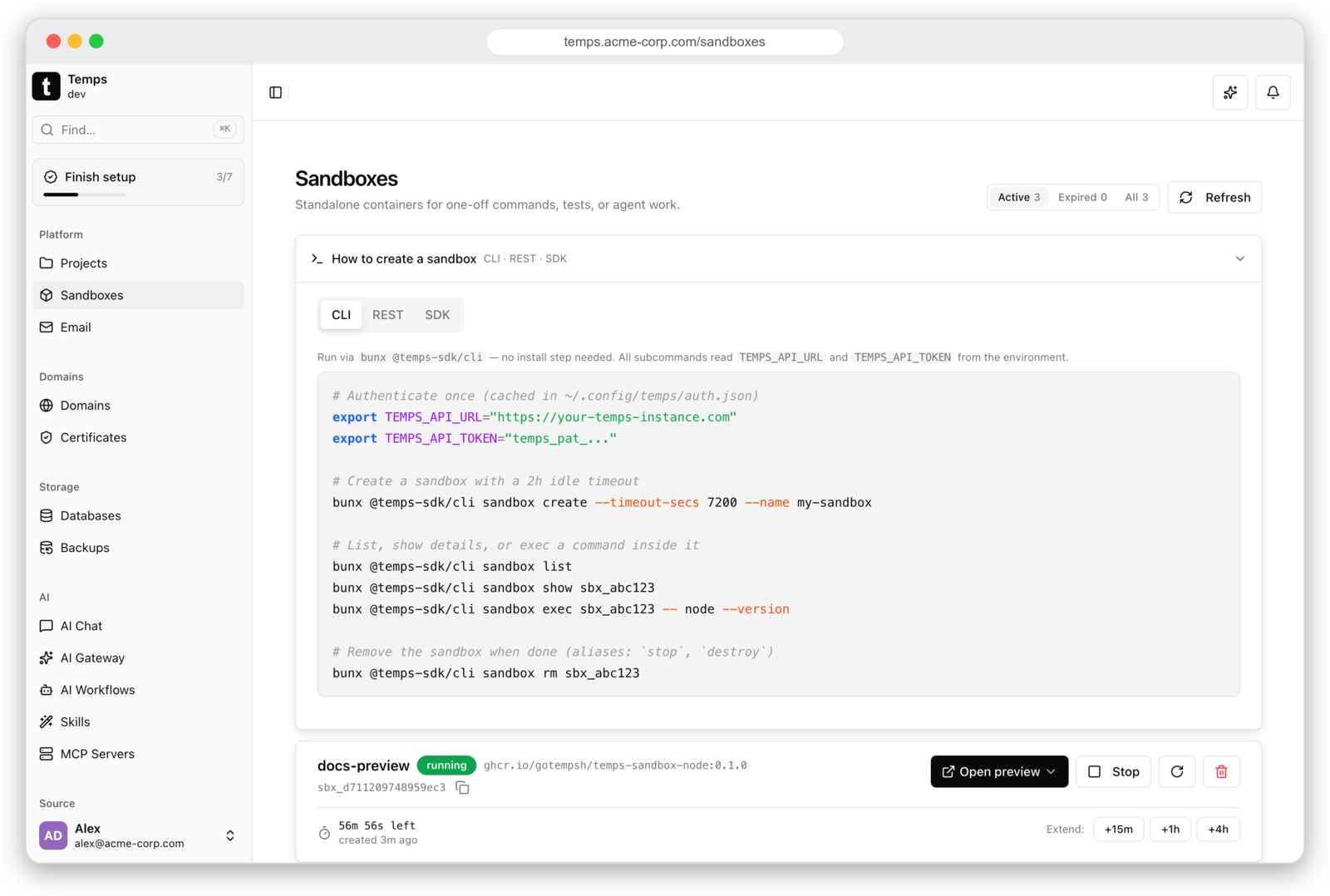
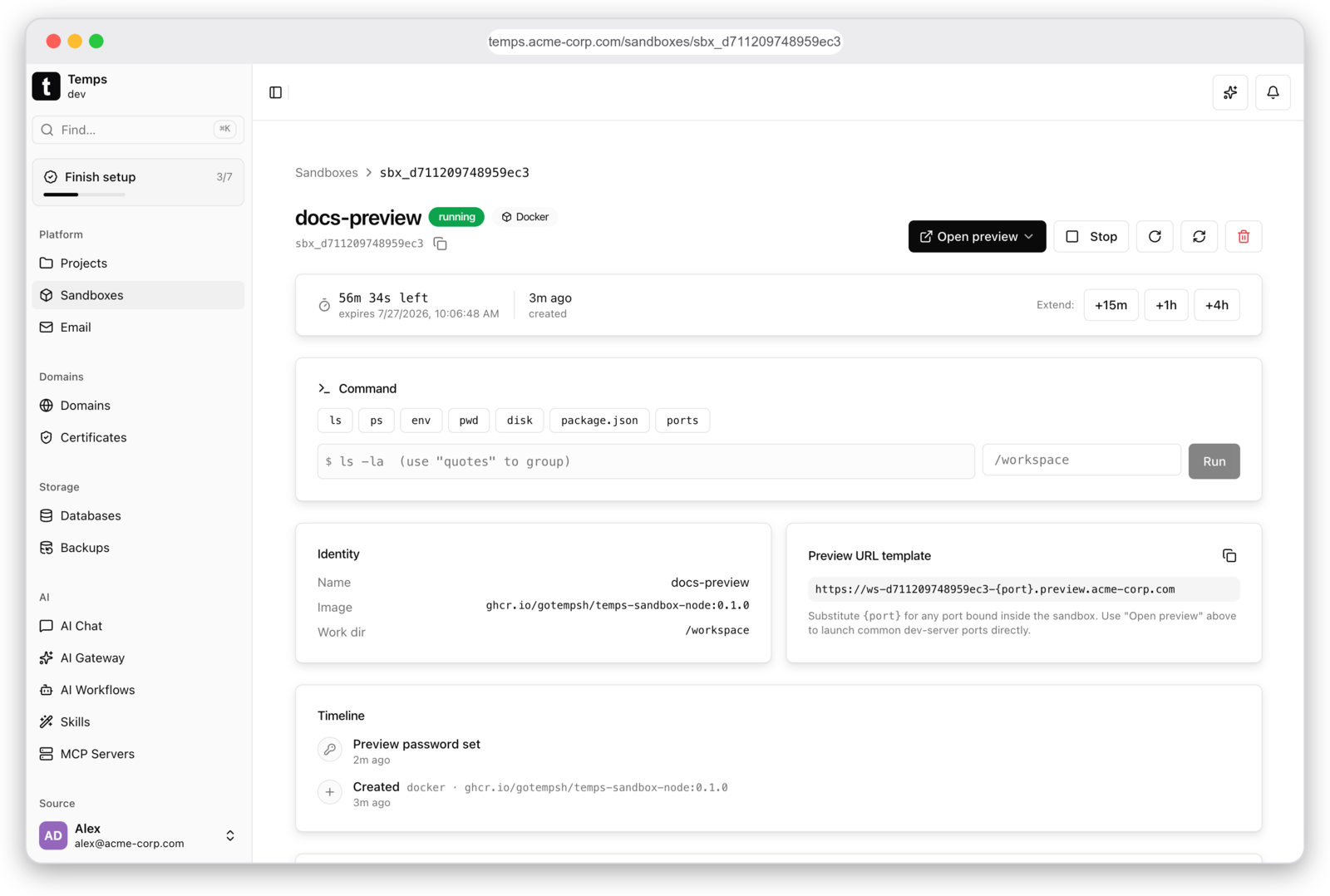
Each sandbox gets a shell, a preview URL template for any port it binds, and a timeline of everything that happened to it:
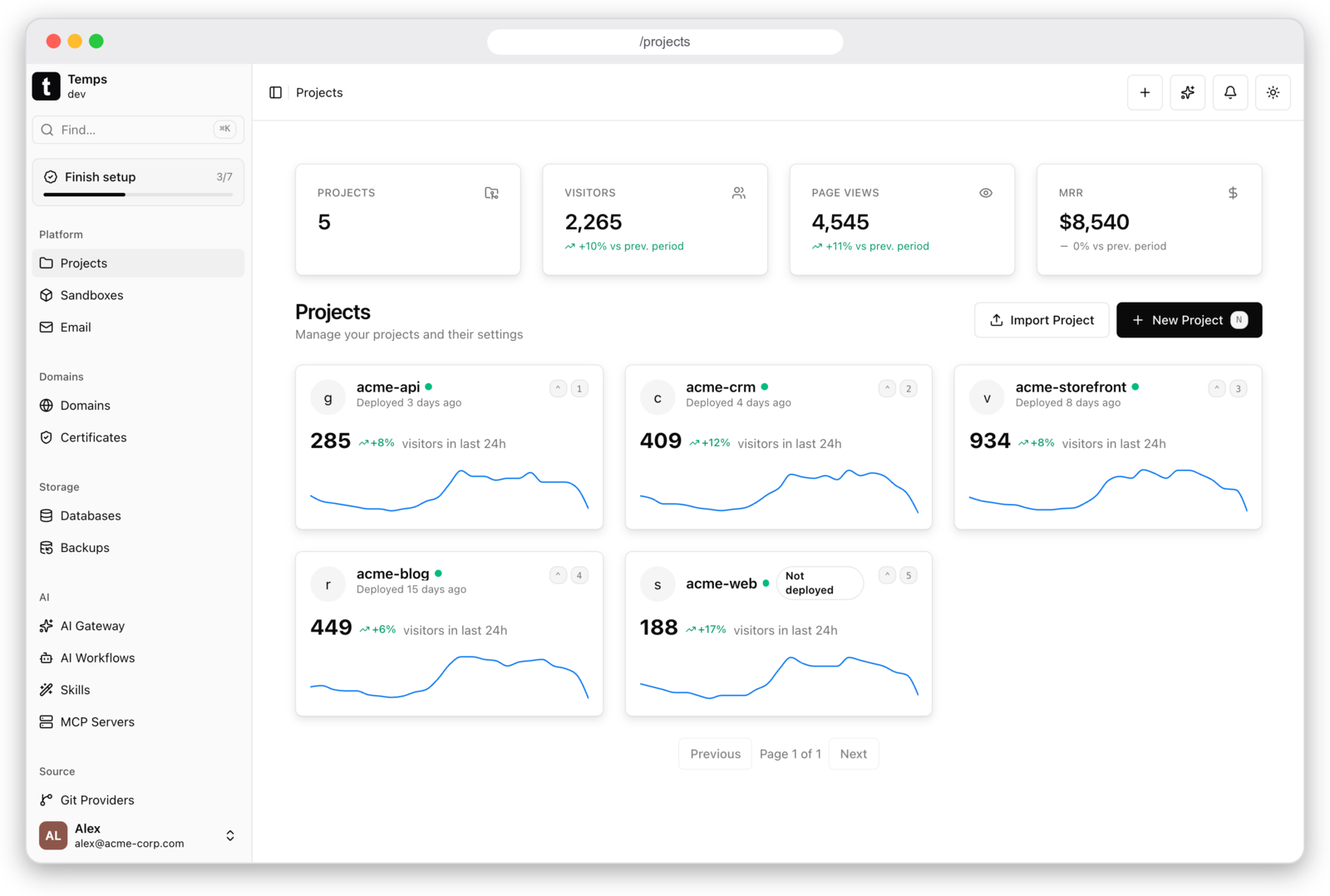
Everything in One Dashboard
Visitors, errors, deployment status, and monitoring health per project — one place instead of six browser tabs.
Git Push to Deploy & Managed Services
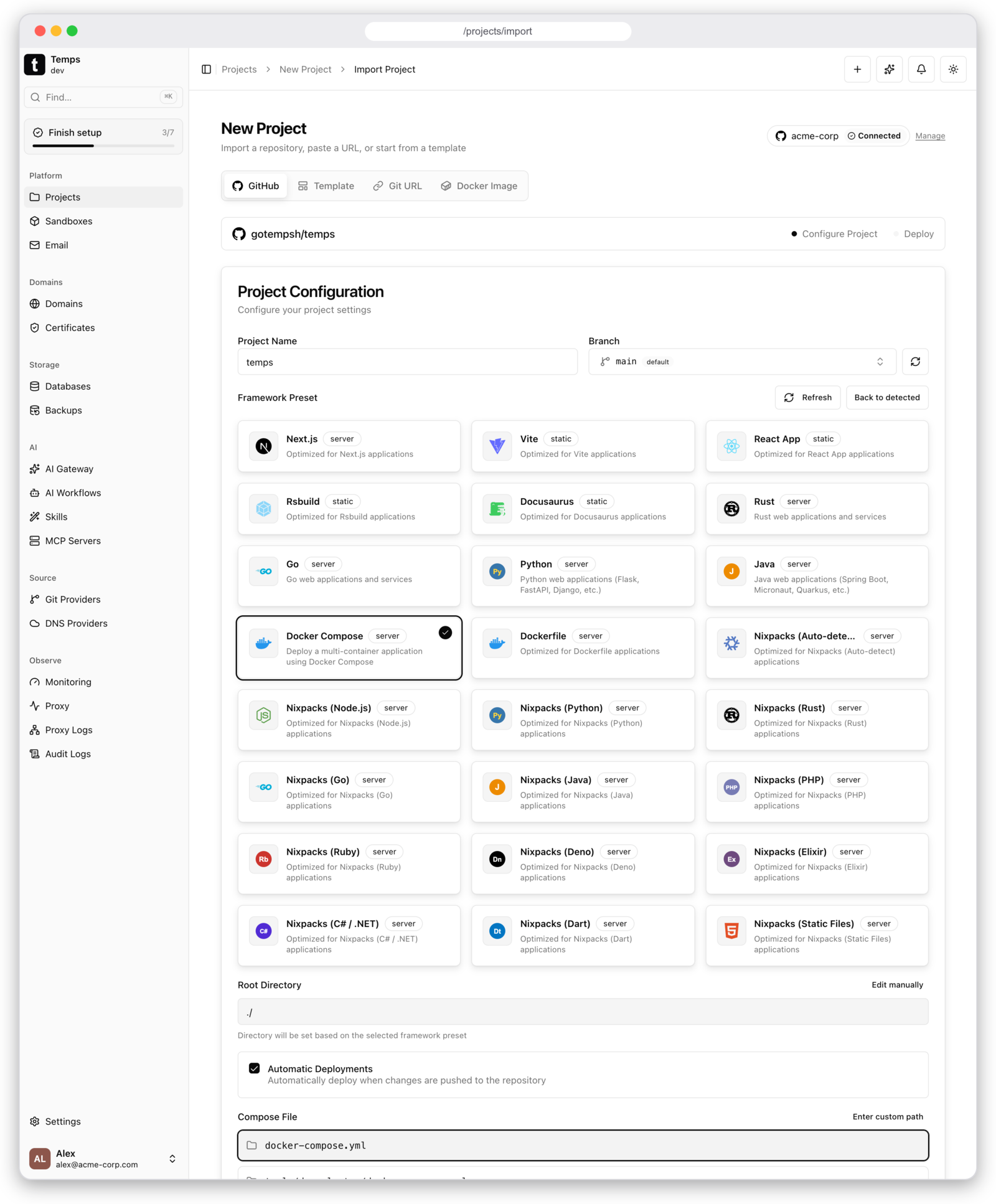
Push to Git and Temps builds, deploys, and creates preview URLs with zero-downtime rollouts — any language, auto-detected. Provision Postgres, Redis, S3 (MinIO), and MongoDB alongside your apps; creation, backups, and teardown are handled for you.
Works with your stack
Any language, any framework. Auto-detected or bring your own Dockerfile.
Already running somewhere else?
Temps imports your existing setup instead of asking you to rebuild it. Point the wizard at your current platform and it brings over the whole thing — apps, databases with their data, domains, and environment variables.
Self-hosted platforms
Hosted platforms
Import runs from the dashboard — the platform tiles sit right in your projects page header.
Quick Start
curl -fsSL https://temps.sh/deploy.sh | bash
Tested on: Ubuntu 24.04 / 22.04 | Also works on macOS
The installer asks for a setup mode, installs Docker on Linux if it is missing (on macOS it needs Docker Desktop), runs PostgreSQL in a container, installs Temps as a service, and creates your admin account.
1. Open the console and sign in
The installer finishes with a YOUR ACCESS DETAILS box: the console URL, the admin email and the admin password. The console URL depends on the mode you picked:
| Mode | Console URL |
|---|---|
local — try it on this machine |
http://console.127-0-0-1.sslip.io (:8080 on macOS, or whichever free port the installer reports) |
quick — a server, no domain needed |
https://console..sslip.io, with automatic Let's Encrypt certificates |
advanced — your own domain |
https:// |
Where the admin password comes from. The installer creates the first admin
account (via temps setup) with the email you entered and the password it
suggested or you typed. It is shown once in the summary and also saved to
~/.temps/.wizard-state/admin_password on the server (/root/.temps/… when you
installed as root on Linux).
Lost it? Reset it on the server. The database URL is the --database-url
value in the Temps service definition (/etc/systemd/system/temps.service on
Linux):
TEMPS_DATABASE_URL='postgres://…' temps reset-admin-password
It generates a new password and prints it once. Add --password ''
to set a specific one without prompts.
Running the binary yourself instead of the installer? On its first start
against an empty database, temps serve creates the admin account from
TEMPS_ADMIN_EMAIL plus TEMPS_ADMIN_PASSWORD_FILE (the path to a file holding
the password, which must meet the complexity rules) when both are set. Otherwise
it asks for an email in the terminal and prints a generated password once.
2. Deploy your first app
After signing in, the Projects page leads with Deploy sample app. One
click creates a hello-temps project from the public nginx:alpine image,
deploys it to production and shows its live URL when it is up — the quickest way
to confirm Docker, image downloads and routing all work on this server. If
something stops it (Docker not running, the image cannot be downloaded), the
page says so and offers a retry.
The same page offers the paths for your own code: Deploy from Git (connect
GitHub or GitLab, or paste a public repository URL), Deploy a Docker image,
or Start from a template. You can come back to it any time from
Platform setup → Deploy your first app in the sidebar, or at /get-started.
3. Finish setting up
The Platform setup checklist in the sidebar tracks the rest: a wildcard domain for HTTPS on every app, deploy-failure notifications, databases and backups, and inviting your team.
Reuse Git credentials on the Temps host
On startup, an installation with exactly one non-system user, who is an active
administrator, can import existing credentials for github.com and
gitlab.com. GitHub checks GH_TOKEN, then GITHUB_TOKEN, then the host's
gh auth token --hostname github.com. GitLab checks GITLAB_TOKEN,
GITLAB_ACCESS_TOKEN, or GLAB_TOKEN, then glab config get token --host gitlab.com.
GitLab credentials stored only in a CLI keyring may need to be connected manually.
Custom Git hosts remain available through Git providers; they are not imported
by this bootstrap.
Temps validates the account, stores its connection token encrypted, records an audit event, and starts repository synchronization. The imported account appears in Git providers and the New Project repository picker. Existing matching accounts are retained. Import markers survive disconnecting or deleting a provider, so restarting does not reconnect it. Missing or invalid credentials do not prevent startup. These environment values are bootstrap inputs, not ongoing configuration: rotate or reconnect credentials through Git providers afterward.
Only credentials available to the operating-system user running Temps are accessible. A remote server or container cannot read a browser user's laptop login. Instances with multiple users (including deleted accounts) skip automatic import to avoid assigning a host credential to the wrong owner.
Prefer not to manage a server? Temps Cloud runs Temps for you on managed infrastructure.
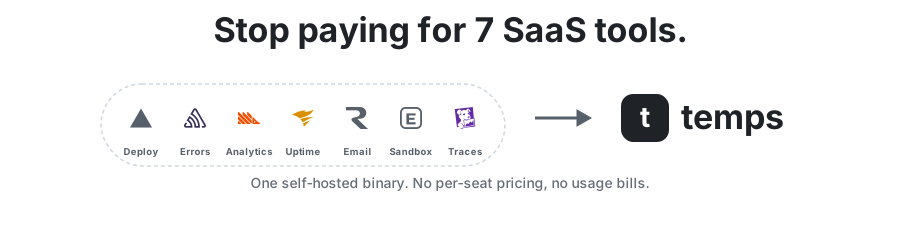
What Temps replaces
| What you get | Instead of paying for |
|---|---|
| Git deployments + preview URLs | Vercel / Netlify / Railway ($20+/mo) |
| Web analytics + funnels | PostHog / Plausible ($0-450/mo) |
| Session replay | PostHog / FullStory ($0-2000/mo) |
| Error tracking | Sentry ($26+/mo) |
| Traces, metrics & logs (OpenTelemetry) | Grafana Cloud / Datadog ($0-500+/mo) |
| Uptime monitoring | Better Uptime / Pingdom ($20+/mo) |
| Managed Postgres/Redis/S3 | AWS RDS / ElastiCache ($50+/mo) |
| Transactional email + DKIM | Resend / SendGrid ($20-100/mo) |
| AI code-execution sandboxes | E2B / Daytona / Vercel Sandbox ($150+/mo + usage) |
| AI gateway + usage/cost tracking | OpenRouter / Helicone / LangSmith ($0-200+/mo) |
| Request logs + proxy | Cloudflare ($0-200/mo) |
| Total with Temps | $0 (self-hosted) |
Temps vs. Alternatives
| Feature | Temps | Coolify | Dokploy | Kamal | Railway | Render | Vercel |
|---|---|---|---|---|---|---|---|
| Self-hosted & open source | Yes | Yes | Yes | Yes | No | No | No |
| Single binary install | Yes | No | No | CLI tool | -- | -- | -- |
| Git push deploy | Yes | Yes | Yes | No | Yes | Yes | Yes |
| Preview deployments | Yes | Yes | Yes | No | Yes | Yes | Yes |
| Auto TLS (HTTP-01 + DNS-01) | Yes | Yes | Yes | Yes | Yes | Yes | Yes |
| Docker Compose support | Yes | Yes | Yes | No | -- | -- | -- |
| One-click template library | No | 280+ | Yes | No | Yes | Yes | Yes |
| Web analytics | Yes | No | No | No | No | No | Paid add-on |
| Session replay | Yes | No | No | No | No | No | No |
| Error tracking (Sentry-compatible) | Yes | No | No | No | No | No | No |
| OpenTelemetry traces + metrics + logs | Yes | No | No | No | No | No | Traces (paid) |
| Uptime monitoring | Yes | No | No | No | No | No | No |
| Transactional email + DKIM | Yes | No | No | No | No | No | No |
| Code-execution sandboxes (API) | Yes | No | No | No | No | No | Sandbox (usage-based) |
| AI gateway (BYOK) + assistant | Yes | No | No | No | No | No | AI Gateway (paid) |
| Managed Postgres / Redis | Yes | Yes | Yes | No | Yes | Yes | Partner add-ons |
| S3-compatible storage | Yes | No | No | No | No | No | Blob (paid) |
| Multi-node / clustering | Yes | Yes | Swarm | Yes | Managed | Managed | Managed |
| Edge functions / global edge network | No | No | No | No | No | No | Yes |
| Per-seat fees | No | No | No | No | $20/user (Pro) | Per-user | $20/seat (Pro) |
Where the alternatives win. Coolify and Dokploy have one-click template libraries (280+ apps on Coolify) that Temps doesn't have yet, and both have far larger communities — Coolify alone has 56k+ GitHub stars, while Temps is the newest project on this list. Kamal is the simpler choice if all you want is zero-downtime Docker deploys driven from a CLI. Vercel and the other managed platforms give you a global edge network, edge functions, and DDoS absorption that a single VPS can't match — and they run the infrastructure for you, which is real value if you never want to think about a server.
Detailed, regularly updated comparisons: temps.sh/compare
Tech Stack
- Backend: Rust, Axum, Sea-ORM, Pingora (Cloudflare's proxy engine), Bollard (Docker API)
- Frontend: React 19, TypeScript, Tailwind CSS, shadcn/ui
- Database: PostgreSQL + TimescaleDB
- Architecture: 30+ workspace crates, three-layer service architecture
SDKs
| Package | Description |
|---|---|
@temps-sdk/node-sdk |
Platform API client + Sentry-compatible error tracking |
@temps-sdk/react-analytics |
React analytics, session replay, Web Vitals, engagement tracking |
@temps-sdk/kv |
Serverless key-value store |
@temps-sdk/blob |
File storage (S3-compatible) |
@temps-sdk/cli |
Command-line interface |
Quick examples
Analytics -- wrap your React app, everything else is automatic:
import { TempsAnalyticsProvider } from '@temps-sdk/react-analytics';

export default function App({ children }) {
  return {children};
}
Error tracking -- Sentry-compatible, drop-in replacement:
import { ErrorTracking } from '@temps-sdk/node-sdk';

ErrorTracking.init({ dsn: 'https://[email protected]/1' });

try {
  riskyOperation();
} catch (error) {
  ErrorTracking.captureException(error);
}
KV store -- Redis-like API, zero config:
import { kv } from '@temps-sdk/kv';

await kv.set('user:123', { name: 'Alice', plan: 'pro' }, { ex: 3600 });
const user = await kv.get('user:123');
Blob storage -- upload and serve files:
import { blob } from '@temps-sdk/blob';

const { url } = await blob.put('avatars/user-123.png', fileBuffer);
const files = await blob.list({ prefix: 'avatars/' });
Telemetry
Temps sends anonymous product-usage events to telemetry.temps.sh so the maintainers can see whether self-hosted instances actually work (for example, how many deploys succeed versus fail). It is on by default.
- What is sent: a random instance ID generated on your server, the event name (e.g.
deploy_succeeded,instance_heartbeat), the Temps version, and non-identifying properties: counts, enum labels and coarse bands. - What is never sent: emails, IP addresses, repository names, domains, URLs, environment variables, error messages, stack traces or anything you typed. The receiving server derives a country code from the connection's IP and does not store the IP.
- Turn it off: as an admin, open Settings › Telemetry in the console. The change applies immediately and is recorded in the audit log. That page also lists every event type the binary can send. To force it off for a whole host, regardless of the console, start the server with
TEMPS_TELEMETRY=0.
Your application data (analytics, logs, errors, session replays, backups) never leaves your server. Full details: Data ownership & privacy.
Community
- GitHub Discussions — questions, ideas, and show & tell
- GitHub Issues — bug reports and feature requests
If Temps saves you a SaaS bill, a star helps other people find it.
Star History
Contributing
We welcome contributions. See CONTRIBUTING.md for guidelines.
git clone https://github.com/gotempsh/temps.git
cd temps
cargo build --release
License
Dual-licensed under MIT or Apache 2.0.
Forks and derivative works are welcome, including rebranded and commercial distributions. Redistributors must preserve the copyright, license, and attribution notices required by the license they choose. See NOTICE for the project attribution.


temps.sh | Documentation | GitHub
English | 简体中文 | Español | Français | Deutsch | 日本語 | Português