The SmythOS Runtime Environment (SRE) is an open-source, cloud-native runtime for agentic AI. Secure, modular, and production-ready, it lets developers build, run, and manage intelligent agents across local, cloud, and edge environments.
React Native AI Full stack framework for building cross-platform mobile AI apps supporting LLM real-time / streaming text and chat UIs, image services and natural language to images with multiple models, and image processing. Check out the video tutorial here Features LLM support for OpenAI GPT-5. 2 + GPT-5 mini, Anthropic Claude Fable 5, Sonnet 5, and Opus/Sonnet/Haiku 4. 7 Image generation with Gemini (Nano Banana) Real-time / streaming responses from all providers Server proxy to
easily enable authentication and authorization with auth provider of choice. Theming (comes out of the box with 5 themes) - easily add additional themes with just a few lines of code. Usage Generate a new project by running: Next, either configure your environment variables with the CLI, or do so later. Running the app Change into the app directory and run: Running the server Change into the server directory and run: Environment variables The server environment variables are available in . If
already not present, update this file name to and configure server environment variables. Theming To add a new theme, open and add a new theme with the following configuration: At the bottom of the file, export the new theme: Configuring LLM Models Here is how to add new or remove existing LLM models. In the app You can add or configure a model by updating in . For removing models, just remove the models you do not want to support. For
adding models, once the model definition is added to the array, you should update to support the new model: 1. Create local state to hold new model data 2. Update function to handle new model type 3. Update in to configure the LLM type that will correspond with your server path. Render new model in UI On the server Create a new file in the folder that corresponds to the model type you created in the mobile app. You can
probably copy and re-use a lot of the streaming code from the other existing paths to get you started. Configuring Image Models Here is how to add new or remove existing Image models. In the app You can add or configure a model by updating in . For removing models, just remove the models you do not want to support. For adding models, once the model definition is added to the array, you should update to support the new model
. Does the model take text, image, or both as inputs? The app is configured to handle both, but you must update the function to pass the values to the API accordingly. On the server Gemini (Nano Banana) Gemini image generation is handled in . Configure and select the Nano Banana image models from the settings screen. Other API providers Create a new file in , update the handler function to handle the new API call.
Frequently asked questions
How many stars and forks are recorded?
dabit3/react-native-ai has 1,305 stars and 170 forks.
What is the repository rank?
dabit3/react-native-ai is ranked 10,767.
What language and category are recorded?
dabit3/react-native-ai has 1,305 stars, uses TypeScript and belongs to AI Engineering.
Which repository is closest in rank?
dabit3/react-native-ai is compared with piomin/claude-ai-spring-boot, ranked 10,768 with 1,305 stars.
README
React Native AI
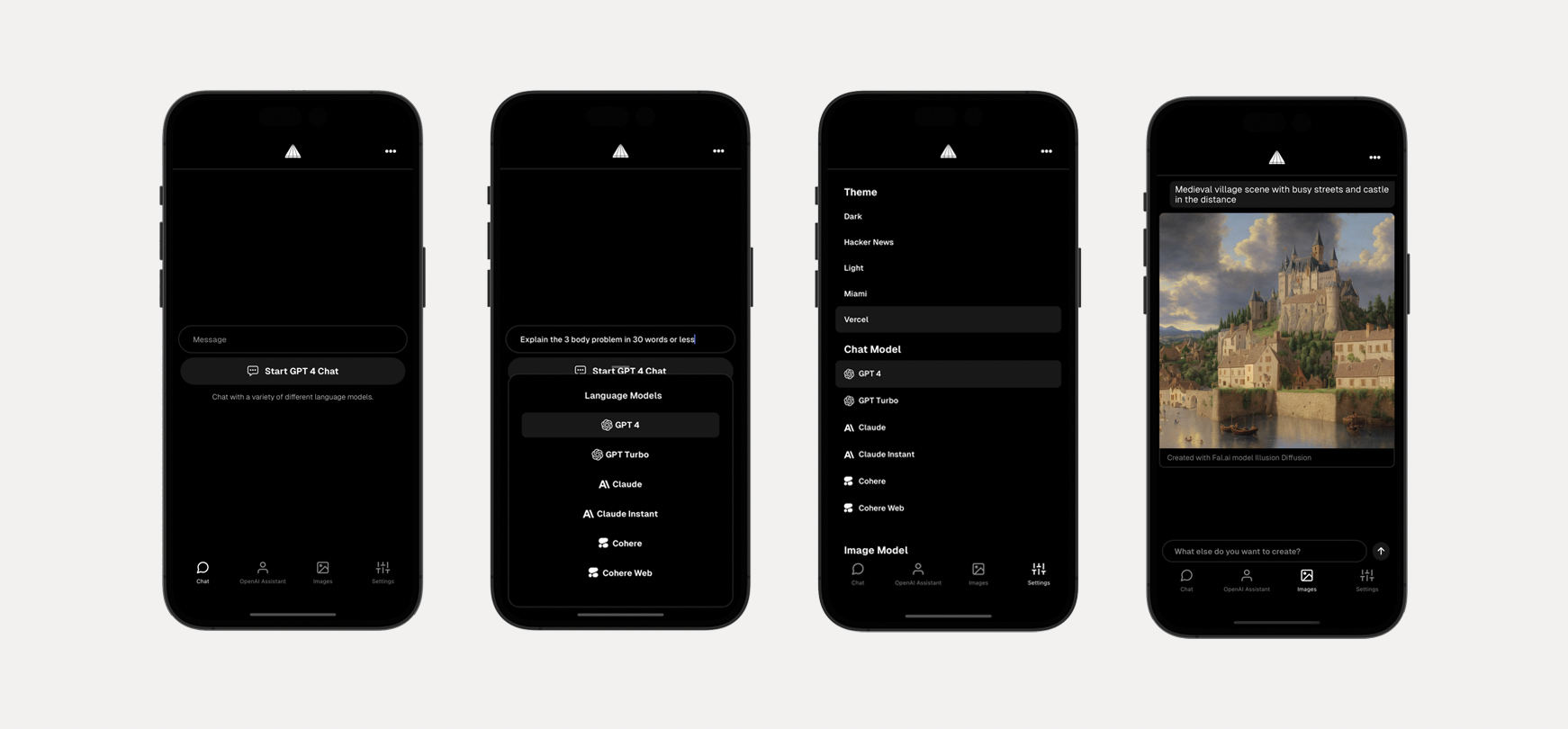
Full stack framework for building cross-platform mobile AI apps supporting LLM real-time / streaming text and chat UIs, image services and natural language to images with multiple models, and image processing.
LLM support for OpenAI GPT-5.2 + GPT-5 mini, Anthropic Claude Fable 5, Sonnet 5, and Opus/Sonnet/Haiku 4.5, Gemini, Z.ai GLM 5.2, and Moonshot Kimi K2.7
Image generation with Gemini (Nano Banana)
Real-time / streaming responses from all providers
Server proxy to easily enable authentication and authorization with auth provider of choice.
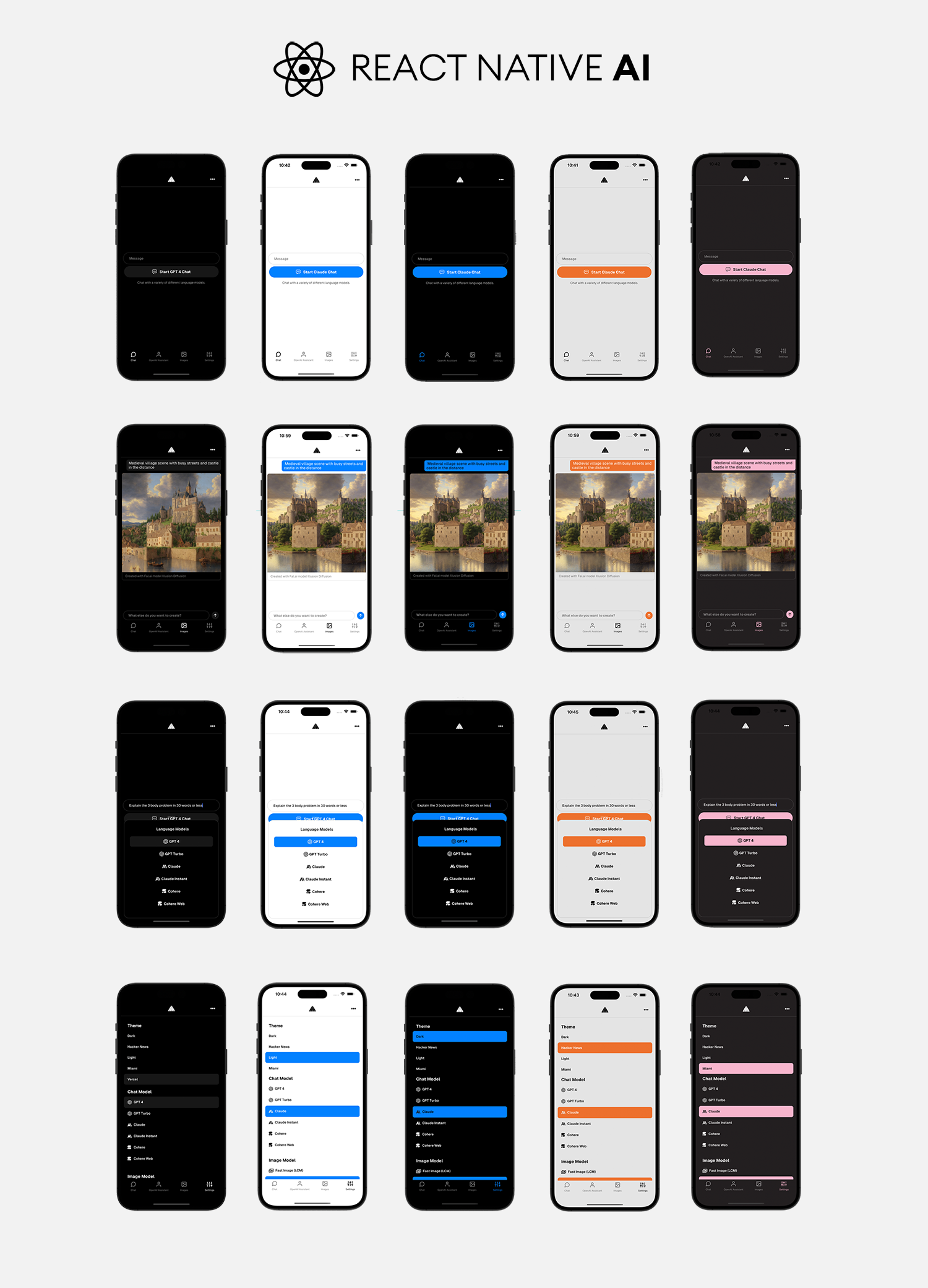
Theming (comes out of the box with 5 themes) - easily add additional themes with just a few lines of code.
Usage
Generate a new project by running:
npx rn-ai
Next, either configure your environment variables with the CLI, or do so later.
Running the app
Change into the app directory and run:
npm start
Running the server
Change into the server directory and run:
npm run dev
Environment variables
The server environment variables are available in server/.env.example. If already not present, update this file name to .env and configure server environment variables. Gemini image generation requires GEMINI_API_KEY.
Theming
To add a new theme, open app/src/theme.ts and add a new theme with the following configuration:
const christmas = {
  // extend an existing theme or start from scratch
  ...lightTheme,
  name: 'Christmas',
  label: 'christmas',
  tintColor: '#ff0000',
  textColor: '#378b29',
  tabBarActiveTintColor: '#378b29',
  tabBarInactiveTintColor: '#ff0000',
  placeholderTextColor: '#378b29',
}
Here is how to add new or remove existing LLM models.
In the app
You can add or configure a model by updating MODELS in constants.ts.
For removing models, just remove the models you do not want to support.
For adding models, once the model definition is added to the MODELS array, you should update src/screens/chat.tsx to support the new model:
Create local state to hold new model data
Update chat() function to handle new model type
Create generateModelReponse function to call new model
Update getChatType in utils.ts to configure the LLM type that will correspond with your server path.
Render new model in UI
{
  chatType.label.includes('newModel') && (

  )
}
On the server
Create a new file in the server/src/chat folder that corresponds to the model type you created in the mobile app. You can probably copy and re-use a lot of the streaming code from the other existing paths to get you started.
Next, update server/src/chat/chatRouter to use the new route.
Configuring Image Models
Here is how to add new or remove existing Image models.
In the app
You can add or configure a model by updating IMAGE_MODELS in constants.ts.
For removing models, just remove the models you do not want to support.
For adding models, once the model definition is added to the IMAGE_MODELS array, you should update src/screens/images.tsx to support the new model.
Main consideration is input. Does the model take text, image, or both as inputs?
The app is configured to handle both, but you must update the generate function to pass the values to the API accordingly.
On the server
Gemini (Nano Banana)
Gemini image generation is handled in server/src/images/gemini.ts. Configure GEMINI_API_KEY and select the Nano Banana image models from the settings screen.
Other API providers
Create a new file in server/src/images/modelName, update the handler function to handle the new API call.
Next, update server/src/images/imagesRouter to use the new route.