OpenVINO-YoloV3
YoloV3 / tiny-YoloV3 + RaspberryPi3 / Ubuntu LaptopPC + NCS/NCS2 + USB Camera + Python
Inspired from https://github.com/mystic123/tensorflow-yolo-v3.git
Performance comparison as a mobile application (Based on sensory comparison)
◯=HIGH, △=MEDIUM, ×=LOW
| No. | Model | Speed | Accuracy | Adaptive distance |
|---|---|---|---|---|
| 1 | SSD | × | ◯ | ALL |
| 2 | MobileNet-SSD | △ | △ | Short distance |
| 3 | YoloV3 | × | ◯ | ALL |
| 4 | tiny-YoloV3 | ◯ | △ | Long distance |

My articles
- [24 FPS] Boost RaspberryPi3 with four Neural Compute Stick 2 (NCS2) MobileNet-SSD / YoloV3 [48 FPS for Core i7]
- [13 FPS] NCS2 x 4 + Full size YoloV3 performance has been tripled
- Support for local training and OpenVINO of One Class tiny-YoloV3 with a proprietary data set
Change history
[Mar 01, 2019] Improve accuracy. Fixed preprocessing and postprocessing bug.
[Mar 17, 2019] Added a training procedure with your own data set.
[Apr 03, 2019] Work on OpenVINO 2019 R1 started.
[Apr 14, 2019] Compatible with 2019 R1.
[Apr 26, 2019] Compatible with 2019 R1.0.1.
Operation sample
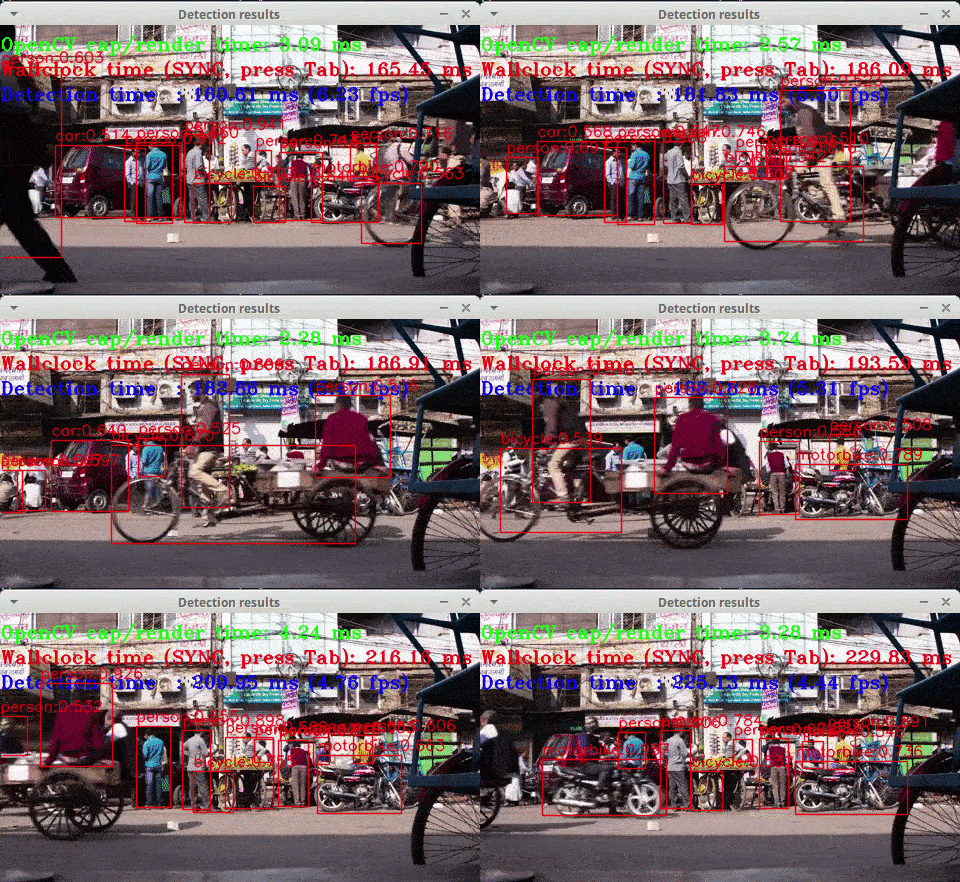
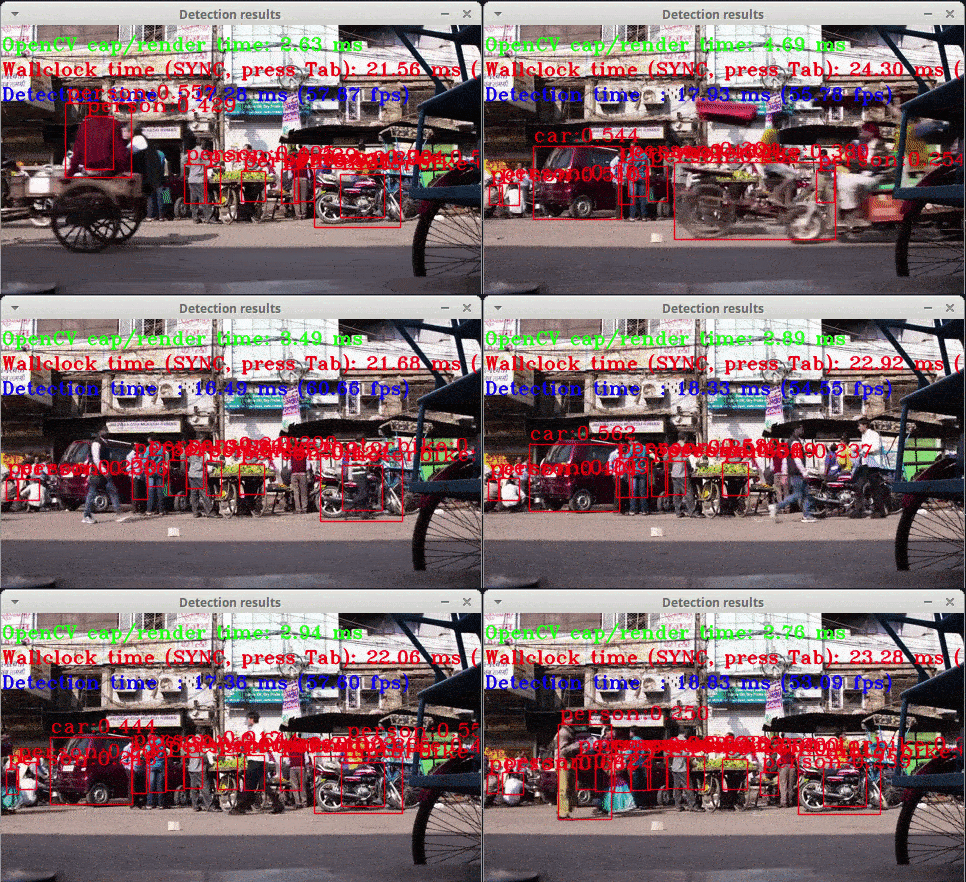
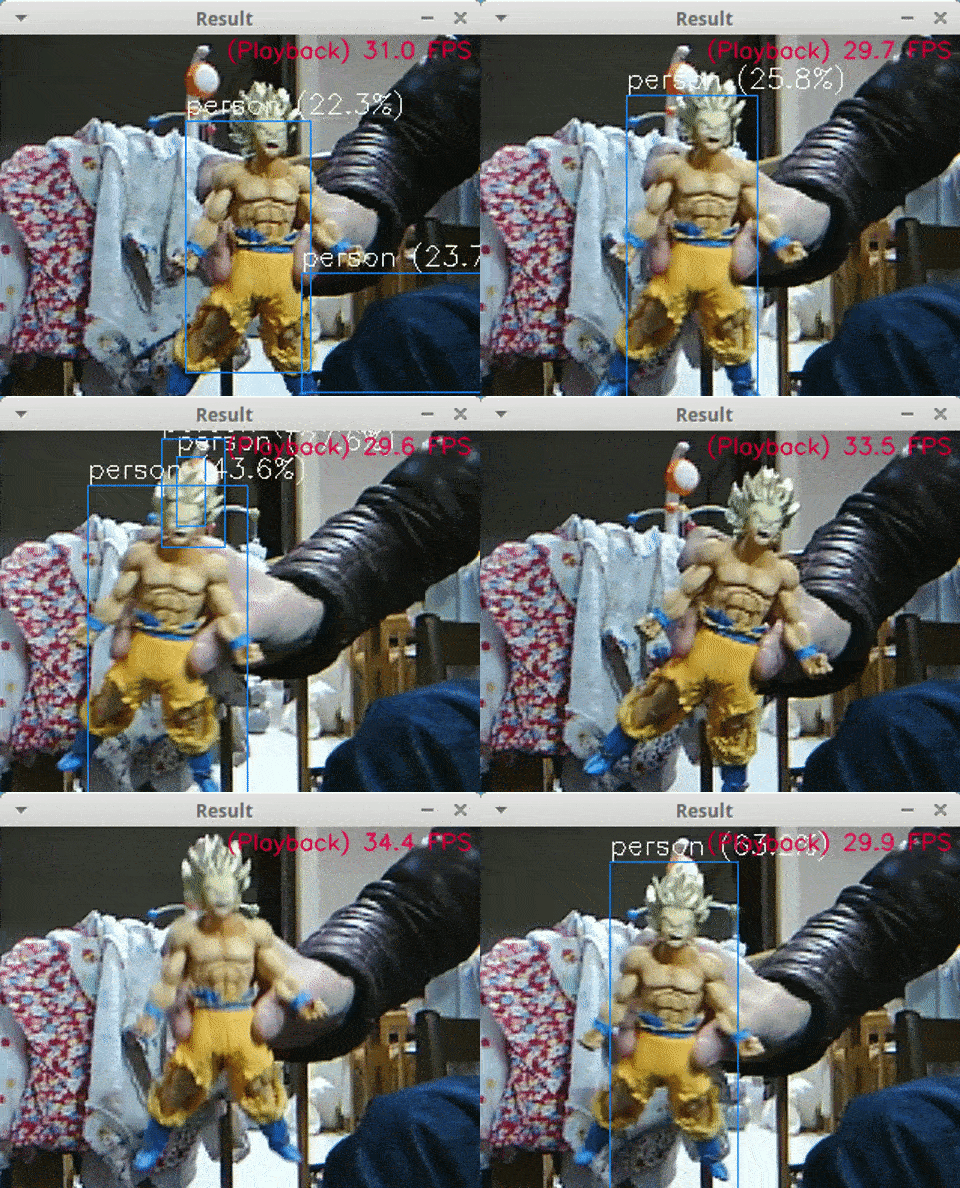
To raise the detection rate, lower the threshold by yourself.
The default threshold is 40%.
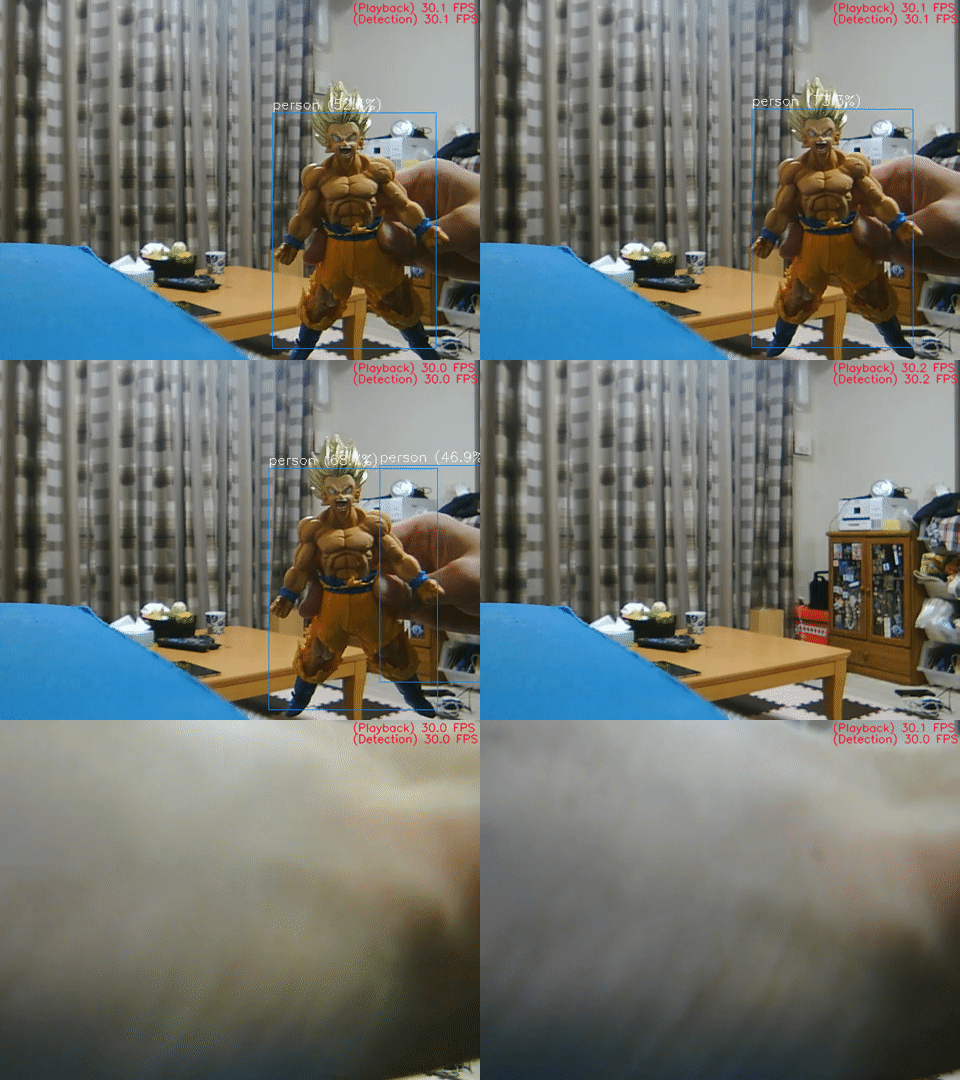
**
【Note】 Due to the performance difference of ARM <-> Core series, performance is degraded in RaspberryPi3.**
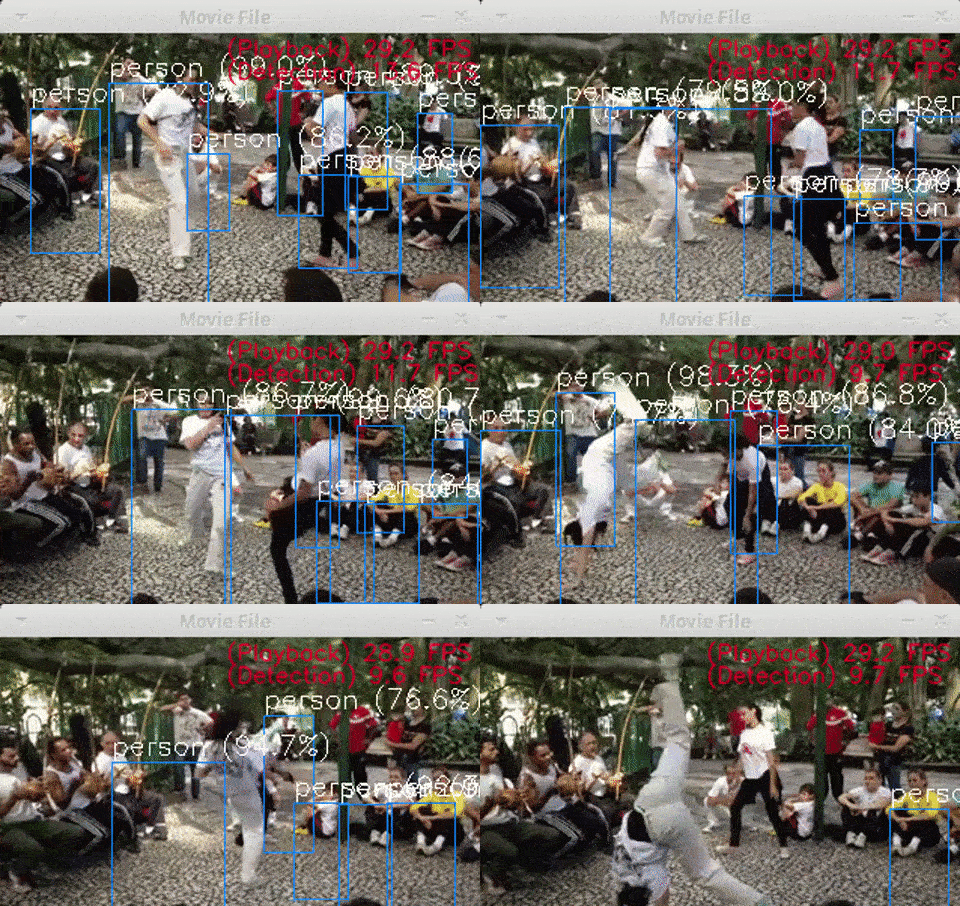
Python Version YoloV3 / tiny-YoloV3 (Dec 28, 2018 Operation confirmed)
YoloV3
$ python3 openvino_yolov3_test.py
tiny-YoloV3 + NCS2 MultiStick
$ python3 openvino_tiny-yolov3_MultiStick_test.py -numncs 1
YoloV3 + NCS2 MultiStick (Pretty slow)
$ python3 openvino_yolov3_MultiStick_test.py -numncs 4
CPP Version YoloV3 / tiny-YoloV3 (Dec 16, 2018 Operation confirmed)
cpp version is here "cpp/object_detection_demo_yolov3_async"
Environment
- LattePanda Alpha (Intel 7th Core m3-7y30) or LaptopPC (Intel 8th Core i7-8750H)
- Ubuntu 16.04 x86_64
- RaspberryPi3
- Raspbian Stretch armv7l
- OpenVINO toolkit 2019 R1.0.1 (2019.1.133)
- Python 3.5
- OpenCV 4.1.0-openvino
- Tensorflow v1.12.0 or Tensorflow-GPU v1.12.0 (pip install)
- YoloV3 (MS-COCO)
- tiny-YoloV3 (MS-COCO)
- USB Camera (PlaystationEye) / Movie file (mp4)
- Intel Neural Compute Stick v1 / v2
OpenVINO Supported Layers (As of Apr 14, 2019)
- Supported Framework Layers
- Supported Caffe Layers
- Supported TensorFlow Layers
- Supported MXNet Layers
- Supported ONNX Layers
Supported Devices (https://docs.openvinotoolkit.org/latest/_docs_IE_DG_supported_plugins_Supported_Devices.html#supported_layers)
Layers
GPU
CPU
MYRIAD(VPU)
GNA
FPGA
ShapeInfer
Activation-Clamp
Supported
Supported
Supported
Supported
Supported
Supported
Activation-ELU
Supported
Supported
Supported
Not Supported
Supported
Supported
Activation-Leaky ReLU
Supported
Supported
Supported
Supported
Supported
Supported
Activation-PReLU
Supported
Supported
Supported
Not Supported
Supported
Supported
Activation-ReLU
Supported
Supported
Supported
Supported
Supported
Supported
Activation-ReLU6
Supported
Supported
Supported
Not Supported
Not Supported
Supported
Activation-Sigmoid/Logistic
Supported
Supported
Supported
Supported
Not Supported
Supported
Activation-TanH
Supported
Supported
Supported
Supported
Not Supported
Supported
ArgMax
Supported
Supported
Supported
Not Supported
Not Supported
Supported
BatchNormalization
Supported
Supported
Supported
Not Supported
Supported
Supported
Concat
Supported
Supported
Supported
Supported
Supported
Supported
Const
Supported
Supported
Supported
Not Supported
Not Supported
Not Supported
Convolution-Dilated
Supported
Supported
Supported
Not Supported
Not Supported
Supported
Convolution-Dilated 3D
Not Supported
Supported
Not Supported
Not Supported
Not Supported
Not Supported
Convolution-Grouped
Supported
Supported
Supported
Not Supported
Supported
Supported
Convolution-Grouped 3D
Not Supported
Supported
Not Supported
Not Supported
Not Supported
Not Supported
Convolution-Ordinary
Supported
Supported
Supported
Supported
Supported
Supported
Convolution-Ordinary 3D
Not Supported
Supported
Not Supported
Not Supported
Not Supported
Not Supported
Crop
Supported
Supported
Supported
Supported
Not Supported
Supported
CTCGreedyDecoder
Supported
Supported
Supported
Not Supported
Not Supported
Supported
Deconvolution
Supported
Supported
Supported
Not Supported
Supported
Supported
Deconvolution 3D
Not Supported
Supported
Not Supported
Not Supported
Not Supported
Not Supported
DetectionOutput
Supported
Supported
Supported
Not Supported
Not Supported
Supported
Eltwise-Max
Supported
Supported
Supported
Not Supported
Not Supported
Supported
Eltwise-Mul
Supported
Supported
Supported
Supported
Not Supported
Supported
Eltwise-Sum
Supported
Supported
Supported
Supported
Supported
Supported
Flatten
Supported
Supported
Supported
Not Supported
Not Supported
Supported
FullyConnected (Inner Product)
Supported
Supported
Supported
Supported
Supported
Supported
Gather
Not Supported
Supported
Not Supported
Not Supported
Not Supported
Supported
Gemm
Not Supported
Supported
Not Supported
Not Supported
Not Supported
Supported
GRN
Supported
Supported
Supported
Not Supported
Not Supported
Supported
Interp
Supported
Supported
Supported
Not Supported
Not Supported
Supported
LRN (Norm)
Supported
Supported
Supported
Not Supported
Supported
Supported
LSTMCell
Supported
Supported
Not Supported
Not Supported
Not Supported
Not Supported
GRUCell
Supported
Supported
Not Supported
Not Supported
Not Supported
Not Supported
RNNCell
Supported
Supported
Not Supported
Not Supported
Not Supported
Not Supported
LSTMSequence
Supported
Supported
Not Supported
Not Supported
Not Supported
Not Supported
GRUSequence
Supported
Supported
Not Supported
Not Supported
Not Supported
Not Supported
RNNSequence
Supported
Supported
Not Supported
Not Supported
Not Supported
Not Supported
Memory
Not Supported
Supported
Not Supported
Supported
Not Supported
Supported
MVN
Supported
Supported
Supported
Not Supported
Not Supported
Supported
Normalize
Supported
Supported
Supported
Not Supported
Not Supported
Supported
Pad
Supported
Supported
Supported
Not Supported
Not Supported
Supported
Permute
Supported
Supported
Supported
Supported
Not Supported
Supported
Pooling(AVG,MAX)
Supported
Supported
Supported
Supported
Supported
Supported
Pooling(AVG,MAX) 3D
Not Supported
Supported
Not Supported
Not Supported
Not Supported
Not Supported
Power
Supported
Supported
Supported
Supported
Supported
Supported
PriorBox
Supported
Supported
Supported
Not Supported
Not Supported
Supported
PriorBoxClustered
Supported
Supported
Supported
Not Supported
Not Supported
Supported
Proposal
Supported
Supported
Supported
Not Supported
Not Supported
Supported
PSROIPooling
Supported
Supported
Supported
Not Supported
Not Supported
Supported
RegionYolo
Supported
Supported
Supported
Not Supported
Not Supported
Supported
ReorgYolo
Supported
Supported
Supported
Not Supported
Not Supported
Supported
Resample
Supported
Supported
Supported
Not Supported
Not Supported
Supported
Reshape
Supported
Supported
Supported
Supported
Not Supported
Supported
RNN
Not Supported
Supported
Supported
Not Supported
Not Supported
Not Supported
ROIPooling
Supported
Supported
Supported
Not Supported
Not Supported
Supported
ScaleShift
Supported
Supported
Supported
Supported
Supported
Supported
SimplerNMS
Supported
Supported
Not Supported
Not Supported
Not Supported
Supported
Slice
Supported
Supported
Supported
Supported
Supported
Supported
SoftMax
Supported
Supported
Supported
Not Supported
Not Supported
Supported
SpatialTransformer
Not Supported
Supported
Not Supported
Not Supported
Not Supported
Supported
Split
Supported
Supported
Supported
Supported
Supported
Supported
TensorIterator
Not Supported
Supported
Not Supported
Not Supported
Not Supported
Not Supported
Tile
Supported
Supported
Supported
Not Supported
Not Supported
Supported
Unpooling
Supported
Not Supported
Not Supported
Not Supported
Not Supported
Not Supported
Upsampling
Supported
Not Supported
Not Supported
Not Supported
Not Supported
Not Supported
OpenVINO - Python API
https://docs.openvinotoolkit.org/latest/_inference_engine_ie_bridges_python_docs_api_overview.html
Environment construction procedure
1. Work with LaptopPC (Ubuntu 16.04)
1.OpenVINO 2019R1.0.1 Full-Install. Execute the following command.
$ cd ~
$ curl -sc /tmp/cookie "https://drive.google.com/uc?export=download&id=1ciX7cHqCh8lLFYI0HKkhC3r_fMirrlKk" > /dev/null
$ CODE="$(awk '/_warning_/ {print $NF}' /tmp/cookie)"
$ curl -Lb /tmp/cookie "https://drive.google.com/uc?export=download&confirm=${CODE}&id=1ciX7cHqCh8lLFYI0HKkhC3r_fMirrlKk" -o l_openvino_toolkit_p_2019.1.133.tgz
$ tar -zxf l_openvino_toolkit_p_2019.1.133.tgz
$ rm l_openvino_toolkit_p_2019.1.133.tgz
$ cd l_openvino_toolkit_p_2019.1.133
$ sudo -E ./install_openvino_dependencies.sh

## GUI version installer
$ sudo ./install_GUI.sh
 or
## CUI version installer
$ sudo ./install.sh
2.Configure the Model Optimizer. Execute the following command.
$ cd /opt/intel/openvino/install_dependencies/
$ sudo -E ./install_openvino_dependencies.sh
$ nano ~/.bashrc
source /opt/intel/openvino/bin/setupvars.sh

$ source ~/.bashrc
$ cd /opt/intel/openvino/deployment_tools/model_optimizer/install_prerequisites/
$ sudo ./install_prerequisites.sh
3.【Optional execution】 Additional installation steps for the Intel® Movidius™ Neural Compute Stick v1 and Intel® Neural Compute Stick v2
$ sudo usermod -a -G users "$(whoami)"
$ cat < 97-usbboot.rules
SUBSYSTEM=="usb", ATTRS{idProduct}=="2150", ATTRS{idVendor}=="03e7", GROUP="users", MODE="0666", ENV{ID_MM_DEVICE_IGNORE}="1"
SUBSYSTEM=="usb", ATTRS{idProduct}=="2485", ATTRS{idVendor}=="03e7", GROUP="users", MODE="0666", ENV{ID_MM_DEVICE_IGNORE}="1"
SUBSYSTEM=="usb", ATTRS{idProduct}=="f63b", ATTRS{idVendor}=="03e7", GROUP="users", MODE="0666", ENV{ID_MM_DEVICE_IGNORE}="1"
EOF

$ sudo cp 97-usbboot.rules /etc/udev/rules.d/
$ sudo udevadm control --reload-rules
$ sudo udevadm trigger
$ sudo ldconfig
$ rm 97-usbboot.rules
4.【Optional execution】 Additional installation steps for processor graphics (GPU, Intel HD Graphics series only)
$ cd /opt/intel/openvino/install_dependencies/
$ sudo -E su
$ uname -r
4.15.0-42-generic #<--- display kernel version sample

### Execute only when the kernel version is older than 4.14
$ ./install_4_14_kernel.sh

$ ./install_NEO_OCL_driver.sh
$ sudo reboot
2. Work with RaspberryPi (Raspbian Stretch)
[Note] Only the execution environment is introduced.
1.Execute the following command.
$ sudo apt update
$ sudo apt upgrade
$ curl -sc /tmp/cookie "https://drive.google.com/uc?export=download&id=1NFt6g6ZkneHioU2P7rUJ8BFpQhIazbym" > /dev/null
$ CODE="$(awk '/_warning_/ {print $NF}' /tmp/cookie)"
$ curl -Lb /tmp/cookie "https://drive.google.com/uc?export=download&confirm=${CODE}&id=1NFt6g6ZkneHioU2P7rUJ8BFpQhIazbym" -o l_openvino_toolkit_raspbi_p_2019.1.133.tgz
$ tar -zxvf l_openvino_toolkit_raspbi_p_2019.1.133.tgz
$ rm l_openvino_toolkit_raspbi_p_2019.1.133.tgz
$ sed -i "s||$(pwd)/inference_engine_vpu_arm|" inference_engine_vpu_arm/bin/setupvars.sh
2.Execute the following command.
$ nano ~/.bashrc
### Add 1 row below
source /home/pi/inference_engine_vpu_arm/bin/setupvars.sh

$ source ~/.bashrc
### Successful if displayed as below
[setupvars.sh] OpenVINO environment initialized

$ sudo usermod -a -G users "$(whoami)"
$ sudo reboot
3.Update USB rule.
$ sh inference_engine_vpu_arm/install_dependencies/install_NCS_udev_rules.sh
### It is displayed as follows
Update udev rules so that the toolkit can communicate with your neural compute stick
[install_NCS_udev_rules.sh] udev rules installed
[Note] OpenCV 4.1.0 will be installed without permission when the work is finished. If you do not want to affect other environments, please edit environment variables after installation is completed.
Training with your own data set
See the article below.
A sample of one-class training with Darknet and tiny-YoloV3.
https://qiita.com/PINTO/items/7dd7135085a7249bf17a#support-for-local-training-and-openvino-of-one-class-tiny-yolov3-with-a-proprietary-data-set
How to install Bazel (version 0.17.2, x86_64 only)
1. Bazel introduction command
$ cd ~
$ curl -sc /tmp/cookie "https://drive.google.com/uc?export=download&id=1dvR3pdM6vtkTWqeR-DpgVUoDV0EYWil5" > /dev/null
$ CODE="$(awk '/_warning_/ {print $NF}' /tmp/cookie)"
$ curl -Lb /tmp/cookie "https://drive.google.com/uc?export=download&confirm=${CODE}&id=1dvR3pdM6vtkTWqeR-DpgVUoDV0EYWil5" -o bazel
$ sudo cp ./bazel /usr/local/bin
$ rm ./bazel
2. Supplementary information
https://github.com/PINTO0309/Bazel_bin.git
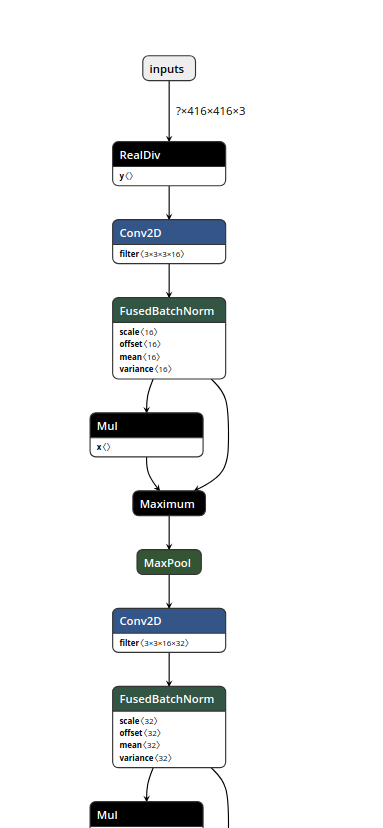
How to check the graph structure of a ".pb" file [Part.1]
Simple structure analysis.
1. Build and run graph structure analysis program
$ cd ~
$ git clone -b v1.11.0 https://github.com/tensorflow/tensorflow.git
$ cd tensorflow
$ git checkout -b v1.11.0
$ bazel build tensorflow/tools/graph_transforms:summarize_graph
$ bazel-bin/tensorflow/tools/graph_transforms/summarize_graph --in_graph=xxxx.pb
2. Sample of display result
YoloV3
Found 1 possible inputs: (name=inputs, type=float(1), shape=[?,416,416,3])
No variables spotted.
Found 1 possible outputs: (name=output_boxes, op=ConcatV2)
Found 62002034 (62.00M) const parameters, 0 (0) variable parameters, and 0 control_edges
Op types used: 536 Const, 372 Identity, 87 Mul, 75 Conv2D, 72 FusedBatchNorm, 72 Maximum, 28 Add, \
24 Reshape, 14 ConcatV2, 9 Sigmoid, 6 Tile, 6 Range, 5 Pad, 4 SplitV, 3 Pack, 3 RealDiv, 3 Fill, \
3 Exp, 3 BiasAdd, 2 ResizeNearestNeighbor, 2 Sub, 1 Placeholder
To use with tensorflow/tools/benchmark:benchmark_model try these arguments:
bazel run tensorflow/tools/benchmark:benchmark_model -- \
--graph=/home/b920405/git/OpenVINO-YoloV3/pbmodels/frozen_yolo_v3.pb \
--show_flops \
--input_layer=inputs \
--input_layer_type=float \
--input_layer_shape=-1,416,416,3 \
--output_layer=output_boxes
tiny-YoloV3
Found 1 possible inputs: (name=inputs, type=float(1), shape=[?,416,416,3])
No variables spotted.
Found 1 possible outputs: (name=output_boxes, op=ConcatV2)
Found 8858858 (8.86M) const parameters, 0 (0) variable parameters, and 0 control_edges
Op types used: 134 Const, 63 Identity, 21 Mul, 16 Reshape, 13 Conv2D, 11 FusedBatchNorm, 11 Maximum, \
10 ConcatV2, 6 Sigmoid, 6 MaxPool, 4 Tile, 4 Add, 4 Range, 3 RealDiv, 3 SplitV, 2 Pack, 2 Fill, \
2 Exp, 2 Sub, 2 BiasAdd, 1 Placeholder, 1 ResizeNearestNeighbor
To use with tensorflow/tools/benchmark:benchmark_model try these arguments:
bazel run tensorflow/tools/benchmark:benchmark_model -- \
--graph=/home/b920405/git/OpenVINO-YoloV3/pbmodels/frozen_tiny_yolo_v3.pb \
--show_flops \
--input_layer=inputs \
--input_layer_type=float \
--input_layer_shape=-1,416,416,3 \
--output_layer=output_boxes
How to check the graph structure of a ".pb" file [Part.2]
Convert to text format.
1. Run graph structure analysis program
$ python3 tfconverter.py
### ".pbtxt" in ProtocolBuffer format is output.
### The size of the generated text file is huge.
How to check the graph structure of a ".pb" file [Part.3]
Use Tensorboard.
1. Run log output program for Tensorboard
import tensorflow as tf
from tensorflow.python.platform import gfile

with tf.Session() as sess:
    model_filename ="xxxx.pb"
    with gfile.FastGFile(model_filename, "rb") as f:
        graph_def = tf.GraphDef()
        graph_def.ParseFromString(f.read())
        g_in = tf.import_graph_def(graph_def)

    LOGDIR="path/to/logs"
    train_writer = tf.summary.FileWriter(LOGDIR)
    train_writer.add_graph(sess.graph)
2. Starting Tensorboard
$ tensorboard --logdir=path/to/logs
3. Display of Tensorboard
Access http://localhost:6006 from the browser.
How to check the graph structure of a ".pb" file [Part.4]
Use netron.
1. Install netron
$ sudo -H pip3 install netron
2. Starting netron
$ netron -b [MODEL_FILE]
3. Display of netron
Access http://localhost:8080 from the browser.
Neural Compute Stick 2
https://ncsforum.movidius.com/discussion/1302/intel-neural-compute-stick-2-information
Issue
OpenVINO failing on YoloV3's YoloRegion, only one working on FP16, all working on FP32
Regarding YOLO family networks on NCS2. Possibly a work-around
Convert YOLOv3 Model to IR
Reference
https://github.com/opencv/opencv/wiki/Intel's-Deep-Learning-Inference-Engine-backend https://github.com/opencv/opencv/wiki/Intel's-Deep-Learning-Inference-Engine-backend#raspbian-stretch