


NVIDIA Warp
Warp is a Python framework for GPU-accelerated simulation, robotics, and machine learning. Warp takes regular Python functions and JIT compiles them to efficient kernel code that can run on the CPU or GPU.
Warp comes with a rich set of primitives for physics simulation, robotics, geometry processing, and more. Warp kernels are differentiable and can be used as part of machine-learning pipelines with frameworks such as PyTorch, JAX and Paddle.

A selection of physical simulations computed with Warp
Quick Start
Simulate one million particles under gravitational attraction, in 20 lines:
import warp as wp
import numpy as np

num_particles = 1_000_000
dt = 0.01


@wp.kernel
def gravity_step(pos: wp.array[wp.vec3], vel: wp.array[wp.vec3]):
    i = wp.tid()
    position = pos[i]
    dist_sq = wp.length_sq(position) + 0.01  # softened distance
    acc = -1000.0 / dist_sq * wp.normalize(position)  # gravitational pull toward origin
    vel[i] = vel[i] + acc * dt
    pos[i] = pos[i] + vel[i] * dt


rng = np.random.default_rng(42)
positions = wp.array(rng.normal(size=(num_particles, 3)), dtype=wp.vec3)
velocities = wp.array(rng.normal(size=(num_particles, 3)), dtype=wp.vec3)

for _ in range(100):
    wp.launch(gravity_step, dim=num_particles, inputs=[positions, velocities])

print(positions.numpy())
Installing
Warp requires Python 3.10 or newer. We publish warp-lang wheels on PyPI for Windows (x86-64), Linux (x86-64 and AArch64), and macOS (Apple Silicon). The Windows x86-64 and Linux wheels support CPU execution and CUDA acceleration. The macOS wheels support CPU execution but not Metal acceleration.
PyPI and nightly wheels for Linux and Windows use CUDA Toolkit 13.4. They require an NVIDIA R580-series or newer driver and a Turing (sm_75) or newer GPU for CUDA acceleration. For CUDA 12 environments, download a +cu12 wheel from GitHub Releases or build Warp from source with CUDA 12.
Windows on Arm supports experimental CUDA source builds with CUDA Toolkit 13.4 or newer; see the Windows on Arm build instructions.
The easiest way to install Warp is from PyPI:
pip install warp-lang
You can also use pip install warp-lang[examples] to install additional dependencies for running examples and USD-related features.
For nightly builds, conda, CUDA 12 compatibility wheels, building from source, and CUDA driver requirements, see the Installation Guide.
Tutorial Notebooks
The NVIDIA Accelerated Computing Hub also hosts Warp tutorial notebooks that can be opened in Colab:
| Notebook | Colab Link |
|---|---|
| 01. Introduction to NVIDIA Warp |  |
| 02. Ising Model | |
| 03. 2D Navier-Stokes Solver | |
| 04. Differentiable Simulations in Warp | |
Running Examples
The warp/examples directory contains examples covering physics simulation, geometry processing, optimization, and tile-based GPU programming. Before running examples, install the optional example dependencies using:
pip install warp-lang[examples]
On Linux aarch64 systems (e.g., NVIDIA DGX Spark), the [examples] extra automatically installs
usd-exchange instead of usd-core as a drop-in replacement,
since usd-core wheels are not available for that platform.
Examples can be run from the command-line as follows:
python -m warp.examples..
Most examples can be run on either the CPU or a CUDA-capable device, but a handful require a CUDA-capable device. These are marked at the top of the example script. Some examples generate USD files containing time-sampled animations in the current working directory. These can be viewed in Pixar's UsdView, Blender, or any USD-compatible viewer.
To browse the example source code, you can open the directory where the files are located like this:
python -m warp.examples.browse
warp/examples/core
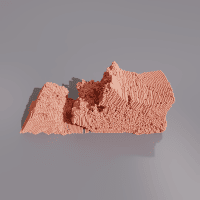


dem
fluid
graph capture
mesh
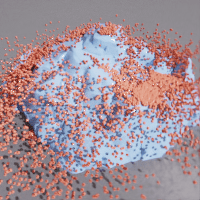


nvdb
raycast
raymarch
sample mesh


sph
torch
wave
2-D incompressible turbulence in a periodic box

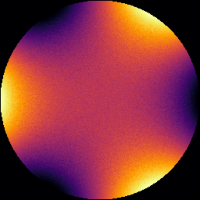
3-D FDTD Luneburg lens
warp/examples/geometry

isosurface
sparse marching cubes
warp/examples/fem


diffusion 3d
mixed elasticity
apic fluid
streamlines


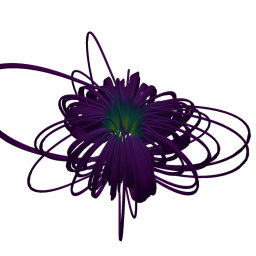
distortion energy
taylor green
kelvin helmholtz
magnetostatics


adaptive grid
nonconforming contact
darcy level-set optimization
elastic shape optimization

cantilever topology optimization
warp/examples/optim


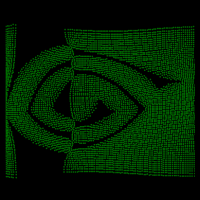

diffray
fluid checkpoint
basic · custom backward
particle repulsion
navier-stokes perturbation
warp/examples/tile

mlp
nbody
mcgp
Learn More
Please see the following resources for additional background on Warp:
- Product Page
- How to Use NVIDIA Warp to Build GPU-Accelerated Computational Physics Simulations (GTC 2026 tutorial)
- SIGGRAPH 2024 Course Slides
- GTC 2024 Presentation
- GTC 2022 Presentation
- GTC 2021 Presentation
- SIGGRAPH Asia 2021 Differentiable Simulation Course
Support
See the FAQ for common questions.
Problems, questions, and feature requests can be opened on GitHub Issues.
For inquiries not suited for GitHub Issues, please email .
Contributing
Contributions and pull requests from the community are welcome. Please see the Contribution Guide for more information on contributing to the development of Warp.
License
Warp is provided under the Apache License, Version 2.0. Please see LICENSE.md for full license text.
This project will download and install additional third-party open source software projects. Review the license terms of these open source projects before use.
Building from Source
When building Warp from source using the build_lib.py script, the build process automatically
downloads NVIDIA libmathdx. Pre-built Warp
packages (e.g., from PyPI) already include libmathdx statically linked into the library binaries.
In both cases, libmathdx is governed by the
NVIDIA Software License Agreement.
NOTICE AND DISCLAIMER: This software automatically retrieves, accesses or interacts with external materials. Those retrieved materials are not distributed with this software and are governed solely by separate terms, conditions and licenses. You are solely responsible for finding, reviewing and complying with all applicable terms, conditions, and licenses, and for verifying the security, integrity and suitability of any retrieved materials for your specific use case. This software is provided "AS IS", without warranty of any kind. The author makes no representations or warranties regarding any retrieved materials, and assumes no liability for any losses, damages, liabilities or legal consequences from your use or inability to use this software or any retrieved materials. Use this software and the retrieved materials at your own risk.
Publications & Citation
Research Using Warp
Our PUBLICATIONS.md file lists academic and research publications that leverage the capabilities of Warp. We encourage you to add your own published work using Warp to this list.
Citing Warp
If you use Warp in your research, please use the "Cite this repository" button on the GitHub repository page or refer to the CITATION.cff file for citation information.