DIAL-MPC: Diffusion-Inspired Annealing For Legged MPC
ICRA 2025, Best Paper Finalist


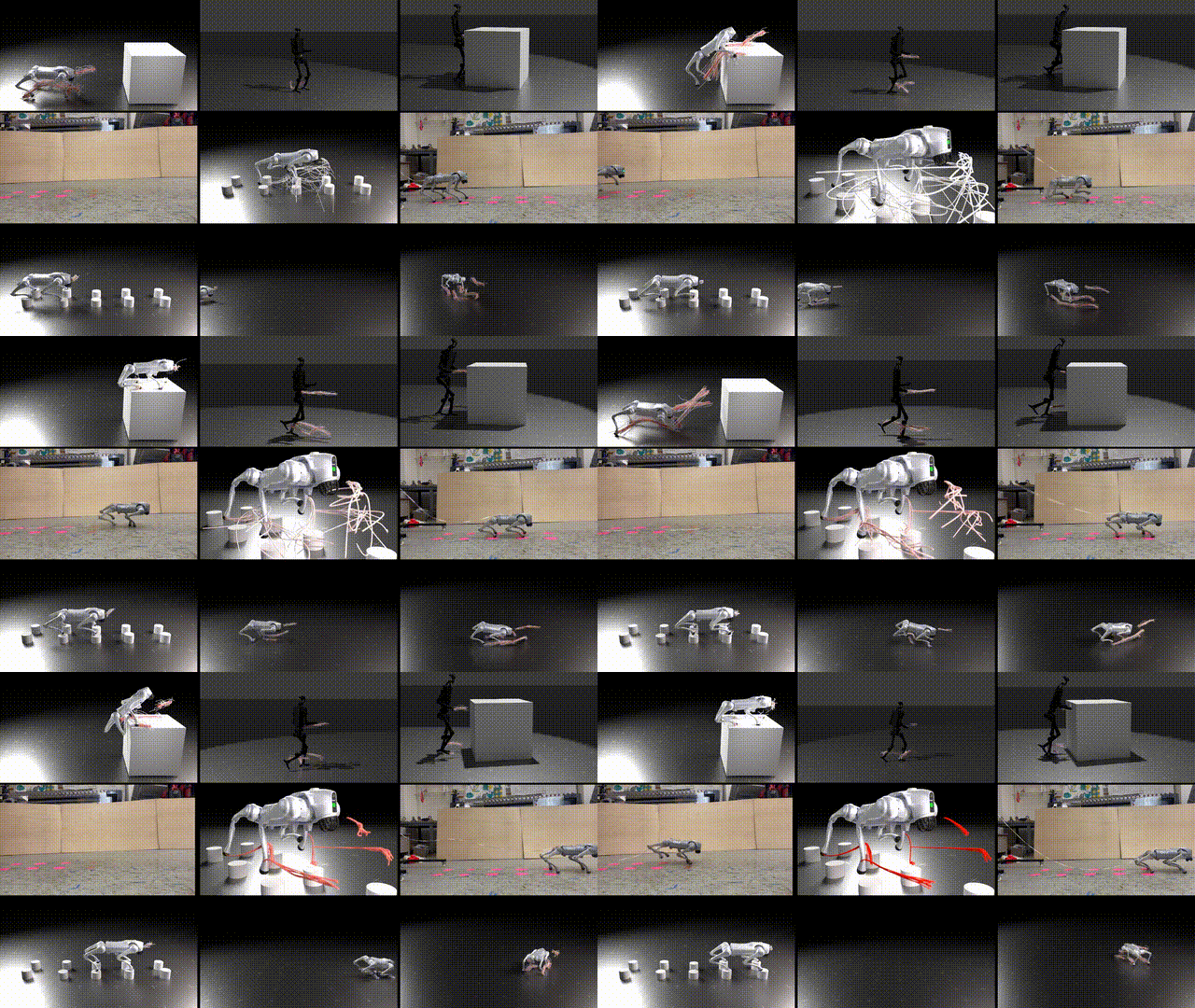
This repository contains the code (simulation and real-world experiments with minimum setup) for the paper "Full-Order Sampling-Based MPC for Torque-Level Locomotion Control via Diffusion-Style Annealing".
DIAL-MPC is a sampling-based MPC framework for legged robot full-order torque-level control with both precision and agility in a training-free manner.
DIAL-MPC is designed to be simple and flexible, with minimal requirements for specific reward design and dynamics model. It directly samples and rolls out in physics-based simulations (Brax) and does not require reduced-order modeling, linearization, convexification, or predefined contact sequences.
That means you can test out the controller in a plug-and-play manner with minimum setup.
News
- 05/19/2025: 🫰 New demo for ball-spinning on finger can be run with
dial-mpc --example allegro_reorient. - 04/24/2025: 🎉 DIAL-MPC made into the best paper final list of ICRA 2025.
- 11/03/2024: 🎉 Sim2Real pipeline is ready! Check out the Sim2Real section for more details.
- 09/25/2024: 🎉 DIAL-MPC is released with open-source codes! Sim2Real pipeline coming soon!
https://github.com/user-attachments/assets/f2e5f26d-69ac-4478-872e-26943821a218
Table of Contents
- Install
- Synchronous Simulation
- Asynchronous Simulation
- Deploy in Real
- Writing Your Own Environment
- Rendering Rollouts
- Citing this Work
Simulation Setup
Install dial-mpc
[!IMPORTANT] We recommend Ubuntu >= 20.04 + Python >= 3.10 + CUDA >= 12.3. You can create a mamba (or conda) environment before proceeding.
Our environment is Ubuntu 22.04 + Python 3.10 + CUDA 12.6.
git clone https://github.com/LeCar-Lab/dial-mpc.git --depth 1
cd dial-mpc
pip3 install -e .
Synchronous Simulation
In this mode, the simulation will wait for DIAL-MPC to finish computing before stepping. It is ideal for debugging and doing tasks that are currently not real-time.
Run Examples
List available examples:
dial-mpc --list-examples
Run an example:
dial-mpc --example unitree_h1_jog
After rollout completes, go to 127.0.0.1:5000 to visualize the rollouts.
Asynchronous Simulation
The asynchronous simulation is meant to test the algorithm before Sim2Real. The simulation rolls out in real-time (or scaled by real_time_factor). DIAL-MPC will encounter delay in this case.
When DIAL-MPC cannot finish the compute in the time defined by dt, it will spit out warning. Slight overtime is accepetable as DIAL-MPC maintains a buffer of the previous step's solution and will play out the planned action sequence until the buffer runs out.
List available examples:
dial-mpc-sim --list-examples
Run an example:
In terminal 1, run
dial-mpc-sim --example unitree_go2_seq_jump_deploy
This will open a mujoco visualization window.
In terminal 2, run
dial-mpc-plan --example unitree_go2_seq_jump_deploy
Deploy in Real (Unitree Go2)
Overview
The real-world deployment procedure is very similar to asynchronous simulation.
We use unitree_sdk2_python to communicate with the robot directly via CycloneDDS.
Step 1: State Estimation
For state estimation, this proof-of-concept work requires external localization module to get base position and velocity.
The following plugins are built-in:
- ROS2 odometry message
- Vicon motion capture system
Option 1: ROS2 odometry message
Configure odom_topic in the YAML file. You are responsible for publishing this message at at least 50 Hz and ideally over 100 Hz. We provide an odometry publisher for Vicon motion capture system in vicon_interface.
[!CAUTION] All velocities in ROS2 odometry message must be in body frame of the base to conform to ROS odometry message definition, although in the end they are converted to world frame in DIAL-MPC.
Option 2: Vicon (no ROS2 required)
pip install pyvicon-datastream- Change
localization_plugintovicon_shm_pluginin the YAML file. - Configure
vicon_tracker_ip,vicon_object_name, andvicon_z_offsetin the YAML file.
Option 3: Bring Your Own Plugin
We provide a simple ABI for custom localization modules, and you need to implement this in a python file in your workspace, should you consider not using the built-in plugins.
import numpy as np
import time
from dial_mpc.deploy.localization import register_plugin
from dial_mpc.deploy.localization.base_plugin import BaseLocalizationPlugin

class MyPlugin(BaseLocalizationPlugin):
    def __init__(self, config):
        pass

    def get_state(self):
        qpos = np.zeros(7)
        qvel = np.zeros(6)
        return np.concatenate([qpos, qvel])

    def get_last_update_time(self):
        return time.time()

register_plugin('custom_plugin', plugin_cls=MyPlugin)
[!CAUTION] When writing custom localization plugin, velocities should be reported in world frame.
[!NOTE] Angular velocity source is onboard IMU. You could leave
qvel[3:6]in the returned state as zero for now.
Localization plugin can be changed in the configuration file. A --plugin argument can be supplied to dial-mpc-real to import a custom localization plugin in the current workspace.
Step 2: Installing unitree_sdk2_python
[!NOTE] If you are already using ROS2 with Cyclone DDS according to ROS2 documentation on Cyclone DDS, you don't have to install Cyclone DDS as suggested by
unitree_sdk2_python. But do follow the rest of the instructions.
Follow the instructions in unitree_sdk2_python.
Step 3: Configuring DIAL-MPC
In dial_mpc/examples/unitree_go2_trot_deploy.yaml or dial_mpc/examples/unitree_go2_seq_jump.yaml, modify network_interface to match the name of the network interface connected to Go2.
Alternatively, you can also pass --network_interface to dial-mpc-real when launching the robot, which will override the config.
Step 4: Starting the Robot
Follow the official Unitree documentation to disable sports mode on Go2. Lay the robot flat on the ground like shown.

Step 5: Running the Robot
List available examples:
dial-mpc-real --list-examples
Run an example:
In terminal 1, run
# source /opt/ros//setup.bash # if using ROS2
dial-mpc-real --example unitree_go2_seq_jump_deploy
This will open a mujoco visualization window. The robot will slowly stand up. If the robot is squatting, manually lift the robot into a standing position. Verify that the robot states match the real world and are updating.
You can supply additional arguments to dial-mpc-real:
--custom-env: custom environment definition.--network-interface: override network interface configuration.--plugin: custom localization plugin.
Next, in terminal 2, run
dial-mpc-plan --example unitree_go2_seq_jump_deploy
Writing Custom Environment
- If custom robot model is needed, Store it in
dial_mpc/models/my_model/my_model.xml. - Import the base environment and config.
- Implement required functions.
- Register environment.
- Configure config file.
Example environment file (my_env.py):
from dataclasses import dataclass

from brax import envs as brax_envs
from brax.envs.base import State

from dial_mpc.envs.base_env import BaseEnv, BaseEnvConfig
import dial_mpc.envs as dial_envs

@dataclass
class MyEnvConfig(BaseEnvConfig):
    arg1: 1.0
    arg2: "test"

class MyEnv(BaseEnv):
    def __init__(self, config: MyEnvConfig):
        super().__init__(config)
        # custom initializations below...

    def make_system(self, config: MyEnvConfig) -> System:
        model_path = ("my_model/my_model.xml")
        sys = mjcf.load(model_path)
        sys = sys.tree_replace({"opt.timestep": config.timestep})
        return sys

    def reset(self, rng: jax.Array) -> State:
        # TODO: implement reset

    def step(self, state: State, action: jax.Array) -> State:
        # TODO: implement step

brax_envs.register_environment("my_env_name", MyEnv)
dial_envs.register_config("my_env_name", MyEnvConfig)
Example configuration file (my_env.yaml):
# DIAL-MPC
seed: 0
output_dir: dial_mpc_ws/my_model
n_steps: 400

env_name: my_env_name
Nsample: 2048
Hsample: 25
Hnode: 5
Ndiffuse: 4
Ndiffuse_init: 10
temp_sample: 0.05
horizon_diffuse_factor: 1.0
traj_diffuse_factor: 0.5
update_method: mppi


# Base environment
dt: 0.02
timestep: 0.02
leg_control: torque
action_scale: 1.0

# My Env
arg1: 2.0
arg2: "test_2"
Run the following command to use the custom environment in synchronous simulation. Make sure that my_env.py is in the same directory from which the command is run.
dial-mpc --config my_env.yaml --custom-env my_env
You can also run asynchronous simulation with the custom environment:
# Terminal 1
dial-mpc-sim --config my_env.yaml --custom-env my_env

# Terminal 2
dial-mpc-plan --config my_env.yaml --custom-env my_env
Rendering Rollouts in Blender
If you want better visualization, you can check out the render branch for the Blender visualization examples.
Acknowledgements
- This codebase's environment and RL implementation is built on top of Brax.
- We use Mujoco MJX for the physics engine.
- Controller design and implementation is inspired by Model-based Diffusion.
BibTeX
If you find this code useful for your research, please consider citing:
@misc{xue2024fullordersamplingbasedmpctorquelevel,
      title={Full-Order Sampling-Based MPC for Torque-Level Locomotion Control via Diffusion-Style Annealing},
      author={Haoru Xue and Chaoyi Pan and Zeji Yi and Guannan Qu and Guanya Shi},
      year={2024},
      eprint={2409.15610},
      archivePrefix={arXiv},
      primaryClass={cs.RO},
      url={https://arxiv.org/abs/2409.15610},
}