
ClawPort
A visual command centre for your AI agent team.


Website | Setup Guide | API Docs | npm
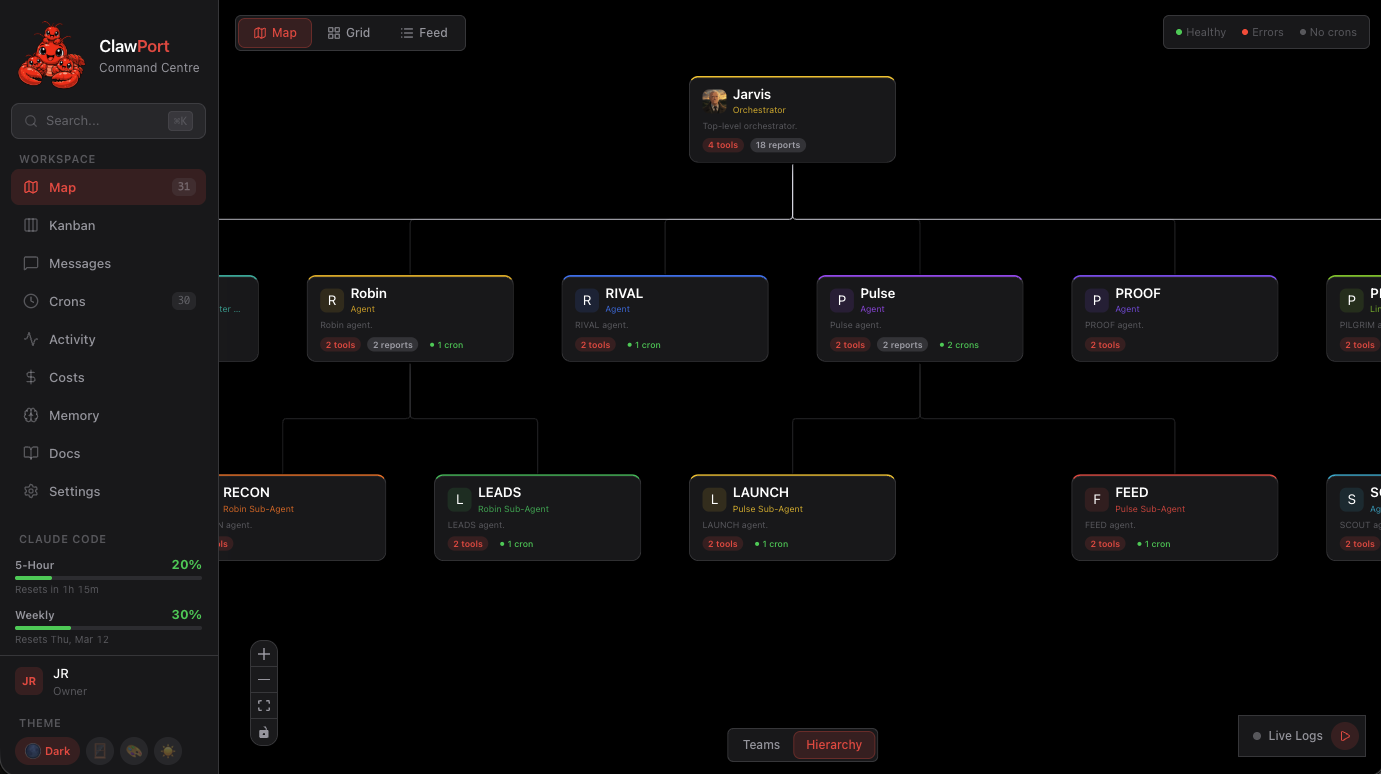
ClawPort is an open-source dashboard for managing, monitoring, and talking directly to your OpenClaw AI agents. It connects to your local OpenClaw gateway and gives you an org chart, direct agent chat with vision and voice, a kanban board, cron monitoring, cost tracking, an activity console with live log streaming, and a memory browser -- all in one place.
No separate AI API keys needed. Everything routes through your OpenClaw gateway.
More screenshots
 |
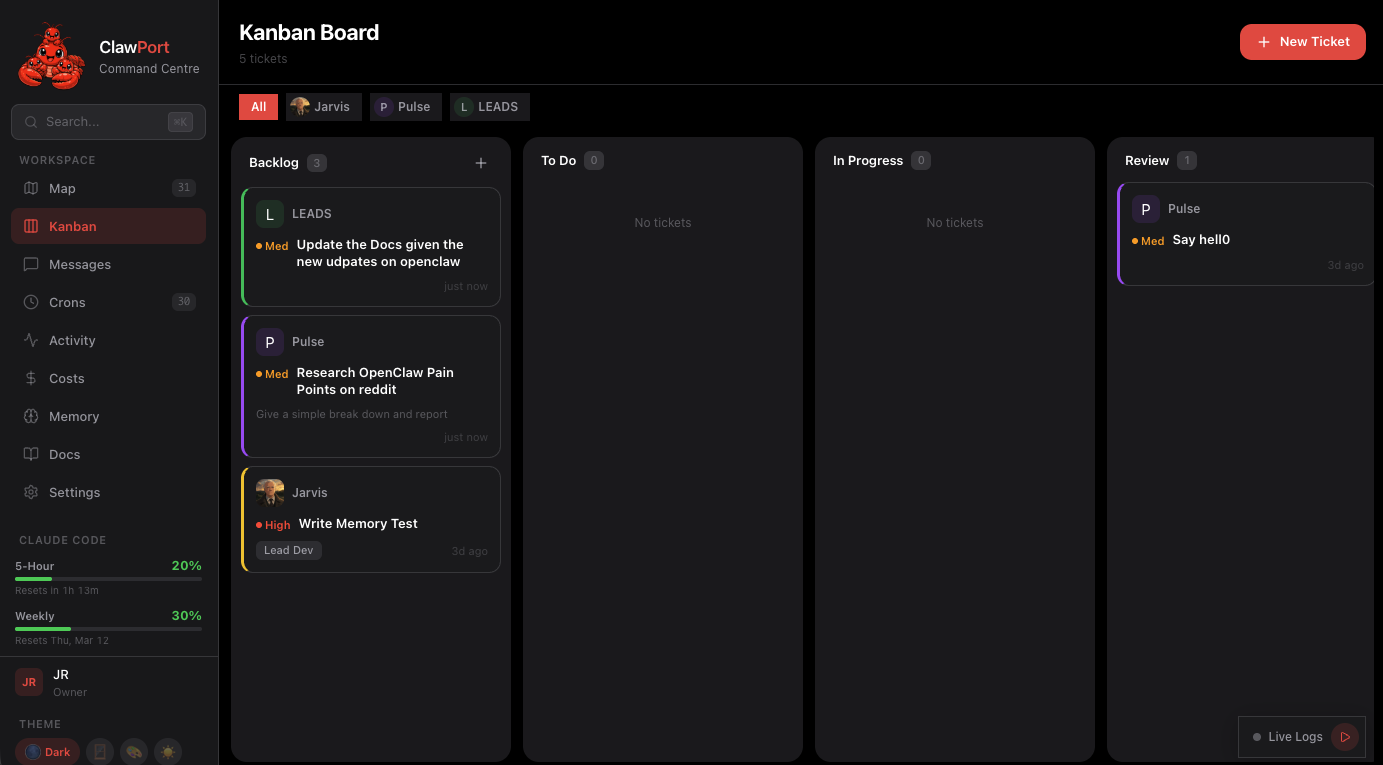 |
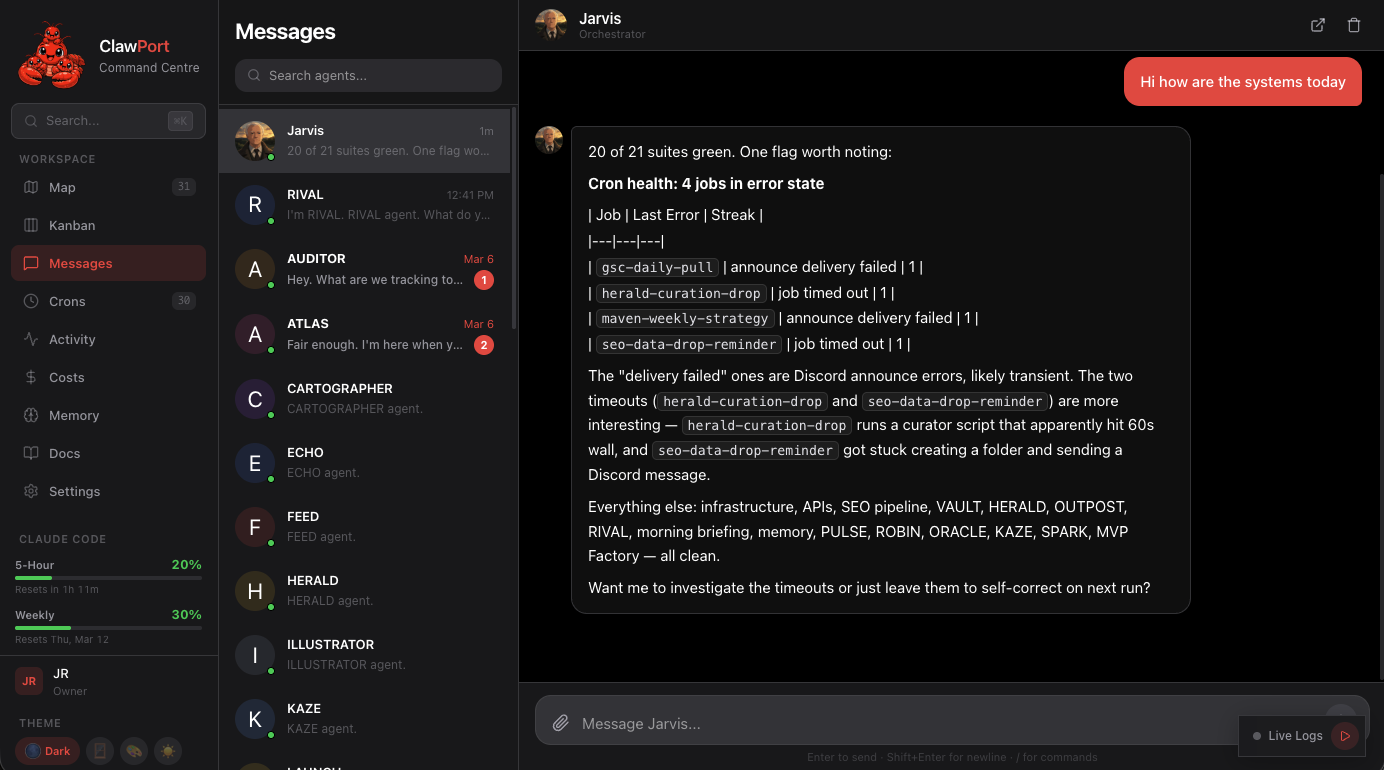
| Chat -- streaming text, vision, voice, file attachments | Kanban -- drag-and-drop task board across agents |
 |
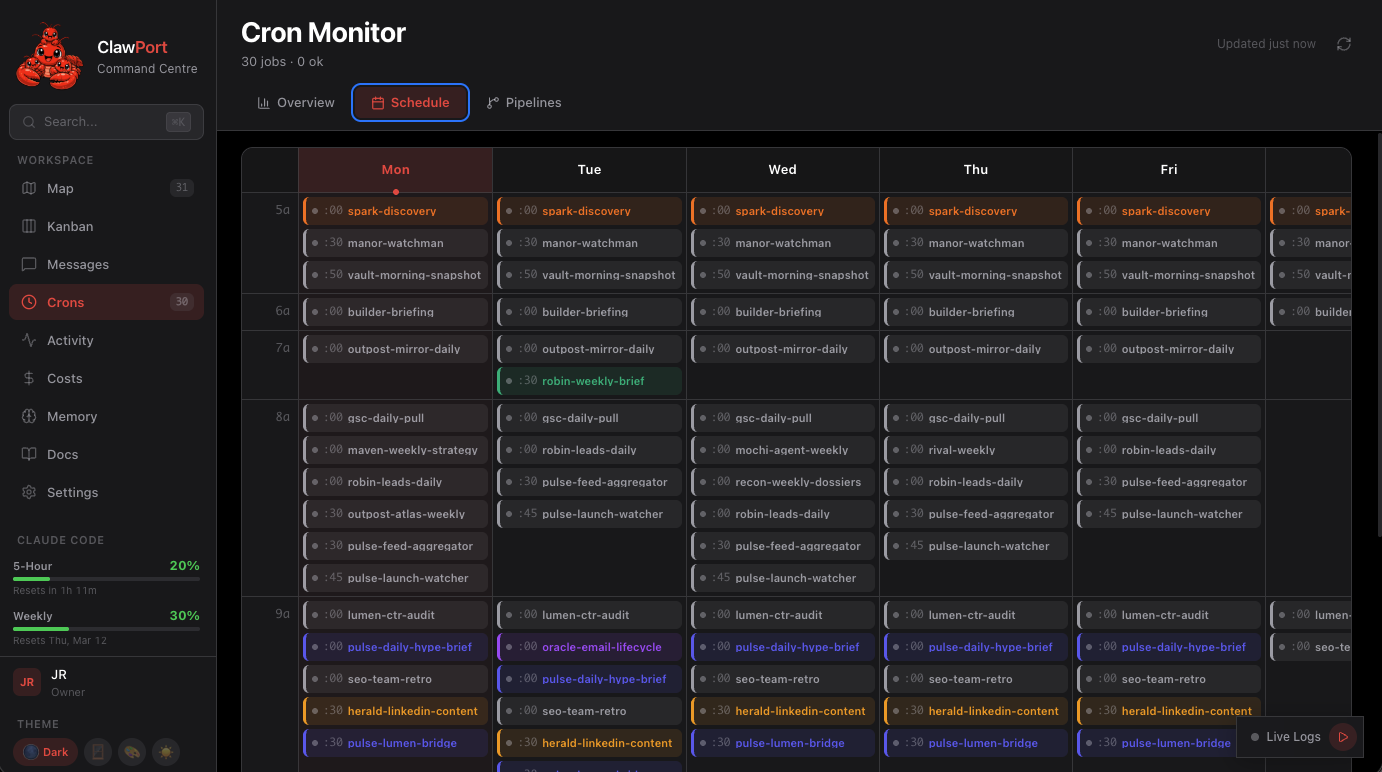 |
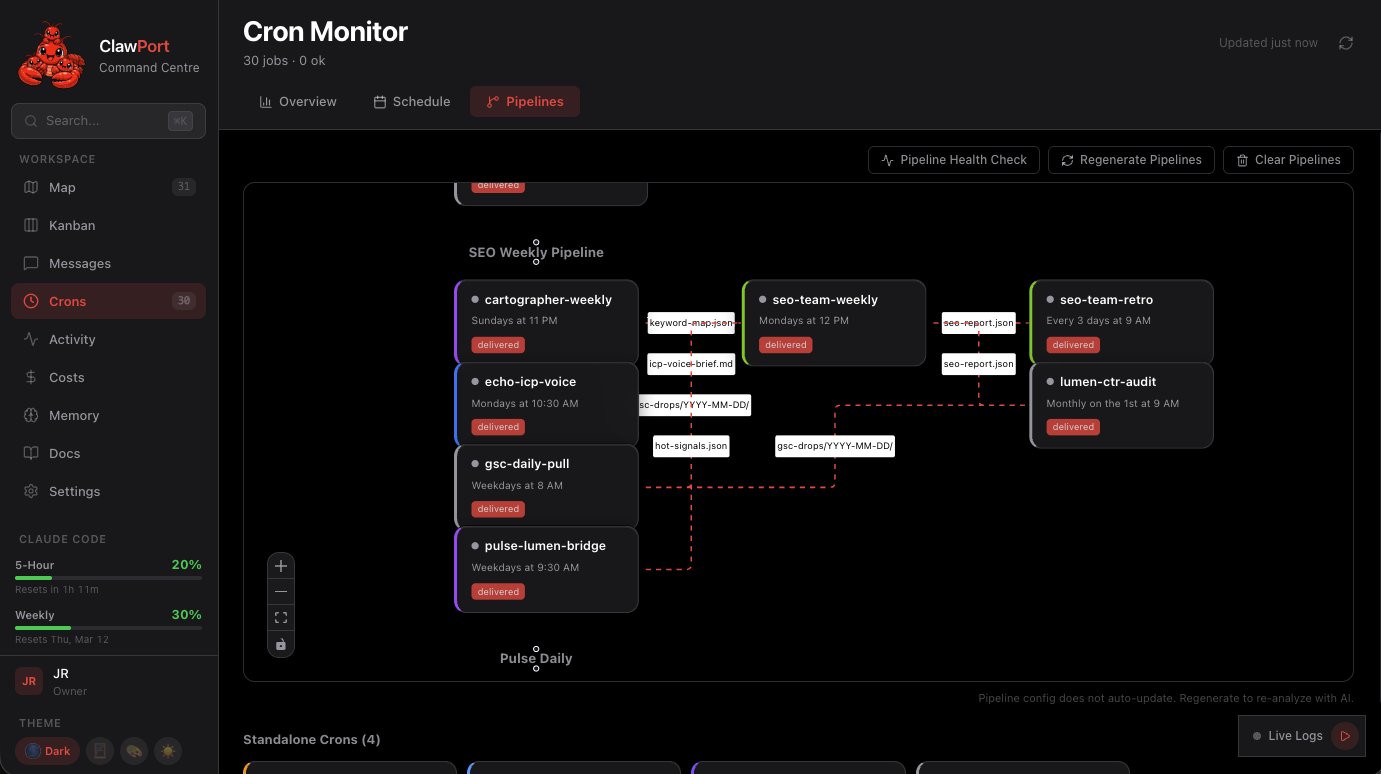
| Pipelines -- DAG visualization with health checks | Schedule -- weekly heatmap and job management |
 |
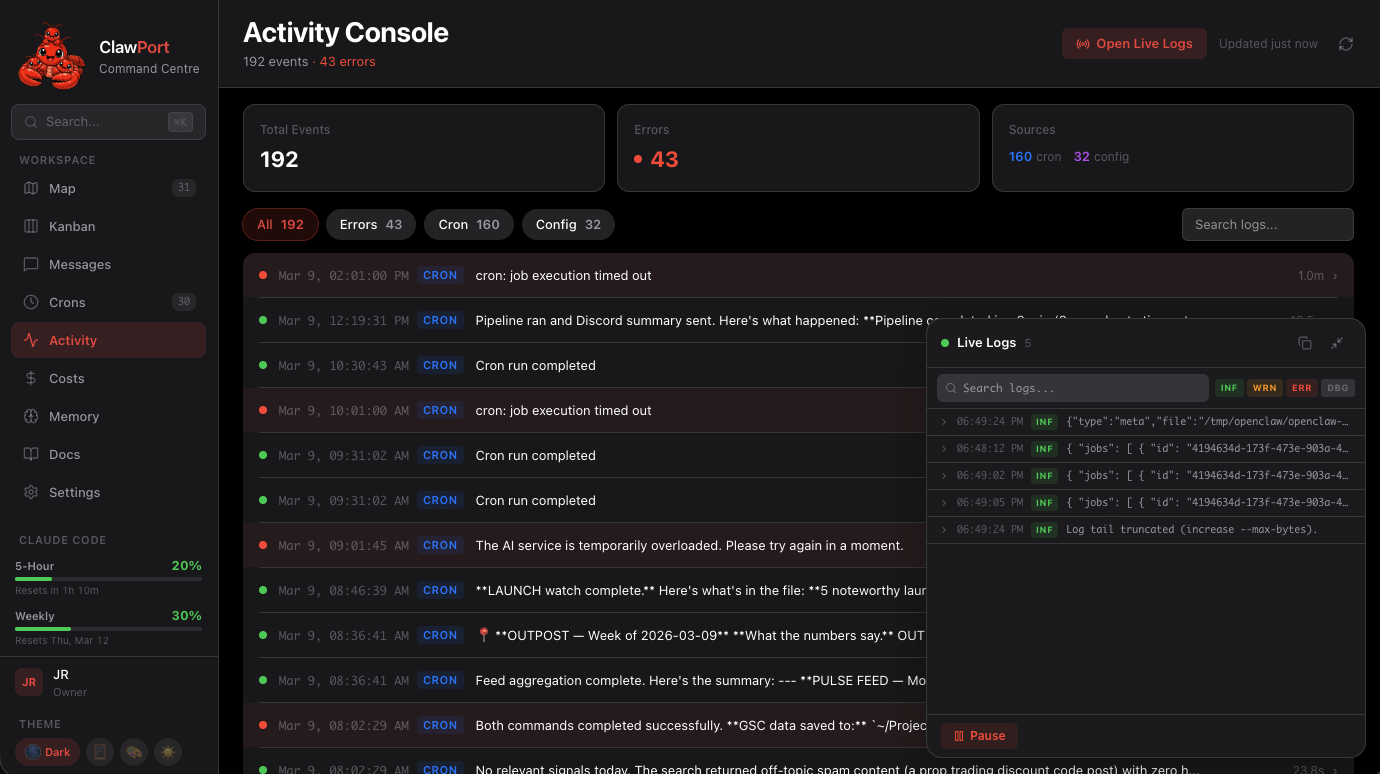 |
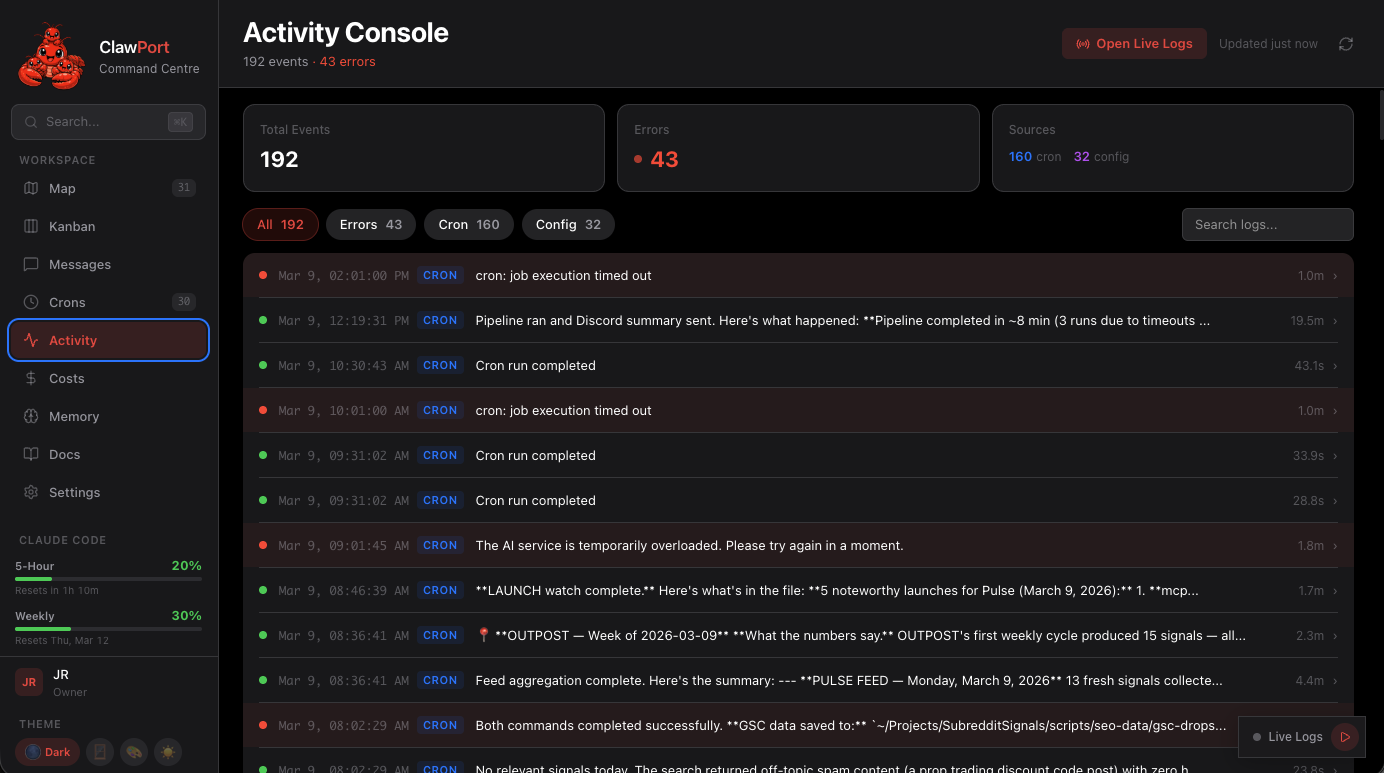
| Activity -- historical log browser with JSON expansion | Live Logs -- real-time streaming widget |
 |
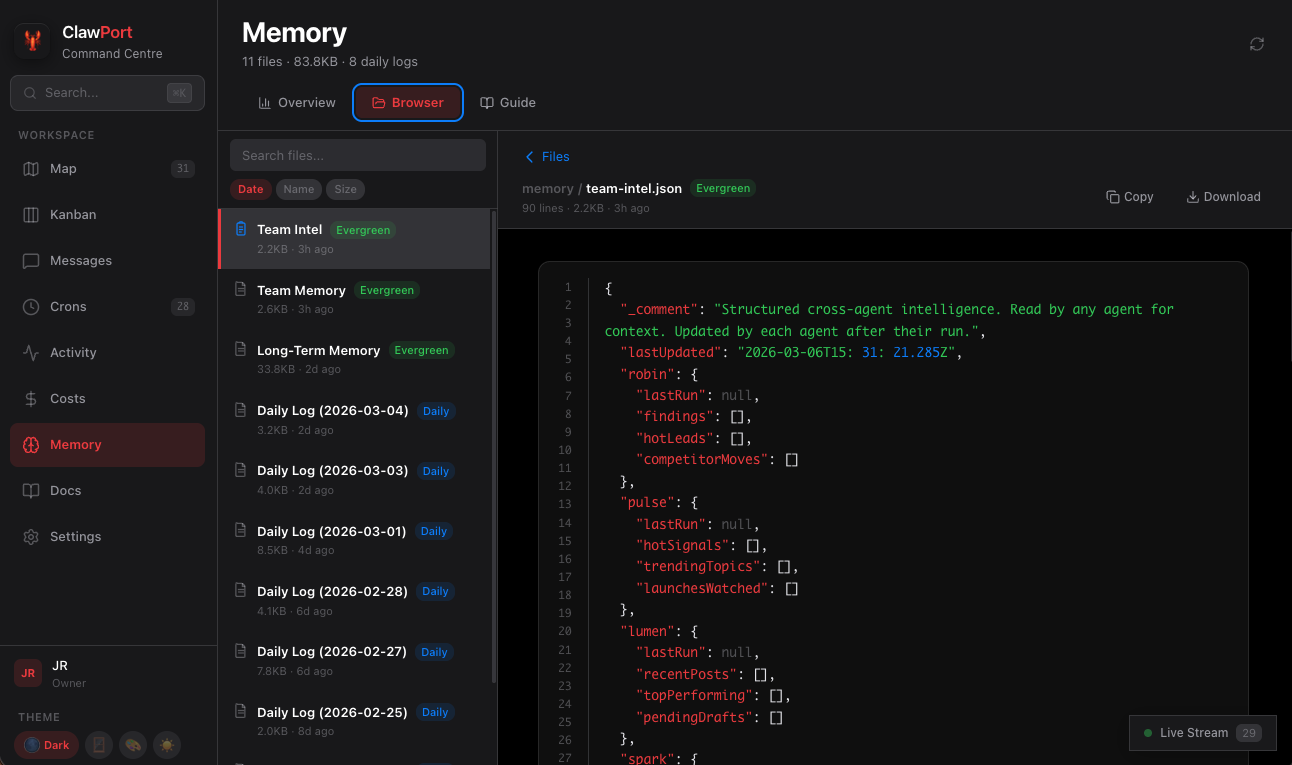 |
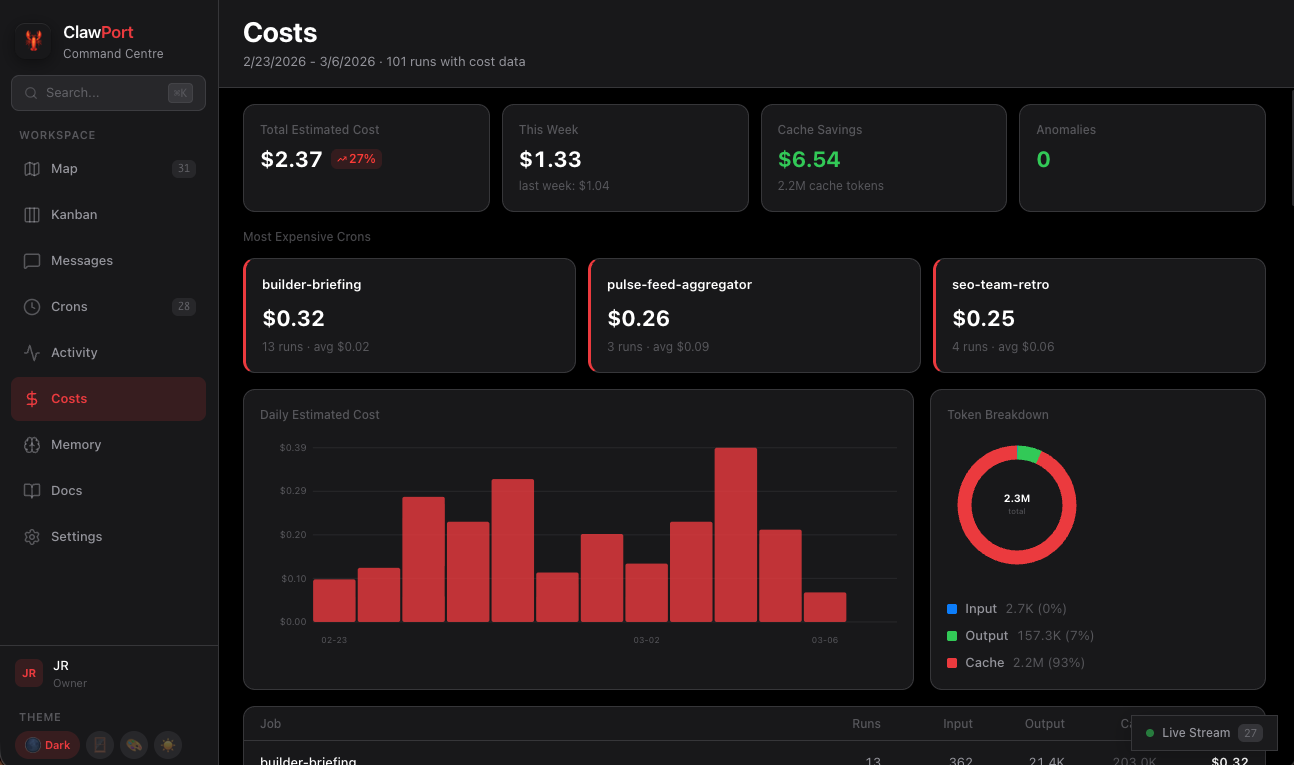
| Costs -- token usage, anomalies, optimization insights | Memory -- team memory browser with markdown rendering |
Quick Start
1. Install OpenClaw
ClawPort requires a running OpenClaw instance. If you don't have one yet:
# Install OpenClaw
curl -fsSL https://openclaw.ai/install.sh | bash

# Run the onboarding wizard (sets up workspace, gateway, and daemon)
openclaw onboard --install-daemon
After onboarding, verify the gateway is running:
openclaw gateway status
You should see your gateway URL (default localhost:18789) and auth token. If you use a custom port, clawport setup will detect it automatically. See the OpenClaw docs for more detail.
2. Install ClawPort
Note: The npm package is
clawport-ui. The CLI command isclawport. Do not install the unrelatedclawportpackage.
npm install -g clawport-ui
3. Connect and Launch
# Auto-detect your OpenClaw config and write .env.local
clawport setup

# Start the dashboard
clawport dev
Open http://localhost:3000. The onboarding wizard walks you through naming your portal, picking a theme, and setting up your operator identity.
Install from source instead
git clone https://github.com/JohnRiceML/clawport-ui.git
cd clawport-ui
npm install
npm run setup
npm run dev
Features
- Org Map -- Interactive org chart of your entire agent team. Hierarchy, cron status, and relationships at a glance. Powered by React Flow with auto-layout.
- Chat -- Streaming text chat, image attachments with vision, voice messages with waveform playback, file attachments, clipboard paste and drag-and-drop. Conversations persist locally.
- Kanban -- Task board for managing work across agents. Drag-and-drop cards with agent assignment and chat context.
- Cron Monitor -- Live status of all scheduled jobs. Filter by status, sort errors to top, expand for details. Auto-refreshes every 60 seconds.
- Cost Dashboard -- Token usage and cost analysis across all cron jobs. Daily cost chart, per-job breakdown, model distribution, anomaly detection, week-over-week trends, and cache savings.
- Activity Console -- Log browser for historical events plus a floating live stream widget. Click any log row to expand the raw JSON. The live stream widget persists across page navigation.
- Memory Browser -- Read team memory, long-term memory, and daily logs. Markdown rendering, JSON syntax highlighting, search, and download. Guide tab with categorized best practices.
- Agent Detail -- Full profile per agent: SOUL.md viewer, tools, hierarchy, crons, voice ID, and direct chat link.
- Five Themes -- Dark, Glass, Color, Light, and System. All CSS custom properties -- switch instantly.
- Auto-Discovery -- Automatically finds agents from your OpenClaw workspace. No config file needed.
How It Works
ClawPort reads your OpenClaw workspace to discover agents, then connects to the gateway for all AI operations:
Browser  -->  ClawPort (Next.js)  -->  OpenClaw Gateway (localhost:18789 default)  -->  Claude
                  |                          |
                  |                     Text: /v1/chat/completions (streaming SSE)
                  |                     Vision: openclaw gateway call chat.send (CLI)
                  |                     Audio: /v1/audio/transcriptions (Whisper)
                  |
             Reads from:
               $WORKSPACE_PATH/agents/    (agent SOUL.md files)
               $WORKSPACE_PATH/memory/    (team memory)
               openclaw cron list         (scheduled jobs)
All AI calls -- chat, vision, TTS, transcription -- route through the gateway. One token, no separate API keys.
Configuration
Required Environment Variables
| Variable | Description | How to find it |
|---|---|---|
WORKSPACE_PATH |
Path to your OpenClaw workspace | Default: ~/.openclaw/agents/main/workspace (or legacy ~/.openclaw/workspace) |
OPENCLAW_BIN |
Path to the openclaw binary |
Run which openclaw |
OPENCLAW_GATEWAY_TOKEN |
Gateway auth token | Run openclaw gateway status |
Optional
| Variable | Description |
|---|---|
ELEVENLABS_API_KEY |
ElevenLabs API key for voice indicators on agent profiles |
Running clawport setup auto-detects all required values and writes .env.local. When installed globally, if the package directory isn't writable, setup writes to ~/.config/clawport-ui/.env.local instead. See SETUP.md for manual configuration, agent customization, and troubleshooting.
Agent Discovery
ClawPort automatically discovers agents from your OpenClaw workspace. No configuration file needed.
What it scans:
$WORKSPACE_PATH/SOUL.md-- root orchestrator$WORKSPACE_PATH/IDENTITY.md-- root agent name and emojiagents//SOUL.md-- top-level agentsagents//sub-agents/*.md-- flat sub-agent filesagents//members/*.md-- team member filesagents///SOUL.md-- nested subdirectory agents
What it ignores:
- Directories without
SOUL.md(e.g.,briefs/, data files) - Non-
.mdfiles insub-agents/andmembers/
For full control over names, colors, hierarchy, and tools, create $WORKSPACE_PATH/clawport/agents.json. See SETUP.md for the schema and examples.
CLI
clawport dev      # Start the development server
clawport start    # Build and start production server
clawport setup    # Auto-detect OpenClaw config, write .env.local
clawport status   # Check gateway reachability and config
clawport help     # Show usage
Testing
npm test             # 781 tests across 32 suites (Vitest)
npx tsc --noEmit     # Type-check (zero errors)
npx next build       # Production build
Stack
- Next.js 16 (App Router, Turbopack)
- React 19 / TypeScript 5
- Tailwind CSS 4
- React Flow -- org chart
- Vitest 4 -- testing
- OpenClaw -- AI gateway and agent runtime
Documentation
| Document | Description |
|---|---|
| SETUP.md | Full setup guide, agent customization, troubleshooting |
| docs/API.md | REST API reference for all endpoints |
| docs/COMPONENTS.md | UI component catalog (50+ components) |
| docs/THEMING.md | Theme system, CSS tokens, settings API |
| CONTRIBUTING.md | How to contribute |
| CHANGELOG.md | Version history |
| docs/OPENCLAW.md | OpenClaw integration reference |
| CLAUDE.md | Developer architecture guide |
Contributing
Contributions are welcome. See CONTRIBUTING.md for development setup, code style, and PR guidelines.