
Alpaca Electron


Alpaca Electron is built from the ground-up to be the easiest way to chat with the alpaca AI models. No command line or compiling needed!
Important:
Only windows is current supported for now. The new llama.cpp binaries that support GGUF have not been built for other platforms yet.
If you would like to help, please makea pull request and update the binaries in ./bin
📃 Features + to-do
- [x] Runs locally on your computer, internet connection is not needed except when downloading models
- [x] Compact and efficient since it uses llama.cpp as its backend (which supports Alpaca & Vicuna too)
- [x] Runs on CPU, anyone can run it without an expensive graphics card
- [x] No external dependencies required, everything is included in the installer
- [x] "Borrowed" UI from that popular chat AI :trollface:
- [x] Supports Windows, MacOS, and Linux (untested)
- [x] Docker-ized 🐋
- [x] Context memory
- [ ] Chat history
- [ ] Integration with Stable Diffusion
- [ ] DuckDuckGo integration for web access
- [ ] GPU acceleration (cuBLAS & openBLAS)
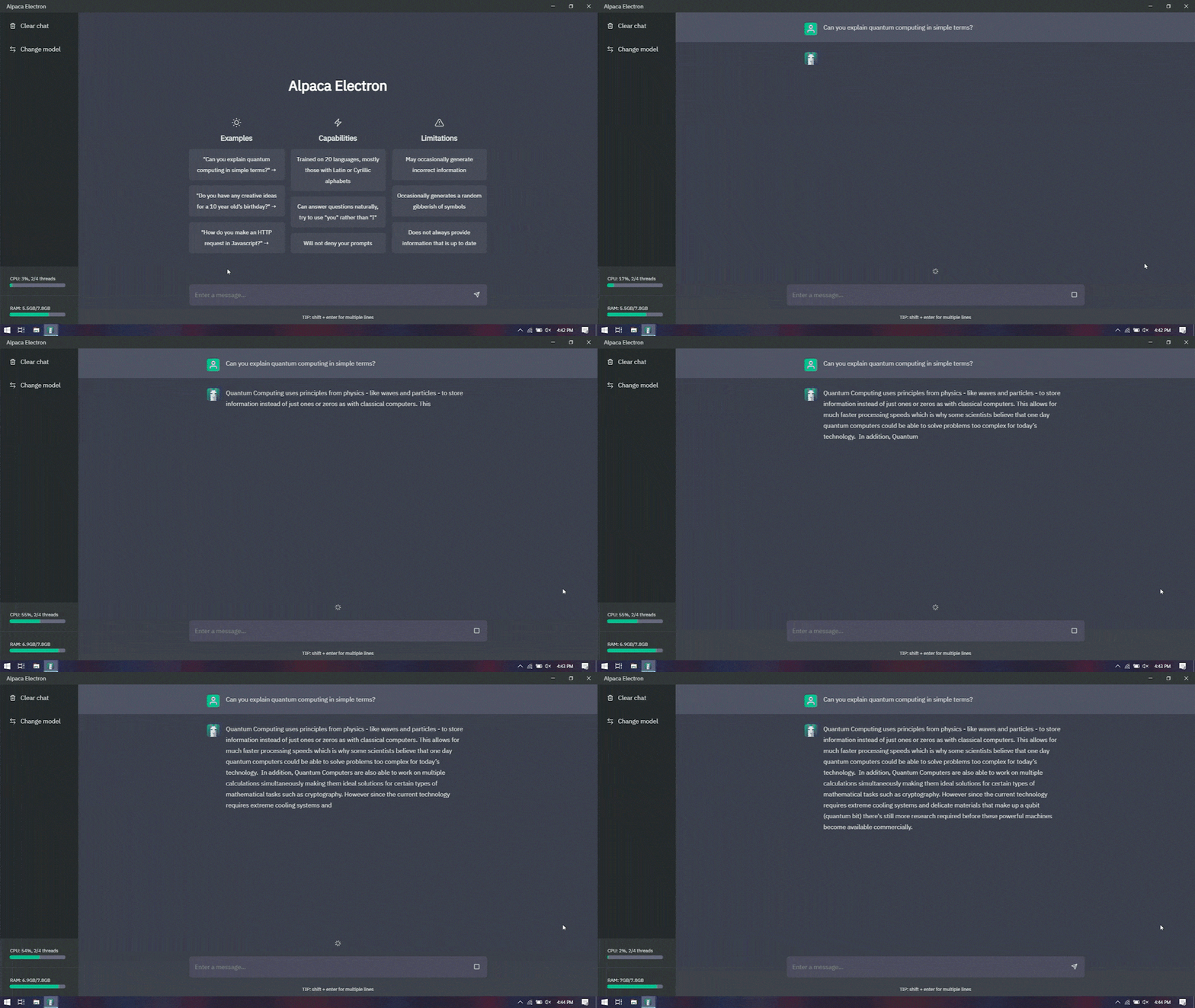
🎞 Demo
🚀 Quick Start Guide
- Download an Alpaca model (7B native is recommended) and place it somewhere on your computer where it's easy to find.
Note
Download links will not be provided in this repository.
-
Download the latest installer from the releases page section.
-
Open the installer and wait for it to install.
-
Once done installing, it'll ask for a valid path to a model. Now, go to where you placed the model, hold shift, right click on the file, and then click on "Copy as Path". Then, paste this into that dialog box and click
Confirm. -
The program will automatically restart. Now you can begin chatting!
Note
The program will also accept any other 4 bit quantized .bin model files. If you can find other .bin Alpaca model files, you can use them instead of the one recommended in the Quick Start Guide to experiment with different models. As always, be careful about what you download from the internet.
🔧 Troubleshooting
General
- If you get an error that says "Invalid file path" when pasting the path to the model file, you probably have some sort of misspelling in there. Try copying the path again or using the file picker.
- If you get an error that says "Couldn't load model", your model is probably corrupted or incompatible. Try downloading the model again.
- If you face other problems or issues not listed here, create an issue in the "Issues" tab at the top of this page. Describe in detail what happens, and include screenshots.
Windows
- If the model has been loaded into RAM but text generation doesn't seem start, check to see if your CPU is compatible with the AVX2 instruction set. If it does not support AVX2, Alpaca Electron will use AVX instead, which is much slower so be patient.
- If you get an error saying "vcruntime140_1.dll is missing" or nothing happens at all and the model was not loaded into RAM, try installing the Microsoft Visual C++ Redistributable.
MacOS
- If you get an error that says "App can't be opened because it is from an unidentified developer.", go to the Applications folder. Then, hold the control key and click on the app. Then click "Open", then click "Open" when it gives you a warning. Your preference will be saved and MacOS will let you open the app normally from now on.
- If the above method does not work, try running the following command in terminal:
xattr -cr /Applications/Alpaca\ Electron.app/
Linux
-
You can either download the prebuilt app (packaged as tar.gz) from the releases page, extract it and execute it with
./"alpaca electron"or build the application on yourself. -
If you want to build the application yourself:
Clone the repository:
git clone https://github.com/ItsPi3141/alpaca-electron.gitChange your current directory to alpaca-electron:
cd alpaca-electronInstall application specific dependencies:
npm install --save-devBuild the application:
npm run linux-x64Change your current directory to the build target:
cd release-builds/'Alpaca Electron-linux-x64'Run the application with
./'Alpaca Electron'
Docker Compose
- You can run this electron application with docker compose. Therefore you need to compelete the following steps:
Clone the repository:
git clone https://github.com/ItsPi3141/alpaca-electron.gitChange your current directory to alpaca-electron:
cd alpaca-electronBuild the container image:
docker compose buildRun the application container:
docker compose up -d
- If no window opens up run
docker compose up(without the -d). If there is an error likeAuthorization required, but no authorization protocol specifiedrunxhost local:rooton your docker host.
⚒️ Building
Prerequisites
(OPTIONAL) Building llama.cpp from source
- Clone llama.cpp's GitHub repo
git clone https://github.com/ggerganov/llama.cpp
cd llama.cpp
- Build llama.cpp On Windows:
mkdir build
cd build
cmake ..
cmake . --config Release
On Linux and MacOS:
make
Running the project from source
- Clone the GitHub repo
git clone https://github.com/ItsPi3141/alpaca-electron
cd alpaca-electron
- Install node packages
npm install
npm run rebuild
Info If you are on Linux, replace
npm run rebuildwithnpm run rebuild-linux
- (OPTIONAL) Use your own llama.cpp build
Warning
This step is not required. Only do it if you had built llama.cpp yourself and you want to use that build. Otherwise, skip to step 4 If you had built llama.cpp in the previous section, copy themainexecutable file into thebinfolder inside the alpaca-electron folder.
Make sure the file replaces the correct file. E.g. if you're on Windows, replace chat.exe with your file. If you're on arm64 MacOS, replace chat_mac_arm64. Etc...
- Start the Electron app
npm start
Building a release and installer
Run one of the following commands:
npm run winnpm run mac-x64npm run mac-arm64npm run linux-x64
You can only build for the OS you are running the build on. E.g. if you are on Windows, you can build for Windows, but not for MacOS and Linux.
👨💻 Credits
Credits go to @antimatter15 for creating alpaca.cpp and to @ggerganov for creating llama.cpp, the backbones behind alpaca.cpp. Finally, credits go to Meta and Stanford for creating the LLaMA and Alpaca models, respectively.
Special thanks to @keldenl for providing arm64 builds for MacOS and @W48B1T for providing Linux builds