🦜️ LangChain Java
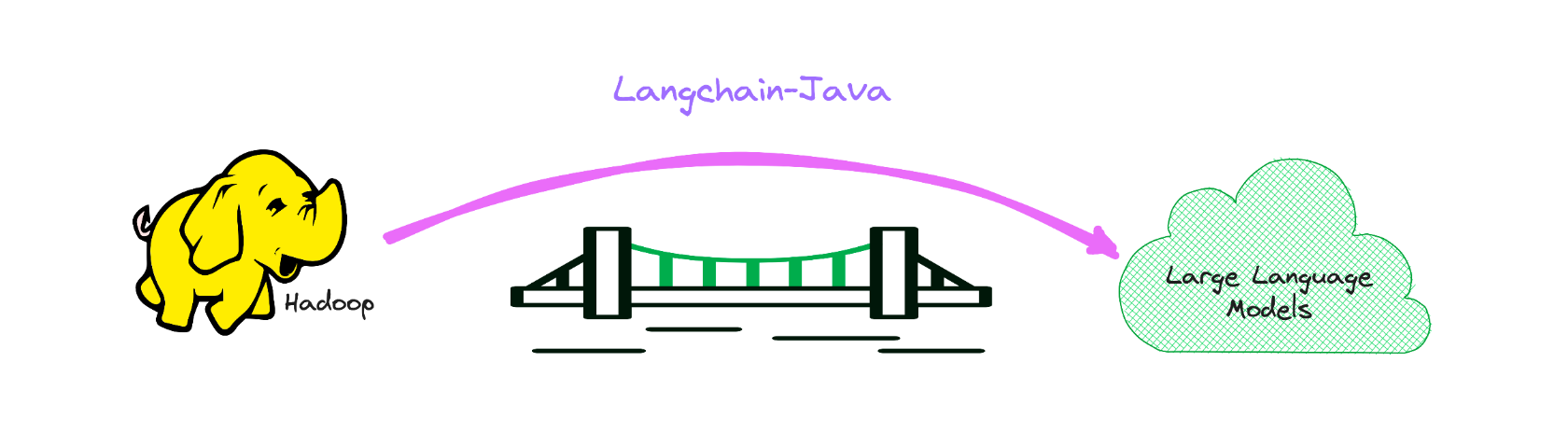
Java version of LangChain, while empowering LLM for BigData.
It serves as a bridge to the realm of LLM within the Big Data domain, primarily in the Java stack.
If you are interested, you can add me on WeChat: HamaWhite, or send email to me.
1. What is this?
This is the Java language implementation of LangChain, which makes it as easy as possible to develop LLM-powered applications.

The following example in the langchain-example.
- SQL Chain
- API Chain
- RAG Milvus
- RAG Pinecone
- Summarization
- Google Search Agent
- Spark SQL Agent
- Flink SQL Agent
2. Integrations
2.1 LLMs
2.2 Vector stores
3. Quickstart Guide
The API documentation is available at the following link:
https://hamawhitegg.github.io/langchain-java
3.1 Maven Repository
Prerequisites for building:
- Java 17 or later
- Unix-like environment (we use Linux, Mac OS X)
- Maven (we recommend version 3.8.6 and require at least 3.5.4)
    io.github.hamawhitegg
    langchain-core
    0.2.1
3.2 Environment Setup
Using LangChain will usually require integrations with one or more model providers, data stores, apis, etc. For this example, we will be using OpenAI’s APIs.
We will then need to set the environment variable.
export OPENAI_API_KEY=xxx

# If a proxy is needed, set the OPENAI_PROXY environment variable.
export OPENAI_PROXY=http://host:port
If you want to set the API key and proxy dynamically, you can use the openaiApiKey and openaiProxy parameter when initiating OpenAI class.
var llm = OpenAI.builder()
        .openaiOrganization("xxx")
        .openaiApiKey("xxx")
        .openaiProxy("http://host:port")
        .requestTimeout(16)
        .build()
        .init();
3.3 LLMs
Get predictions from a language model. The basic building block of LangChain is the LLM, which takes in text and generates more text.
var llm = OpenAI.builder()
        .temperature(0.9f)
        .build()
        .init();

var result = llm.predict("What would be a good company name for a company that makes colorful socks?");
print(result);
And now we can pass in text and get predictions!
Feetful of Fun
3.4 Chat models
Chat models are a variation on language models. While chat models use language models under the hood, the interface they expose is a bit different: rather than expose a "text in, text out" API, they expose an interface where "chat messages" are the inputs and outputs.
var chat = ChatOpenAI.builder()
        .temperature(0)
        .build()
        .init();

var result = chat.predictMessages(List.of(new HumanMessage("Translate this sentence from English to French. I love programming.")));
println(result);
AIMessage{content='J'adore la programmation.', additionalKwargs={}}
It is useful to understand how chat models are different from a normal LLM, but it can often be handy to just be able to treat them the same. LangChain makes that easy by also exposing an interface through which you can interact with a chat model as you would a normal LLM. You can access this through the predict interface.
var output = chat.predict("Translate this sentence from English to French. I love programming.");
println(output);
J'adore la programmation.
3.5 Chains
Now that we've got a model and a prompt template, we'll want to combine the two. Chains give us a way to link (or chain) together multiple primitives, like models, prompts, and other chains.
3.5.1 LLMs
The simplest and most common type of chain is an LLMChain, which passes an input first to a PromptTemplate and then to an LLM. We can construct an LLM chain from our existing model and prompt template.
var prompt = PromptTemplate.fromTemplate("What is a good name for a company that makes {product}?");

var chain = new LLMChain(llm, prompt);
var result = chain.run("colorful socks");
println(result);
Feetful of Fun
3.5.2 Chat models
The LLMChain can be used with chat models as well:
var template = "You are a helpful assistant that translates {input_language} to {output_language}.";
var systemMessagePrompt = SystemMessagePromptTemplate.fromTemplate(template);
var humanMessagePrompt = HumanMessagePromptTemplate.fromTemplate("{text}");
var chatPrompt = ChatPromptTemplate.fromMessages(List.of(systemMessagePrompt, humanMessagePrompt));

var chain = new LLMChain(chat, chatPrompt);
var result = chain.run(Map.of("input_language", "English", "output_language", "French", "text", "I love programming."));
println(result);
J'adore la programmation.
3.5.1 SQL Chains Example
LLMs make it possible to interact with SQL databases using natural language, and LangChain offers SQL Chains to build and run SQL queries based on natural language prompts.
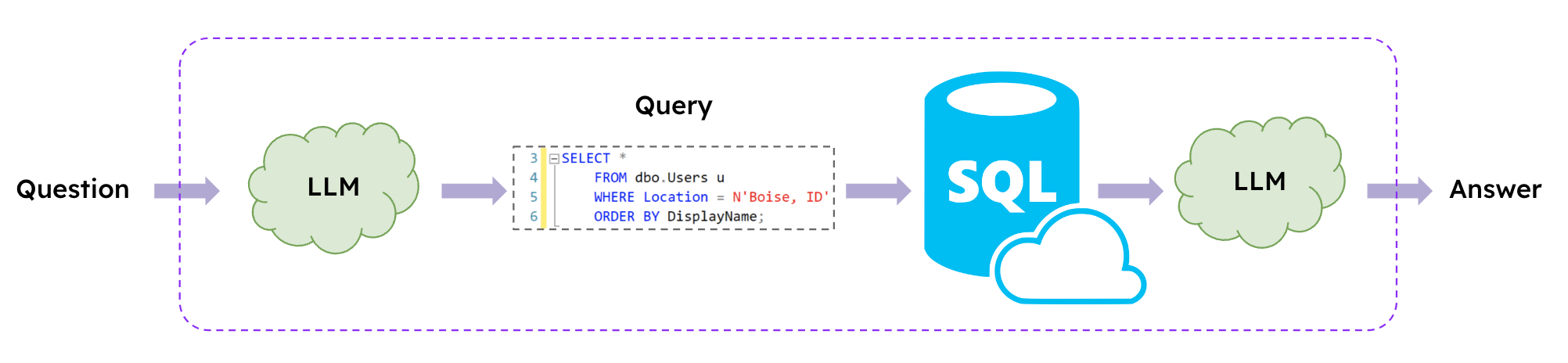
var database = SQLDatabase.fromUri("jdbc:mysql://127.0.0.1:3306/demo", "xxx", "xxx");

var chain = SQLDatabaseChain.fromLLM(llm, database);
var result = chain.run("How many students are there?");
println(result);

result = chain.run("Who got zero score? Show me her parent's contact information.");
println(result);
There are 6 students.

The parent of the student who got zero score is Tracy and their contact information is 088124.
Available Languages are as follows.
| Language | Value |
|---|---|
| English(default) | en_US |
| Portuguese(Brazil) | pt_BR |
If you want to choose other language instead english, just set environment variable on your host. If you not set, then en-US will be default
export USE_LANGUAGE=pt_BR
3.6 Agents
Our first chain ran a pre-determined sequence of steps. To handle complex workflows, we need to be able to dynamically choose actions based on inputs.
Agents do just this: they use a language model to determine which actions to take and in what order. Agents are given access to tools, and they repeatedly choose a tool, run the tool, and observe the output until they come up with a final answer.
Set the appropriate environment variables.
export SERPAPI_API_KEY=xxx
3.6.1 Google Search Agent Example
To augment OpenAI's knowledge beyond 2021 and computational abilities through the use of the Search and Calculator tools.

// the 'llm-math' tool uses an LLM
var tools = loadTools(List.of("serpapi", "llm-math"), llm);

var agent = initializeAgent(tools, chat, AgentType.CHAT_ZERO_SHOT_REACT_DESCRIPTION);
var query = "How many countries and regions participated in the 2023 Hangzhou Asian Games?" +
        "What is that number raised to the .023 power?";

agent.run(query);

4. Run Test Cases from Source
git clone https://github.com/HamaWhiteGG/langchain-java.git
cd langchain-java

# export JAVA_HOME=JDK17_INSTALL_HOME && mvn clean test
mvn clean test
This project uses Spotless to format the code. If you make any modifications, please remember to format the code using the following command.
# export JAVA_HOME=JDK17_INSTALL_HOME && mvn spotless:apply
mvn spotless:apply
5. Support
Don’t hesitate to ask!
Open an issue if you find a bug in langchain-java.
6. Reward
If the project has been helpful to you, you can treat me to a cup of coffee.

This is a WeChat appreciation code.