ForgeGUI is an AI workspace for game creators that turns text prompts and style references into thumbnails, GUI sets, icons, and related game assets. The product site is forgegui.com; a Roblox-focused marketing site at forgegui.net documents Roblox thumbnail maker workflows, free-credit check-ins, and ForgeGUI pricing. Facts below were checked against those pages on October 31, 2026 (America/Los_Angeles). This article is not a hands-on benchmark.
What ForgeGUI Is
According to forgegui.com:
- You describe an idea in chat, generate one or more assets, then export (PNG, ZIP, GLB, and related formats named on the site).
- Asset types called out include thumbnails, icons, GUI / HUD sets, GFX, and 3D assets.
- Target platforms listed on the homepage include Roblox, Fortnite UEFN, Minecraft, Unity, Unreal Engine, Blender, and mobile.
- A style reference upload can lock colors, borders, and look across a batch.
- In-studio controls cover layout, colors, text overlays, borders, and padding. The site’s pitch is that you do not need Photoshop or Figma for those tweaks.
- ForgeMCP is named as a path to bring assets into Roblox Studio.
- FAQ: assets you create are yours, with commercial-use rights to use, modify, distribute, or sell them in games (per forgegui.com’s license FAQ wording).
forgegui.net frames the same brand as a Roblox thumbnail maker & GUI generator, with platform style presets (Roblox, Minecraft, Unity, Fortnite-style), prompt enhancement, reference edits, saved history, and high-resolution downloads.
Roblox Thumbnail Maker Workflow in ForgeGUI
High-level path paraphrased from forgegui.net’s “How ForgeGUI AI Creates Game Thumbnails”:
- Choose a platform and style. Pick Roblox, Minecraft, Unity, or Fortnite-style visuals, then a theme such as Horror Escape, Fantasy Adventure, Anime Battle, Pet Rescue, or Tycoon Upgrade (names as listed on that page).
- Describe the scene. Example prompts on the site include lines like “a dragon catching a scared player” or “Two players running from a smile monster in the backrooms.”
- Generate, edit, and save. Continue with instructions or references, then download. Recommended upload settings on that page: PNG or JPG, 16:9, ideally 1920 × 1080.
forgegui.net also states that a generated Thumbnail or GUI result uses 10 credits, with plan details shown before you pick a larger allowance.
ForgeGUI Pricing, Free Credits, and Plans
Free and referral credits (forgegui.net)
- Marketing copy on forgegui.net: up to 210 free credits via 7 check-ins.
- Invite a friend who buys their first plan: both receive 300 extra credits. Rewards expire after 30 days; reversed if refunded.
- Claim one reward per local calendar day; missed days do not reset progress (check-in copy on that site).
forgegui.com’s FAQ separately says there is a free tier with starter credits, that premium plans unlock more credits and faster generation, and that you can cancel any time.
Paid plans shown on forgegui.net (checked Oct 31, 2026)
Prices on the public pricing carousel (yearly billing toggle visible on the page):
| Plan | Listed monthly price | Yearly bill shown | Credits / month |
|---|---|---|---|
| Starter Package | $7.99/month | $95.88/year (page also shows a struck $16.90 with 53% OFF) | 1,000 |
| Studio | $19.99/month | $239.88/year (struck $29.99, 33% OFF) | 3,000 |
| Team (up to 10 creators) | $59.99/month ($5.99 / creator / month) | $719.88/year (struck $129.90, 54% OFF) | 10,000 |
Paid-tier bullets repeated across plans on that page include thumbnail / GUI / 3D / music & SFX / avatar generation, no watermarks, full privacy, private commercial-use workflow, priority generation, email support, access to all AI models, and 10%–15% discount on extra credits. Team copy also mentions shared credits and team assets. Support email listed: support@forgegui.net.
Treat the live pricing UI as authoritative if numbers change after this check.
Public catalog note (forgegui.com)
Eligible generations made with free credits or during a free trial may be added to ForgeGUI’s public Asset Catalog after you accept the catalog notice. Paid-plan generations are private by default unless you opt in. Account settings can stop future publication; removing already published catalog entries is a separate account action described in that FAQ.
When Other Tools Still Matter
ForgeGUI’s own site argues you can skip Photoshop/Figma for many UI tweaks, while forgegui.net creator quotes describe regenerating a few times, then finishing lettering or small details by hand. That is product positioning and user commentary on those pages, not an independent bake-off. This article does not rank unnamed Midjourney / Leonardo / Canva alternatives without primary sources.
If you already have a locked brand kit in Figma or a hand-painted thumbnail pipeline, ForgeGUI is best read as a fast ideation and export layer (prompt → preset → edit → PNG/ZIP), not as a claim that every studio should replace its DCC stack.
Practical Tips From Official Copy
- Prefer high-contrast, simple staging for Roblox-size store art (forgegui.net’s “players decide fast / mobile-readable” framing).
- Use a style reference screenshot when you need one HUD language across inventory, health bars, and buttons (forgegui.com).
- Budget credits: at 10 credits per thumbnail or GUI result on forgegui.net, 1,000 monthly credits imply up to about 100 such results before extras (arithmetic only; actual menus may meter other asset types differently).
- Read the catalog / privacy toggles before running large free-credit batches you do not want public.
Official Links
- Product: https://forgegui.com/
- Roblox thumbnail / pricing marketing: https://forgegui.net/
- Support (listed on forgegui.net): support@forgegui.net
Sources
- ForgeGUI product site – https://forgegui.com/
- ForgeGUI Roblox thumbnail / GUI site (pricing, credits, workflow) – https://forgegui.net/
Compare before you choose: pricing and model traffic shift often — check current AI model rankings on AI Rank.
Or 📱 get the AI Rank app to follow them on your phone.
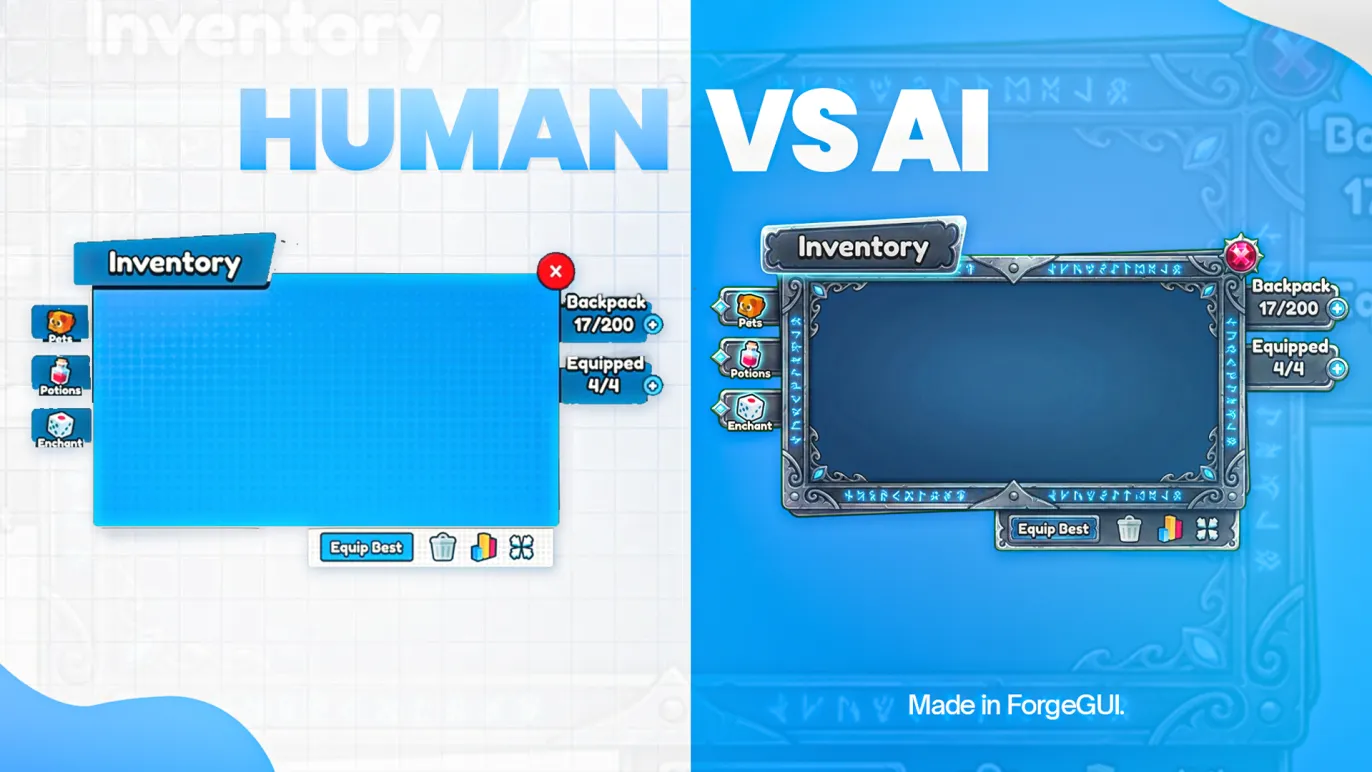
Cover image: ForgeGUI og-image; cropped to 1600×900 by AI Rank.
Prepared with automated editorial assistance and checked against forgegui.com and forgegui.net on October 31, 2026. We did not create a paid account or run generation benchmarks for this article.